Page 2 - Content
English - 2 Content Safety information 3 What you need to know about the safety instructions . . . . . . . . . . . . . . . . . . . . . . . . . . . . . . . . 3Important safety symbols . . . . . . . . . . . . . . . . . . . . . . . . . . . . . . . . . . . . . . . . . . . . . . . . . . . . . 3Important ...
Page 3 - Safety information; What you need to know about the safety; What the icons and signs in this user manual mean:
English - 3 SAFET Y INFORMA TION Safety information Congratulations on your new Samsung washing machine. This manual contains important information on the installation, use and care of your appliance. Please take some time to read this manual to take full advantage of your washing machine’s many ben...
Page 4 - Important safety precautions
English - 4 Important safety precautions WARNING: To reduce the risk of fire, electric shock, or injury to persons when using your appliance, follow basic precautions, including the following: 1. This appliance is not to be used by persons (including children) with reduced physical, sensory or menta...
Page 5 - - staff kitchen areas in shops, offices and other working; WARNING: Critical installation WARNINGS
English - 5 SAFET Y INFORMA TION - staff kitchen areas in shops, offices and other working environments; - farm houses;- by clients in hotels, motels and other residential type environments; - bed and breakfast type environments;- areas for communal use in blocks of flats or in launderettes. WARNING...
Page 8 - CAUTION: Usage CAUTIONS
English - 8 If any foreign substance enters into the appliance, unplug the power plug and contact you nearest Samsung Customer Service.• This may result in electric shock or fire.Do not let children (or pets) play in or on your washing machine. The washing machine door does not open easily from the ...
Page 10 - WARNING: Critical cleaning WARNINGS
English - 10 Do not use natural hand-washing soap for the washing machine.• If it hardens and accumulates inside the washing machine, it may result in problems with the product, discolouration, rust, or bad odours. Place socks and brassieres in a washing net and wash them with the other laundry.Do n...
Page 11 - Instructions about the WEEE
English - 11 SAFET Y INFORMA TION Instructions about the WEEE Correct Disposal of This Product (Waste Electrical & Electronic Equipment)(Applicable in countries with separate collection systems) This marking on the product, accessories or literature indicates that the product and its electronic ...
Page 12 - Installation; What’s included
English - 12 Installation Follow these instructions carefully to ensure proper installation of the washing machine and to prevent accidents when doing laundry. What’s included Make sure all the parts are included in the product package. If you have a problem with the washing machine or the parts, co...
Page 13 - Installation requirements; Electrical supply and grounding; Water supply
English - 13 INSTALLA TION Installation requirements Electrical supply and grounding • AC 220-240 V / 50 Hz fuse or circuit breaker is required• Use an individual branch circuit specific to the washing machineTo ensure proper grounding, the washing machine comes with a power cord featuring a three-p...
Page 14 - Water temperature
English - 14 Drain Samsung recommends a standpipe in height of 65 cm. The drain hose must be connected through the hose clip to the standpipe, and the standpipe must fully cover the drain hose. Flooring For best performance, the washing machine must be installed on a solid floor. Wood floors may nee...
Page 15 - STEP 1 - Select a location
English - 15 INSTALLA TION Step-by-step installation STEP 1 - Select a location Location requirements:• Solid, level surface without carpeting or flooring that may obstruct ventilation• Away from direct sunlight• Adequate room for ventilation and wiring• The ambient temperature is always higher than...
Page 16 - Connect the water supply hose to the water tap.
English - 16 STEP 3 - Adjust the levelling feet 1. Gently slide the washing machine into position. Excessive force may damage the levelling feet. 2. Level the washing machine by manually adjusting the levelling feet. 3. When levelling is complete, tighten the nuts using the spanner. STEP 4 - Connect...
Page 18 - For models with an additional hot water inlet:; STEP 5 - Position the drain hose; Over the edge of a wash basin; ln a sink drain pipe; STEP 6 - Turn on the washing machine
English - 18 For models with an additional hot water inlet: 1. Connect the red end of the hot water supply hose to the hot water inlet on the back of the machine. 2. Connect the other end of the hot water supply hose to the hot water tap. Aqua hose (applicable models only) The aqua hose alerts users...
Page 19 - Before you start; Initial settings; STEP 1 - Set Language
English - 19 BEFORE Y OU S TART Before you start Initial settings When the washing machine turns on for the first time, the welcome screen appears with the Samsung logo. Follow the onscreen instructions to complete the initial settings. You can change the initial settings later by accessing the Sett...
Page 20 - STEP 3 - Set Auto Dispense; STEP 4 - Set Auto Update
English - 20 STEP 3 - Set Auto Dispense The Auto Dispense unit dispenses an appropriate amount of detergent and fabric softener into the drum according to the course and cycle. 1. Both Auto Detergent and Auto Softener are set to On by default. To change the setting, slide the corresponding bar to Of...
Page 21 - Laundry guidelines; Sort the laundry according to these criteria:; STEP 2 - Empty pockets; Empty all the pockets of your laundry items; STEP 3 - Use a laundry net
English - 21 BEFORE Y OU S TART Laundry guidelines STEP 1 - Sort Sort the laundry according to these criteria: • Care Label : Sort the laundry into cottons, mixed fibres, synthetics, silks, wools, and rayon. • Colour : Separate whites from colours. • Size : Mixing different-sized items together in t...
Page 22 - STEP 5 - Determine the load capacity; STEP 6 - Apply a proper detergent type
English - 22 STEP 5 - Determine the load capacity Do not overload the washing machine. Overloading may cause the washing machine to not wash properly. For the load capacity for the type of clothing, see page 30 . When washing bedding or bedding covers, the wash time may be lengthened or the spin eff...
Page 23 - Detergent Guidelines; Auto Dispense
English - 23 BEFORE Y OU S TART Detergent Guidelines Auto Dispense The washing machine provides a two-compartment dispenser: the left compartment for detergent, and the right compartment for fabric softener. The Auto Dispense unit dispenses an appropriate amount of detergent and fabric softener into...
Page 25 - Manual Dispense
English - 25 BEFORE Y OU S TART Manual Dispense In case you don’t want to use the dispenser (Auto Dispense unit), you can either dose the detergent directly into the drum or use the provided aqua pebble when applying detergent manually. The Aqua Pebbles comes in two sizes and are provided as accesso...
Page 26 - Operations; Screen; Main screen; min; Start; Cotton; min; Buttons
English - 26 Operations Screen The actual screen may differ from the image below depending on the model. Main screen Most Used Cotton 1 hr 21 min 12:00 AM Temp. Rinse Spin 40 °C 1200 Options 3 Start 3 4 5 6 7 1 2 Cotton 1 hr 21 min B D 8 A C Buttons 1 Course Tap to enter the course tile. 2 Settings ...
Page 27 - Status bar; Quick panel bar
English - 27 OPERA TIONS Status bar 12:00 AM Auto Detergent If this indicator turns on, Auto Detergent is enabled. Auto Softener If this indicator turns on, Auto Softener is enabled. Door Lock If this indicator turns on, the door is locked to prevent a door opening during operation. Child Lock If th...
Page 28 - Options screen
English - 28 Options screen Cotton 1 hr 21 min 12:00 AM Temp. 40 Quick Wash Pre Wash Soaking+ Intensive Easy Iron Spin 1200 Rinse 3 Start 1 2 3 4 5 7 6 1 Quick Wash Specific for less soiled clothing for a load less than 2 kg. 2 Pre Wash A preliminary washing cycle is added before the main wash. 3 In...
Page 29 - Simple steps to start
English - 29 OPERA TIONS Simple steps to start Most Used Cotton 1 hr 21 min 12:00 AM Temp. Rinse Spin 40 °C 1200 Options 3 Start Temp. Rinse Spin 40 °C 1200 3 1 4 2 3 1. Press the Power button to display the main screen. 2. On the main screen, tap the Course icon on the top centre to display the cou...
Page 30 - Course overview; Standard courses
English - 30 Course overview Standard courses Course Description & Max load (kg) Favourite • Add the current course configuration to the Favourite list, and quickly access the course configuration later. You can add up to 4 custom courses, which appear at the first of the course tile. - Most Use...
Page 31 - Specialty Cycle
English - 31 OPERA TIONS Course Description & Max load (kg) Delicates • For sheer fabrics, bras, lingerie (silk), and other handwash- only fabrics. • For best performance, use liquid detergent. 2 Bedding • For bed spreads, bed sheets, bedding covers, etc.• For best results, wash only 1 type of b...
Page 33 - Delay End
English - 33 OPERA TIONS Delay End You can set the washing machine to finish the current course at a specific hours later.This is useful if you want to finish the wash by the time you come home from business. 1. Select a course. Then change the course settings if necessary. 2. Tap the Options icon a...
Page 34 - Settings; Child Lock; To enable the Auto Dispense; Brightness
English - 34 Settings Child Lock To prevent accidents by children or infants, Child Lock locks all buttons except for the Settings button.You can access the Child Lock menu from the Settings screen or the Quick panel bar.• To set the Child Lock, tap Settings , and tap the Child Lock button. • To act...
Page 35 - Language; Auto setup; Easy Connection
English - 35 OPERA TIONS Date & Time The default time is set to the 12-hour format. 1. Tap Settings > Date & Time . 2. Tap the arrows to change the time for each time element. For example, to change the date, use the arrows above and below the date element. 3. To switch between the AM and...
Page 37 - Update; To check the current firmware version; Help
English - 37 OPERA TIONS Update When updates are available, the update notification appears on the screen. To check the current firmware version 1. Tap Settings > Update to display the current firmware version. 2. To update the firmware manually, tap Update . To update the firmware automatically ...
Page 38 - Samsung Mobile Smart Control; Mobile apps that apply to the Smart Control feature of Samsung; Samsung Smart Washer; Smart Control settings on the washer; Tap the Setup icon, and select Smart Control under the Network menu.
English - 38 Samsung Mobile Smart Control This washer provides two different mobile control apps that you can use for controlling your washer via a network connection. Mobile apps that apply to the Smart Control feature of Samsung smart washers Samsung Smart Home With the newly designed Samsung Smar...
Page 40 - Samsung Smart Home app
English - 40 Samsung Smart Home app When using the Samsung Smart Home app, make sure “ Samsung Smart Home ” under the Setup menu is selected.The Samsung Smart Home app enables you to access and control the washing machine on the move. Installation 1. Visit Google Play Store for Android devices, or A...
Page 41 - Using the Samsung Smart Home app; Key features; Samsung Smart Home Washing Machine app
English - 41 OPERA TIONS Using the Samsung Smart Home app Key features • Integrated control of Samsung smart appliances Register your Samsung smart devices to the Samsung Smart Home service that you can leverage for easy access. Select the washing machine icon on the app to access the core features ...
Page 42 - Samsung Smart Washer app; Download; Indoor control
English - 42 Samsung Smart Washer app When using the Samsung Smart Washer app, make sure “ Samsung Smart Washer ” under the Setup menu is selected.The Samsung Smart Washer app allows you to control some functions of the washing machine on your mobile device. Download 1. Search for Samsung Smart Wash...
Page 43 - Registration
English - 43 OPERA TIONS Registration Register your washing machine to the Samsung Smart Appliance site (www.samsungsmartappliance.com), and get remote access to the washing machine. The washing machine must be connected to a Wi-Fi network. 1. Go to the Samsung Smart Appliance website (www.samsungsm...
Page 44 - Maintenance; Eco Drum Clean; Eco Drum Clean reminder
English - 44 Maintenance Keep the washing machine clean to prevent deteriorated performance and to preserve its life cycle. Eco Drum Clean Perform this course regularly to clean the drum and to remove bacteria from it. 1. Tap Course > Eco Drum Clean . 2. Move to the main screen, and tap Start . T...
Page 45 - Emergency drain
English - 45 MAINTENANCE Emergency drain In case of a power failure, drain the water inside the drum before taking out the laundry. 1. Unplug the power cord of the washing machine from the main socket. 2. Gently press the top area of the filter cover to open. 3. Gently pull out the emergency drain t...
Page 46 - Cleaning; Surface of the washing machine
English - 46 Cleaning Surface of the washing machine Use a soft cloth with a nonabrasive household detergent. Do not spray water onto the washing machine. Mesh filter Clean the mesh filter of the water supply hose once or twice a year. 1. Turn off the washing machine, and unplug the power cord. 2. C...
Page 47 - Debris filter
English - 47 MAINTENANCE Debris filter It is advisable to clean the debris filter 5 or 6 times a year to prevent its clogging. A clogged debris filter may reduce the bubble effect. 1. Turn off the washing machine, and unplug the power cord. 2. Drain the remaining water inside the drum by referring t...
Page 48 - Auto Dispense unit
English - 48 Auto Dispense unit The Auto Dispense unit must be cleaned regularly to ensure proper operation at all times. 1. Remove the Auto Dispense unit from the washing machine. 2. Wipe out the recess of the Auto Dispense unit using a dry cloth. 3. Remove two knobs of the Auto Dispense unit as we...
Page 49 - Recovery from freezing
English - 49 MAINTENANCE Recovery from freezing The washing machine may freeze when it drops below 0 °C. 1. Turn off the washing machine, and unplug the power cord. 2. Pour warm water over the water tap to loosen the water supply hose. 3. Disconnect the water supply hose, and soak it in warm water. ...
Page 50 - Troubleshooting; Checkpoints
English - 50 Troubleshooting Checkpoints If you encounter a problem with the washing machine, first check the table below and try the suggestions. Problem Action The washing machine won’t start. • Make sure the washing machine is plugged in.• Make sure the door is properly closed.• Make sure the wat...
Page 51 - Information codes
English - 51 TROUBLESHOO TING Information codes If the washing machine fails to operate, you may see an information code on the screen. Check the table below and try the suggestions. Problem Action DE • Make sure the door is properly closed.• Make sure laundry is not caught in the door. 4E • Make su...
Page 52 - Specifications; Protecting the environment
English - 52 Specifications Protecting the environment • This appliance is manufactured from recyclable materials. If you decide to dispose of this appliance, please observe local waste disposal regulations. Cut off the power cord so that the appliance cannot be connected to a power source. Remove t...
Page 53 - Fabric care chart
English - 53 SPECIFIC ATIONS Fabric care chart The following symbols provide garment care directions. The care labels include four symbols in this order: washing, bleaching, drying and ironing (and dry cleaning when necessary). The use of symbols ensures consistency among garment manufacturers of do...
Page 54 - Specification sheet
English - 54 Specification sheet The design and specifications are subject to change without notice for quality improvement purposes. According to Regulation (EU) No. 1061/2010 " * " Asterisk(s) means variant model and can be varied (0-9) or (A-Z). Samsung Model Name WW10H9***** Capacity kg ...
Page 55 - Information of main washing programmes
English - 55 SPECIFIC ATIONS 1. Annual energy consumption is based on 220 standard washing cycles for Cotton course at 60 °C and 40 °C at full and partial load, and the consumption of off and left-on modes. Actual energy consumption will depend on how the appliance is used. 2. Annual water consumpti...
Page 56 - QUESTIONS OR COMMENTS?
QUESTIONS OR COMMENTS? COUNTRY CALL OR VISIT US ONLINE AT SWITZERLAND 0800 726 78 64 (0800-SAMSUNG) www.samsung.com/ch/support (German) www.samsung.com/ch_fr/support (French) DC68-03377C-06 Untitled-7 56 2020-10-19 PM 2:40:57
Page 57 - Waschmaschine; Benutzerhandbuch; Imagine the possibilities
WW10H9*****WW90H9***** Waschmaschine Benutzerhandbuch Imagine the possibilities Vielen Dank, dass Sie sich für dieses Gerät von Samsung entschieden haben. Untitled-4 1 2020-10-19 PM 2:35:45
Page 58 - Inhalt
Deutsch - 2 Inhalt Sicherheitsinformationen 3 Wichtige Informationen zu den Sicherheitshinweisen . . . . . . . . . . . . . . . . . . . . . . . . . . . . . . . . . . . . . . . . . . . . . . . . . . 3Wichtige Symbole für Sicherheitshinweise . . . . . . . . . . . . . . . . . . . . . . . . . . . . . . ....
Page 59 - Sicherheitsinformationen; Wichtige Informationen zu den Sicherheitshinweisen
Deutsch - 3 SICHERHEIT SINFORMA TIONEN Sicherheitsinformationen Wir freuen uns, dass Sie sich für diese neue Waschmaschine von Samsung entschieden haben. Dieses Handbuch enthält wichtige Informationen bezüglich des Anschlusses, der Verwendung und der Pflege Ihres neuen Geräts. Lassen Sie sich bitte ...
Page 60 - Wichtige Hinweise zur Sicherheit; Dieses Gerät darf von Kindern ab 8 Jahren und
Deutsch - 4 Wichtige Hinweise zur Sicherheit WARNUNG: Um die Gefahr von Bränden, Stromschlägen und anderen Verletzungen beim Einsatz Ihrer Waschmaschine zu vermindern, beachten Sie die folgenden Sicherheitsregeln: 1. Dieses Gerät ist nicht zur Verwendung durch Personen (einschließlich Kindern) mit v...
Page 61 - WARNUNG: Wichtige Warnhinweise für die Installation
Deutsch - 5 SICHERHEIT SINFORMA TIONEN WARNUNG: Wichtige Warnhinweise für die Installation Die Installation dieses Geräts muss von einem qualifizierten Techniker oder einem dazu befugten Dienstleister durchgeführt werden.• Andernfalls besteht Verletzungsgefahr bzw. die Gefahr von Stromschlägen, Brän...
Page 62 - VORSICHT: Vorsichtshinweise für die Installation; WARNUNG: Wichtige Warnhinweise für die Nutzung
Deutsch - 6 Ziehen Sie nicht am Netzkabel, oder knicken Sie es nicht zu stark.Verknoten und befestigen Sie das Netzkabel nicht.Haken Sie das Netzkabel nicht über ein Metallobjekt, stellen Sie keine schweren Gegenstände darauf, verlegen Sie das Netzkabel nicht zwischen Objekten, und schieben Sie das ...
Page 63 - VORSICHT: Vorsichtshinweise für die Nutzung
Deutsch - 7 SICHERHEIT SINFORMA TIONEN Legen Sie niemals Ihre Hände unter die Waschmaschine, während diese in Betrieb ist.• Dies kann zu Verletzungen führen.Berühren Sie den Netzstecker nicht mit nassen Händen.• Andernfalls besteht die Gefahr von Stromschlägen.Schalten Sie das Gerät, solange es arbe...
Page 66 - WARNUNG: Wichtige Warnhinweise für die Reinigung; Hinweise zum WEEE-Zeichen
Deutsch - 10 WARNUNG: Wichtige Warnhinweise für die Reinigung Sprühen Sie zum Reinigen kein Wasser direkt auf das Gerät.Verwenden Sie kein stark säurehaltiges Reinigungsmittel.Verwenden Sie niemals Waschbenzin, Verdünner oder Alkohol, um das Gerät zu reinigen.• Andernfalls können Verfärbungen, Verfo...
Page 67 - Lieferumfang
Deutsch - 11 INSTALLA TION Installation Befolgen Sie gewissenhaft die nachstehenden Hinweise, um die ordnungsgemäße Installation der Waschmaschine zu gewährleisten und Unfälle oder Verletzungen beim Waschen Ihrer Wäsche zu vermeiden. Lieferumfang Vergewissern Sie sich, dass alle erforderlichen Baute...
Page 68 - Anschlussvoraussetzungen; Stromversorgung und Erdung; Wasserzufuhr
Deutsch - 12 Anschlussvoraussetzungen Stromversorgung und Erdung • Für den Anschluss des Geräts sind 220-240 V~ bei 50 Hz mit Schmelz- oder Automatiksicherung erforderlich.• Verwenden Sie für Ihr Gerät einen gesonderten Stromkreis mit eigener Sicherung.Um eine angemessene Erdung zu gewährleisten, ve...
Page 69 - Abfluss; Wassertemperatur
Deutsch - 13 INSTALLA TION Abfluss Samsung empfiehlt eine Standrohrhöhe von 65 cm. Der Abwasserschlauch muss durch die Abwasserschlauchhalterung zum Abwasserrohr geführt werden. Dabei ist darauf zu achten, dass der Abwasserschlauch vollständig in das Abwasserrohr geschoben wird. Bodenbelag Die beste...
Page 71 - SCHRITT 3 – Ausrichten der Nivellierfüße; Schließen Sie den Frischwasserschlauch an den Wasserhahn an.
Deutsch - 15 INSTALLA TION SCHRITT 3 – Ausrichten der Nivellierfüße 1. Schieben Sie das Gerät vorsichtig an die gewünschte Position. Vermeiden Sie eine übermäßige Krafteinwirkung, da die Nivellierfüße beschädigt werden könnten. 2. Nivellieren Sie das Gerät durch Einstellen der Nivellierfüße. 3. Wenn...
Page 73 - Bei bestimmten Modellen mit zusätzlichem Heißwasseranschluss:; SCHRITT 5 – Anschließen des Abwasserschlauchs; Schlauch in ein Spülbecken hängen; Schlauch in den Abfluss eines Waschbeckens einleiten; SCHRITT 6 – Einschalten des Geräts
Deutsch - 17 INSTALLA TION Bei bestimmten Modellen mit zusätzlichem Heißwasseranschluss: 1. Schließen Sie das rote Ende des Frischwasserschlauchs an den Warmwasseranschluss auf der Rückseite der Waschmaschine an. 2. Schließen Sie das andere Ende des Warmwasserschlauchs an den Warmwasserhahn an. Aqua...
Page 74 - Vor der ersten Verwendung; Anfangseinstellungen; SCHRITT 1 – Sprache einstellen; SCHRITT 2 – Datum und Uhrzeit einstellen
Deutsch - 18 Vor der ersten Verwendung Anfangseinstellungen Wenn Sie das Gerät erstmals einschalten, erscheint im Display der Begrüßungsbildschirm mit dem Samsung-Logo. Befolgen Sie die Anweisungen im Display, um die Anfangseinstellungen durchzuführen. Sie können die Anfangseinstellungen später jede...
Page 75 - SCHRITT 3 – Automatische Dosierung einstellen; SCHRITT 4 – Automatische Aktualisierung einstellen; SCHRITT 5 – Kalibrierung durchführen (empfohlen)
Deutsch - 19 VOR DER ERS TEN VERWENDUNG SCHRITT 3 – Automatische Dosierung einstellen Die automatische Dosiereinheit gibt die für das eingestellte Programm geeignete Menge an Waschmittel und Weichspüler in die Waschtrommel. 1. Die Funktionen Autom. Waschmittelzugabe und Autom. Weichspülerzugabe sind...
Page 76 - Waschhinweise; SCHRITT 1 – Sortieren; Sortieren Sie die Wäsche nach den folgenden Kriterien:; SCHRITT 2 – Taschen leeren; Leeren Sie alle Taschen Ihrer Wäschestücke.; SCHRITT 3 – Wäschenetz verwenden; SCHRITT 4 – Vorwaschen (sofern erforderlich)
Deutsch - 20 Waschhinweise SCHRITT 1 – Sortieren Sortieren Sie die Wäsche nach den folgenden Kriterien: • Pflegehinweis : Sortieren Sie die Wäsche nach Gewebeart in Baumwolle, Mischgewebe, Synthetik, Seide, Wolle und Viskose. • Farbe : Trennen Sie weiße Wäschestücke von der Buntwäsche. • Größe : Wen...
Page 77 - SCHRITT 5 – Füllmenge bestimmen; SCHRITT 6 – Das richtige Waschmittel verwenden
Deutsch - 21 VOR DER ERS TEN VERWENDUNG SCHRITT 5 – Füllmenge bestimmen Überladen Sie das Gerät nicht. Wenn Sie zu viel Wäsche einfüllen, wird die Waschleistung beeinträchtigt. Die für die verschiedenen Programme empfohlene Füllmenge können Sie in der Tabelle auf Seite 29 nachschlagen. Beim Waschen ...
Page 78 - Hinweise zum Waschmittel; Automatische Dosierung
Deutsch - 22 Hinweise zum Waschmittel Automatische Dosierung Dieses Gerät ist mit einer Dosiereinheit mit zwei Fächern ausgestattet: das linke Fach ist für das Waschmittel und das rechte für den Weichspüler bestimmt. Die automatische Dosiereinheit gibt die für das eingestellte Programm geeignete Men...
Page 80 - Manuelle Dosierung
Deutsch - 24 Manuelle Dosierung Wenn Sie die Dosierfunktion (bzw. die automatische Dosiereinheit) nicht verwenden möchten, können Sie das Waschmittel entweder direkt in die Waschtrommel geben oder zum manuellen Dosieren des Waschmittels die mitgelieferte AquaSchale verwenden. Im Lieferumfang Ihres G...
Page 81 - Bedienung; Display; Hauptseite; Starten; Baumwolle; Bedienelemente
Deutsch - 25 BEDIENUNG Bedienung Display Das tatsächliche Aussehen kann je nach Modell von den unten verwendeten Abbildungen abweichen. Hauptseite Baumwolle 1 Std. 21 Min. 12:00 AM Temp. Spülen Schleudern 40 °C 1200 Optionen 3 Starten Top Auswahl 3 4 5 6 7 1 2 Baumwolle 1 Std. 21 Min. B D 8 A C Bedi...
Page 82 - Statusleiste; Schnellzugriffsleiste
Deutsch - 26 Statusleiste 12:00 AM Autom. Waschmittelzugabe Diese Anzeige leuchtet, wenn die Funktion Autom. Waschmittelzugabe aktiviert ist. Autom. Weichspülerzugabe Diese Anzeige leuchtet, wenn die Funktion Autom. Weichspülerzugabe aktiviert ist. Door Lock Diese Anzeige leuchtet, wenn die Gerätetü...
Page 83 - Optionsmenü
Deutsch - 27 BEDIENUNG Optionsmenü Baumwolle 1 Std. 21 Min. 12:00 AM Temp. 40 Schnelle Wäsche Vorwäsche Einweichen+ Intensiv Leichtbügeln Schleudern 1200 Spülen 3 Starten 1 2 3 4 5 7 6 1 Schnelle Wäsche Diese Option ist insbesondere für nur gering verschmutzte Kleidung bis zu einer Füllmenge von 2 k...
Page 84 - Mit wenigen einfachen Schritten zu sauberer Wäsche
Deutsch - 28 Mit wenigen einfachen Schritten zu sauberer Wäsche Top Auswahl Baumwolle 1 Std. 21 Min. 12:00 AM Temp. Spülen Schleudern 40 °C Optionen 3 Starten 1200 Temp. Spülen Schleudern 40 °C 3 1200 1 4 2 3 1. Drücken Sie die Netztaste , um die Hauptseite anzuzeigen. 2. Tippen Sie oben in der Mitt...
Page 85 - Übersicht über die Programme; Standardprogramme
Deutsch - 29 BEDIENUNG Übersicht über die Programme Standardprogramme Programm Beschreibung und max. Füllmenge (in kg) Favorit • Fügen Sie die aktuelle Programmeinstellung zur Favoritenliste hinzu, sodass Sie sie zu einem späteren Zeitpunkt schnell und einfach erneut auswählen können. Sie können bis...
Page 86 - Spezialprogramme
Deutsch - 30 Programm Beschreibung und max. Füllmenge (in kg) Wolle • Dieses Programm wurde eigens für maschinengeeignete Wollkleidung mit Füllmengen von weniger als 2 kg entwickelt. • Im Wollprogramm werden die Kleidungsstücke mit sanften, wiegenden Bewegungen gewaschen und eingeweicht, um die Woll...
Page 88 - Programmende
Deutsch - 32 Programmende Sie können die Waschmaschine so programmieren, dass das aktuell ausgewählte Programm zu einem bestimmten Zeitpunkt in der Zukunft beendet ist.Dies ist nützlich, damit die Wäsche beispielsweise fertig ist, wenn Sie von der Arbeit nach Hause kommen. 1. Wählen Sie das gewünsch...
Page 89 - Einstellung; Kindersicherung; Aktivieren der Funktion „Automatische Dosierung“; Helligkeit
Deutsch - 33 BEDIENUNG Einstellung Kindersicherung Um Kinder vor Verletzungen zu schützen, können Sie mit der Kindersicherung alle Bedienelemente außer dem Bedienelement Einstellung sperren. Sie können auf die Funktion Kindersicherung über das Menü Einstellung oder die Schnellzugriffsleiste zugreife...
Page 90 - Automatische Einrichtung
Deutsch - 34 Datum und Uhrzeit Für die Uhrzeit ist standardmäßig die 12-Stunden-Notation ausgewählt. 1. Tippen Sie auf Einstellung > Datum und Uhrzeit . 2. Stellen Sie die einzelnen Elemente durch Tippen auf die Pfeile ein. Wenn Sie beispielsweise das Datum ändern möchten, verwenden Sie dazu die ...
Page 91 - Smart Control
Deutsch - 35 BEDIENUNG Smart Control Mit der Funktion Smart Control können Sie die Waschmaschine über Ihr Mobilgerät steuern. Tippen Sie auf das entsprechende Bedienelement, um die Funktion Smart Control zu aktivieren oder deaktivieren. 1. Tippen Sie auf Einstellung , und schieben Sie den Balken für...
Page 92 - Aktualisieren; Überprüfen der aktuellen Firmware-Version; Hilfe
Deutsch - 36 Aktualisieren Wenn Aktualisierungen verfügbar sind, wird automatisch eine Aktualisierungsbenachrichtigung auf dem Display angezeigt. Überprüfen der aktuellen Firmware-Version 1. Tippen Sie auf Einstellung > Aktualisieren , um die aktuelle Firmware-Version anzuzeigen. 2. Wenn Sie die ...
Page 93 - Samsung Smart Control zur Bedienung mit Mobilgeräten; Smart Control-Einstellungen an der Waschmaschine
Deutsch - 37 BEDIENUNG Samsung Smart Control zur Bedienung mit Mobilgeräten Ihnen stehen zwei verschiedene Mobilgeräte-Apps zur Verfügung, mit denen Sie Ihre Waschmaschine über eine Internetverbindung bedienen können. Mobilgeräte-Apps zur Bedienung von Samsung Smart-Waschmaschinen per Smart Control ...
Page 95 - Samsung Smart Home-App
Deutsch - 39 BEDIENUNG Samsung Smart Home-App Wenn Sie die Samsung Smart Home-App verwenden möchten, vergewissern Sie sich, dass im Einstellungsmenü auch die entsprechende Option „ Samsung Smart Home “ ausgewählt ist. Mit der Samsung Smart Home-App können Sie Ihre Waschmaschine auch von unterwegs be...
Page 96 - Verwenden der Samsung Smart Home-App; Wichtige Funktionen; Samsung Smart Home Washing Machine-App
Deutsch - 40 Verwenden der Samsung Smart Home-App Wichtige Funktionen • Integrierte Steuerung von Smart-Geräten von Samsung Registrieren Sie Ihr Smart-Gerät von Samsung beim Samsung Smart Home-Dienst, um schnell und einfach auf Ihr Gerät zugreifen zu können. Wählen Sie in der App das Waschmaschinens...
Page 97 - Die App Samsung Smart Washer; Herunterladen; Zugriff von zuhause
Deutsch - 41 BEDIENUNG Die App Samsung Smart Washer Wenn Sie die Samsung Smart Washer-App verwenden möchten, vergewissern Sie sich, dass im Einstellungsmenü auch die entsprechende Option „ Samsung Smart Washer “ ausgewählt ist. Mit Hilfe der App Samsung Smart Washer können Sie verschiedene Funktione...
Page 98 - Registrierung
Deutsch - 42 Registrierung Um Ihre Waschmaschine per Fernzugriff steuern zu können, müssen Sie sie auf der Website „Samsung Smart Appliance“ (www.samsungsmartappliance.com) registrieren. Die Waschmaschine muss mit einem Wi-Fi-Netzwerk verbunden sein. 1. Öffnen Sie die Website „ Samsung Smart Applian...
Page 99 - Wartung; Trommelreinigung; Erinnerung für Trommelreinigung
Deutsch - 43 W AR TUNG Wartung Halten Sie die Waschmaschine stets sauber. So sorgen Sie für eine gleichbleibend hohe Leistung und für eine lange Lebensdauer des Geräts. Trommelreinigung Führen Sie dieses Programm regelmäßig aus, um die Waschtrommel zu reinigen und Bakterien im Inneren zu entfernen. ...
Page 100 - Notentleerung
Deutsch - 44 Notentleerung Lassen Sie bei einem Stromausfall das Wasser in der Waschtrommel ab, bevor Sie die Wäsche entnehmen. 1. Ziehen Sie dazu den Netzstecker der Waschmaschine aus der Steckdose. 2. Drücken Sie vorsichtig gegen den oberen Teil der Abdeckung des Flusensiebs, um diese zu öffnen. 3...
Page 101 - Reinigung; Gehäuse der Waschmaschine
Deutsch - 45 W AR TUNG Reinigung Gehäuse der Waschmaschine Verwenden Sie zur Reinigung ein weiches Tuch und einen nicht scheuernden Haushaltsreiniger. Sprühen Sie kein Wasser direkt auf das Gerät. Sieb Reinigen Sie das Sieb am Frischwasserschlauch ein- bis zweimal pro Jahr. 1. Schalten Sie die Wasch...
Page 102 - Flusensieb
Deutsch - 46 Flusensieb Es wird empfohlen, das Flusensieb 5 bis 6 Mal pro Jahr zu reinigen, um zu verhindern, dass es verstopft. Ein verstopftes Flusensieb vermindert die Leistung der Schaum-Aktiv-Funktion. 1. Schalten Sie die Waschmaschine dazu aus, und ziehen Sie den Netzstecker aus der Steckdose....
Page 103 - Automatische Dosiereinheit
Deutsch - 47 W AR TUNG Automatische Dosiereinheit Die automatische Dosiereinheit muss regelmäßig gereinigt werden, um einen fehlerlosen Betrieb zu gewährleisten. 1. Entnehmen Sie die automatische Dosiereinheit aus der Waschmaschine. 2. Wischen Sie die automatische Dosiereinheit mit einem trockenen T...
Page 105 - Fehlerbehebung; Prüfpunkte
Deutsch - 49 FEHLERBEHEBUNG Fehlerbehebung Prüfpunkte Schlagen Sie bei Problemen mit diesem Gerät zuerst in der folgenden Tabelle nach, und probieren Sie die dort beschriebenen Abhilfemaßnahmen. Problem Maßnahme Die Waschmaschine startet nicht. • Stellen Sie sicher, dass die Waschmaschine an eine St...
Page 106 - Informationscodes
Deutsch - 50 Informationscodes Bei Störungen Ihrer Waschmaschine wird ein Informationscode im Display angezeigt. Schlagen Sie in der folgenden Tabelle nach, und probieren Sie die beschriebenen Abhilfemaßnahmen aus. Problem Maßnahme DE • Stellen Sie sicher, dass die Gerätetür ordnungsgemäß geschlosse...
Page 107 - Technische Daten; Umweltschutzhinweise
Deutsch - 51 TECHNISCHE D ATEN Technische Daten Umweltschutzhinweise • Dieses Gerät ist aus wieder verwertbaren Materialien hergestellt. Beachten Sie bei der Entsorgung von Altgeräten die vor Ort einzuhaltenden Normen und Gesetze. Schneiden Sie das Netzkabel durch, damit das Gerät nicht mehr an eine...
Page 108 - Bedeutung der Pflegesymbole
Deutsch - 52 Bedeutung der Pflegesymbole Die folgenden Symbole sind Pflegehinweise für Bekleidung. Auf den Pflegehinweisen finden Sie nacheinander die folgenden vier Symbole: Waschen, Bleichen, Trocknen und Bügeln (und ggf. chemische Reinigung). Die Verwendung dieser Symbole gewährleistet, dass die ...
Page 109 - Technisches Datenblatt
Deutsch - 53 TECHNISCHE D ATEN Technisches Datenblatt Jederzeitige Änderungen am Design und den technischen Daten des Geräts zum Zweck der Qualitätsverbesserung vorbehalten. Gemäß der Richtlinie (EU) Nr. 1061/2010 Die Sternchen (*) kennzeichnen Modellvarianten und können für Ziffern (0-9) oder Buchs...
Page 110 - Ihre Waschmaschine auf einen Blick
Deutsch - 54 1. Der jährliche Energieverbrauch wird auf der Grundlage von 220 Standardwaschgängen im Programm Baumwolle mit 60° C und 40° C bei vollständiger und teilweiser Befüllung sowie des Verbrauchs im ausgeschalteten Zustand und im Ruhezustand errechnet. Der tatsächliche Energieverbrauch hängt...
Page 111 - Notizen
Page 112 - FRAGEN ODER HINWEISE?
FRAGEN ODER HINWEISE? LAND RUFEN SIE UNS AN ODER BESUCHEN SIE UNS ONLINE UNTER SWITZERLAND 0800 726 78 64 (0800-SAMSUNG) www.samsung.com/ch/support (German) www.samsung.com/ch_fr/support (French) DC68-03377C-06 Untitled-4 56 2020-10-19 PM 2:36:00
Page 113 - Un monde de possibilités
WW10H9*****WW90H9***** Lave-linge Manuel d'utilisation Un monde de possibilités Merci d'avoir choisi ce produit Samsung. Untitled-6 1 2020-10-19 PM 2:38:12
Page 114 - Sommaire
Français - 2 Sommaire Consignes de sécurité 3 Remarques importantes sur les consignes de sécurité . . . . . . . . . . . . . . . . . . . . . . . . . . . . . . . . . . . . . . . . . . . . 3Symboles de sécurité importants . . . . . . . . . . . . . . . . . . . . . . . . . . . . . . . . . . . . . . . . ....
Page 115 - Consignes de sécurité; Remarques importantes sur les consignes de sécurité
Français - 3 CONSIGNES DE SÉCURITÉ Consignes de sécurité Félicitations pour l'achat de votre nouveau lave-linge Samsung. Ce manuel contient de précieuses informations concernant l'installation, l'utilisation et l'entretien de votre appareil. Prenez le temps de le lire afin de tirer pleinement profit...
Page 116 - Consignes de sécurité importantes; Cet appareil peut être utilisé par les
Français - 4 Consignes de sécurité importantes AVERTISSEMENT : afin de réduire les risques d'incendie, d'électrocution ou de blessures physiques lors de l'utilisation de l'appareil, des précautions de base doivent être prises : 1. Cet appareil n'est pas conçu pour être utilisé par des personnes (y c...
Page 117 - AVERTISSEMENT : AVERTISSEMENTS importants concernant
Français - 5 CONSIGNES DE SÉCURITÉ AVERTISSEMENT : AVERTISSEMENTS importants concernant l'installation L'installation de cet appareil doit être effectuée par un technicien ou un centre de réparation qualifié.• Le non-respect de cette consigne peut entraîner des chocs électriques, des incendies, une ...
Page 119 - ATTENTION : MISES EN GARDE concernant l'utilisation
Français - 7 CONSIGNES DE SÉCURITÉ • L'ouverture forcée du hublot peut entraîner des dommages sur l'appareil et des blessures.N'insérez pas votre main sous le lave-linge lorsque la machine est en cours de fonctionnement.• Cela pourrait entraîner des blessures.Ne touchez pas la prise d'alimentation a...
Page 122 - Instructions concernant la marque DEEE
Français - 10 AVERTISSEMENT : AVERTISSEMENTS importants concernant le nettoyage Ne nettoyez pas l'appareil en pulvérisant directement de l'eau dessus.N'utilisez pas de produit nettoyant agressif.N'utilisez pas de benzène, de diluant ou d'alcool pour nettoyer l'appareil.• Cela pourrait entraîner des ...
Page 123 - Éléments inclus dans l'emballage
Français - 11 INSTALLA TION Installation Respectez impérativement ces instructions afin d'assurer l'installation correcte du lave-linge et d'éviter les accidents de lavage. Éléments inclus dans l'emballage Vérifiez que toutes les pièces figurant ci-dessous sont incluses avec le produit. En cas de pr...
Page 124 - Conditions d'installation; Alimentation électrique et mise à la terre
Français - 12 Conditions d'installation Alimentation électrique et mise à la terre • Un fusible ou un disjoncteur de 220/240 V c.a./50 Hz est nécessaire.• Utilisez un circuit de dérivation propre au lave-linge.Afin d'assurer une mise à la terre correcte, le lave-linge est équipé d'un cordon doté d'u...
Page 125 - Vidange; Encastrement dans une niche ou un placard
Français - 13 INSTALLA TION Vidange Samsung recommande de placer le tuyau d'évacuation mural à une hauteur de 65 cm. Raccordez le tuyau de vidange au conduit d'évacuation en passant par le collier de serrage et en veillant à ce que le conduit recouvre entièrement le tuyau de vidange. Sol d'installat...
Page 126 - Étapes d'installation; ÉTAPE 2 : retirer les vis de transport
Français - 14 Étapes d'installation ÉTAPE 1 : choisir le lieu d'installation Installez l'appareil :• sur une surface dure et à niveau, sans moquette ou autre revêtement de sol susceptible d'obstruer l'aération,• à l'abri des rayons du soleil,• dans une pièce permettant d'assurer une aération et un c...
Page 127 - ÉTAPE 3 : régler les pieds
Français - 15 INSTALLA TION ÉTAPE 3 : régler les pieds 1. Faites glisser le lave-linge jusqu'à son emplacement d'installation. Procédez avec précaution afin de ne pas endommager les pieds. 2. Mettez le lave-linge à niveau en faisant tourner manuellement les pieds réglables. 3. Serrez ensuite les écr...
Page 129 - Tuyau Aqua (modèles concernés uniquement)
Français - 17 INSTALLA TION Pour les modèles équipés d'une arrivée d'eau chaude supplémentaire : 1. Raccordez l'extrémité rouge du tuyau d'arrivée d'eau chaude à la vanne d'alimentation en eau chaude située à l'arrière du lave-linge. 2. Raccordez l'autre extrémité du tuyau d'arrivée d'eau chaude au ...
Page 130 - ÉTAPE 5 : positionner le tuyau de vidange; Sur le bord d'un lavabo; Sur un tuyau de vidange d'évier
Français - 18 ÉTAPE 5 : positionner le tuyau de vidange L’extrémité du tuyau de vidange peut être positionnée de trois façons différentes : Sur le bord d'un lavabo Le tuyau de vidange doit être positionné à une hauteur comprise entre 60 et 90 cm (*). Pour que le bout du tuyau reste coudé, utilisez l...
Page 131 - Avant de mettre en route le lave-linge; Réglages initiaux; ÉTAPE 1 : Régler Langue
Français - 19 AV ANT DE METTRE EN ROUTE LE LA VE-LINGE Avant de mettre en route le lave-linge Réglages initiaux Lorsque vous allumez le lave-linge pour la première fois, l'écran d'accueil s'affiche aux côté du logo Samsung. Suivez les instructions indiquées à l'écran pour effectuer les réglages init...
Page 132 - ÉTAPE 3 : Régler distributeur automatique; ÉTAPE 4 : Régler Mise à jour auto
Français - 20 ÉTAPE 3 : Régler distributeur automatique Le Distributeur Automatique libère la quantité appropriée de lessive et d'adoucissant dans le tambour en fonction du programme et du cycle sélectionnés. 1. Les options Distributeur de lessive et Distributeur adoucissant sont définies sur Activé...
Page 133 - Instructions de lavage; Triez votre linge en fonction des caractéristiques suivantes :; ÉTAPE 2 : Vider les poches; Videz toutes les poches des vêtements à laver.; ÉTAPE 3 : utiliser un filet à linge
Français - 21 AV ANT DE METTRE EN ROUTE LE LA VE-LINGE Instructions de lavage ÉTAPE 1 : Trier Triez votre linge en fonction des caractéristiques suivantes : • Symbole textile : triez le linge en fonction du type de textile (coton, fibres mélangées, synthétiques, soie, laine). • Couleur : séparez le ...
Page 134 - ÉTAPE 5 : Déterminer la capacité de chargement; ÉTAPE 6 : utiliser la lessive appropriée
Français - 22 ÉTAPE 5 : Déterminer la capacité de chargement Ne surchargez jamais le lave-linge au risque de réduire les performances de lavage. Pour connaître la capacité de chargement en fonction du type d'article, reportez-vous en page 30 . Lorsque vous lavez des draps ou des couettes, la durée d...
Page 135 - Consignes relatives à la lessive; Distributeur Automatique
Français - 23 AV ANT DE METTRE EN ROUTE LE LA VE-LINGE Consignes relatives à la lessive Distributeur Automatique Le lave-linge est équipé d'un distributeur à deux compartiments : le compartiment de gauche est réservé à la lessive et celui de droite, à l'adoucissant. Le Distributeur Automatique libèr...
Page 137 - Distribution manuelle
Français - 25 AV ANT DE METTRE EN ROUTE LE LA VE-LINGE Distribution manuelle Si vous ne souhaitez pas utiliser le distributeur automatique, vous pouvez ajouter la lessive directement dans le tambour ou utiliser la boule doseuse pour distribuer manuellement la lessive. La boule doseuse est disponible...
Page 138 - Fonctionnement; Écran; Écran principal; Départ; Coton; Touches
Français - 26 Fonctionnement Écran L'écran de votre appareil peut différer de la représentation ci-dessous en fonction du modèle. Écran principal Cycle Préféré Coton 1 h 21 min 12:00 AM Temp. Rinçage Essorage 40 °C 1200 Options 3 Départ 3 4 5 6 7 1 2 Coton 1 h 21 min B D 8 A C Touches 1 Programme Ce...
Page 140 - Écran des options
Français - 28 Écran des options Coton 1 h 21 min 12:00 AM Temp. 40 Lav. rapide Prélavage Trempage+ Intensif Repassage facile Essorage 1200 Rinçage 3 Départ 1 2 3 4 5 7 6 1 Express Pour le linge peu sale (charge inférieure à 2 kg). 2 Prélavage Fait précéder le cycle de lavage principal d'un cycle de ...
Page 141 - Démarrage facile
Français - 29 FONC TIONNEMENT Démarrage facile Cycle Préféré Coton 1 h 21 min 12:00 AM Temp. Rinçage Essorage 40 °C Options 3 Départ 1200 Temp. Rinçage Essorage 40 °C 3 1200 1 4 2 3 1. Appuyez sur le bouton Marche/Arrêt pour afficher l'écran principal. 2. Une fois dessus, tapez sur l'icône Programme...
Page 142 - Présentation des programmes; Programmes standard
Français - 30 Présentation des programmes Programmes standard Programme Description et charge maxi. (kg) Favori • Cette touche permet d'ajouter la configuration du programme sélectionné à la liste Favori afin que vous puissiez y accéder rapidement à la prochaine utilisation. Vous pouvez ajouter jusq...
Page 143 - Spécial Tâches
Français - 31 FONC TIONNEMENT Programme Description et charge maxi. (kg) Délicats • Pour les textiles transparents, la lingerie fine ou en soie et les autres textiles délicats à laver à la main. • Pour un résultat optimal, utilisez une lessive liquide. 2 Draps • Pour les draps, draps-housses, housse...
Page 145 - Arrêt différé
Français - 33 FONC TIONNEMENT Arrêt différé Permet de retarder l'arrêt du programme sélectionné.Cette fonction vous permet par exemple de faire en sorte que le programme se termine à votre retour du travail. 1. Sélectionnez un programme. Modifiez-en ensuite les réglages si nécessaire. 2. Tapez sur l...
Page 146 - Réglages; Sécurité Enfant; Pour activer le Distributeur Automatique :; Luminosité
Français - 34 Réglages Sécurité Enfant Afin de prévenir les risques d'accident chez les enfants, l'option Sécurité Enfant permet de verrouiller toutes les touches, à l'exception de la touche Réglages . Vous pouvez accéder au menu Sécurité Enfant à partir de l'écran Réglages ou de la barre d'accès ra...
Page 147 - Date et heure; Configuration automatique; Raccordement facile
Français - 35 FONC TIONNEMENT Date et heure L'heure par défaut est au format 12 heures. 1. Tapez sur Réglages > Date et heure . 2. Tapez sur les flèches pour modifier chaque élément. Par exemple, si vous souhaitez modifier la date, utilisez les flèches situées en haut et en bas de l'élément date....
Page 149 - Mise à jour; Pour connaître votre version logicielle actuelle :; Aide
Français - 37 FONC TIONNEMENT Mise à jour Lorsque des mises à jour sont disponibles, une notification apparaît à l'écran. Pour connaître votre version logicielle actuelle : 1. Tapez sur Réglages > Mise à jour pour afficher la version logicielle actuelle du système. 2. Pour la mettre à jour manuel...
Page 150 - Paramètres Smart Control sur le lave-linge
Français - 38 Samsung Mobile Smart Control Ce lave-linge offre deux applications de commande mobile différentes vous permettant de contrôler votre lave-linge à travers une connexion réseau. Applications mobiles s'appliquant à la fonction Smart Control des lave-linge intelligents Samsung Samsung Smar...
Page 152 - Application Samsung Smart Home
Français - 40 Application Samsung Smart Home Lorsque vous utilisez l'application Samsung Smart Home, assurez-vous que « Samsung Smart Home » sous le menu Setup (Configuration) est sélectionné.L'application Samsung Smart Home vous permet d'accéder au lave-linge et de le contrôler depuis l'endroit où ...
Page 153 - Utilisation de l'application Samsung Smart Home; Fonctionnalités principales; Application Samsung Smart Home Washing Machine
Français - 41 FONC TIONNEMENT Utilisation de l'application Samsung Smart Home Fonctionnalités principales • Contrôle intégré des appareils intelligents Samsung Enregistrez vos appareils intelligents Samsung sur le service Samsung Smart Home qui vous offre un accès facile à des fonctionnalités extrêm...
Page 154 - Application Samsung Smart Washer; Télécharger; Commande intérieure
Français - 42 Application Samsung Smart Washer Lorsque vous utilisez l'application Samsung Smart Washer, assurez-vous que « Samsung Smart Washer » sous le menu Setup (Configuration) est sélectionné.L'application Samsung Smart Washer vous permet de contrôler certaines fonctions du lave-linge à partir...
Page 155 - Enregistrement
Français - 43 FONC TIONNEMENT Enregistrement Enregistrez votre lave-linge sur le site Samsung Smart Appliance (www.samsungsmartappliance.com) afin de pouvoir accéder à distance à votre lave-linge. Le lave-linge doit être connecté à un réseau Wi-Fi. 1. Allez sur le site Internet Samsung Smart Applian...
Page 156 - Entretien; Nettoyage Tambour; Rappel Nettoyage Tambour
Français - 44 Entretien Veillez à ce que le lave-linge soit toujours propre afin de préserver la qualité de ses performances et sa durée de vie. Nettoyage Tambour Lancez ce programme régulièrement pour supprimer la saleté et les bactéries du tambour 1. Tapez sur Programme > Nettoyage Tambour . 2....
Page 158 - Nettoyage; Filtre à maille
Français - 46 Nettoyage Dessus du lave-linge Utilisez un chiffon et un nettoyant ménager non abrasif. Ne pulvérisez jamais d'eau sur le dessus du lave-linge. Filtre à maille Le filtre à maille du tuyau d'arrivée d'eau doit être nettoyé une à deux fois par an. 1. Éteignez le lave-linge et débranchez ...
Page 159 - Filtre à impuretés
Français - 47 ENTRETIEN Filtre à impuretés Il est conseillé de nettoyer le filtre à impuretés 5 à 6 fois par an afin d'éviter qu'il ne soit complètement obstrué. Ceci risquerait en effet de réduire les performances de la fonction Eco Bubble. 1. Éteignez le lave-linge et débranchez le cordon d'alimen...
Page 161 - Que faire après une non-utilisation prolongée ?
Français - 49 ENTRETIEN Que faire si le lave-linge gèle ? Le lave-linge risque de geler lorsque la température descend en dessous de 0 °C. 1. Éteignez le lave-linge et débranchez le cordon d'alimentation. 2. Versez de l'eau tiède sur le robinet afin d'assouplir le tuyau d'arrivée d'eau. 3. Débranche...
Page 162 - Dépannage; Contrôles
Français - 50 Dépannage Contrôles En cas de dysfonctionnement, reportez-vous en premier lieu au tableau ci-dessous afin d'y trouver une solution éventuelle. Problème Solution Le lave-linge de démarre pas. • Vérifiez que le lave-linge est branché.• Vérifiez que le hublot est correctement fermé.• Véri...
Page 164 - Spécifications; Protection de l'environnement
Français - 52 Spécifications Protection de l'environnement • Cet appareil a été fabriqué à partir de matériaux recyclables. Si vous souhaitez vous en séparer, respectez la réglementation sur la mise au rebut en vigueur dans votre région. Coupez le cordon d'alimentation de façon à ce que l'appareil n...
Page 165 - Tableau des symboles textiles
Français - 53 SPÉCIFIC ATIONS Tableau des symboles textiles Les symboles suivants fournissent des conseils sur l'entretien du linge. Les étiquettes d'entretien comportent les quatre symboles suivants, indiqués dans cet ordre, et relatifs au lavage, à l'utilisation de l'eau de Javel, au séchage et au...
Page 166 - Caractéristiques techniques
Français - 54 Caractéristiques techniques La conception et les caractéristiques du produit sont susceptibles d'être modifiées sans préavis en vue d'y apporter des améliorations. Selon la réglementation (UE) n° 1061/2010 " * " Chaque astérisque représente un chiffre (de 0 à 9) ou une lettre (...
Page 167 - Informations sur les programmes de lavage standard
Français - 55 SPÉCIFIC ATIONS 1. Le calcul de la consommation d'énergie annuelle est basé sur 220 cycles de lavage standard effectués avec le programme Coton à 60 °C et 40 °C, à pleine charge et en demi-charge, et affiche les consommations en mode Éteint et en mode Veille. La consommation électrique...
Page 168 - DES QUESTIONS OU DES COMMENTAIRES ?
DES QUESTIONS OU DES COMMENTAIRES ? PAYS APPELEZ LE OU RENDEZ-VOUS SUR LE SITE SWITZERLAND 0800 726 78 64 (0800-SAMSUNG) www.samsung.com/ch/support (German) www.samsung.com/ch_fr/support (French) DC68-03377C-06 Untitled-6 56 2020-10-19 PM 2:38:25
Page 169 - Lavatrice; Manuale dell’utente; Immagina le possibilità
WW10H9*****WW90H9***** Lavatrice Manuale dell’utente Immagina le possibilità Grazie per avere acquistato questo prodotto Samsung. Untitled-3 1 2020-10-19 PM 12:52:07
Page 170 - Indice
Italiano - 2 Indice Informazioni di sicurezza 3 Istruzioni di sicurezza - Cosa sapere . . . . . . . . . . . . . . . . . . . . . . . . . . . . . . . . . . . . . . . . . . . . . . . . . . . . . 3Importanti precauzioni per la sicurezza . . . . . . . . . . . . . . . . . . . . . . . . . . . . . . . . . ....
Page 171 - Informazioni di sicurezza; Istruzioni di sicurezza - Cosa sapere; Importanti simboli di sicurezza
Italiano - 3 INFORMA ZIONI DI SICUREZZA Informazioni di sicurezza Congratulazioni per l'acquisto della tua nuova lavatrice Samsung. Questo manuale contiene importanti informazioni riguardanti l'installazione, l'uso e la manutenzione del tuo nuovo apparecchio. Ti consigliamo di leggere le informazion...
Page 172 - Importanti precauzioni per la sicurezza; Questo apparecchio può essere utilizzato da bambini
Italiano - 4 Importanti precauzioni per la sicurezza AVVERTENZA: Per ridurre i rischi di incendio, scariche elettriche o lesioni personali durante l'uso della lavatrice, seguire queste fondamentali precauzioni: 1. Questo prodotto non deve essere utilizzato da bambini e adulti che abbiano ridotte cap...
Page 173 - AVVERTENZA: AVVERTENZE per installazioni critiche
Italiano - 5 INFORMA ZIONI DI SICUREZZA AVVERTENZA: AVVERTENZE per installazioni critiche L'installazione di questo apparecchio deve essere eseguita da un tecnico qualificato o da un centro di assistenza.• Il mancato rispetto di questa precauzione può causare scosse elettriche, incendio, esplosione,...
Page 178 - AVVERTENZA: AVVERTENZE importanti per la pulizia
Italiano - 10 Non lavare capi con fibbie e bottoni di grandi dimensioni o con finiture metalliche pesanti.Dividere il bucato in base al colore e selezionare il programma, la temperatura dell'acqua e le altre funzioni aggiuntive in base alla resistenza dei colori.• Il mancato rispetto di questa preca...
Page 179 - Installazione; Contenuto dell'imballaggio
Italiano - 11 INSTALLA ZIONE Installazione Seguire accuratamente questi istruzioni per garantire una corretta installazione della lavatrice ed evitare incidenti durante il bucato. Contenuto dell'imballaggio Verificare che tutte le parti indicate siano contenute nell'imballaggio del prodotto. In caso...
Page 180 - Requisiti di installazione; Alimentazione e messa a terra; Erogazione dell'acqua
Italiano - 12 Requisiti di installazione Alimentazione e messa a terra • CA 220-240 V / 50 Hz; fusibile o salvavita richiesti• Usare un interruttore di corrente separato solo per la lavatrice.Per garantire una corretta messa a terra, la lavatrice viene fornita con cavo di alimentazione dotato di spi...
Page 181 - Scarico; Temperatura dell'acqua
Italiano - 13 INSTALLA ZIONE Scarico Samsung consiglia l'uso di una tubazione verticale di 65 cm. Il tubo di scarico deve essere fissato alla tubazione verticale mediante l'apposito gancio e il tubo verticale deve coprire completamente il tubo di scarico. Pavimentazione Per ottenere le massime prest...
Page 182 - Procedura di installazione; PASSAGGIO 1 - Scegliere la posizione di installazione; PASSAGGIO 2 - Rimuovere i bulloni di trasporto
Italiano - 14 Procedura di installazione PASSAGGIO 1 - Scegliere la posizione di installazione Requisiti della posizione:• La superficie di appoggio deve essere solida, piana e priva di moquette o tappeti in grado di ostruire la ventilazione • Non deve essere esposta a luce solare diretta.• Lo spazi...
Page 183 - PASSAGGIO 3 - Regolare i piedini; PASSAGGIO 4 - Collegare il tubo dell'acqua; Tubo Sicuro (per i modelli che lo prevedono)
Italiano - 15 INSTALLA ZIONE PASSAGGIO 3 - Regolare i piedini 1. Spingere delicatamente la lavatrice in posizione. Una forza eccessiva può danneggiare i piedini di livellamento. 2. Livellare la lavatrice regolando manualmente i piedini. 3. Al termine, serrare i dadi usando la chiave fornita in dotaz...
Page 184 - PASSAGGIO 5 - Posizionare il tubo di scarico; Sopra il bordo del lavandino; Nello scarico del lavandino; PASSAGGIO 6 – Accendere la lavatrice
Italiano - 16 PASSAGGIO 5 - Posizionare il tubo di scarico Il tubo di scarico può essere posizionato in tre modi diversi: Sopra il bordo del lavandino Il tubo di scarico deve essere posizionato a un'altezza compresa tra 60 e 90 cm (*) da terra. Per evitare che il tubo di scarico si pieghi eccessivam...
Page 185 - Prima di iniziare; Impostazioni iniziali; PASSAGGIO 1 - Impostare la lingua; PASSAGGIO 2 - Impostare Data e Ora
Italiano - 17 PRIMA DI INIZIARE Prima di iniziare Impostazioni iniziali Alla prima accensione, sul display della lavatrice verrà visualizzata la schermata di benvenuto con il logo Samsung. Seguire le istruzioni a schermo per completare le impostazioni iniziali. E' possibile modificare le impostazion...
Page 186 - PASSAGGIO 3 - Imposta Auto Dispenser; PASSAGGIO 4 - Imposta Aggiornamento auto
Italiano - 18 PASSAGGIO 3 - Imposta Auto Dispenser L'unità Auto Dispense eroga nel cestello la quantità di detersivo e ammorbidente appropriata per il programma impostato. 1. Le funzioni Auto Detergente e Auto Ammorbidente sono entrambe preimpostate su On . Per cambiare impostazione, far scorrere la...
Page 187 - Istruzioni per eseguire un bucato; Suddividere il bucato in base ai seguenti criteri:; PASSAGGIO 2 - Svuotare le tasche; Svuotare tutte le tasche dei capi da lavare.; Rivoltare i capi con bottoni e ricami.; PASSAGGIO 3 - Usare una retina per bucato
Italiano - 19 PRIMA DI INIZIARE Istruzioni per eseguire un bucato PASSAGGIO 1 - Scelta Suddividere il bucato in base ai seguenti criteri: • Etichetta di lavaggio : Suddividere il bucato in cotone, fibre miste, sintetici, seta, lana e rayon. • Colore : Separare i capi bianchi dai colorati. • Formato ...
Page 188 - PASSAGGIO 5 - Determinare la capacità di carico; PASSAGGIO 6 - Usare un detersivo idoneo
Italiano - 20 PASSAGGIO 5 - Determinare la capacità di carico Non sovraccaricare la lavatrice. Il sovraccarico della lavatrice può causare un lavaggio non ottimale. Per la capacità di carico per i vari tipi di indumenti, vedere pagina 28 . Quando si lavano lenzuola o trapunte il tempo di lavaggio po...
Page 189 - Linee guida sui detersivi; Auto Dispenser
Italiano - 21 PRIMA DI INIZIARE Linee guida sui detersivi Auto Dispenser La lavatrice è dotata di un dispenser suddiviso in due comparti: il comparto di sinistra è riservato al detersivo, quello di destra all'ammorbidente. L'unità Auto Dispense eroga nel cestello la quantità di detersivo e ammorbide...
Page 191 - Erogazione manuale
Italiano - 23 PRIMA DI INIZIARE Erogazione manuale Se non si desidera utilizzare l'erogatore (unità Auto dispenser) ma si preferisce aggiungere il detersivo manualmente, versare il detersivo direttamente nel cestello oppure utilizzare l'accessorio Aqua Pebble. L'accessorio Aqua Pebble in dotazione a...
Page 192 - Operazioni; Schermata; Schermata principale; Avvia; Cotone; Tasti
Italiano - 24 Operazioni Schermata In base al modello del prodotto la schermata effettiva può differire da quella riportata sotto. Schermata principale Più usati Cotone 1 h 21 min 12:00 AM Temp. Risciacquo Centrifuga 40 °C 1200 Opzioni 3 Avvia 3 4 5 6 7 1 2 Cotone 1 h 21 min B D 8 A C Tasti 1 Progra...
Page 193 - Barra di stato; Barra del pannello rapido
Italiano - 25 OPERA ZIONI Barra di stato 12:00 AM Auto Detergente Se questo indicatore si illumina, la funzione Auto Detergente è abilitata. Auto Ammorbidente Se questo indicatore si illumina, la funzione Auto Ammorbidente è abilitata. Blocco sportello Se questo indicatore si illumina, lo sportello ...
Page 194 - Schermata Opzioni
Italiano - 26 Schermata Opzioni Cotone 1 h 21 min 12:00 AM Temp. 40 Lavaggio rapido Pre lavaggio Ammollo+ Intensivo Stiro Facile Centrifuga 1200 Risciacquo 3 Avvia 1 2 3 4 5 7 6 1 Lavaggio rapido Specifico per indumenti poco sporchi e un carico inferiore a 2 kg. 2 Pre lavaggio Un lavaggio preliminar...
Page 195 - Passaggi semplici per iniziare
Italiano - 27 OPERA ZIONI Passaggi semplici per iniziare Più usati Cotone 1 h 21 min 12:00 AM Temp. Risciacquo Centrifuga 40 °C Opzioni 3 Avvia 1200 Temp. Risciacquo Centrifuga 40 °C 3 1200 1 4 2 3 1. Premere Power per visualizzare la schermata principale. 2. Nella schermata principale, selezionare ...
Page 196 - Panoramica programmi; Programmi standard
Italiano - 28 Panoramica programmi Programmi standard Programma Descrizione e Carico max (kg) Preferiti • Aggiungere la configurazione del programma corrente all'elenco dei Preferiti in modo da potervi accedere rapidamente in seguito. E' possibile aggiungere fino a 4 diversi programmi personalizzati...
Page 197 - Smacchia Tutto Plus
Italiano - 29 OPERA ZIONI Programma Descrizione e Carico max (kg) Delicati • Per tessuti trasparenti, reggiseni, intimo in seta e altri tessuti lavabili solo a mano. • Per un risultato ottimale, usare detersivo liquido. 2 Trapunte/Lenzuola • Per copriletti, lenzuola, trapunte, ecc.• Per ottenere un ...
Page 199 - Fine Programmata
Italiano - 31 OPERA ZIONI Fine Programmata E' possibile impostare la lavatrice per terminare il programma corrente a un orario specifico.Questa funzione è utile se si desidera che il lavaggio termini entro l'orario in cui si torna a casa dal lavoro. 1. Selezionare un programma. Se necessario apporta...
Page 200 - Impostazioni; Sicurezza Bambini; Per attivare la funzione Auto Dispenser; Luminosità
Italiano - 32 Impostazioni Sicurezza Bambini Per evitare il rischio di incidenti che coinvolgano bambini e neonati, la funzione Sicurezza Bambini blocca tutti i tasti ad eccezione del tasto Impostazioni . E' possibile accedere al menu Sicurezza Bambini dalla schermata Impostazioni o dalla barra del ...
Page 201 - Data e Ora; Impostazione automatica; Connessione rapida
Italiano - 33 OPERA ZIONI Data e Ora L'ora predefinita è in formato 12 ore. 1. Selezionare Impostazioni > Data e Ora . 2. Usare le frecce per impostare l'ora per ogni elemento temporale. Ad esempio, per cambiare la data usare le frecce sopra e sotto l'elemento data. 3. Per passare da AM a PM , se...
Page 203 - Aggiorna; Per controllare la versione corrente del firmware; Guida
Italiano - 35 OPERA ZIONI Aggiorna Quando si rendono disponibili degli aggiornamenti, sullo schermo viene visualizzata una notifica. Per controllare la versione corrente del firmware 1. Selezionare Impostazioni > Aggiorna per visualizzare la versione corrente del firmware. 2. Per aggiornare il fi...
Page 204 - Impostazioni Smart Control sulla lavatrice
Italiano - 36 Samsung Mobile Smart Control Questa lavatrice fornisce due app per il controllo dell'apparecchio da dispositivo mobile tramite connessione di rete. Mobile app applicabili alla funzione Smart Control delle lavatrici Samsung Smart Samsung Smart Home La rinnovata app Samsung Smart Home co...
Page 206 - App Samsung Smart Home
Italiano - 38 App Samsung Smart Home Quando si usa l'app Samsung Smart Home, verificare che sia selezionata l'opzione “ Samsung Smart Home ” nel menu Setup (Impostazione).L'app Samsung Smart Home consente di accedere e controllare la lavatrice anche fuori casa. Installazione 1. Visitare Google Play ...
Page 207 - Uso dell'app Samsung Smart Home; Caratteristiche principali; App Samsung Smart Home Washing Machine
Italiano - 39 OPERA ZIONI Uso dell'app Samsung Smart Home Caratteristiche principali • Controllo integrato degli apparecchi Samsung smart Registrare i propri dispositivi Samsung smart in Samsung Smart Home per usufruire di un accesso semplificato al servizio. Selezionare l'icona della lavatrice sull...
Page 208 - App Samsung Smart Washer; Scarica; Controllo interno
Italiano - 40 App Samsung Smart Washer Quando si usa l'app Samsung Smart Washer, verificare che sia selezionata l'opzione “ Samsung Smart Washer ” nel menu Setup (Impostazione).L'app Samsung Smart Washer permette di controllare alcune funzioni della lavatrice attraverso il proprio dispositivo mobile...
Page 209 - Registrazione
Italiano - 41 OPERA ZIONI Registrazione Registrare la lavatrice sul sito Samsung Smart Appliance (www.samsungsmartappliance.com) per ottenere un accesso remoto alla lavatrice. La lavatrice deve essere collegata a una rete Wi-Fi. 1. Accedere al sito Samsung Smart Appliance (www.samsungsmartappliance....
Page 210 - Manutenzione; Eco Pulizia Cestello; Promemoria Eco Pulizia Cestello
Italiano - 42 Manutenzione Mantenere la lavatrice pulita per evitare il calo delle prestazioni e preservarne la durata. Eco Pulizia Cestello Eseguire questo programma regolarmente per pulire il cestello ed eliminare i batteri. 1. Selezionare Programma > Eco Pulizia Cestello . 2. Accedere alla sch...
Page 211 - Scarico di emergenza
Italiano - 43 MANUTENZIONE Scarico di emergenza Se si verifica una interruzione di corrente, scaricare l'acqua contenuta nel cestello prima di estrarre il bucato. 1. Scollegare il cavo di alimentazione della lavatrice dalla presa principale. 2. Premere delicatamente l'area superiore del coprifiltro ...
Page 212 - Pulizia; Superficie della lavatrice
Italiano - 44 Pulizia Superficie della lavatrice Usare un panno morbido e un detersivo per le pulizie domestiche non abrasivo. Non spruzzare acqua sulla lavatrice. Filtro a retina Pulire il filtro a retina del tubo di carico dell'acqua almeno una o due volte l'anno. 1. Spegnere la lavatrice e scolle...
Page 213 - Filtro detriti
Italiano - 45 MANUTENZIONE Filtro detriti E' consigliabile pulire il filtro detriti almeno 5 o 6 volte l'anno per impedirne l'otturazione. Un filtro detriti otturato può ridurre l'effetto bolle. 1. Spegnere la lavatrice e scollegare il cavo di alimentazione. 2. Scaricare l'acqua residua dal cestello...
Page 214 - Unità Auto Dispense
Italiano - 46 Unità Auto Dispense L'unità Auto Dispense deve essere pulita regolarmente per garantire sempre un corretto funzionamento. 1. Rimuovere l'unità Auto Dispense dalla lavatrice. 2. Pulire il vano dell'unità Auto Dispense usando un panno asciutto. 3. Rimuovere le due manopole dell'unità Aut...
Page 215 - Ripristino dopo il congelamento
Italiano - 47 MANUTENZIONE Ripristino dopo il congelamento La lavatrice può congelare se la temperatura scende al di sotto di 0°C. 1. Spegnere la lavatrice e scollegare il cavo di alimentazione. 2. Versare acqua calda sul rubinetto di ingresso dell'acqua in modo da allentare il tubo di carico dell'a...
Page 216 - Risoluzione dei problemi; Controlli da effettuare
Italiano - 48 Risoluzione dei problemi Controlli da effettuare Se si verifica un problema con la lavatrice, controllare per prima cosa la tabella sottostante e provare i suggerimenti indicati. Problema Azione La lavatrice non parte. • Verificare che la lavatrice sia collegata all'alimentazione.• Ver...
Page 217 - Codici informativi
Italiano - 49 RISOL UZIONE DEI PROBLEMI Codici informativi In caso di malfunzionamento della lavatrice, sul display compaiono alcuni codici informativi. Controllare la tabella sottostante e provare i suggerimenti offerti. Problema Azione DE • Verificare che lo sportello sia completamente chiuso.• Ve...
Page 218 - Specifiche; Protezione dell'ambiente
Italiano - 50 Specifiche Protezione dell'ambiente • Questa apparecchiatura è stata costruita con materiali riciclabili. Per smaltire l'apparecchiatura, osservare le normative locali relative allo smaltimento dei rifiuti. Tagliare il cavo di alimentazione, in modo che l'apparecchiatura non possa più ...
Page 219 - Tabella tessuti
Italiano - 51 SPECIFICHE TECNICHE Tabella tessuti I seguenti simboli forniscono alcune istruzioni per la cura dei capi. Le etichette di lavaggio riportano nel seguente ordine quattro simboli: lavaggio, candeggio, asciugatura e stiratura (e lavaggio a secco laddove necessario). L'uso dei simboli gara...
Page 220 - Foglio specifiche
Italiano - 52 Foglio specifiche Aspetto e specifiche sono soggetti a modifica senza preavviso allo scopo di migliorare costantemente la qualità del prodotto. Conformi alla normativa UE N. 1061/2010 Il simbolo " * " indica il modello che può variare tra (0-9) e (A-Z). Samsung Nome modello WW1...
Page 221 - Informazioni sui principali programmi di lavaggio
Italiano - 53 SPECIFICHE TECNICHE 1. Consumo di energia annuo basato su 220 cicli di lavaggio standard con programmi Cotone a 60°C e 40°C a pieno carico e a carico parziale, e consumo in modo spento e "left on". Il consumo di energia effettivo dipende dalla modalità d'uso dell'apparecchio. 2...
Page 222 - Memo


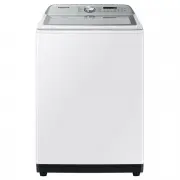 Samsung WA10A8376GW
User Manual
Samsung WA10A8376GW
User Manual
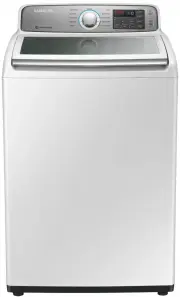 Samsung WA10H7200GW
User Manual
Samsung WA10H7200GW
User Manual
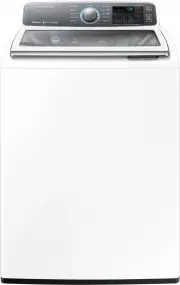 Samsung WA10J7700GW
User Manual
Samsung WA10J7700GW
User Manual
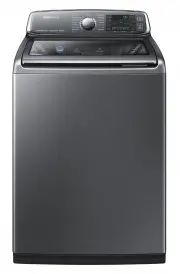 Samsung WA10J8700GP
User Manual
Samsung WA10J8700GP
User Manual
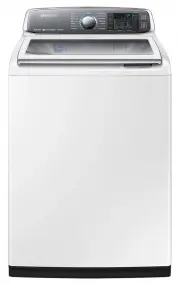 Samsung WA10J8700GW
User Manual
Samsung WA10J8700GW
User Manual
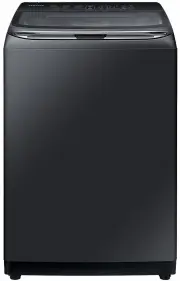 Samsung WA11M8700GV
User Manual
Samsung WA11M8700GV
User Manual
 Samsung WA12A8376GW
User Manual
Samsung WA12A8376GW
User Manual
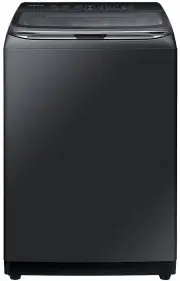 Samsung WA13M8700GV
User Manual
Samsung WA13M8700GV
User Manual
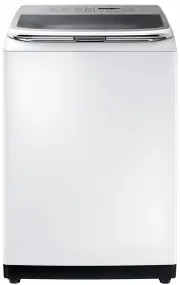 Samsung WA13M8700GW
User Manual
Samsung WA13M8700GW
User Manual
 Samsung WA14A8377GV
User Manual
Samsung WA14A8377GV
User Manual
 Samsung WA14A8377GW
User Manual
Samsung WA14A8377GW
User Manual
 Samsung WA40A3005AW
User Manual
Samsung WA40A3005AW
User Manual
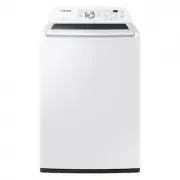
 Samsung WA40A3005AW/A4
User Manual
Samsung WA40A3005AW/A4
User Manual
 Samsung WA44A3205AW
User Manual
Samsung WA44A3205AW
User Manual
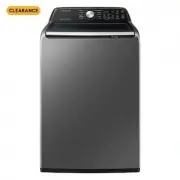
 Samsung WA44A3205AW/A4
User Manual
Samsung WA44A3205AW/A4
User Manual
 Samsung WA44A3405AP
User Manual
Samsung WA44A3405AP
User Manual
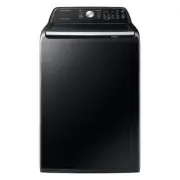 Samsung WA44A3405AV
User Manual
Samsung WA44A3405AV
User Manual
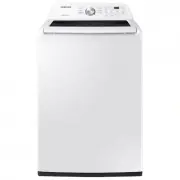 Samsung WA45T3200AW
User Manual
Samsung WA45T3200AW
User Manual