Page 2 - contents
English - 2 contents seTTing up your washing machine 14 14 Checking the parts 15 Meeting installation requirements 15 Electrical supply and grounding 15 Water Supply 16 Drain 16 Flooring 16 Surrounding temperature 16 Alcove or closet installation 16 Installing your washing machine washing a load of ...
Page 4 - safety information; WHAT YOU NEED TO KNOW ABOUT SAFETY INSTRUCTIONS; ImpORTANT SAFETY SYmBOlS AND pRECAUTIONS; What the icons and signs in this user manual mean:
English - 4 safety information Congratulations on your new Samsung ActivFresh™ washer. This manual contains important information on the installation, use and care of your appliance. Please take time to read this manual to take full advantage of your washer’s many benefits and features. WHAT YOU NEE...
Page 8 - SEVERE WARNING SIGNS FOR INSTAllATION
English - 8 SEVERE WARNING SIGNS FOR INSTAllATION The installation of this appliance must be performed by a qualified technician or service company.- Failure to do so may result in electric shock, fire, an explosion, problems with the product, or injury. The appliance is heavy, take care upon liftin...
Page 9 - CAUTION SIGNS FOR INSTAllATION
English - 9 Do not hook the power cord over a metal object, place a heavy object on the power cord, insert the power cord between objects, or push the power cord into the space behind the appliance.- This may result in electric shock or fire. Do not pull the power cord, when unplugging the power plu...
Page 11 - CAUTION SIGNS FOR USING
English - 11 CAUTION SIGNS FOR USING When the washer is contaminated by a foreign substance such as detergent, dirt, food waste, etc., unplug the power plug and clean the washer using a damp and soft cloth.- Failure to do so may result in discoloration, deformation, damage or rust. The front glass m...
Page 13 - SEVERE WARNING SIGNS FOR ClEANING
English - 13 Do not use natural hand-washing soap for the washer.- If it hardens and accumulates inside the washer, it may result in problems with the product, discoloration, rust or bad odors. Do not wash large laundry items such as bedding in the washing net.- Place socks and brassieres into the w...
Page 14 - CHECKING THE pARTS
English - 14 setting up your washing machine Be sure to have your installer follow these instructions closely so that your new washing machine works properly and so that you’re not at risk of injury when doing laundry. CHECKING THE pARTS Carefully unpack your washing machine, and make sure you’ve re...
Page 15 - mEETING INSTAllATION REqUIREmENTS; Electrical supply and grounding; Water Supply
English - 15 01 setting up mEETING INSTAllATION REqUIREmENTS Electrical supply and grounding To prevent unnecessary risk of fire, electrical shock, or personal injury, all wiring and grounding must be done in accordance with the National Electrical Code ANSI/FNPA, No. 70 Latest Revision and local co...
Page 16 - INSTAllING YOUR WASHING mACHINE; Selecting a location; setting up your washing
English - 16 Drain Samsung recommends a standpipe height of 65 cm. The drain hose must be routed through the drain hose clip to the standpipe. The standpipe must be large enough to accept the outside diameter of the drain hose. The drain hose is attached at the factory. Flooring For best performance...
Page 17 - Removing the shipping bolts
English - 17 01 setting up sTep 2 Removing the shipping bolts Before installing the washing machine, you must remove the five shipping bolts from the back of the unit. 1. Loosen all the bolts with the supplied wrench. 2. Hold the bolt with the spanner and pull it through the wide section of the hole...
Page 18 - Adjusting the levelling feet; Connecting the water and drain; Connecting the water supply hose
English - 18 sTep 3 Adjusting the levelling feet When installing your washing machine, ensure that the power plug, the water supply and the drain are easily accessible. 1. Slide the washing machine into position. 2. Level your washing machine by turning the leveling feet in and out as necessary by h...
Page 19 - Connecting the water supply hose (selected models)
English - 19 01 setting up Connecting the water supply hose (selected models) 1. Remove the adaptor from the water supply hose. 2. First, using a ‘+’ type screwdriver, loosen the four screws on the adaptor. Next, take the adaptor and turn part (2) following the arrow until there is a 5 mm gap. 3. Co...
Page 20 - Connecting the drain hose
English - 20 6. Turn on the water supply and ensure that no water leaks from the water valve, tap or adaptor. If there is a water leaks, repeat the previous steps. Do not use your washing machine if there is a water leak. This may cause electric shock or injury. • If the water tap has a screw type t...
Page 22 - Precautions when connecting the drain hose
English - 22 The position and type of the drain outlet may vary from the model shown in figure. 1. Press the clamp (A), insert the drain hose connector (B) into the clamp, and then release the clamp. 2. Connect Drain Hose Connector “B”at connection point“A”on the back of Set and fix Drain Hose Conne...
Page 23 - powering your washing machine; Running Calibration mode
English - 23 01 setting up sTep 5 powering your washing machine Plug the power cord into a wall sockets, an AC 220-240 V / 50 Hz approved electrical outlet protected by a fuse or circuit breaker. (For more information on the electrical and grounding requirements, refer to the “ Electrical supply and...
Page 24 - washing a load of laundry; WASHING FOR THE FIRST TImE
English - 24 washing a load of laundry With your new Samsung washing machine, the hardest part of doing laundry will be deciding which load to wash first. WASHING FOR THE FIRST TImE Before washing laundry for the first time, you must run a complete empty cycle (i.e. no laundry). 1. Press the power b...
Page 25 - USING THE DETERGENT DRAWER
English - 25 02 W ashing a load of laundr y USING THE DETERGENT DRAWER There are multiple compartments in the detergent box. What shall be dispensed in different compartments? 1. When automatic dispense function is used, put liquid detergent and softener in the right side of detergent box. If too mu...
Page 26 - BASIC INSTRUCTIONS
English - 26 BASIC INSTRUCTIONS 1. Open the washer door and load your laundry into the drum. • Check pockets or other foreign materials thoroughly before washing clothes. The debris filter will filter foreign materials,such as hair, iron wires, toothpicks, coins,loose buttons, pins, elastic, diapers...
Page 27 - USING THE CONTROl pANEl; course display; actions section; cycle name section
English - 27 02 W ashing a load of laundr y USING THE CONTROl pANEl course display display actions section wi-fi status • The health of your Wi-Fi network connectivity. door lock • The washing machine automatically locks the door in the process of operation. The Door Locked icon appears when door is...
Page 28 - OpTIONS SECTION; Washing a load of laundry
English - 28 OpTIONS SECTION soak • Use this option to effectively remove stains from your laundry by soaking your laundry. • You can select the available time options: 20min. , 40min. or 60min. Temp • You can change adjust the temperature after wash cycle is selected • A different temperature range...
Page 29 - CYClE SElECTION SECTION
English - 29 02 W ashing a load of laundr y CYClE SElECTION SECTION cycle selection • Press the List ( ) button to select normal wash cycle. • Press the left or right arrow to view other wash cycles. cycle • The available cycle will be displayed. • Press the button to check explanation of washing pr...
Page 30 - SETTINGS SECTION
English - 30 SETTINGS SECTION setting the automatic detergent / fabric softener) • Activate and deactivate the Automatic Detergent / Fabric Softener function. • You can set the quantity and concentration in the Automatic Detergent / Fabric Softener function. setting the wireless network • Tap this c...
Page 31 - ADDITIONAl SETTINGS SECTION; child lock
English - 31 02 W ashing a load of laundr y ADDITIONAl SETTINGS SECTION child lock • Child Lock prevents children from playing with your washer. • To deactivate the Child Lock function completely when Child Lock is activated. You have to first pause the Child Lock function, Continue to hold down the...
Page 32 - SETTING Up YOUR WASHER FOR THE FIRST TImE; Setting up your washer for the first time
English - 32 SETTING Up YOUR WASHER FOR THE FIRST TImE Setting up your washer for the first time You will set your preferences for the fist time. Each option can be reset later in the Setting screen. [Step 1.] Turn the washing machine on, start to set the date and time. • After setting the Date and ...
Page 33 - AUTOmATIC DISpENSER; Method of Setting; Cleaning the dispensers
English - 33 02 W ashing a load of laundr y AUTOmATIC DISpENSER Method of Setting 1. Press the Auto Dispense in the Settings screen. 2. You can set options in Auto Detergent / Auto Softener screen. • You can select the available options of detergent amount: Less, Std, Extra. The detergent are dispen...
Page 34 - Stain Guide; SETTINGS
English - 34 Anti-freezing 1. Press the Anti-freezing in the Settings screen. 2. Press the Start button to run Anti-freezing. • Anti-freezing will run for up to 16 hours and then stop. • This function will not operate if the washer door is opened. Make sure the washer drum is empty before using this...
Page 35 - Calibration Mode
English - 35 02 W ashing a load of laundr y Calibration Mode 1. Press the Calibration Mode in the Settings screen. 2. Press the Start button to run Calibration Mode. Volume You can control the volume of the sound interactions of your washer.Press the Volume button in the Settings screen. • Move the ...
Page 36 - AVAIlABlE CYClES
English - 36 washing a load of laundry AVAIlABlE CYClES The preset cycles listed in the Cycle pane of the Cycle Selection screen are listed below including the Specialty Cycles. Cotton For averagely or lightly soiled cotton,bed linen,table linen,underwear,towels,shirts,etc. Energy Saving Use this co...
Page 37 - USING DRY COURSE; CAlIBRATION FUNCTION
English - 37 02 W ashing a load of laundr y USING DRY COURSE Refer to the label of drying capacity and be sure to put in the clothes to the lower level than the marked line for the dried clothes of 8.0 kg. 1. Open the door, put in the clothes and close the door again. 2. Press the power button and t...
Page 38 - Washing clothes manually
English - 38 my cycle Allows you to activate your custom wash (temperature, spin, soil level, etc.) with one button convenience.By pushing the my cycle button, press the My Cycle button to load and use the saved My Cycle options. The “My Cycle” light will indicate activation. Also, the chosen course...
Page 39 - lAUNDRY GUIDElINES; DETERGENT AND ADDITIVES INFORmATION; Which detergent to use
English - 39 02 W ashing a load of laundr y lAUNDRY GUIDElINES Follow these simple guidelines for the cleanest laundry and the most efficient wash. Always check the Care label on clothing before washing. Sort and wash your laundry according to the following criteria: • Care Label: Sort laundry into ...
Page 40 - Detergent drawer
English - 40 • Once a washing machine operation begins, you cannot add or select the bubble function. • Enough bubbles are generated with the specified amount of detergent.• Please clean the Debris filter frequently. Periodic cleaning helps generate sufficient bubbles. • Depending on the detergent a...
Page 41 - cleaning and maintaining your; DETERGENT DRAWER
English - 41 02 W ashing a load of laundr y cleaning and maintaining your washing machine DETERGENT DRAWER Turn off the water faucets after finishing the day’s washing.This will shut off the water supply to your Washer and prevent the unlikely possibility of damage from escaping water. Leave the doo...
Page 42 - Using your mobile phone; SETTING THE SmART CONTROl; Configuring the wired/wireless router
English - 42 Using your mobile phone SETTING THE SmART CONTROl Connect a wired/wireless router and the washer through a wireless connection, connect to www.samsungsmartappliance.com and register the washer to the Smart Control service. This product does not contain a wireless router. Configuring the...
Page 43 - INITIAl ACCESS AND CONNECTION SETUp FOR INDOOR; establishing network connection Through the samsung smart app
English - 43 03 cleaning and maint aining INITIAl ACCESS AND CONNECTION SETUp FOR INDOOR CONTROl establishing network connection Through the samsung smart app [Downloading the Samsung Smart App] You can download the Samsung Smart App by searching "Samsung Smart Washer" or "Washer" in...
Page 45 - establishing network connection Through wps settings
English - 45 03 cleaning and maint aining establishing network connection Through wps settings A faster and more convenient connection may be established between the router and the washer if you select "Connect Through Samsung Smart App". (Refer to 3) • Please check to see if your router sup...
Page 47 - Connection Setup For Outdoor Control
English - 47 03 cleaning and maint aining Connection Setup For Outdoor Control In order for you to use the Outdoor Control function on the Samsung Smart App, you must register the washer on the Samsung Smart Appliance website. 1. From your internet browser, connect to the Samsung Smart Appliance web...
Page 50 - USING THE SAmSUNG SmART App; smart control home screen; running smart control
English - 50 Using your mobile phone USING THE SAmSUNG SmART App smart control home screen This is the main screen for Smart Control Mode. auto detergent settings smart check disconnect Smart Check Through the washer's display screen, you can troubleshoot and check the status of the machine. (Suppor...
Page 51 - additional washer settings
English - 51 03 cleaning and maint aining additional washer settings You can control additional features and settings provided by the app. 1 1. Tap the Settings button to open the settings window. 2. Select the desired additional setting you want to configure. Notification for End of Cycle Configure...
Page 52 - Wireless Specifications
English - 52 INFORmATION TO REVIEW BEFORE CONTACTING CUSTOmER SUppORT Please review the following information before contacting customer support for product service. Checklist Solution Indoor Control Samsung Smart App cannot detect the washer. Is the Wi-Fi function turned on from the smartphone? Tur...
Page 53 - STORING YOUR WASHER
English - 53 03 cleaning and maint aining STORING YOUR WASHER Washers can be damaged if water is not removed from hoses and internal components before storage. Prepare your Washer for storage as follows: • Select the rinse+spin cycle and add bleach to the automatic dispenser. Run your Washer through...
Page 54 - ClEANING THE DOOR DIApHRAGm; pRESERVING THE TOp COVER AND THE FRONT FRAmE
English - 54 ClEANING THE DOOR DIApHRAGm 1. Open the washer door and remove any clothing or items from the washer. 2. Inspect the gray colored seal/bellow between the door opening and the basket for stained areas. Pull back the seal/bellow to inspect all areas under the seal/bellow and to check for ...
Page 55 - Troubleshooting; CHECK THESE pOINTS IF YOUR WASHER...
English - 55 04 troubleshooting Troubleshooting CHECK THESE pOINTS IF YOUR WASHER… PROBLEM SOLUTION Will not start. • Make sure the door is firmly closed.• Make sure your washer is plugged in.• Make sure the water faucets are open.• Make sure to press the Start/Pause button to start your washer.• Ma...
Page 60 - cycle chart
English - 60 cycle chart CYClE CHART (WD10F8K9**) ( default option, user option) program functions Temp. spin drying Cold 30˚C 40˚C 60˚C 95˚C Rinse Hold No Spin low medium High Extra High No Dry Time Deli- cates Shirt Extra Dry Cup- board Cotton - Energy Saving ...
Page 61 - appendix; FABRIC CARE CHART
English - 61 06 Appendix appendix FABRIC CARE CHART The following symbols provide garment care directions. The care labels include four symbols in this order: washing, bleaching, drying and ironing (and dry cleaning when necessary). The use of symbols ensures consistency among garment manufacturers ...
Page 62 - SpECIFICATIONS
English - 62 SpECIFICATIONS Type auTomaTic elecTric washing machine (fronT loading) DImENSIONS WD10F8K9ABG W 686 mm X D 865 mm X H 990 mm WATER pRESSURE 0.05~0.78 Mpa (0.5~8kgf/cm²) WATER VOlUmE 126.5 ℓ NET WEIGHT 108 kg WASH AND SpIN CApACITY 10.0 kg DRY CApACITY 8.0 kg pOWER CONSUmpTION WASHING 22...
Page 63 - OpEN SOURCE ANNOUNCEmENT; GNU GENERAl pUBlIC lICENSE; Preamble
English - 63 06 Appendix OpEN SOURCE ANNOUNCEmENT The software included in this product contains copyrighted software that is licensed under the GPL/LGPL.You may obtain the complete Corresponding Source code from us for a period of three years after our last shipment of this product by sending email...
Page 64 - TERMS AND CONDITIONS FOR COPYING, DISTRIBUTION AND
English - 64 appendix Finally, any free program is threatened constantly by software patents. We wish to avoid the danger that redistributors of a free program will individually obtain patent licenses, in effect making the program proprietary. To prevent this, we have made it clear that any patent m...
Page 66 - NO WARRANTY
English - 66 appendix 1. would not permit royalty-free redistribution of the Program by all those who receive copies directly or indirectly through you, then the only way you could satisfy both it and this License would be to refrain entirely from distribution of the Program.If any portion of this s...
Page 67 - END OF TERMS AND CONDITIONS; How to Apply These Terms to Your New Programs; GNU lESSER GENERAl pUBlIC lICENSE
English - 67 06 Appendix HAS BEEN ADVISED OF THE POSSIBILITY OF SUCH DAMAGES. END OF TERMS AND CONDITIONS How to Apply These Terms to Your New Programs If you develop a new program, and you want it to be of the greatest possible use to the public, the best way to achieve this is to make it free soft...
Page 74 - BSD lICENSE
English - 74 appendix You should have received a copy of the GNU Lesser General Public License along with this library; if not, write to the Free Software Foundation, Inc., 51 Franklin Street, Fifth Floor, Boston, MA 02110-1301 USA Also add information on how to contact you by electronic and paper m...
Page 75 - OpENSSl; LICENSE ISSUES
English - 75 06 Appendix OpENSSl This product includes software developed by the OpenSSL Project for use in the OpenSSL Toolkit. (http:// www.openssl.org/)This product includes cryptographic software written by Eric Young ([email protected]) LICENSE ISSUES ===========================================...
Page 76 - memo
Page 78 - QUESTIONS OR COMMENTS?
QUESTIONS OR COMMENTS? country call or VisiT us online aT AUSTRALIA 1300 362 603 www.samsung.com Code No. DC68-03366B-01 DC68-03366B-01_EN.indd 78 2014/7/7 9:22:01
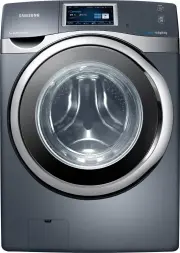


 Samsung WA10A8376GW
User Manual
Samsung WA10A8376GW
User Manual
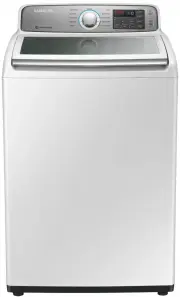 Samsung WA10H7200GW
User Manual
Samsung WA10H7200GW
User Manual
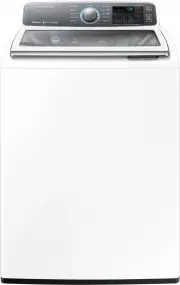 Samsung WA10J7700GW
User Manual
Samsung WA10J7700GW
User Manual
 Samsung WA10J8700GP
User Manual
Samsung WA10J8700GP
User Manual
 Samsung WA10J8700GW
User Manual
Samsung WA10J8700GW
User Manual
 Samsung WA11M8700GV
User Manual
Samsung WA11M8700GV
User Manual
 Samsung WA12A8376GW
User Manual
Samsung WA12A8376GW
User Manual
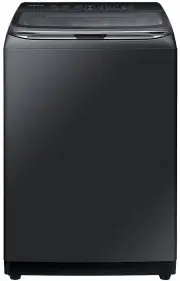 Samsung WA13M8700GV
User Manual
Samsung WA13M8700GV
User Manual
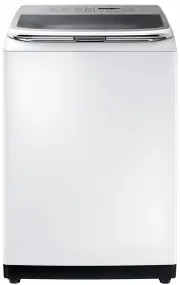 Samsung WA13M8700GW
User Manual
Samsung WA13M8700GW
User Manual
 Samsung WA14A8377GV
User Manual
Samsung WA14A8377GV
User Manual
 Samsung WA14A8377GW
User Manual
Samsung WA14A8377GW
User Manual
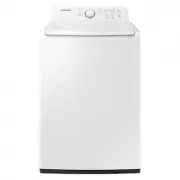 Samsung WA40A3005AW
User Manual
Samsung WA40A3005AW
User Manual
 Samsung WA40A3005AW/A4
User Manual
Samsung WA40A3005AW/A4
User Manual
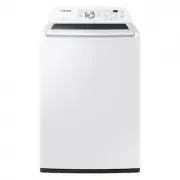 Samsung WA44A3205AW
User Manual
Samsung WA44A3205AW
User Manual
 Samsung WA44A3205AW/A4
User Manual
Samsung WA44A3205AW/A4
User Manual
 Samsung WA44A3405AP
User Manual
Samsung WA44A3405AP
User Manual
 Samsung WA44A3405AV
User Manual
Samsung WA44A3405AV
User Manual
 Samsung WA45T3200AW
User Manual
Samsung WA45T3200AW
User Manual