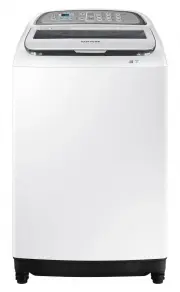
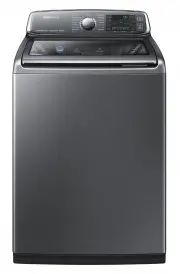
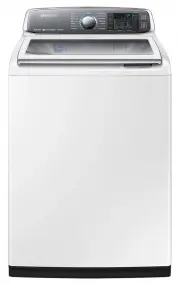
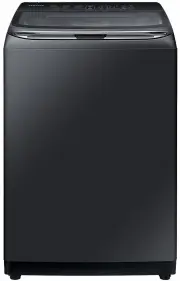
Page 2 - Contents
2 English Contents Contents Safety information 3 What you need to know about the safety instructions 3 Important safety symbols 3 Important safety precautions 4 Installation 10 What’s included 10 Installation requirements 12 Step-by-step installation 13 Before you start 20 The basics 20 Smart Check ...
Page 3 - Safety information; What you need to know about the safety instructions
English 3 Safety inf ormation Safety information Congratulations on your new Samsung washing machine. This manual contains important information on the installation, use and care of your appliance. Please take some time to read this manual to take full advantage of your washing machine’s many benefi...
Page 4 - Important safety precautions
4 English Safety inf ormation Safety information These warning signs are here to prevent injury to yourself and others. Please follow them explicitly. After reading this manual, store it in a safe place for future reference. Read all instructions before using the appliance. As with any equipment tha...
Page 5 - Children of less than 3 years should be kept away
English 5 Safety inf ormation 5. The new hose-sets supplied with the appliance are to be used and that old hose-sets should not be reused. 6. For washing machines having ventilation openings in the base, the installation instructions shall state that the openings must not be obstructed by a carpet. ...
Page 6 - Critical installation warnings
6 English Safety inf ormation Safety information Critical installation warnings WARNING The installation of this appliance must be performed by a qualified technician or service company. • Failure to do so may result in electric shock, fire, an explosion, problems with the product, or injury. Plug t...
Page 7 - Installation cautions; Critical usage warnings
English 7 Safety inf ormation Do not pull or excessively bend the power cord. Do not twist or tie the power cord. Do not hook the power cord over a metal object, place a heavy object on the power cord, insert the power cord between objects, or push the power cord into the space behind the appliance....
Page 9 - Usage cautions; Critical cleaning warnings
English 9 Safety inf ormation Usage cautions CAUTION When the washing machine is contaminated by a foreign substance such as detergent, dirt, food waste, etc., unplug the power plug and clean the washing machine using a damp, soft cloth. • Failure to do so may result in discolouration, deformation, ...
Page 10 - Installation; What’s included
10 English Installation Installation Follow these instructions carefully to ensure proper installation of the washing machine and to prevent accidents when doing laundry. What’s included Make sure all the parts are included in the product package. If you have a problem with the washing machine or th...
Page 12 - Installation requirements
12 English Installation Installation Installation requirements Electrical supply and grounding WARNING • AC 220-240 V / 50 Hz fuse or circuit breaker is required. • Use an individual branch circuit specific to the washing machine. • Do NOT use an extension cord. • Use only the power cord that comes ...
Page 13 - STEP 1; Select a location
English 13 Installation Step-by-step installation STEP 1 Select a location Location requirements:• Solid, level surface without carpeting or flooring that may obstruct ventilation • Away from direct sunlight • Adequate room for ventilation and wiring • The ambient temperature is always higher than t...
Page 14 - STEP 2; Adjust the levelling feet; STEP 3; Connect the water hose
14 English Installation Installation STEP 2 Adjust the levelling feet A Unpack the product package. 1. Gently slide the washing machine into position. Excessive force may damage the levelling feet (A) . 2. Level the washing machine by manually adjusting the levelling feet. B 3. When levelling is com...
Page 17 - STEP 4; Position the drain hose
English 17 Installation NOTE • After connecting the water hose to the adaptor, check if it is connected properly by pulling the water hose downwards. • Use a standard type of water tap. If the tap is square-shaped or too big, remove the spacer ring before inserting the tap into the adaptor. STEP 4 P...
Page 19 - STEP 5; Power on
English 19 Installation CAUTION • Do not exceed 3 m (*) for the total length of extended hoses. • Do not let the drain hose run over doorsills that protrude 5 cm (**) or more from the floor. • Do not run the drain hose under the bottom of the machine. STEP 5 Power on Plug the power cord into a ...
Page 20 - Before you start; The basics
20 English Befor e you s tar t Before you start The basics Prewash (Water Jet & Built-in sink) CAUTION • Do not abuse Water Jet. Excessive use of Water Jet increases water consumption. • When running water to the tub, do that gently. Otherwise, water may overflow the tub. Water Jet and Built-in ...
Page 22 - Smart Check
22 English Befor e you s tar t Before you start WARNING If you open the door with the Child Lock enabled, the machine starts forced draining to prevent accidents such as drowning. NOTE The Child Lock remains active after you power off the machine. You cannot deactivate the Child Lock as long as the ...
Page 23 - Laundry guidelines; Checkpoints
English 23 Befor e you s tar t Laundry guidelines Checkpoints • Check for stains or dirt. Apply a little detergent to a white towel. Rub the white towel and the dirty clothes together to transfer the dirt or colour to the white towel. • Before washing, pre-treat the sleeves, collars, dress hems, and...
Page 24 - Sort; Empty pockets; STEP 3 Use a laundry net
24 English Befor e you s tar t Before you start STEP 1 Sort Sort the laundry according to these criteria: • Care Label: Sort the laundry into cottons, mixed fibres, synthetics, silks, wools, and rayon. • Colour: Separate whites from colours. • Size: Mixing different-sized items together in the tub i...
Page 26 - Determine the load capacity; STEP 6; Apply a proper detergent type
26 English Befor e you s tar t Before you start STEP 5 Determine the load capacity Do not overload the washing machine. Overloading may cause the washing machine to not wash properly. NOTE When washing bedding or bedding covers, the wash time may be lengthened or the spin efficiency may be reduced. ...
Page 27 - Operations; Control panel
English 27 Oper ations Operations Control panel 01 02 03 04 05 06 07 10 09 11 08 01 Display Displays the remaining time of a cycle, or the information code when a problem occurs. Child Lock Child Lock is used to prevent children from accidents such as drowning in the tub, and remains active after th...
Page 29 - Simple steps to start
English 29 Oper ations Simple steps to start 1 5 2 3 4 1. Press Power to turn on the washing machine. 2. Select a cycle in the cycle panel. 3. Change the cycle settings (wash time, rinse count, and/or spinning time) as necessary. 4. Optionally, you can enable Activ Dual Wash or change the option of ...
Page 30 - Auto cycles
30 English Oper ations Operations Auto cycles Cycle Description Fuzzy • Select this for most fabrics including cottons, liners, and averagely soiled garments. Quick • Select this for less soiled clothes in reduced time. Super Clean • Select this if you want to produce powerful cleaning performance. ...
Page 31 - Manual cycles
English 31 Oper ations Manual cycles You might want to use a single cycle to wash less soiled clothes. For example, you can run the wash cycle once for nightwear. 1 4 2 1. Press Power to turn on the washing machine. 2. Press Wash / Rinse / Power Spin to run the individual cycle to your needs. The du...
Page 32 - Maintenance; Cleaning
32 English Maint enanc e Maintenance Cleaning Keep the washing machine clean to prevent deteriorated performance and to preserve its life cycle. Tub Clean reminder • The indicator reminds you of cleaning the tub when necessary. If you happen to see the indicator blinking after washing is complete, r...
Page 36 - Troubleshooting
36 English Tr ouble shoo ting Troubleshooting Checkpoints If you encounter a problem with the washing machine, first check the table below and try the suggestions. Problem Action Does not turn on. • Make sure you use rated power for the product. • Make sure the power cord is completely plugged in. •...
Page 40 - Information codes
40 English Tr ouble shoo ting Troubleshooting Information codes If the washing machine fails to operate, you may see an information code on the display. Check the table below and try the suggestions. Code Action 1C The WaterLevel sensor is not working properly.• Check WaterLevel Sensor wire harness....
Page 43 - Specifications; Specification sheet
English 43 Speci fic ations Specifications Specification sheet Type Top loading washing machine WA85J675*** Max load (kg) Washing 8.5 Power consumption (W) Washing 360 - 420 Spin 300 Dimensions (mm) W630 x D690 x H1080 Net weight (kg) 50.0 Water pressure (Mpa (kg·f/cm 2 )) 0.05 - 0.78 (0.5 - 8.0) Wa...