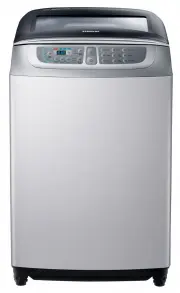
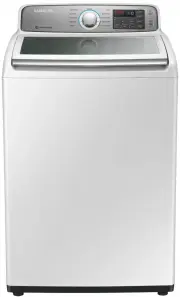
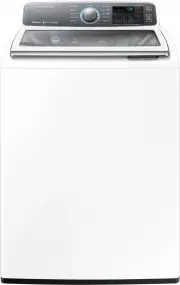
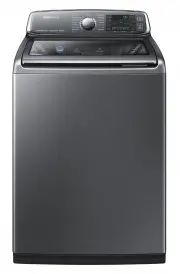
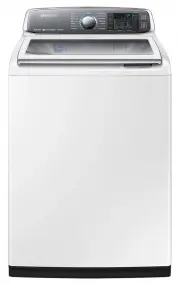
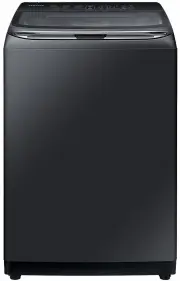
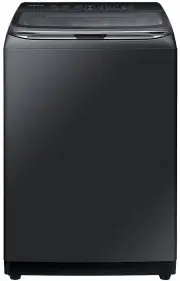
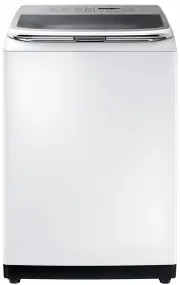
Page 2 - features; Wobble Technology
2_features features • Wobble Technology The Wobble Technology provides enhanced fabric protection by controlling the fl ow of water in an innovative way.Wobble Technology cleans even delicate fabrics thoroughly, eliminating tangles and preventing fabric damage caused by friction. • Digital Inverter M...
Page 4 - safety instructions; IMPORTANT SAFETY PRECAUTIONS
4_safety instructions safety instructions Please note that the following precautions for safety intend to prevent unpredictable danger and damage by helping the proper use in safety.When using hot water in washing, please make sure that the water should not exceed 50°C. • Plastic parts may be deform...
Page 5 - Please use the new hoses. Do not use the old hoses.; WARNING
safety instructions_5 This appliance should be positioned so that the power plug, the water supply taps, and the drain pipes are accessible. For washing machines with ventilation openings on the base, ensure that the opening is not obstructed by a carpet or any other obstacles. Please use the new ho...
Page 6 - CAUTIONS
6_safety instructions safety instructions CAUTIONS There might be a slight injury or damage when you violate this instruction. • Don’t install it in the area with moisture or outdoor where it has rain or snow. − An electric shock or a fi re may take place. • Please unplug the power supply cord when y...
Page 7 - contents
contents_7 contents SETTING UP YOUR WASHER 8 8 Description of part 11 How to wash automatically depends on the laundry 12 Control Panel MANUAL FUNCTIONS 16 16 Manual functions INSTALLATION & MAINTENANCE 17 17 Environment 17 Levelling 17 Connecting the water supply hose 18 Assembling the rat prot...
Page 8 - setting up your washer; DESCRIPTION OF PART
8_setting up your washer setting up your washer DESCRIPTION OF PART The User’s Manual is for common use.Make use of the User’s Manual depending upon your washing machine model. Water supply hose (Hot) Water supply hose (Cold) Fabric softener dispenser Detergent box Power cord Water drain hose Lid Be...
Page 9 - CHECKING BEFORE WASHING AND CARING FOR GARMENTS
setting up your washer_9 CHECKING BEFORE WASHING AND CARING FOR GARMENTS Must follow the checkpoints in order to avoid machine problems or damages on garments. • If the below problems are caused by customer’s faults, separate service fee will be charged. Checkpoints Before Starting Washing Check if ...
Page 10 - CARING FOR CLOTHES BEFORE WASHING
10_setting up your washer setting up your washer CARING FOR CLOTHES BEFORE WASHING Take out personal belongings from pockets. • Caution, Check the pockets! Hairpins and coins cause damages to clothes and washing machine. They make noise and problems to the machine. Must check the pocket. If pants zi...
Page 11 - HOW TO WASH AUTOMATICALLY DEPENDS ON THE LAUNDRY; Washing for the fi rst time
setting up your washer_11 HOW TO WASH AUTOMATICALLY DEPENDS ON THE LAUNDRY Before starting washing, check the following; • Connect the water supply hose to the water tap. Leave a tap open. Plug the power cord in. Make sure to lay down the drain hose. Washing for the fi rst time Before washing clothe...
Page 12 - CONTROL PANEL
12_setting up your washer setting up your washer CONTROL PANEL For more details, see control panel of your washing machine. 1 Digital graphic display Displays the remaining wash time.Displays the reserved delay end time.Displays the error state if a problem occurs in the washing machine so that you ...
Page 14 - CHILD LOCK
14_setting up your washer setting up your washer CHILD LOCK This function is for protecting children, the elderly and the frail. 1. Press the Power button. 2. To activate the Child Lock function, press and hold both the Rinse and Spin buttons down simultaneously for 3 seconds. (If the Child Lock fun...
Page 15 - SMART CHECK
setting up your washer_15 SMART CHECK This function enables you to check the status of the washing machine using a smartphone. The Smart Check function has been optimized for:Galaxy S and Galaxy S2iPhone 4 and iPhone 4S Downloading the Samsung Smart Washer app Download the Samsung Smart Washer app t...
Page 16 - manual functions
16_manual functions manual functions Possible to select the function for each program.(Example) For a simple washing as the little dirt program : Power Select the little dirt program Wash Start/Pause WASH ONLY Press the Power button. Press the Wash button. Press the Start/Pause button. Washing goes ...
Page 17 - installation & maintenance; ENVIRONMENT; LEVELLING; CONNECTING THE WATER SUPPLY HOSE
installation & maintenance_17 03 INST ALLA TION & MAINTENANCE installation & maintenance The User’s Manual is for common use.Make use of the User’s Manual depending upon your washing machine model. ENVIRONMENT Leave some space Maintain at least 10 cm between the washer and the wall. Plac...
Page 18 - ASSEMBLING THE RAT PROTECTION PANEL (OPTION)
18_installation & maintenance 4. Connect the water supply hose to the adaptor. Pull down the part (c) of the water supply hose. When the part (c) is released, the hose is automatically connected to the adaptor making a ‘click’ sound. c 5. Connect the other end of the water supply hose to the inl...
Page 19 - IN CASE OF PUMP-DRAINED WASHER; IN CASE OF GENERAL WASHER; HOW TO; CHANGE THE DRAIN HOSE DIRECTION
installation & maintenance_19 03 INST ALLA TION & MAINTENANCE HOW TO CONNECT THE DRAIN HOSE (OPTION) IN CASE OF PUMP-DRAINED WASHER cap-hose Take out the cap-hose and connect the outlet-hose. Be sure to join tightly the drain hose into the drainoutlet on the back of the machine. 90~100 cm Dr...
Page 20 - CAUTIONS WHEN INSERTING THE DRAIN HOSE; CALIBRATION MODE
20_installation & maintenance CAUTIONS WHEN INSERTING THE DRAIN HOSE Less than 3 m 1. Don’t exceed more than 3 m when the drain hose is used by connecting with other hoses. 2. Be careful to drain water out at the end of the drain hose. Less than 3 m Less than 5 cm 3. The doorsill shoudn’t be mor...
Page 21 - ADDING DETERGENT; ADDING FABRIC SOFTENER; WATER SUPPLY CONNECTOR FILTER
installation & maintenance_21 03 INST ALLA TION & MAINTENANCE CAUTION ADDING DETERGENT 1. Open the detergent drawer and then add the powder detergent into the detergent compartment. 2. Add detergent evenly so that it doesn’t brim over the edge of the drawer. • Use a reasonable amount of dete...
Page 22 - CLEANING THE FILTER; CLEANING THE DETERGENT COMPARTMENT
22_installation & maintenance installation & maintenance CLEANING THE FILTER Clean the filter net often to keep the washer clean. 1. Push the upper part of the Hygiene fi lter and pull in. 2. Open the cover as shown in the fi gure. 3. Clean the Hygiene fi lter. 4. Close the cover and insert the...
Page 23 - Adjusting the leveling of the washer
installation & maintenance_23 Adjusting the leveling of the washer Water drop mark l e v e l o t w o H e s u a C The front of the washer is lower Level the washer by adjusting the legs. The back of the washer is lower Adjust the height by using the props at the back. The left of the washer is lo...
Page 24 - troubleshooting
24_troubleshooting troubleshooting PROBLEM CHECK Washing machine won’t work • Is the water tap opened? • Is the washer plugged in? • Is the power cut off? • Is there enough water? Water dose not drain • Is the drain hose down? (No pump) • Is the drain hose frozen? • Is the drain hose clogged? • If t...
Page 25 - washing machine won’t work?
washing machine won’t work?_25 washing machine won’t work? PROBLEM CHECK The power is cut off. Is the electric voltage normal? Is the washer plugged in? Plug in the electric cord. Â Water does not drain. Is the drain hose down? Put the drain hose down. Is the drain hose folded? Unfold the drain hose...
Page 27 - specifi cation
specifi cation_27 specifi cation WA85F7S6 MAX. MASS OF DRY CLOTH IN kg WA85F7S6 8.5kg STANDARD WATER LEVEL 10 94.2 ℓ 8 80.6 ℓ POWER CONSUMPTION WASH 360-420 W 6 69 ℓ SPIN 300 W DIMENSIONS(mm) 637*670*1030 (LOW BASE) 637*670*1050 (HIGH BASE) 4 59 ℓ ℓ 6 . 6 4 2 g k 2 . 8 4 T H G I E W WATER PRESSURE 0...