Page 2 - contents
contents SETTING UP YOUR WASHER Description of part How to wash automatically depends on the laundry Control Panel INSTALLATION & MAINTENANCE Environment Leveling Connecting the water supply hose Assembling the rat protection panel (option) How to connect the drain hose (option) Calibration mode...
Page 6 - setting up your washer; DESCRIPTION OF PART
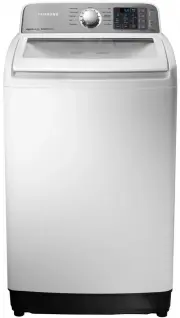
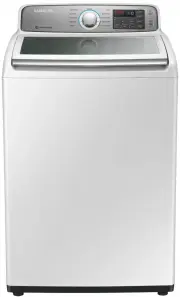
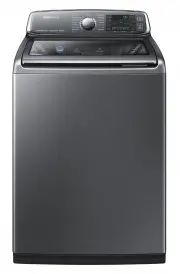
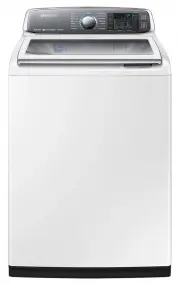
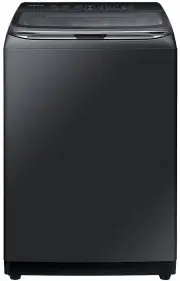
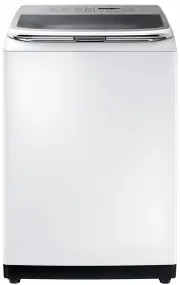
6 _setting up your washer setting up your washer DESCRIPTION OF PART The User’s Manual is for common use.Make use of the User’s Manual depending upon your washing machine model. Water supply hose (Hot) Water supply hose (Cold) Fabric softener dispenser Detergent box Water drain hose Front control pa...
Page 7 - CHECKING BEFORE WASHING AND CARING FOR GARMENTS
setting up your washer_ 7 CHECKING BEFORE WASHING AND CARING FOR GARMENTS Must follow the checkpoints in order to avoid machine problems or damages on garments. • If the below problems are caused by customer’s faults, separate service fee will be charged. Checkpoints Before Starting Washing Check if...
Page 8 - CARING FOR CLOTHES BEFORE WASHING
8 _setting up your washer setting up your washer CARING FOR CLOTHES BEFORE WASHING Take out personal belongings from pockets. • Caution, Check the pockets! Hairpins and coins cause damages to clothes and washing machine. They make noise and problems to the machine. Must check the pocket. If pants zi...
Page 9 - HOW TO WASH AUTOMATICALLY DEPENDS ON THE LAUNDRY; Washing for the fi rst time
setting up your washer_ 9 HOW TO WASH AUTOMATICALLY DEPENDS ON THE LAUNDRY Before starting washing, check the following; • Connect the water supply hose to the water tap. Leave a tap open. Plug the power cord in. Make sure to lay down the drain hose. Washing for the fi rst time Before washing clothes...
Page 10 - CONTROL PANEL
1 0 _setting up your washer setting up your washer CONTROL PANEL For more details, see control panel of your washing machine. 1 Cycle Selector Select the appropriate cycle for the type of load.The cycle you select determines the tumble pattern and spin speed for the cycle. Cotton - For most fabrics ...
Page 12 - CHILD LOCK
1 2 _setting up your washer setting up your washer CHILD LOCK This function is for protecting children, the elderly and the frail. 1. Press the Power button. 2. To activate the Child Lock function, press and hold both the Spin and Water Lavel buttons down simultaneously for 3 seconds. (If the Child ...
Page 13 - SMART CHECK
setting up your washer_1 3 SMART CHECK This function enables you to check the status of the washing machine using a smartphone. The Smart Check function has been optimized for:Galaxy S and Galaxy S2iPhone 4 and iPhone 4S Downloading the Samsung Smart Washer app Download the Samsung Smart Washer app ...
Page 14 - installation & maintenance; ENVIRONMENT; LEVELING; CONNECTING THE WATER SUPPLY HOSE
14_installation & maintenance installation & maintenance The User’s Manual is for common use.Make use of the User’s Manual depending upon your washing machine model. ENVIRONMENT Leave some space Maintain at least 10 cm between the washer and the wall. Place the washer on a sturdy fl at surfa...
Page 15 - ASSEMBLING THE RAT PROTECTION PANEL (OPTION)
installation & maintenance_1 5 4. Connect the water supply hose to the adaptor. Pull down the part (c) of the water supply hose. When the part (c) is released, the hose is automatically connected to the adaptor making a ‘click’ sound. c 5. Connect the other end of the water supply hose to the in...
Page 16 - IN CASE OF PUMP-DRAINED WASHER
16_installation & maintenance HOW TO CONNECT THE DRAIN HOSE (OPTION) IN CASE OF PUMP-DRAINED WASHER cap-hose Take out the cap-hose and connect the outlet-hose. Be sure to join tightly the drain hose into the drain outlet on the back of the machine. 90~100 cm Drain hose Hose guide Be sure to join...
Page 17 - WATER SUPPLY CONNECTOR FILTER
installation & maintenance_1 7 ADDING DETERGENT 1. Open the detergent drawer and then add the powder detergent into the detergent compartment. 2. Add detergent evenly so that it doesn’t brim over the edge of the drawer. • Use a reasonable amount of detergent.If you use more detergent than the st...
Page 18 - CLEANING THE FILTER; CLEANING THE DETERGENT COMPARTMENT
18 _installation & maintenance CLEANING THE FILTER Clean the filter net often to keep the washer clean. 1. Push the upper part of the Hygiene fi lter and pull in. 2. Open the cover as shown in the fi gure. 3. Clean the Hygiene fi lter. 4. Close the cover and insert the lower part of the fi lter ...
Page 19 - troubleshooting
troubleshooting _ 19 troubleshooting PROBLEM CHECK Washing machine won’t work • Is the water tap opened? • Is the washer plugged in? • Is the power cut off? • Is there enough water? Water dose not drain • Is the drain hose down? (No pump) • Is the drain hose frozen? • Is the drain hose clogged? • If...
Page 20 - washing machine won’t work?
2 0 _washing machine won’t work? washing machine won’t work? PROBLEM CHECK The power is cut off. Is the electric voltage normal? Is the washer plugged in? Plug in the electric cord. Water does not drain. Is the drain hose down? Put the drain hose down. Is the drain hose folded? Unfold the drain hose...
Page 22 - specifi cation
2 2 _specifi cation specifi cation WA70F5G4,WA80F5G4 MAX. MASS OF DRY CLOTH IN kg WA70F5G4 7.0kg STANDARD WATER LEVEL Extra high 87 ℓ WA80F5G4 8.0kg High 65 ℓ POWER CONSUMPTION WASH 300- 350W Medium 44 ℓ SPIN 250W Low 34 ℓ DIMENSIONS(mm) 610*672*1100 (High) 610*672*1080 (Low) WASHING TYPE Stirring T...
Page 23 - memo
memo [W3050_F550]WA80F5G4DJW-03302A_EN.indd 25 [W3050_F550]WA80F5G4DJW-03302A_EN.indd 25 2013-05-02 4:09:02 2013-05-02 4:09:02