Page 2 - Contents
Contents YOUR VACUUM CLEANER 07 07 Product view08 Carton contents BEFORE USING THE VACUUM CLEANER 09 09 Assemble the handle and pipe10 Attaching the accessories11 Using the accessories OPERATING THE VACUUM 12 12 Stowing the power cord13 Extending the Pipe13 Using upright mode14 Operating the Brush b...
Page 3 - Safety information; SAFETY INFORMATION
English - 03 Safety information SAFETY INFORMATION WARNING Before operating the appliance, please read this manual thoroughly and retain it for your reference. WARNING Because the following operating instructions cover various models, the characteristics of your vacuum cleaner may differ slightly fr...
Page 4 - – TO REDUCE THE RISK OF FIRE, ELECTRIC
English - 04 IMPORTANT SAFETY INSTRUCTIONS When using an electrical appliance, you should always follow these basic precautions: READ ALL INSTRUCTIONS BEFORE USING YOUR UPRIGHT VACCUM WARNING – TO REDUCE THE RISK OF FIRE, ELECTRIC SHOCK, OR INJURY: 1. Do not leave the vacuum cleaner unattended when ...
Page 6 - SAVE THESE INSTRUCTIONS; POLARIZED PLUG INSTRUCTIONS
English - 06 27. Hold plug when rewinding onto cord reel. Do not allow plug to whip when rewinding. 28. Do not pick up hard or sharp objects such as glass, nails, screws, coins, etc. 29. Always turn off the vacuum before connecting or disconnecting the handy vacuum cleaner. 30. Don’t touch the exhau...
Page 7 - PRODUCT VIEW; Your vacuum cleaner
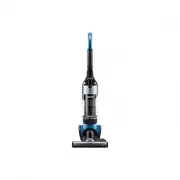
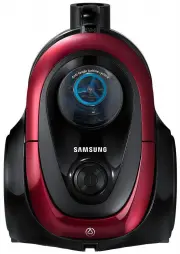
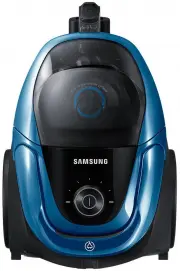
English - 07 01 Y OUR V ACUUM CLEANER PRODUCT VIEW Brush bar On/Off Button Power On/Off Button Dust Bin Brush bar Pipe POWER CORD Handle Dust Bin Release Button Carrying Handle (Dust Bin Handle) CAUTION Do not plug in your vacuum cleaner until you are familiar with all instructions and operating pro...
Page 8 - CARTON CONTENTS
English - 08 CARTON CONTENTS ( 1 ) ( 2 ) ( 3 ) ( 4 ) ( 5 ) ( 6 ) • Empty carton. Find the parts shown above before disposing of packing materials. 1. Vacuum cleaner body2. Handle3. Pipe4. 2 In 1 Accessory5. Accessory Kit (Optional depending on the model)6. Users Manual DJ68-00709E (EN)-00.indd 8 201...
Page 9 - ASSEMBLE THE HANDLE AND PIPE; Before using the vacuum cleaner
English - 09 02 BEFORE USING THE VACUUM CLEANER ASSEMBLE THE HANDLE AND PIPE 0N/OFF • Connect the Handle and Body. • Unpack the wrapped screw and then fasten the screw using a Phillips head (+) screwdriver as shown. 1 Click 2 3 1. Stand the vaccum upright, and then insert the bottom of the pipe into...
Page 10 - ATTACHING THE ACCESSORIES
English - 10 • Wind cord around the cord hangers and secure with clip. ATTACHING THE ACCESSORIES DJ68-00709E (EN)-00.indd 10 2014. 4. 29. �� 9:07
Page 11 - USING THE ACCESSORIES
English - 11 02 BEFORE USING THE VACUUM CLEANER USING THE ACCESSORIES • Crevice tool • Dusting Brush DJ68-00709E (EN)-00.indd 11 2014. 4. 29. �� 9:07
Page 12 - STOWING THE POWER CORD; Operating the vacuum
English - 12 STOWING THE POWER CORD CAUTION When removing the plug from an electrical outlet, grasp the plug, not the cord. Operating the vacuum DJ68-00709E (EN)-00.indd 12 2014. 4. 29. �� 9:07
Page 13 - EXTENDING THE PIPE; USING UPRIGHT MODE
English - 13 03 O PERA TING THE V ACUUM EXTENDING THE PIPE Pipe mode 1 2 • Push up the handle cap, and then separate the pipe from the body.• Push the button on the pipe to make the pipe longer. USING UPRIGHT MODE Upright mode 1 2 • Place a foot on the brush, and then tilt the handle back gently to ...
Page 17 - Maintenance; EMPTYING THE DUST BIN
English - 17 04 M AINTENANCE Maintenance EMPTYING THE DUST BIN • Empty the dust bin when dust reaches the 'MAX' mark. • Take the dust bin out by pushing the button on the handle. 1 • To empty the dust bin, hold the dust bin over a garbage can, and then push the button near the bottom of the bin. 2 A...
Page 18 - CLEANING THE GRILLE
English - 18 CLEANING THE GRILLE • Separate the dust bin from the vacuum's body. 1 • Clean the grille with the dusting brush to remove lint. 2 • To re-attach the dust bin to the vacuum's body, follow steps 3 and 4. 3 4 DJ68-00709E (EN)-00.indd 18 2014. 4. 29. �� 9:07
Page 19 - CLEANING THE PREMOTOR FILTER
English - 19 04 M AINTENANCE CLEANING THE PREMOTOR FILTER • Pull the dust bin cover to open. 1 • Remove the filter from the dust bin. 2 • Shake the filter to remove dust, and then wash the filter. 3 • Leave the filter in the shade until completely dry. 4 DJ68-00709E (EN)-00.indd 19 2014. 4. 29. �� 9...
Page 21 - CLEANING THE FILTER
English - 21 04 M AINTENANCE CLEANING THE FILTER • Take the dust bin out by pushing the button on the handle. 1 • Remove the filter cover. 2 • Separate the filter from the vacuum's body. 3 • Shake the filter to remove dust. 4 Clean the filter when suction is noticeably and continuously reduced or th...
Page 23 - CHECKING BRUSH
English - 23 04 M AINTENANCE CHECKING BRUSH • Turn off and unplug the vaccum. Lie the vaccum down so its bottom is accessible as shown. 1 • Carefully cut off any hair or string caught in the brush. 2 CAUTION Before inspecting the brush bar, turn off the brush bar and unplug the vacuum. DJ68-00709E (...
Page 24 - CHECKING FOR CLOGS
English - 24 CHECKING FOR CLOGS • Place a foot on the brush, and then tilt the handle back gently to release the lock. 1 • Push the release button on the brush housing, and then pull the hose out. 2 • Check for clogs in the opening of the brush housing and in the hose. 3 • When done, re-attach the h...
Page 26 - CLEANING THE DIVERTER COVER
English - 26 CLEANING THE DIVERTER COVER • Open the Diverter cover using a flat head (-) screwdriver. • Clean the inside of the cover with a dry cloth. • Re-attach the cover after cleaning. DJ68-00709E (EN)-00.indd 26 2014. 4. 29. �� 9:07
Page 27 - Troubleshooting
English - 27 Troubleshooting Check this list of problems and possible solutions before bringing your vacuum to a service center. PROBLEM SOLUTION Vacuum won’t run. • Check the electrical plug. Make sure it is fully plugged in.• Press the Power on/off button.• Reset overload protector. Suction Motor ...