Page 2 - Contents
Contents YOUR VACUUM CLEANER 07 07 Product view08 Carton contents BEFORE USING THE VACUUM CLEANER 09 09 Assemble the vacuum cleaner OPERATING THE VACUUM 10 10 Stowing the power cord11 Operating the On/Off Switch 12 Operating the Motorized brush On / Off Switch 12 Resetting the overload protector13 U...
Page 3 - Safety information; SAFETY INFORMATION
English - 03 Safety information SAFETY INFORMATION WARNING Before operating the appliance, please read this manual thoroughly and retain it for your reference. WARNING Because the following operating instructions cover various models, the characteristics of your vacuum cleaner may differ slightly fr...
Page 4 - – TO REDUCE THE RISK OF FIRE, ELECTRIC; safety information
English - 04 IMPORTANT SAFETY INSTRUCTIONS When using an electrical appliance, you should always follow these basic precautions: READ ALL INSTRUCTIONS BEFORE USING YOUR UPRIGHT VACCUM WARNING – TO REDUCE THE RISK OF FIRE, ELECTRIC SHOCK, OR INJURY: 1. Do not leave the vacuum cleaner unattended when ...
Page 7 - PRODUCT VIEW; Your vacuum cleaner
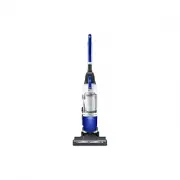
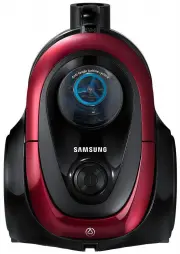
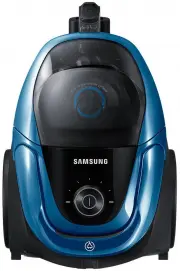
English - 07 01 Y OUR V ACUUM CLEANER PRODUCT VIEW Motorized brush On/Off Button Air Tap Handle Release Button Power On/Off Button Dust Bin Motorized brush Pipe Accessory Power Cord Handle Dust Bin Release Button Carrying Handle (Dust Bin Handle) CAUTION Do not plug in your vacuum cleaner until you ...
Page 8 - CARTON CONTENTS
English - 08 CARTON CONTENTS ( 1 ) ( 2 ) ( 3 ) ( 4 ) ( 5 ) ( 6 ) ( 7 ) ( 8 ) • Empty carton. Find the parts shown above before disposing of packing materials. 1. Vacuum cleaner body & Pipe2. Handle3. 2 In 1 Accessory4. Mini turbo brush (Option)5. Furniture tool (Option)6. Users Manual7. Eco Hard...
Page 9 - ASSEMBLE THE VACUUM CLEANER; Before using the vacuum cleaner
English - 09 02 BEFORE USING THE VACUUM CLEANER ASSEMBLE THE VACUUM CLEANER Click Before using the vacuum cleaner Click
Page 10 - STOWING THE POWER CORD; Operating the vacuum
English - 10 STOWING THE POWER CORD CAUTION When removing the plug from an electrical outlet, grasp the plug, not the cord. Operating the vacuum
Page 11 - OPERATING THE ON/OFF SWITCH
English - 11 03 O PERA TING THE V ACUUM OPERATING THE ON/OFF SWITCH Detachable mode & ' ' ' % & OR OR OR CAUTION Please return the body to the brush for the storage "Eco Hard Floor" brush and Pipe(Connector for Eco Hard Floor) should be connected to the tip of Pipe, not the end of ha...
Page 12 - RESETTING THE OVERLOAD PROTECTOR
English - 12 OPERATING THE MOTORIZED BRUSH ON / OFF SWITCH 1 2 3 • Push the power On/Off switch, and then push the Motorized brush On/Off switch. • The Brush Switch should be in the "On" position for normal carpet cleaning.• Turn the Brush Switch "Off" for bare floor cleaning or othe...
Page 14 - USING THE ACCESSORY
English - 14 USING THE ACCESSORY Crevice tool Dusting Brush Funiture tool (OPTIONAL) Mini turbo brush (OPTIONAL)
Page 15 - Maintenance; EMPTYING THE DUST BIN; CLEANING THE GRILLE
English - 15 04 M AINTENANCE Maintenance EMPTYING THE DUST BIN 1 2 3 4 Alternately, for asthma or allergy sufferers: Follow steps 3 and 4. CLEANING THE GRILLE % & 1 2 % 3 & 4
Page 16 - CLEANING THE PREMOTOR FILTER
English - 16 CLEANING THE PREMOTOR FILTER 1 2 3 4 5 Check the premotor filter regularly and wash every 1~2 months.Make sure the premotor filter is completely dry before putting it back into the vacuum cleaner. Allow it to dry for 12 hours. Do not use a wet filter Replace the dust filter if it become...
Page 17 - CLEANING THE EXHAUST FILTER
English - 17 04 M AINTENANCE CLEANING THE EXHAUST FILTER 1 2 3 4 5 6 Click 7 Clean the exhaust filter when suction is noticeably and continuously reduced or the vacuum cleaner overheats abnormally. Note : The exhaust filter is not washable. Replace the exhaust filter if cleaning does not resolve the...
Page 18 - CHECKING THE BRUSH; CHECKING FOR CLOGS
English - 18 CHECKING THE BRUSH Checking the rotating floor brush and drive belt 1 2 CHECKING FOR CLOGS 1 2 3 4
Page 20 - Troubleshooting
English - 20 Troubleshooting Check this list of problems and possible solutions before bringing your vacuum to a service center. PROBLEM SOLUTION Vacuum won’t run. • Check the electrical plug. Make sure it is fully plugged in.• Press the Power on/off button.• Reset overload protector. Suction Motor ...
Page 21 - Product fiche
English - 21 05 T ROUBLESHOOTING Product fiche [English] According to Commission Regulation (EU) No 665/2013 and No 666/2013 A Supplier Samsung Electronics., Co. Ltd B Model SU08H3020P SU08H3050P C Energy Efficiency A D Annual Energy Consumption (kWh/yr) 28 E Carpet Cleaning Performance Class B F Ha...
Page 22 - memo