Page 2 - Contents
Contents YOUR VACUUM CLEANER 7 BEFORE USING THE VACUUM CLEANER 8 8 Assembly9 Using the UV brush (Option)9 Installing the Dust Sensor (Option)10 Using accessory OPERATING CLEANER 12 12 Power cord12 Check filter12 ON/OFF13 Power control14 Dust Sensor (Option) MAINTENANCE 15 15 Cleaning the dust bin an...
Page 3 - Safety information; SAFETY INFORMATION
English - 3 Safety information SAFETY INFORMATION WARNING • Before operating the appliance, please read this manual thoroughly and retain it for your reference. WARNING • Because the following operating instructions cover various models, the characteristics of your vacuum cleaner may differ slightly...
Page 4 - IMPORTANT SAFEGUARDS; GENERAL; : Do not use the vacuum cleaner when rug or floor is
English - 4 IMPORTANT SAFEGUARDS GENERAL • Read all instructions carefully. Before switching on, make sure that the voltage of your electricity supply is the same as that indicated on the rating plate on the bottom of the cleaner. • WARNING : Do not use the vacuum cleaner when rug or floor is wet. D...
Page 7 - Your vacuum cleaner
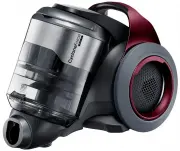
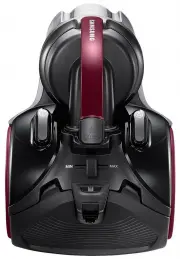
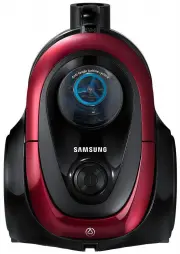
English - 7 Y OUR V ACUUM CLEANER Your vacuum cleaner Handle Hose Cyclone Combination accessory Pipe 2-Step brush OPTION (Depending on model) * SC20F70U / SC07F80U Series Power turbo plus * Parquet master * Mini turbo * 2-Step brush * ECO Hard floor* Pipe * Handle * ECO carpet* Cover battery * Dust ...
Page 8 - ASSEMBLY; Before using the vacuum cleaner
English - 8 ASSEMBLY Connecting the Hose Connecting the handle and pipe Connecting the brush Before using the vacuum cleaner DJ68-00701A (EN)-07.indd 8 2014. 12. 19. �� 10:42
Page 10 - USING ACCESSORY
English - 10 USING ACCESSORY Combination accessory (Option) Dusting brush Crevice tool 1 2 Accessories (Option) Install the accessory to the handle. Dusting brush Crevice tool Dusting brush - For cleaning moldings, carved articles. etc. Crevice tool - For cleaning in folds, crevices and corners. DJ6...
Page 12 - POWER CORD; CHECK FILTER; Operating cleaner
English - 12 POWER CORD CAUTION When removing the plug from the electrical outlet, grasp the plug, not the cord. CHECK FILTER ON/OFF The filter light is illuminated when the dust pack requires checking or emptying. Operating cleaner DJ68-00701A (EN)-07.indd 12 2014. 12. 19. �� 10:42
Page 13 - POWER CONTROL; Hose (controlled by radio frequency signals)
English - 13 O PERA TING CLEANER POWER CONTROL Hose (controlled by radio frequency signals) ON/OFF SC07F70H / SC08F70H / SC20F70H Series Select a lower power / higher power Select a quiet mode Transmitter -/+ SC07F70U / SC08F70U / SC20F70U Series Select a lower power / higher power UV brush ON/OFF •...
Page 15 - CLEANING THE DUST BIN AND GRILLE; Maintenance
English - 15 M AINTENANCE CLEANING THE DUST BIN AND GRILLE Empty the dust bin, if dust reaches 'MAX'or Check filter ( ) light is illuminating. 1 Take the dust bin out by lifting the handle. 2 Push the button aside. 3 Turn the grille and take out it. 4 Maintenance DJ68-00701A (EN)-07.indd 15 2014. 12...
Page 17 - CLEANING THE DUST FILTER
English - 17 M AINTENANCE CLEANING THE DUST FILTER 1 2 Pull the dust bin cover to open. Remove the filter from the dust bin. 3 4 Shake the filter to remove dust, then wash the filter. Let the filter dry for more than 12 hours. 5 Put the filter into the dust bin. Make sure the filter is completely dr...
Page 18 - CLEANING THE OUTLET FILTER
English - 18 CLEANING THE OUTLET FILTER 1 2 Take the dust bin out by lifting the handle. Pull out the Filter. 3 4 Shake the Filter to clean. Install the filter and holder in main body. • The filter can be replaced and separated from holder by pulling. • Clean the outlet filter when suction is notice...
Page 19 - MAINTAIN FLOOR TOOLS
English - 19 M AINTENANCE MAINTAIN FLOOR TOOLS 2-Step Brush • Adjust the inlet lever according to the floor surface. Floor Carpet • Remove waste matter completely if the inlet is blocked. Power Turbo Plus Brush (Optional Accessory) 1 2 3 4 1 2 Frequent vacuuming of hair or pet fur may reduce cleanin...
Page 22 - Troubleshooting
English - 22 Troubleshooting PROBLEM SOLUTION Motor does not start. • Check cable, plug and socket. • Leave to cool. Suction force is gradually decreasing. • Check for blockage and remove. • Please unclog the intake. In operation, the vacuum cleaner stops after repeating runs and stops three times.C...
Page 23 - Product fiche
English - 23 Product fiche [English] According to Commission Regulation (EU) No 665/2013 and No 666/2013 A Supplier Samsung Electronics., Co. Ltd B Model SC07F70HQ SC07F70HR SC08F70HQ SC08F70HR SC08F70HU SC08F70HV C Energy Efficiency Class A B B D Annual Energy Consumption (kWh/yr) 28 34 34 E Carpet...