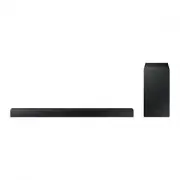
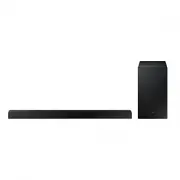
Page 2 - features; LICENSE
2 features SoundConnect SoundConnect lets you play TV audio from a Bluetooth compliant Samsung TV on your Wireless Audio - Soundbar via a Bluetooth connection, and control the sound. 3D SOUND PLUS The 3D SOUND PLUS feature adds depth and spaciousness to your listening experience. Special Sound mode ...
Page 3 - ENG; safety information; SAFETY WARNINGS; CAUTION
3 ENG safety information SAFETY WARNINGS TO REDUCE THE RISK OF ELECTRIC SHOCK, DO NOT REMOVE THE COVER(OR BACK).NO USER-SERVICEABLE PARTS ARE INSIDE. REFER SERVICING TO QUALIFIED SERVICE PERSONNEL. CAUTION RISK OF ELECTRIC SHOCK DO NOT OPEN This symbol indicates “dangerous voltage” inside the produc...
Page 4 - PRECAUTIONS
4 PRECAUTIONS 3.9 inch 3.9 inch 2.7 inch 3.9 inch 99.1mm 99.1mm 99.1mm 68.6mm Ensure that the AC power supply in your house complies with the power requirements listed on the identification sticker located on the back of your product. Install your product horizontally, on a suitable base (furniture)...
Page 5 - contents
5 ENG contents FEATURES 2 Features 2 License 2 SAFETY INFORMATION 3 Safety warnings 4 Precautions 3 GETTING STARTED 6 Before reading the user’s manual 6 What’s included 6 DESCRIPTIONS 7 Front Panel 8 Rear Panel 8 Installing the ferrite core on the Subwoofer speaker cable 7 REMOTE CONTROL 9 Tour of t...
Page 6 - BEFORE READING THE USER’S MANUAL; Icons used in this manual; Safety Instructions and Troubleshooting; getting started; WHAT’S INCLUDED
6 BEFORE READING THE USER’S MANUAL Note the following terms before reading the user manual. Icons used in this manual Icon Term Definition Caution Indicates a situation where a function does not operate or settings may be canceled. Note Indicates tips or instructions on the page that help you operat...
Page 7 - descriptions; FRONT PANEL
7 ENG ● DESCRIPTIONS descriptions FRONT PANEL POWER BUTTON Turns the Wireless Audio - Soundbar on and off. FUNCTION BUTTON Selects the D.IN, AUX, BT, TV, USB input. - While the Soundbar is on, pressing the ( ) button for more than 3 seconds sets the button to act as MUTE button. To cancel MUTE butto...
Page 8 - REAR PANEL
8 SUBWOOFER CONNECTOR TERMINAL Connects the connector jack of the Subwoofer. POWER SUPPLYIN 1. Connect the AC adaptor's power cord to the AC power supply.2. Connect the AC power adaptor's mini-plug to Power Supply In on the unit.3. Connect the AC adapter's power cord to a wall outlet. USB PORT Conne...
Page 9 - remote control; TOUR OF THE REMOTE CONTROL
9 ENG ● REMOTE CONTROL remote control TOUR OF THE REMOTE CONTROL POWER BUTTON Turns the Wireless Audio - Soundbar on and off. REPEAT Select Repeat File, All, Random. TV POWER BUTTON Turns your Samsung TV on and off. AUX Press the AUX mode. POWER TV POWER TV VOL TV CH AUDIO SYNC AUX TV SOURCE TV PRE-...
Page 11 - connections; INSTALLING THE WALL MOUNT; Installation Precautions
11 ENG ● CONNECTIONS I Y connections I 2 3 4 5 INSTALLING THE WALL MOUNT You can use the wall mount bracket to mount this unit on a wall. Installation Precautions • Install on a vertical wall only.• For the installation, avoid a location with high temperature or humidity, or a wall that cannot susta...
Page 13 - functions; INPUT MODE
13 ENG ● FUNCTIONS functions INPUT MODE You can select D.IN, AUX, BT, TV input or USB input.Press an appropriate button on the remote control to select a desired mode, or press ( ) to select one from: D.IN, AUX, BT, TV or USB mode. Input mode Display Optical Digital input D.IN AUX input AUX BLUETOOT...
Page 14 - To connect the Soundbar to a Bluetooth device
14 functions To connect the Soundbar to a Bluetooth device Check if the Bluetooth device supports the Bluetooth compliant stereo headset function. Connect Bluetooth device 1. Press the USB/Bluetooth button on the remote control of the Soundbar to display the BT message. • You will see BT READY on th...
Page 15 - To disconnect the Bluetooth device from the Soundbar; To disconnect the Soundbar from the Bluetooth device; SOUNDCONNECT; To connect the Soundbar to a Bluetooth compatible Samsung TV
15 ENG ● FUNCTIONS To disconnect the Bluetooth device from the Soundbar You can disconnect the Bluetooth device from the Soundbar. For instructions, see the Bluetooth device's user manual.• The Soundbar will be disconnected.• When the Soundbar is disconnected from the Bluetooth device, the Soundbar ...
Page 16 - Before you connect a USB device
16 functions • Once the pairing is established, when you change the Soundbar to the TV mode from other input modes, it will automatically connect to the TV. • The Soundbar will play the TV's audio when it is connected to the TV.• Changing the Soundbar from TV mode to any other mode will cancel the S...
Page 17 - USING THE REMOTE CONTROL; Using the REPEAT function
17 ENG ● FUNCTIONS • Connect USB devices directly to the USB port of the product. Otherwise, you may encounter a USB compatibility problem. • Do not connect multiple storage devices to the product via a multi-card reader. It may not operate properly. • Digital camera PTP protocols are not supported....
Page 18 - Muting the sound
18 functions Muting the sound This is useful when answering a doorbell or telephone call. 1. To mute the sound of this unit, press the MUTE button on the remote control. 2. To mute the TV, press the TV MUTE ( ) button on the remote control. 3. Press MUTE/ TV MUTE ( ) on the remote control again (or ...
Page 19 - Using the AUTO POWER LINK function
19 ENG ● FUNCTIONS Using the AUTO POWER LINK function The Wireless Audio - Soundbar is automatically turns on when you turn on the TV or any other device connected to the Soundbar with the optical cable. Press AUTO POWER on the remote control of this unit. • The Auto power link function turns on and...
Page 20 - SOFTWARE UPGRADE; Using the TV functions (with Samsung TVs only)
20 functions SOFTWARE UPGRADE Samsung may offer upgrades for the Wireless Audio - Soundbar's system firmware in the future.If an upgrade is offered, you can upgrade the firmware by connecting a USB drive with the firmware upgrade stored on it to the USB port on your Soundbar.Note that if there are m...
Page 21 - troubleshooting
21 ENG ● TROUBLESHOOTING Before requesting service, please check the following. Symptom Check Remedy The unit will not turn on. • Is the power cord plugged into the outlet? • Connect the power plug to the outlet. A function does not work when the button is pressed. • Is there static electricity in t...
Page 22 - SPECIFICATIONS; appendix
22 SPECIFICATIONS GENERAL USB 5V/0.5A Weight Main unit 1.75 kg Subwoofer 3.0 kg Dimensions (W x H x D) Main unit 943 x 49 x 59.9 mm Subwoofer 152 x 300 x 284 mm Operating temperature range +5 °C to +35 °C Operating humidity range 10 % to 75 % AMPLIFIER Rated output power Main unit 30W/CH, 8O HM, THD...