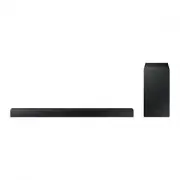
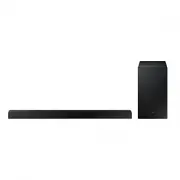
Page 2 - features; License
2 features SoundShare SoundShare produces TV sound on your SAT via a Bluetooth connection and controls the sound. 3D SOUND PLUS The 3D SOUND PLUS feature adds depth and spaciousness to your listening experience. Special Sound mode You can select from 7 different sound modes - MUSIC, NEWS, DRAMA, CIN...
Page 3 - EnG; safety Warnings; CAUTION; safety information
3 EnG safety Warnings tO reDUce tHe risK Of eLectric sHOcK, DO nOt reMOVe tHe cOVer (Or BacK). nO User-serViceaBLe Parts are insiDe. referserVicing tO QUaLifieD serVice PersOnneL. CAUTION RISK OF ELECTRIC SHOCK DO NOT OPEN The lighting flash and Arrowhead within the triangle are warning signs alerti...
Page 4 - PrecaUtiOns
4 PrecaUtiOns Ensure that the AC power supply in your house complies with the power requirements listed on the identification sticker located on the back of your product. Install your product horizontally, on a suitable base (furniture), with enough space around it for ventilation (3~4 inch-es). Mak...
Page 5 - contents
5 EnG contents featUres 2 Features2 License 2 safety infOrMatiOn 3 Safety warnings 4 Precautions 3 getting starteD 6 Before reading the user’s manual 6 What’s included 6 DescriPtiOns 7 Front Panel 8 Rear Panel 8 Installing the ferrite core on the Subwoofer speaker cable 7 reMOte cOntrOL 9 Tour of th...
Page 6 - BefOre reaDing tHe User’s ManUaL; icons used in this manual; safety instructions and troubleshooting; getting started; WHat’s incLUDeD
6 BefOre reaDing tHe User’s ManUaL Note the following terms before reading the user manual. icons used in this manual icon term Definition caution Indicates a situation where a function does not operate or settings may be canceled. note Indicates tips or instructions on the page that help you operat...
Page 7 - descriptions; frOnt PaneL
7 EnG ● D E scription descriptions frOnt PaneL POWer BUttOn Turns the Crystal Surround Air Track on and off. fUnctiOn BUttOn Selects the D.IN, AUX, BT, TV, USB input.- While the unit is powered, pressing the ( ) button for more than 3 seconds sets the button to act as MUte button. To cancel MUte but...
Page 8 - rear PaneL
8 sUBWOOfer cOnnectOr terMinaL Connects the connector jack of the Subwoofer. POWer sUPPLyin Connect the AC power adaptor jack to the power supply in jack, and then connect the AC power adaptor plug to a wall outlet. UsB POrt Connect USB devices such as MP3 players here to the play files on the devic...
Page 9 - remote control; tOUr Of tHe reMOte cOntrOL
9 EnG ● r E mot E control remote control tOUr Of tHe reMOte cOntrOL HW-f350 Installing batteries in the Remote Control 1. Lift the cover at the back of the remote control upward as shown. 2. Install two AAA size batteries. Make sure to match the “+” and “–” ends of the batteries with the diagram ins...
Page 11 - instaLLing tHe WaLL MOUnt; connections; Installation Precautions
11 EnG ● conn E ctions instaLLing tHe WaLL MOUnt You can use the wall mount bracket to mount this unit on a wall. ▪ Do not hang onto the installed unit and avoid any impact to the unit. ▪ Secure the unit firmly to the wall so that it does not fall off. If the unit falls off, it may cause an injury o...
Page 13 - functions; INPUT MODE
13 EnG ● functions functions INPUT MODE You can select D.IN, AUX, BT, TV input or USB input. Press an appropriate button on the remote control to select a desired mode, or press ( ) to select one from: D.IN, AUX, BT, TV or USB mode. input mode Display Optical Digital input D.IN aUX input AUX BLUetOO...
Page 14 - To connect the Air Track to a Bluetooth device
14 functions To connect the Air Track to a Bluetooth device Check if the Bluetooth device supports the Bluetooth compliant stereo headset function. Connect Bluetooth device 1 . Press the UsB/Bluetooth button on the remote control of the AirTrack to display the Bt message. • You will see Wait for 4 s...
Page 15 - To disconnect the Bluetooth device from the Air Track; To disconnect the Air Track from the Bluetooth device; Samsung TV
15 EnG ● functions To disconnect the Bluetooth device from the Air Track You can disconnect the Bluetooth device from the Air Track. For instructions, see the Bluetooth device's user manual. • The Air Track will be disconnected. • When the Air Track is disconnected from the Bluetooth device the Air ...
Page 16 - USB; Before you connect a USB device
16 functions 1. Turn on the Samsung TV and Air Track. • Set Add New Device in the TV's SoundShare Setting menu to On. 2. When you change the mode of the Air Track to tV , a message asking whether to proceed with Bluetooth pairing is displayed. "[Samsung] AirTrack" appears on the TV screen. 3...
Page 17 - Using tHe reMOte cOntrOL; Using the REPEAT function
17 EnG ● functions • Connect USB devices directly to the USB port of the product. Otherwise, you may encounter a USB compatibility problem. • Do not connect multiple storage devices to the product via a multi-card reader. It may not operate properly. • Digital camera PTP protocols are not supported....
Page 18 - Muting the sound
18 functions Muting the sound This is useful when answering a doorbell or telephone call. 1 . To mute the sound of this unit, press the MUTE button on the remote control. 2 . To mute the TV, press the TV MUTE ( ) button on the remote control. 3 . Press MUTE/ TV MUTE ( ) on the remote control again (...
Page 19 - Using the AUTO POWER LINK function; Using the DIMMER function; Using the AUDIO SYNC function
19 EnG ● functions Using the AUTO POWER LINK function The Crystal Surround Air Track is automatically turned on when you turn on the TV or any device connected to the Air Track with the optical cable.Press AUTO POWER on the remote control of this unit. • The Auto power link function turns on and off...
Page 20 - sOftWare UPgraDe; Using the TV functions (with Samsung TVs only)
20 functions sOftWare UPgraDe Samsung may offer upgrades for the Crystal Surround Air Track's system firmware in the future.If an upgrade is offered, you can upgrade the firmware by connecting a USB drive with the firmware upgrade stored on it to the USB port on your Air Track. Note that if there ar...
Page 21 - troubleshooting
21 EnG ● troubl E shootin G Before requesting service, please check the following. symptom check remedy the unit will not turn on. • Is the power cord plugged into the outlet? • Connect the power plug to the outlet. a function does not work when the button is pressed. • Is there static electricity i...
Page 22 - sPecificatiOns; appendix
22 sPecificatiOns Model name HW-F350/ HW-F355 generaL Power supply DC 24V Standby power consumption 0.45W Power consumption Main unit 23W USB 5V/0.5A Weight Main unit 3.86 Ibs Subwoofer (PS-EW1-2) 6.61 Ibs Dimensions (W x H x D) Main unit 37.13 x 1.93 x 2.36 inches Subwoofer (PS-EW1-2) 5.98 x 11.81 ...
Page 24 - QUESTIONS OR COMMENTS?
AH68-02614A-00 QUESTIONS OR COMMENTS? COUNTRY CALL OR VISIT US ONLINE AT WRITE U.S.A 1-800-SAMSUNG (726-7864) www.samsung.com Samsung Electronics America, Inc. 85 Challenger Road Ridgefield Park, NJ 07660