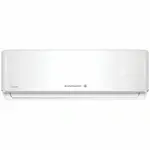
Page 2 - Features of SMART Air conditioner Network; Convenient control with Smart A/C application of a smart phone!; Contents; Preparation
English-2 Features of SMART Air conditioner Network Convenient control with Smart A/C application of a smart phone! You can conveniently control your air conditioner anywhere with Smart A/C application. Contents Preparation Installing network . . . . . . . . . . . . . . . . . . . . . . . . . . . . ....
Page 3 - Installing network; Checking before using a wireless router; Connecting network; Connecting the wireless IP router with an air conditioner
English-3 PREP /A3050 //Australia_A3050_IB&IM_EN_00000A(1) - /Australia_A3050_IB&IM_EN_00000A(1).pdf">AR /A3050 //Australia_A3050_IB&IM_EN_00000A(1) - /Australia_A3050_IB&IM_EN_00000A(1).pdf">ATION 01 Installing network [Connecting Network] Connect the wireless IP router to an air conditioner . [Reg...
Page 4 - Checking Wi-Fi module installation; Disassembling the Wi-Fi module
English-4 Connecting network Checking Wi-Fi module installation 1 f Open the filter cover and check the Wi-Fi Module ( ① ) attached on the panel front. The connection status between the Wi-Fi module and the wireless router can be checked by the Wi-Fi module described next page. f To replace the Wi-F...
Page 5 - Assembling the Wi-Fi module
English-5 PREP /A3050 //Australia_A3050_IB&IM_EN_00000A(1) - /Australia_A3050_IB&IM_EN_00000A(1).pdf">AR /A3050 //Australia_A3050_IB&IM_EN_00000A(1) - /Australia_A3050_IB&IM_EN_00000A(1).pdf">ATION 01 Assembling the Wi-Fi module 1. Push the Wi-Fi module down into a slot and fix the hook on the top.2...
Page 6 - Checking network
English-6 Connecting network Checking network Check whether the wireless router connects with a smart phone. When the internet is not connected with a smart phone, the network function of the air conditioner cannot be used. 1. Search for the wireless router on the smart phone.2. Select the wireless ...
Page 7 - Connecting network with a Smart phone APP
English-7 PREP /A3050 //Australia_A3050_IB&IM_EN_00000A(1) - /Australia_A3050_IB&IM_EN_00000A(1).pdf">AR /A3050 //Australia_A3050_IB&IM_EN_00000A(1) - /Australia_A3050_IB&IM_EN_00000A(1).pdf">ATION 01 Connecting the wireless router with an air conditioner by the network (Select one of the 2 methods)...
Page 11 - Connecting network with WPS setting
English-11 PREP /A3050 //Australia_A3050_IB&IM_EN_00000A(1) - /Australia_A3050_IB&IM_EN_00000A(1).pdf">AR /A3050 //Australia_A3050_IB&IM_EN_00000A(1) - /Australia_A3050_IB&IM_EN_00000A(1).pdf">ATION 01 Connecting network with WPS setting 1 2 1-2 1-1 [ Remote control TYPE 1] [ Remote control TYPE 2] ...
Page 12 - Registering service; Registering an air conditioner
English-12 Registering service Registering an air conditioner 1. Access Samsung Smart appliance website (http://www.samsungsmartappliance.com).2. Enter the User ID and Password to log in. - If you don’t have an account, press [Create a Samsung account] and fill in the form to become a member . 3 3. ...
Page 14 - Operating Smart A/C application; Home screen
English-14 Operating Smart A/C application f Android based smart phone users can download the Smart A/C application by searching ‘Smart Air Conditioner’ at android market(Google Play Store) or Samsung Apps. f iPhone users can download the Smart A/C application by searching ‘Smart Air Conditioner’ at...
Page 15 - Controlling an air conditioner
English-15 BASIC FUNC TION 02 4. Before you first access your air conditioner, you should get authentication. When authentication pop-up comes on, turn on the air conditioner within 20seconds.After getting the authentication successfully, you can log on to the air conditioner. Controlling an air con...
Page 16 - Setting additional functions of the air conditioner; Setting timer function
English-16 Operating Smart A/C application Setting additional functions of the air conditioner f You can control the additional functions the air conditioner supports. f The additional functions will be activated depending on the air conditioner functions. f My Wind, Usage, Filter Replacement, Error...
Page 17 - Setting air conditioner information
English-17 BASIC FUNC TION 02 Setting air conditioner information f Change air conditioner information or see the App version information, Open Source License by pressing the [Settings] tab. f Set the name of the air conditioner by pressing the [AC Info Setting] tab. ME Best model WiFi IB_DB68-04538...
Page 19 - Troubleshooting
English-19 O /A3050 //Australia_A3050_IB&IM_EN_00000A(1) - /Australia_A3050_IB&IM_EN_00000A(1).pdf">THERS 03 Troubleshooting Before you make a call to a service center, please check the items in the table below. Check point Solution Air conditioner cannot be found at Smart A/C application. Check whe...
Page 20 - Open Source Announcement
English-20 Open Source Announcement The software included in this product contains open source software. You may obtain the complete correspondingsource code for a period of three years after the last shipment of this product by sending an email to mailto:oss.[email protected]. It is also possible t...
Page 23 - Air Conditioner; user manual; imagine
Smart A/C application Air Conditioner user manual imagine the possibilities This manual is made with 100% recycled paper. ME Best model WiFi IB_DB68-04538A_EN.indd 23 2014-2-20 10:43:47