Page 2 - Contents; Safety information
Engl ish 2 English Contents Safety information 4 What you need to know about the safety instructions 4 Important safety symbols 4 Important safety precautions 5 To minimize the risk of fire in a tumble dryer, the following should be observed 8 Critical installation warnings 9 Critical usage warnings...
Page 3 - Troubleshooting; Contact information
Engl ish English 3 Troubleshooting 49 Checkpoints 49Information codes 51 Appendix 53 Fabric care chart 53 Protecting the environment 54 Specification 55Consumption data 56 Specification sheet 57 Contact information 58 QUESTIONS OR COMMENTS? 58 B-PJT_DV5000B_SimpleUX_WEB_English.indd 3 2022/7/30 14...
Page 4 - Engl; What you need to know about the safety instructions
Safety information English 4 Engl ish Safety information Congratulations on your new Samsung dryer. This manual contains important information on the installation, use, and care of your appliance. Please take the time to read this manual to take full advantage of your dryer’s many benefits and featu...
Page 5 - Risk of Fire; Important safety precautions; WARNING; For use in Europe; : This appliance can be used by children aged from
Engl ish English 5 WARNING Risk of Fire • Clothes dryer installation must be performed by a qualified technician.• Install the clothes dryer according to the manufacturer’s instructions and local codes.• To reduce the risk of severe injury or death, follow all installation instructions. Important ...
Page 6 - For use in Europe; : Children of less than 3 years should be kept away
Safety information English 6 Engl ish 4. If the supply cord is damaged, it must be replaced by the manufacturer, its service agent or similarly qualified persons in order to avoid a hazard. 5. For appliances with ventilation openings at the base, make sure that items such as carpets or mats do not o...
Page 7 - Remove all objects from pockets such as lighters and matches.
Engl ish English 7 13. Items that have been soiled with substances such as cooking oil, acetone, alcohol, petrol, kerosene, spot removers, turpentine, waxes and wax removers should be washed in hot water with an extra amount of detergent before being dried in the tumble dryer. 14. Items such as fo...
Page 8 - WARNING RISK OF FIRE / FLAMMABLE MATERIALS; keep ventilation openings clear of obstruction.
Safety information English 8 Engl ish 21. Fabric softeners, or similar products, should be used as specified by the fabric softener instructions. WARNING; RISK OF FIRE / FLAMMABLE MATERIALS 22. WARNING : In the appliance enclosure or in the built-in structure, keep ventilation openings clear of obst...
Page 9 - Critical installation warnings
Engl ish English 9 Fabric softeners or similar products should not be used in a tumble dryer to eliminate the effects of static electricity unless this practice is specifically recommended by the manufacturer of the fabric softener or product.Undergarments that contain metal reinforcements should ...
Page 11 - Critical usage warnings
Engl ish English 11 Critical usage warnings WARNING Do not let children or pets on or into the product. In addition, when disposing of this product, disassemble the door lock (lever).• This may result in children falling and injuring themselves.• If children become locked in the product, there is ...
Page 12 - Usage cautions; CAUTION
Safety information English 12 Engl ish If the product generates strange noise, smells of something burning, or generates smoke, immediately cutoff the power and contact the service center.• Otherwise, it may cause an electric shock or fire as a result.Do not let children (or pets) play in or on your...
Page 13 - Critical cleaning warnings; Care for preventing freezing
Engl ish English 13 Do not use the dryer near dangerous powders such as coal dust, wheat flour, etc.• This may result in electric shock, fire or an explosion.Do not place inflammable materials near the product.• This may result in toxic gases from the product, damage to parts, electric shock, fire...
Page 14 - Instructions about the WEEE
Safety information English 14 Engl ish Instructions about the WEEE Correct Disposal of This Product (Waste Electrical & Electronic Equipment) (Applicable in countries with separate collection systems)This marking on the product, accessories or literature indicates that the product and its electr...
Page 15 - Installation; What’s included; Dryer at a glance
Engl ish 15 English Installation What’s included Carefully unpack the dryer. Keep all packaging materials away from children. The parts and location of parts shown below may differ from your dryer. Before installation, make sure the dryer has all the parts listed here. If the dryer and/or parts ar...
Page 17 - Installation requirements; NOTE; Electrical and grounding requirements
Engl ish English 17 Installation requirements NOTE This dryer must be installed by a qualified installer. If service is required due to poor or faulty installation, it is considered the owner’s responsibility and may void the warranty. Keep these instructions for future reference. WARNING • Do not...
Page 18 - Alcove or closet installation; STEP 1; Location requirements
Installation English 18 Engl ish Alcove or closet installation For alcove or closet installation, the dryer requires the following minimum clearances: Sides Top Front Rear 25 mm 25 mm 490 mm 50 mm If installing the dryer with a washing machine, the front of the alcove or closet must have an unobstru...
Page 19 - STEP 2
Engl ish English 19 STEP 2 Adjust the levelling feet B A 1. Gently slide the dryer into the desired location. 2. Use a level (A) and check the levelness of the dryer from side to side and front to back. 3. If the dryer is not level, turn the levelling feet (B) left or right to adjust the height. ...
Page 20 - STEP 3
Installation English 20 Engl ish STEP 3 Connect the drain hose A B • We strongly recommend connecting the drain hose to your drainage system. • If the drain hose connected on the dryer is too short to reach the drainage system, use the provided accessory hose (long drain hose). • Use the built-in w...
Page 22 - STEP 4; Door reversal
Installation English 22 Engl ish STEP 4 Check the installation • All packaging material is completely removed and properly disposed.• The dryer is level and standing firmly on the floor.• Make sure no accessory remains inside the drum.• Do not block the air inlet hole of the cooling grill at the fr...
Page 26 - Environment
Installation English 26 Engl ish 13. Attach the door packing to the door. NOTE To return the door to the initial position, follow the steps again. Please note that the door, hinges, and other parts would be in the opposite orientation as listed in these steps. Environment Please dispose of the packa...
Page 27 - Before you start; Initial setup; Dansk; Now hold to start a cycle; Tap to see options; A dryer that knows you!
Engl ish 27 English Before you start Initial setup • When you turn on your dryer for the first time, the screen shows the initial setup process. Follow the onscreen instructions to complete it. • If you complete the initial setup and operate a cycle for more than a minute, the initial setup will n...
Page 28 - Drying guidelines; Lint filter
Before you start English 28 Engl ish Drying guidelines STEP 1 Sort • Do not mix heavy and lightweight items together.• Wash and dry dark-colored items separately from light-colored items.• Unless recommended on the care label, do not dry woolens or fiberglass items.• Do not dry items soiled with oi...
Page 29 - STEP 5; Emptying the water tank
Engl ish English 29 STEP 4 Determine the load capacity Do not overload the dryer. Overloading reduces the tumbling action, resulting in uneven drying and wrinkling.• Put one wash load in the dryer at a time.• To improve drying efficiency for one or two items, add a dry towel to the load.• For bes...
Page 30 - Operations; Control panel
Engl ish 30 English Operations Control panel 89 8; 8: 8< 8= 8> 8? 8@ 8A 98 01 Power Tap to turn the dryer on or off.• If you do not manipulate the control panel for 10 minutes after the dryer is turned on, the dryer automatically turns off. • The dryer automatically turns off when the drying ...
Page 31 - Icon description; Smart Control
Engl ish English 31 08 Time Tap to select the cycle time for Warm Air, Cool Air, or Time Dry. You can set the drying time between 20 minutes and 240 minutes. Available drying time depend on the selected cycle. 09 Options • Tap to enter the Options menu.• Tap and hold for 3 seconds to enter the S...
Page 32 - Operating a cycle; Navigation dial
Operations English 32 Engl ish Operating a cycle 03 05 04 01 06 02 1. Tap to turn on the dryer. 2. Turn the Navigation dial to select the cycle you want. For more information on “ Cycle overview ”, see page 33 . 3. Tap , , or to change the default cycle settings. 4. Tap , and then turn the Navigatio...
Page 33 - Cycle overview; Sensor Dry cycles
Engl ish English 33 Cycle overview NOTE Other cycles can be used after adding them to your cycle list using the My Cycles function. For more information, see the “ My Cycles ” section on page 36 . Sensor Dry cycles Cycle Description Max load (kg) Cotton For cottons, bed linen, table linen, underwe...
Page 34 - Manual Dry cycles
Operations English 34 Engl ish Manual Dry cycles Cycle Description Max load (kg) Quick Dry 35’ For drying light cotton synthetics or items that needs quick drying.The default dry time is 35 minutes. 1.0 Time Dry Use to set a desired dry time.Turn the Navigation dial to select Time Dry and tap to set...
Page 35 - Air Wash cycles; Options; Using Options; Damp Alert
Engl ish English 35 Air Wash cycles Cycle Description Max load (kg) Hygiene Care For sanitizing wet and dry clothes and linen fabric to eliminate bacteria. 2.0 Air Refresh Use this cycle to disinfect clothes and make them feel fresher and cleaner. 1.0 Options Using Options Damp Alert Tap O to set ...
Page 36 - My Cycles
Operations English 36 Engl ish My Cycles Add or remove cycles to create a personal cycle list. 1. Tap . 2. Turn the Navigation dial to select My Cycles , and then tap . - You can only edit a cycle to create a personal cycle when the dryer is not operating. 3. Turn the Navigation dial to select a des...
Page 37 - System functions; Using System Functions; AI Pattern
Engl ish English 37 System functions Using System Functions 03 01 02 AI Pattern Tap O for AI suggestion Off 02 * Tap and hold 3 seconds. 1. Tap and hold for 3 seconds. 2. Turn the Navigation dial and select the desired system function, and then tap . 3. Tap to change the selected function’s settin...
Page 38 - Language
Operations English 38 Engl ish Wi-Fi You can turn the dryer's Wi-Fi on or off. 1. Tap and hold for 3 seconds. 2. Turn the Navigation dial to select Wi-Fi , and then tap . 3. Tap to select On or Off . - The dryer’s Wi-Fi is off as a factory default setting. However, the dryer’s Wi-Fi turns on automat...
Page 39 - Special features; Connecting your dryer
Engl ish English 39 Special features Smart Control You can connect to the SmartThings app and control your dryer remotely. Connecting your dryer • Download and open the SmartThings app on your mobile device• Tap and hold to turn on the dryer.• Tap and hold on the dryer. a. The dryer enters AP mode...
Page 40 - SmartThings
Operations English 40 Engl ish SmartThings Wi-Fi connection On your smartphone, go to Settings and turn on the wireless connection and select an AP (Access Point). • This appliance supports the Wi-Fi 2.4 GHz protocols. Download On an app market (Google Play Store, Apple App Store, Samsung Galaxy App...
Page 41 - Open Source Announcement
Engl ish English 41 Open Source Announcement The software included in this product contains open source software. You may obtain the complete corresponding source code for a period of three years after the last shipment of this product by contacting our support team via http://opensource.samsung.c...
Page 42 - Using the drying rack (applicable models only)
Operations English 42 Engl ish Using the drying rack (applicable models only) Set the drying time up to 150 minutes according to the moisture and weight of the items to dry. When drying laundry using the drying rack, the Time Dry cycle is recommended. 1. Position the drying rack in the drum, inserti...
Page 43 - Maintenance
Engl ish 43 English Maintenance Emptying the water tank Empty the water tank after each use to prevent leaks. A 1. Remove the water tank (A) from the dryer. - Pull the water tank handle with one hand until the tank is halfway out. - Once the water tank is halfway out, support the bottom of the tan...
Page 44 - Cleaning; Exterior
Maintenance English 44 Engl ish Cleaning WARNING • Do not clean the dryer by directly spraying water onto the dryer.• Do not clean the dryer with benzene, thinner, alcohol, or acetone. This may cause discoloration, deformation, damage, electric shock, or fire. • Before cleaning the dryer, be sure to...
Page 46 - Heat exchanger; Clean heat
Maintenance English 46 Engl ish 5. Put the inner filter into the outer filter, and then reinsert the lint filter into the original position. CAUTION • Clean the lint filter after each load. Otherwise, the drying performance may decrease.• If the filter surface is wet, allow it to completely dry befo...
Page 49 - Checkpoints; Problem
Engl ish 49 English Troubleshooting Checkpoints If you encounter a problem with the dryer, first check the table below and try the suggestions. Problem Action Dryer does not start. • Make sure the dryer is plugged in.• Make sure the door is properly closed.• Check the fuse or reset the circuit bre...
Page 51 - Information codes
Engl ish English 51 Information codes If the dryer fails to operate, you may see an information code on the screen. Check the table below and try the suggestions. Information code Meaning Action Door is open Dryer operation with the door open • Close the door and start again.• If this continues, c...
Page 52 - HCL
Troubleshooting English 52 Engl ish Information code Meaning Action AC6 Check communications between the main and the inverter PBAs. • Try restarting the cycle.• If this continues, call for service. HC Compressor overheating • If this continues, call for service.Please check the cleaning condition o...
Page 53 - Appendix; Washing; Bleaching
Engl ish 53 English Appendix Fabric care chart The following symbols provide garment care direction. The Clothing care labels include symbols for drying, bleaching, drying and ironing, or dry cleaning when necessary. The use of symbols ensures consistency among garment manufacturers of domestic an...
Page 54 - Ironing; Professional care; Protecting the environment
Appendix English 54 Engl ish Ironing Iron at maximum sole plate temperature of 200 °C.Iron at maximum sole plate temperature of 150 °C.Iron at maximum sole plate temperature of 110 °C. Caution when using steam irons (work without steam). Do not iron. NOTE The dots indicate the temperature ranges for...
Page 55 - Specification
Engl ish English 55 Specification A B D E C TYPE FRONT LOADING DRYER MODEL NAME DV9*BB5245** DIMENSIONS A 600 mm B 850 mm C 600 mm D 650 mm E 1100 mm WEIGHT 50.0 kg ELECTRICAL REQUIREMENTS AC 220–240 V / 50 Hz 750 W ALLOWABLE TEMPERATURE 5-35 °C B-PJT_DV5000B_SimpleUX_WEB_English.indd 55 2022/7/30...
Page 56 - Consumption data; Model
Appendix English 56 Engl ish Consumption data Model Program Load (kg) (1) Energy (kWh) Max. Duration (Minutes) DV9*BB5245** COTTON (2) 9.0 1.58 182 4.5 0.87 128 IRON DRY (2) 9.0 1.00 110 SYNTHETICS 4.0 0.69 70 (1) : Weight of dry laundry (2) : EN 61121:2013 test program All data without a “star” aga...
Page 57 - Specification sheet
Engl ish English 57 Specification sheet In accordance with applicable energy labelling regulations. NOTE “ * ” Asterisk(s) means variant model and can be varied (0-9) or (A-Z). Samsung Model Name DV9*BB5245** Capacity kg 9.0 Type Condenser Energy Efficiency A+++ (highest efficiency) to D (least ef...
Page 58 - COUNTRY
Engl ish 58 English Contact information QUESTIONS OR COMMENTS? COUNTRY CALL OR VISIT US ONLINE AT UK 0333 000 0333 www.samsung.com/uk/support IRELAND (EIRE) 0818 717100 www.samsung.com/ie/support GERMANY 06196 77 555 77 www.samsung.com/de/support FRANCE 01 48 63 00 00 www.samsung.com/fr/support SPAI...


 Samsung DF60A8100HG
User Manual
Samsung DF60A8100HG
User Manual
 Samsung DF60R8200WG
User Manual
Samsung DF60R8200WG
User Manual
 Samsung DV22N6800HW
User Manual
Samsung DV22N6800HW
User Manual
 Samsung DV25B6900EW
User Manual
Samsung DV25B6900EW
User Manual
 Samsung DV25B6900EW/A2
User Manual
Samsung DV25B6900EW/A2
User Manual
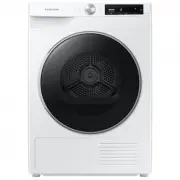 Samsung DV25B6900HW
User Manual
Samsung DV25B6900HW
User Manual
 Samsung DV25B6900HW/A2
User Manual
Samsung DV25B6900HW/A2
User Manual
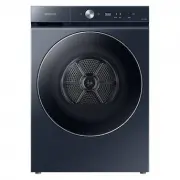 Samsung DV53BB8900HD
User Manual
Samsung DV53BB8900HD
User Manual
 Samsung DV53BB8900HDA2
User Manual
Samsung DV53BB8900HDA2
User Manual
 Samsung DV80F5E5HGW
User Manual
Samsung DV80F5E5HGW
User Manual
 Samsung DV80H4100CW
User Manual
Samsung DV80H4100CW
User Manual
 Samsung DV80T5420AW
User Manual
Samsung DV80T5420AW
User Manual
 Samsung DV80T6420LE
User Manual
Samsung DV80T6420LE
User Manual
 Samsung DV90BB7445GEUA
User Manual
Samsung DV90BB7445GEUA
User Manual
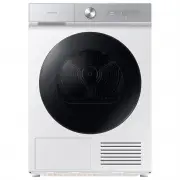 Samsung DV90BB9440GH
User Manual
Samsung DV90BB9440GH
User Manual
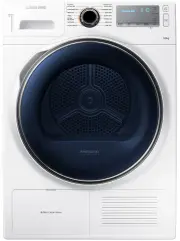 Samsung DV90H8000HW
User Manual
Samsung DV90H8000HW
User Manual
 Samsung DV90T5240AT
Installation Manual
Samsung DV90T5240AT
Installation Manual
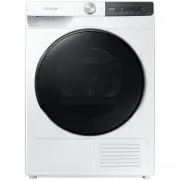 Samsung DV90T7440BT
User Manual
Samsung DV90T7440BT
User Manual