Page 2 - Contents; Safety information
English 2 Contents Contents Safety information 4 What you need to know about the safety instructions 4 Important safety symbols 4 Important safety precautions 5 To minimize the risk of fire in a product, the following should be observed 7 General warnings 8 Electrical warnings 10 Installation warnin...
Page 3 - Specifications
English 3 Contents Specifications 54 Untitled-11 3 2019-12-31 PM 3:05:41
Page 4 - What you need to know about the safety instructions; What the icons and signs in this user manual mean:
English 4 Safety information Congratulations on your new Samsung product. This manual contains important information on the installation, use and care of your product. Please take some time to read this manual to take full advantage of your product’s many benefits and features. What you need to know...
Page 5 - WARNING - Risk of Fire; Important safety precautions; WARNING; This appliance is not intended for use by persons (including
English 5 Safety information As with any equipment that uses electricity and moving parts, potential hazards exist. To safely operate this product, familiarise yourself with its operation and exercise care when using it. WARNING - Risk of Fire • Product installation must be performed by a qualified ...
Page 6 - If the supply cord is damaged, it must be replaced by the
Safety information English 6 Safety information 4. If the supply cord is damaged, it must be replaced by the manufacturer, its service agent or similarly qualified persons in order to avoid a hazard. 5. CAUTION : In order to avoid a hazard due to inadvertent resetting of the thermal cut-out, this ap...
Page 8 - General warnings
Safety information English 8 Safety information Items such as foam rubber(latex foam), shower caps, waterproof textiles, rubber backed articles and clothes or pillows fitted with foam rubber pads should not be dried in the product. Fabric softeners, or similar products, should be used as specified b...
Page 10 - Electrical warnings
Safety information English 10 Safety information • To avoid product damage, excessive noise, or fire, do not insert objects into the steam nozzle. • Do not place your hands or body near the steam nozzle during operation. The hot steam can cause an injury. • Do not open the door during operation. The...
Page 11 - Installation warnings
English 11 Safety information • The product must be grounded. In the event of malfunction or breakdown, grounding will reduce the risk of electric shock by providing a path of least resistance for electric current. • Before using, make sure there is dedicated, grounded electrical-outlet rated for us...
Page 12 - Cleaning warnings
Safety information English 12 Safety information • Do not install the product in locations exposed to the weather or temperatures below freezing. If the product was shipped in or at temperatures below freezing, allow the product to warm before installing. • To avoid electric shock, fire, serious inj...
Page 13 - Before you start; ENVIRONMENT; Installing the product; NOTE
English 13 Before you start ENVIRONMENT Please dispose of the packaging materials for this product in an “environmentally friendly” manner. For further detail, please contact your local area authority. Installation Install the product according to the instructions in this manual and local codes. Ins...
Page 15 - ՋՍ; CAUTION; Setting the language
English 15 Before you start Securing AIRDRESSER with the anti-tip strap (optional) AIRDRESSER may tip-over by external force or children. If necessary, use the anti-tip strap to secure AIRDRESSER and prevent tip-over. (Refer to the figure.) ՋՍ ՋՌ CAUTION You must unplug the product before securing A...
Page 16 - Product overview
Before you start English 16 Before you start Product overview 01 02 03 04 06 05 07 08 09 10 11 01 Air hole 02 Air hanger 03 Air Filter 04 Shelf 05 Lint filter 06 Drain Tank 07 Water tray 08 Control panel 09 Accessory care zone 10 Shelf holder 11 Refill Tank Untitled-11 16 2019-12-31 PM 3:05:44
Page 17 - Accessories
English 17 Before you start Accessories Shelf Water tray Air hanger Weight kit Regular hanger kit Cleaning cloth User manual Anti-tip strap Screw (for anti-tip strap) Screw anchor (for anti-tip strap) Rear levelling feet Untitled-11 17 2019-12-31 PM 3:05:46
Page 18 - Control panel; Tap a cycle to select. For more information about cycles, see page
Before you start English 18 Before you start Control panel 01 02 03 06 04 05 07 01 Display Displays the selected cycle and estimated time remaining, notifications, and Wi-Fi connectivity. 02 Cycles Tap a cycle to select. For more information about cycles, see page 20 . 03 Silent / Child Lock (3 sec)...
Page 19 - 5 Smart Control; Smart control
English 19 Before you start Child Lock Tap and hold for 3 seconds to turn Child Lock on or off. Child Lock deactivates all buttons except Power . NOTE When Child Lock is on, it will remain on until you turn it off. 04 Delay End / Keep Fresh (3 sec) Delay End Tap to turn Delay End on, and then tap to...
Page 20 - Cycle overview; Daily cycles
Before you start English 20 Before you start Cycle overview Daily cycles Cycle Description Normal • For freshening your everyday wear. Delicates • For delicate items such as chiffon, lace, and items with decorations. • For rayon, you must use this cycle. Quick • To quickly care for items with light ...
Page 21 - Dry cycles
English 21 Before you start Dry cycles CAUTION Do not use any of the following items for Dry cycles.• Leather, fur, feather, velvet, silk.• Any items containing rubber or sponge.• Items made of wool blended fabrics, water-repellent fabrics, silk-blended, or hemp- blended fabric. • Fur blankets with ...
Page 22 - Special cycles
Before you start English 22 Before you start Special cycles Cycle Description Suits For sharpening creases in trousers. NOTE • Put the jacket in the middle air hole and trousers on the right air hole. • For best results, use with the weight kit. School uniform For school uniforms that cannot be wash...
Page 23 - Download cycles; You can download more cycles from the SmartThings app.
English 23 Before you start Download cycles You can download more cycles from the SmartThings app. 1. Tap Power . 2. Tap Special repeatedly to select Download . 3. On your smartphone, follow the onscreen instructions to download available cycles. • You can download up to 10 cycles.• You can download...
Page 24 - Fabric care guide; Cycle category
Before you start English 24 Before you start Fabric care guide • Fabrics have different care management depending on how they were processed and finished. This fabric care guide does not cover all materials and therefore use it for just a reference. Make sure to check the care label on your clothing...
Page 25 - Fabric care guide table; Natural fibres - vegetable fibres
English 25 Before you start Fabric care guide table Natural fibres - vegetable fibres Fabric Cycles Clothes / Remarks General Special Sanitize Dry Reducing wrinkles Deodorising Cotton Towels, socks, underwear, jeans, sportswear, t-shirts, blankets Wrinkles on 100 % cotton fabrics may remain....
Page 28 - Fabric care labels; Fabric care labels that can be used with AIRDRESSER
Before you start English 28 Before you start Fabric care labels Most clothing includes fabric care labels which contain instruction for proper care. The following table contains some of the symbols that may help you choose appropriate items for AIRDRESSER. Fabric care labels that can be used with AI...
Page 29 - Wi-Fi protocols or unapproved Wi-Fi protocols are not supported.; Downloading the app; Log in
English 29 Before you start Smart control Wi-Fi connection • Recommended encryption methods are WPA/TKIP and WPA2/AES. Newly developed Wi-Fi protocols or unapproved Wi-Fi protocols are not supported. • The reception sensitivity of a wireless network may be affected by surrounding wireless environmen...
Page 30 - Registering your appliance to SmartThings
Before you start English 30 Before you start Registering your appliance to SmartThings 1. Make sure your smartphone is connected to a wireless network. If not, go to Settings , turn on the wireless connection, and then select an AP (Access Point). 2. Open SmartThings on your smartphone. 3. If a mess...
Page 32 - Open Source Announcement
Before you start English 32 Before you start Open Source Announcement The software included in this product contains open source software. You may obtain the complete corresponding source code for a period of three years after the last shipment of this product by sending an email to mailto:[email pr...
Page 33 - Using a cycle; Product and accessory use
English 33 Product and accessory use Using a cycle A 1. Make sure the Refill Tank (A) is filled with water. B 2. Make sure the lint filter (B) is clean. 3. Input clothes as instructed in the Using the accessories section. 4 7 5 6 4. Tap Power . 5. Select a cycle. - Tap Normal , Delicates , Quick or ...
Page 34 - Usage guidelines; Before use
Product and accessory use English 34 Product and accessory use Usage guidelines Before use • This product cannot be used to clean items. For best results, wash and dry all items before using the product. • Before using the product, we recommend washing items with strong odours or items that have bee...
Page 35 - Using the accessories; Air hangers
English 35 Product and accessory use Using the accessories Air hangers Use the provided Air hangers for items such as jackets, sportscoats, and blazers. NOTE • Make sure the interior and exterior of the hangers are clean and free of foreign matter.• Do not use hangers for knits, wools, lingerie.• Th...
Page 36 - Regular hanger kit
Product and accessory use English 36 Product and accessory use Regular hanger kit You can use the regular hanger kit to use regular hangers to hang your items. However, for best results, we recommend using the Air hangers. NOTE • Use hangers that will not be deformed by heat.• Make sure the interior...
Page 37 - Weight kit
English 37 Product and accessory use Weight kit NOTE • Make sure the trousers or weight kit does not touch the bottom of the product.• The maximum length of trousers must be 100 cm. To use the weight kit 1. Clip the bottom of the trousers to the Air hanger. 2. Clip the other end of the trousers to t...
Page 38 - Shelf
Product and accessory use English 38 Product and accessory use Shelf Use the provided shelf for items that cannot be used with hangers. NOTE • Only place clothes or clothing accessories. Do not put heavy items or use the shelf to store any other objects • Make sure children do not sit or climb on th...
Page 39 - Accessory care zone; Method 1
English 39 Product and accessory use Accessory care zone Use the accessory care zone for scarves.To securely hang the scarf, refer to the figures below. Method 1 Method 2 • Make sure the lengths of both ends are even.• Depending on the fabric type, wrinkles may not be removed. Untitled-11 39 2019-12...
Page 40 - Refill Tank; Open the back cover, fill to the
Product and accessory use English 40 Product and accessory use Refill Tank NOTE • Before using the product, make sure there is water in the Refill Tank.• The product consumes more water the first time the product is used.• It is recommended to use filtered water.• If you are not going to use the pro...
Page 41 - Drain Tank; To empty the Drain Tank; Fresh FinishTM; Fresh FinishTM gives items a pleasant fragrance.
English 41 Product and accessory use Drain Tank Before using the product or if you are not going to use the product for a long time, make sure to empty the Drain Tank. To empty the Drain Tank 1. Pull out the Drain Tank. 2. Empty the tank. 3. Reinsert the Drain Tank. Fresh Finish™ Fresh Finish™ gives...
Page 43 - Exterior; Cleaning and maintenance
English 43 Cleaning and maintenance CAUTION • Unplug the product before cleaning it.• Do not use abrasive or flammable cleaners.• Do not spray water directly onto the product when cleaning it. Exterior Use the cleaning cloth to clean the exterior. For stubborn stains, use a damp cloth and then wipe ...
Page 44 - Water tanks; Use a damp cloth to clean the exterior.
Cleaning and maintenance English 44 Cleaning and maintenance Water tanks Clean both tanks on a regular basis. Completely dry before reinserting. Use a damp cloth to clean the exterior. Use a soft brush to clean the interior. Use a soft brush to clean the tanks’ inlet and outlet. Untitled-11 44 2019-...
Page 45 - Water tray
English 45 Cleaning and maintenance Water tray NOTE • Empty the water tray on a regular basis.• Make sure to reinsert the water tray after emptying the water. Correctly insert the water tray as shown in the figures.• Make sure the side with TOP is facing up. Untitled-11 45 2019-12-31 PM 3:05:56
Page 46 - Air Filter; To replace the Air Filter
Cleaning and maintenance English 46 Cleaning and maintenance Air Filter If you frequently use the product for heavy items or items that accumulate a large amount of dust, we recommend cleaning the Air Filter frequently. To replace the Air Filter 1. Hold the bottom of the cover and pull out. 2. While...
Page 48 - Lint filter; To clean the lint filter
Cleaning and maintenance English 48 Cleaning and maintenance Lint filter • For best results, clean the lint filter before or after using the product.• Replace a damaged lint filter with a new lint filter. To clean the lint filter 1. Open the cover. 2. Remove the lint filter. 3. Use a brush and runni...
Page 49 - Descaling
English 49 Cleaning and maintenance Descaling Perform descaling regularly to increase the performance and lengthen the lifespan of the product. If you do not perform descaling immediately after getting the notification message, some functions may be restricted for use and may cause performance decre...
Page 50 - Moving the product to another location; pushing the middle of the product. Do not push the top or the bottom.
Cleaning and maintenance English 50 Cleaning and maintenance Moving the product to another location • There are two wheels underneath the product to assist moving it.• To prevent the product from tipping over when moving the product, we recommend pushing the middle of the product. Do not push the to...
Page 51 - Troubleshooting; Notification messages; Message
English 51 Troubleshooting Notification messages Message Action Refill the tankRefill the tank with water • Check if the Refill Tank has enough water. - Fill the water up to the MAX line, reinsert the Refill Tank, and then tap Start/Pause to start. • Check if the Refill Tank is properly inserted. - ...
Page 52 - Checkpoint; Problem
Troubleshooting English 52 Troubleshooting Checkpoint Problem Action The product does not turn on. • Tap Power to turn the product on. • Make sure the power cord is properly plugged in.• Make sure the circuit breaker is on.• Make sure the power cord is plugged into a power outlet rated for this prod...
Page 54 - Tube type
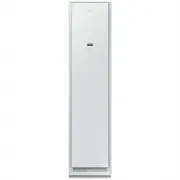
English 54 Specifications A B D E C Type Clothing Care System (AIRDRESSER) DF60*8****G Dimensions (mm) A. Height 1850 B. Width 445 C. Depth 615 D. Depth with door open 1001 E. Width with door open 618 Rated power 220-240 V / 50 Hz 1700-1900 W Fuse (Fixed fuse in main PBA) 250 V / 12 A Tube type High...
Page 55 - Memo


 Samsung DVG55A7300E User Manual
 Samsung DVG55CG7100V User Manual
 Samsung SDC14709 User Manual
 Samsung SK-DH User Manual
 Samsung SKK-DD User Manual
 Samsung SKK-DF User Manual
 Samsung DV8GT5220AW User Manual
 Samsung DV9BTA020AE User Manual
 Samsung DV16T8520BV User Manual
 Samsung DV22N6800HW User Manual
 Samsung DV25B6900EW User Manual
 Samsung DV25B6900HW User Manual