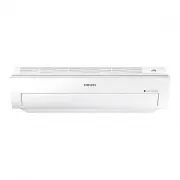
Page 2 - Air conditioner; User manual
Air conditioner User manual AR HSF/JSF • Thank you for purchasing this Samsung air conditioner. • Before operating this unit, please read this user manual carefully and retain it for future reference. AR5000&A3050 ET Good_IB_DB68-06157A-00_EN_A5.indd 1 2016/4/22 12:00:05
Page 3 - Contents
2 English Contents Safety Information 4 Safety Information 4 At a Glance 12 Indoor Unit Overview 12 Display Remote Control Overview 13 Inserting batteries Remote Control Operation 14 Operation modesControlling temperatureControlling fan speedControlling air flow direction Power Smart Features 16 Coo...
Page 5 - Do NOT disassemble.; FOR INSTALLATION; WARNING; Use a power cord with this product's power specifications
4 English Sa fe ty In fo rm at io n Sa fe ty In fo rm at io n Safety Information Before using your new air conditioner, please read this manual thoroughly to ensure that you know how to safely and efficiently operate the extensive features and functions of your new appliance.Because the following op...
Page 6 - Failing to do so may result in electric shock or fire.
5 English Sa fe ty In fo rm at io n Sa fe ty In fo rm at io n • If the voltage/frequency/rated current condition is different, it may cause fire. The installation of this appliance must be performed by a qualified technician or service company. • Failing to do so may result in electric shock, fire, ...
Page 7 - CAUTION; FOR POWER SUPPLY; This may result in electric shock or fire.
6 English Sa fe ty In fo rm at io n Sa fe ty In fo rm at io n CAUTION Please cover the air conditioner with PE BAG after installation, and remove it when you start to run air conditioner. Install your appliance on a level and hard floor that can support its weight. • Failing to do so may result in a...
Page 8 - When not using the air conditioner for a long period of time or; FOR USING; If the appliance is flooded, please contact your nearest service
7 English Sa fe ty In fo rm at io n Sa fe ty In fo rm at io n CAUTION When not using the air conditioner for a long period of time or during a thunder/lightning storm, cut the power at the circuit breaker. • Failing to do so may result in electric shock or fire. FOR USING WARNING If the appliance is...
Page 9 - This may result in electric shock.
8 English Sa fe ty In fo rm at io n Sa fe ty In fo rm at io n • Especially, when you wish to install the product in an unusual location such as in an industrial area or near the seaside where it is exposed to salt in the air, please contact your nearest service centre. Do not touch the circuit break...
Page 12 - FOR CLEANING; Failing to do so may result in damage, electric shock or fire.
11 English Sa fe ty In fo rm at io n Sa fe ty In fo rm at io n For use in Europe : This appliance can be used by children aged from 8 years and above and persons with reduced physical, sensory or mental capabilities or lack of experience and knowledge if they have been given supervision or instructi...
Page 13 - Indoor Unit Overview
12 English A t a G la n ce 07 01 02 03 04 08 05 06 01 Air intake 02 Air filters 03 Air flow blade (up and down) 04 Air flow blade (left and right) 05 Room temperature sensor 06 Wi-Fi module (AR AWK/BWK ) 07 Display 08 Power button / Remote control receiver Display 01 02 03 (AR AWK/BWK ) ...
Page 14 - Remote Control Overview; Inserting batteries
13 English A t a G la n ce Remote Control Overview 01 Set temperature indicator 02 Timer option indicator 03 Operation mode indicator 04 Options indicator 05 Low battery indicator 06 Transmit indicator 07 Fan speed indicator 08 Vertical air swing indicator 09 Settings indicator 10 Power button 11 Te...
Page 15 - Operation modes; Remote Control Operation
14 English A t a G la n ce Operation modes You can change the current mode between Auto, Cool, Dry, Fan, and Heat by pressing the button. Controlling temperature You can control the temperature in each mode as follows: Mode Temperature control Auto/Cool/ Heat Adjust by 1 °C between 16 °C and 30 °C. ...
Page 16 - Controlling fan speed
15 English A t a G la n ce Model : AJ Mode Cool Dry Heat Indoor temperature 16 °C to 32 °C 18 °C to 32 °C 27 °C or less Outdoor temperature -5 °C to 46 °C -5 °C to 46 °C -15 °C to 24 °C Indoor humidity 80% or less relative humidity _ _ Remark AJ100 outdoor temperature : -10˚C to 46˚C . AJ100...
Page 17 - Cool mode; Cooling Operation
16 English P ow er S m ar t F ea tu re s Cool mode Use the Cool mode to stay cool in hot weather. ► ► Select Cool. NOTE • For comfort, keep the temperature difference between the indoor and outdoor air within 5 °C in the Cool mode. • After selecting the Cool mode, select a function, temperature, and...
Page 18 - -Step cooling function; Dehumidifying Operation
17 English P ow er S m ar t F ea tu re s 2-Step cooling function Use the 2-Step cooling function to quickly reach the set temperature. The air conditioner automatically adjusts the fan speed and air flow direction. You can select this function only when the Cool mode is running. In the Cool mode ► ►...
Page 19 - Heat mode; Heating Operation
18 English P ow er S m ar t F ea tu re s A B Heat mode Use the Heat mode to stay warm. ► ► Select Heat. NOTE • While the air conditioner warms up, the fan may not operate for about 3 to 5 minutes at the beginning to prevent cold blasts. • If the air conditioner heats insufficiently, use an additiona...
Page 20 - Auto mode; Fan mode; Fast function; Quick Smart Features
19 English P ow er S m ar t F ea tu re s Auto mode Use the Auto mode when you want the air conditioner to automatically control the operation. The air conditioner will provide the most comfortable atmosphere that it can. ► ► Select Auto. NOTE • When the indoor temperature seems to be higher or lower...
Page 21 - Comfort function; Beep sound function
20 English P ow er S m ar t F ea tu re s NOTE • If you select the Fast function while such functions as 2-Step cooling, Comfort, Single user, Quiet, or good'sleep are running, these functions are cancelled. • You can change the air flow direction. • You cannot change the set temperature and the fan ...
Page 22 - Quiet function; Display lighting function
21 English P ow er S m ar t F ea tu re s Quiet function Use the Quiet function to reduce operating noise. You can select this function both in the Cool and Heat modes. In the Cool or Heat mode ► ► ► Select Quiet. ► NOTE • You can change the set temperature and the air flow direction. • You cannot ch...
Page 24 - Electricity consumption check; Energy-Saving Operation
23 English E n er g y -S av in g F ea tu re s Electricity consumption check Use the Usage function to check the amount of electricity consumed by using the air conditioner. The amount consumed is displayed on the indoor unit display for a few seconds, and the set indoor temperature appears. In opera...
Page 25 - Single user function
24 English E n er g y -S av in g F ea tu re s If using a multi system, this function is not supported. Single user function Use the Single user function to reduce electricity consumption while staying cool or warm. You can select this function in the Cool and Heat modes. In the Cool or Heat mode ► N...
Page 26 - Timed on/Timed off function
25 English E n er g y -S av in g F ea tu re s Timed on/Timed off function Use the Timed on/Timed off to turn on or off the air conditioner after the time that you set. (Select On or Off among On, Off, and .) ► (Set the on/off time.) ► • Press the (Timer) button to change the current function between...
Page 27 - good’sleep function
26 English E n er g y -S av in g F ea tu re s good’sleep function Use the good'sleep function to get a good sleep at night and to save energy. You can select this function both in the Cool and Heat modes. In the Cool or Heat mode ► (Select among On, Off, and .) ► (Set the operation time.) ► • Press ...
Page 28 - Running Auto clean; Cleaning the indoor unit exterior and outdoor unit heat exterior; Do not clean the display by using alkaline detergent.
27 English Cle an in g a n d M ain te n an ce Running Auto clean Cleaning duration (minutes) Auto (Cool), Cool, Dry 30 Auto (Heat), Heat, Fan 15 Indoor unit display (AR BUR/CWK , AR JS ) (AR AWK/BWK ) NOTE • When you set the Auto clean timer, Clean blinks and then disappears on the...
Page 29 - Cleaning the filter; Do not expose the air filter to direct sunlight when drying it.
28 English Cle an in g a n d M ain te n an ce • Do not use sulphuric acid, hydrochloric acid, or organic solvents (such as thinner, kerosene, and acetone) to clean the surfaces. Do not put any stickers on it as this can damage the surface of the air conditioner. • When you clean and inspect the heat...
Page 30 - Resetting the filter-cleaning reminder; Problem; Troubleshooting
29 English Cle an in g a n d M ain te n an ce Resetting the filter-cleaning reminder (Only for AR AWK/BWK model) Indoor unit display If the air conditioner operates abnormally, refer to the following chart to save time and unnecessary expenses. Problem Solution The air conditioner does not wor...