Page 2 - Cool Summer Offer; Features of your new air conditioner
2 Correct Disposal of This Product (Waste Electrical & Electronic Equipment) (Applicable in the countries with separate collection systems) This marking on the product, accessories or literature indicates that the product and its electronic accessories (e.g. charger, headset, USB cable) should n...
Page 3 - Safety precautions; Important safety symbols and precautions:; WARNING Hazards or unsafe practices that may result in; FOR INSTALLATION; WARNING; Extending the power line may result in electric shock or fire.
3 ENGLISH Safety precautions Before using your new air conditioner, please read this manual thoroughly to ensure that you know how to safely and efficiently operate the extensive features and functions of your new appliance.Because the following operating instructions cover various models, the chara...
Page 4 - This may result in electric shock or fire.; CAUTION
4 Safety precautions FOR INSTALLATION WARNING Do not install this appliance near a heater, inflammable material. Do not install this appliance in a humid, oily or dusty location, in a location exposed to direct sunlight and water (rain drops). Do not install this appliance in a location where gas ma...
Page 5 - FOR POWER SUPPLY; FOR USING
5 ENGLISH FOR POWER SUPPLY WARNING When the circuit breaker is damaged, contact your nearest service center.Do not pull or excessively bend the power line. Do not twist or tie the power line. Do not hook the power line over a metal object, place a heavy object on the power line, insert the power lin...
Page 8 - This may result in property damage.; conditioner for long periods of time.; This may result in harm to humans, animals or plants.; FOR CLEANING; Failing to do so may result in electric shock or fire.
8 Safety precautions FOR USING CAUTION Do not use this air conditioner to preserve precision equipment, food, animals, plants or cosmetics, or for any other unusual purposes. This may result in property damage. Avoid directly exposing humans, animals or plants from the air flow from the air condit...
Page 9 - maintaining the air conditioner’ section.
9 ENGLISH FOR CLEANING CAUTION Take care when cleaning the surface of the heat exchanger of the outdoor unit since it has sharp edges. To avoid cutting your fingers, wear thick cotton gloves when cleaning it. Do not clean the inside of the air conditioner by yourself. For cleaning inside the app...
Page 10 - Checking before use; Operation ranges; be operated within.; Maintaining your air conditioner; Internal protections via the unit control system
10 Checking before use Operation ranges The table below indicates the temperature and humidity ranges the air conditioner can be operated within. Refer to the table for efficient use. • The standardized temperature for heating is 7˚C/45˚F. If the outdoor temperature drops to 0˚C/32˚F or below, the h...
Page 11 - Tips on using air conditioner; TOPIC
11 ENGLISH Tips on using air conditioner Here are some tips that you would follow when using your air conditioner. TOPIC RECOMMENDATION Cooling • If current outside temperatures are much higher than the selected indoor temperature, it may take time to bring the inner temperature to the desired cooln...
Page 12 - Viewing the parts; BIG DUCT TYPE
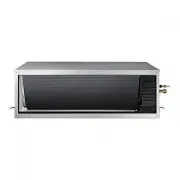
12 Viewing the parts • Your air conditioner and display may look slightly different from the illustration shown above depending on your model. NOTE Congratulations on the purchase of the air conditioner. We hope you enjoy the features of your air conditioner and stay cool or warm with optimal effici...
Page 13 - disconnect the power plug.; detailed information, see the installation part in the manual.; Periodical checks; Cleaning and maintaining the air conditioner
13 ENGLISH If the air conditioner will not be used for an extended period of time, dry the air conditioner to maintain it in best condition. Dry the air conditioner thoroughly by operating in Fan mode for 3 to 4 hours and disconnect the power plug. There may be internal damage if moisture is left ...
Page 14 - Appendix; Troubleshooting; PROBLEM
14 Appendix Troubleshooting Refer to the following chart if the air conditioner operates abnormally. This may save time and unnecessary expenses. PROBLEM SOLUTION The air conditioner does not operate immediately after it has been restarted. • Because of the protective mechanism, the appliance does n...
Page 16 - Model specification (Dimension and weight)
16 Model specification (Dimension and weight) Dimension and weight Type Model Net dimension (WxDxH) (mm) Net weight (kg) Indoor unit AM180JNHFKH 1350*910*450 82.5 AM224JNHFKH 1350*910*450 82.5 Appendix
Page 18 - INSTALLATION PARTS; Indoor unit installation
18 INSTALLATION PARTS Indoor unit installation When deciding on the location of the air conditioner with the owner, the following restrictions must be taken into account. 1 Place the pattern sheet on the ceiling at the spot where you want to install the indoor unit. 2 Insert bolt anchors. Use existi...
Page 19 - Performing leak test & insulation; Leak test
19 ENGLISH Performing leak test & insulation Once you have checked that there are no leaks in the system, you can insulate the piping and hose. 1 To avoid condensation problems, place T13.0 or thicker Acrylonitrile Butadien Rubber separately around each refrigerant pipe. 2 Wind insulating tape a...
Page 20 - Drainpipe and drain hose installation
20 Pipe Pipe size Insulation Type (Heating/Cooling) Remarks Standard [30°C, 85%] High humidity [30°C, over 85%] EPDM, NBR Liquid pipe Ø6.35 ~ Ø9.52 9t 9t Internal temperature is higher than 120°C Ø12.7 ~ Ø19.05 13t 13t Gas pipe Ø6.35 13t 19t Ø9.52 19t 25t Ø12.70 Ø15.88Ø19.05 ◆ When installing insula...
Page 21 - Without the drain pump; Flexible hose; Drainpipe Connection; With the drain pump
21 ENGLISH Drainpipe and drain hose installation 1. Install horizontal drainpipe with a slope of 1/100 or more and fix it by hanger space of 1.0~1.5m. 2. Install U-trap at the end of the drainpipe to prevent a nasty smell to reach the indoor unit. 3. Do not install the drainpipe to upward position. ...
Page 22 - Testing the drainage; Centralized Drainage
22 Drainpipe and drain hose installation Prepare a little water about 2 liter. 1 Pour water into the base pan in the indoor unit as shown in figure. 2 Confirm that the water flows out through the drain hose. Testing the drainage 1 Install horizontal drainpipe with a slope of 1/100 or more and fix it...
Page 23 - Wiring work; Power and communication cable connection
23 ENGLISH Wiring work Silver solder Norminal dimensions for cable (mm 2 ) Norminal dimensions for screw (mm) B D d1 E F L d2 t Standard dimension (mm) Allowance (mm) Standard dimension (mm) Allowance (mm) Standard dimension (mm) Allowance (mm) Min. Min. Max. Standard dimension (mm) Allowance (mm) M...
Page 24 - Specification of electronic wire
24 Power supply MCCB ELB or ELCB Power cable Earth cable Communication cable Max : 242V Min : 198V X A X A, 30mmA 0.1 s 2.5mm 2 2.5mm 2 0.75~1.5mm 2 Decide the capacity of ELCB(or MCCB+ELB) by below formula. Power supply cords of parts of appliances for outdoor use shall not be lighter than poly...
Page 25 - Easy Tuning; EASY Tuning
25 ENGLISH Easy Tuning EASY Tuning If the more cooling and heating airflow rate which set up when installing is wanted, or if the more Silent operation which sets up when installing is wanted, air conditioner is tuned for comfort.Indoor unit airflow rate for high, mid, low mode increases or decrease...
Page 26 - Setting the indoor unit option code
26 Setting the indoor unit option code In order to set the indoor unit option code use the wired remote controller and follow the directions below. 1) Press the and buttons at the same time for more than 3 seconds and then a Main menu will be displayed. 2) Press the / button to select and then press...
Page 27 - Setting an indoor unit address; Setting an indoor unit address and installation option; Setting an indoor unit installation option
27 ENGLISH Set the indoor unit address and installation option with remote controller option. Set the each option separately since you cannot set the ADDRESS setting and indoor unit installation setting option at the same time. You need to set twice when setting indoor unit address and installation ...
Page 29 - The procedure of option setting
29 ENGLISH Set the indoor unit address and installation option with remote controller option. Set the each option separately since you cannot set the ADDRESS setting and indoor unit installation setting option at the same time. You need to set twice when setting indoor unit address and installation ...
Page 31 - Option setting
31 ENGLISH SEG16 SEG18 SEG21 SEG23 SEG17 SEG20 SEG22 SEG24 Step 4. Input option Press operation button with the direction of remote control for set. For the correct option setting, you must input the option twice. Step 5. Check operation 1. Reset the indoor unit by pressing the RESET button of indoo...
Page 33 - 2 series installation option
33 ENGLISH 1. Check whether power is supplied or not. - When the indoor unit is not plugged in, there should be additional power supply in the indoor unit. 2. The panel(display) should be connected to an indoor unit to receive option. 3. Set the installation option according to the installation cond...
Page 36 - 5 series installation option
36 SEG1 SEG2 SEG3 SEG4 SEG5 SEG6 0 5 Use of Auto Change Over for HR only in Auto mode (When setting SEG3) Standard heating temp. Offset (When setting SEG3) Standard cooling temp. Offset (When setting SEG3) Standard for mode change Heating → Cooling SEG7 SEG8 SEG9 SEG10 SEG11 SEG12 1 (When setting SE...
Page 40 - Changing a particular option
40 Option SEG1 SEG2 SEG3 SEG4 SEG5 SEG6 Explanation PAGE MODE The option mode you want to change The tens’ digit of an option SEG you will change The unit digit of an option SEG you will change Changed value Remote Controller Display Indication and Details Indication Details Indication Details Indic...
Page 41 - Note
Page 42 - QUESTIONS OR COMMENTS?
QUESTIONS OR COMMENTS? DB68-05048A-02 SAMSUNG ELECTRONICS CO.,LTD. No.501 Suhong East Road,Suzhou Industrial Park,Jiangsu Province,P.R.China Samsung Electronics Service Department PO Box 12987, Blackrock, Co. Dublin. Ireland or Blackbushe Business Park, Yateley, GU46 6GG. UK COUNTRY CALL OR VISIT US...
Page 43 - Air Conditioner; user manual; imagine; Duct Type Series; AM
Air Conditioner user manual imagine the possibilities Thank you for purchasing this Samsung product. Duct Type Series Big Duct : AM ✴✴✴ JNHF ✴✴✴