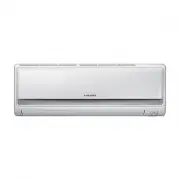
Page 2 - Air conditioner; User manual
Air conditioner User manual AM093MNQDEH • Thank you for purchasing this Samsung air conditioner. • Before operating this unit, please read this user manual carefully and retain it for future reference.
Page 3 - Contents; Safety Information; Basic Operation
2 English Contents Safety Information 4 Safety Information 4 At a Glance 12 Indoor Unit Overview 12 Display Remote Control Overview 13 Replacing batteriesStoring the remote control Basic Operation 15 Operation Modes 15 AutoCoolDryFanHeatTurning the air conditioner onSelecting the operation modeAdjus...
Page 4 - Installation part
3 English Appendix 29 Troubleshooting 29 Operation Ranges 31 Model specification (Dimension and weight) Installation part 33 Installation Procedure 33 Correct Disposal of This Product (Waste Electrical & Electronic Equipment) (Applicable in countries with separate collection systems) This markin...
Page 5 - Do NOT disassemble.; FOR INSTALLATION; WARNING; Use the power line with the power specifications of the
4 English Safety Inf ormation Safety Information Before using your new air conditioner, please read this manual thoroughly to ensure that you know how to safely and efficiently operate the extensive features and functions of your new appliance.Because the following operating instructions cover vario...
Page 7 - CAUTION; • Failing to do so may result in abnormal vibrations, noise, or; FOR POWER SUPPLY; • This may result in electric shock or fire.
6 English Safety Inf ormation CAUTION Please cover the air conditioner with PE BAG after installation, and remove it when you start to run air conditioner. Install your appliance on a level and hard floor that can support its weight. • Failing to do so may result in abnormal vibrations, noise, or pr...
Page 8 - When not using the air conditioner for a long period of time or; FOR USING; If the appliance is flooded, please contact your nearest service
7 English Safety Inf ormation Safety Inf ormation CAUTION When not using the air conditioner for a long period of time or during a thunder/lightning storm, cut the power at the circuit breaker. • Failing to do so may result in electric shock or fire. FOR USING WARNING If the appliance is flooded, pl...
Page 12 - FOR CLEANING
11 English Safety Inf ormation Safety Inf ormation For use in Europe : This appliance can be used by children aged from 8 years and above and persons with reduced physical, sensory or mental capabilities or lack of experience and knowledge if they have been given supervision or instruction concernin...
Page 13 - Main parts; Power; Indoor Unit Overview
12 English A t a Glanc e Main parts Air filter (under the panel) Air fl ow blade (up and down) Blade pin lever Air intake Air fl ow blade(left and right) Room temperature sensor Display Turbo indicator Timer/Auto clean indicator Power indicator Power button Remote controller receiver The actual prod...
Page 14 - Remote Control Overview
13 English A t a Glanc e Remote Control Overview 01 05 06 070809 16 17 18 20 21 02 03 04 11 12 13 19 14 15 10 01 Set temperature indicator 02 Timer option indicator 03 Operation mode indicator 04 Options indicator 05 Low battery indicator 06 Transmit indicator 07 Fan speed indicator 08 Vertcal air s...
Page 15 - Replacing batteries; Storing the remote control
14 English A t a Glanc e Replacing batteries When the icon appears in the remote control display, replace the batteries with new ones. Two 1.5V AAA type batteries are required. Correct disposal of batteries in this product (Applicable in countries with separate collection systems) This marking on th...
Page 16 - Auto; Cool; Dry; Operation Modes
15 English Basic Oper ation Auto In Auto mode, the air conditioner will automatically adjust the temperature and fan speed to maintain your fresh environment. • When the indoor temperature is too high, the powerful cool breeze is generated and when the indoor room becomes cool enough, the soft breez...
Page 17 - Heat
16 English Basic Oper ation Heat In Heat mode, you can warm your room even in fall and winter. • The fan may not commence immediately to avoid generating a cold breeze. • In Heat mode, defrost operation may be performed to remove the frost formed on the outdoor unit. (When the frost is removed by th...
Page 18 - Turning the air conditioner on; Selecting the fan speed
17 English Basic Oper ation Turning the air conditioner on Press the button to operate the air conditioner. Selecting the operation mode Press the button to select an operation mode. ► ► ► ► Adjusting the temperature Press the button to adjust the temperature. Mode Temperature control Auto/Cool/ Dry...
Page 19 - Selecting air flow direction
18 English Basic Oper ation Selecting air flow direction Keep the air flow in a constant direction by stopping the movements of the vertical and horizontal air flow blades. In operation ► NOTE • If you adjust the vertical air flow blade manually, it may not close completely when you turn off the air...
Page 20 - Setting the On or Off timer; Setting the On timer
19 English A dvanced Oper ation Setting the On or Off timer Advanced Operation You can set the air conditioner to be turned on or off automatically at the desired time. Setting the On timer When the air conditioner is turned off: 1. Press the button to select (On). • The (On) indicator will keep bli...
Page 21 - Setting the Off timer
20 English A dvanced Oper ation Setting the Off timer When the air conditioner is turned on: 1. Press the button to select (Off). • The (Off) indicator will keep blinking and you can set the time. 2. Press the or button to set the time. • You can set the time in half hour intervals from 30 minutes (...
Page 22 - Using the good’sleep Function
21 English A dvanced Oper ation When the air conditioner is operating in Cool mode; 1. Press the button to select . • The ( ) indicator will keep blinking and you can set the time. 2. Press the or button to set the time. • You can set the time in half hour intervals from 30 minutes (0.5 on the displ...
Page 24 - Using the Turbo Function
23 English A dvanced Oper ation When the air conditioner is operating in Cool mode; 1. Press the button. 2. Press the , or button until the (Turbo) indicator starts blinking. 3. Press the button to set the Turbo function. • The (Turbo) indicator will be displayed on the remote control display and Tu...
Page 25 - Controlling Indoor Units
24 English A dvanced Oper ation You can individually select and operate indoor units among 4 indoor units. Controlling Indoor Units When the air conditioner is turned on: 1. Press the button. 2. Press the , or button until the (Zone) indicator starts blinking. 3. Press the button to select the indoo...
Page 26 - Cleaning the exterior; Disassembling the air filter; Opening the panel; Removing the Air filter; Cleaning the Air Conditioner
25 English Cleaning and Maint enanc e Cleaning the exterior Wipe the surface of the unit with a slightly wet or dry cloth when needed. NOTE • Do not use sulphuric acid, hydrochloric acid, or organic solvents (such as thinner, kerosene, and acetone) to clean the surfaces. • Do not put any stickers on...
Page 27 - Cleaning the air filter
26 English Cleaning and Maint enanc e Cleaning the air filter Washable foam based air filter captures large particles from the air. The filter is cleaned with a vacuum or by hand washing. Open the panel and put the Air filter out. Insert the Air filter back in its original position and close the fro...
Page 28 - Maintaining the Air Conditioner; Periodical checks
27 English Cleaning and Maint enanc e Maintaining the Air Conditioner If the air conditioner will not be used for an extended period of time, dry the air conditioner to maintain in best conditions. 1. Dry the air conditioner thoroughly by operating in Fan mode for 3 to 4 hours and disconnect the pow...
Page 29 - Internal protections via the unit control system
28 English Cleaning and Maint enanc e This internal protection operates if an internal fault occurs in the air conditioner. Type Description Against cold air The internal fan will be off against cold air when the heat pump is heating. De-ice cycle The internal fan will be off against cold air when t...
Page 30 - Troubleshooting; Problem
29 English Appendix Troubleshooting Refer to the following chart if the air conditioner operates abnormally. This may save time and unnecessary expenses. Appendix Problem Solution The air conditioner does not operate immediately after it has been restarted. • Because of the protective mechanism, the...
Page 32 - Operation Ranges
31 English Appendix The table below indicates the temperature and humidity ranges the air conditioner can be operated within. Refer to the table for efficient use. MODE OPERATIONAL TEMPERATURE INDOOR HUMIDITY IF OUT OF CONDITIONS INDOOR OUTDOOR COOLING 18 ˚C to 32 ˚C Depends on the specifications of...
Page 33 - Technical specification
32 English Appendix Model specification (Dimension and weight) Dimension and weight Type Model Net dimension (WxDxH) (mm) Net weight (kg) Indoor unit AM093MNQDEH 1280*253*345 18.5 Technical specification
Page 34 - Installing the indoor unit; Performing leak test
33 English Installation par t Installation Procedure Installing the indoor unit Before fixing the installation plate to the wall or window frame, you must determine the position of the 65 mm hole through which the cable, pipe and hose pass to connect the indoor unit to the outdoor unit. When facing ...
Page 35 - Wrapping the pipes with the insulation; Installing the drain hose
34 English Installation par t Installation Procedure Wrapping the pipes with the insulation After checking for gas leaks in the system, insulate the pipe, hose and cables. Then place the indoor unit on the installation plate. 1 To avoid condensation problems, place heat-resistant poly-ethylene foam ...
Page 47 - Do not install the electronic heater
46 English Installation par t b The total number of wall-mounted indoor units with EEV Integrated in one (modular) system is more than “the total of one(modular) system’s capacity(kW) / 2” (“the total of one(modular) system’s capacity(BTU/h) / 6800”). ex) Outdoor capacity 28kW → 28 /2 = 14. The tota...