Page 2 - Cool Summer Offer
02_ features features of your new air conditioner • Cool Summer Offer On those hot sweltering summer days and long restless nights, there is no better escape from the heat than the cool comforts of home. Your new air conditioner brings an end to exhausting hot summer days and lets you rest. This sum...
Page 3 - safety information; SAFETY INFORMATION; WARNING; Risk of death or serious personal injury.; CAUTION
safety information _03 ENGLISH safety information To prevent electric shock, disconnect the power before servicing, cleaning, and installing the unit. SAFETY INFORMATION Before using your new air conditioner, please read this manual thoroughly to ensure that you know how to safely and efficiently ope...
Page 4 - Follow directions carefully.; SEVERE WARNING SIGNS; Potential risk of fire hazard or explosion.
04_ safety information safety information Do NOT attempt. Do NOT disassemble. Do NOT touch. Follow directions carefully. Unplug the power plug from the wall socket. Make sure the machine is grounded to prevent electric shock. Call the contact center for help. Recommended instructions or useful infor...
Page 5 - Never attempt to lengthen the power cable.
safety information _05 ENGLISH Do not install the outdoor unit at an unstable place or elevated surface where there is potential risk of falling. • If the outdoor unit falls, it may cause personal injury or loss or property. Any changes or modifications performed not following by the installation man...
Page 6 - Potential risk of fire or electric shock.
06_ safety information safety information WARNING SEVERE WARNING SIGNS Never use a damaged power plug, power cable, or loosened power receptacle. • Potential risk of fire or electric shock. The electric work must be done by qualified service technician in accordance with the national wiring regulation...
Page 8 - Use a rated circuit breaker only.
08_ safety information safety information WARNING SEVERE WARNING SIGNS The air conditioner must be installed in accordance with national wiring regulations and safety regulations wherever applicable. Install the supplied cables firmly. Fix them securely so that external force is not exerted to the te...
Page 9 - CAUTION SIGNS
safety information _09 ENGLISH Use a receptacle that has a ground terminal. The receptacle must be used exclusively for the air conditioner. • Improper electrical grounding may cause electric shock or fire. Be sure to ground the unit. Do not connect the ground wire to gas or water pipes, lighting rod...
Page 10 - Ensure no water gets into the air conditioner.
10_ safety information safety information CAUTION CAUTION SIGNS Failure to comply with these instructions or to comply with the requirements set forth in the “Operating limits” table, included in the manual, and shall immediately invalidate the warranty. Ensure no water gets into the air conditioner...
Page 11 - Potential risk of fire or unit malfunction.
safety information _11 ENGLISH Do not allow children to climb on the air conditioner. Use only rated accessories and install the air conditioner with rated equipments. • If you do not use the rated accessories, the air conditioner may drop from its place, water may leak or electric shock or fire may ...
Page 13 - • The place where thinner or gasoline is handled
safety information _13 ENGLISH • The place where thinner or gasoline is handled Gas may leak and it may cause fire. If the air conditioner is installed in a small room, measures must be taken to prevent the refrigerant concentration in the room from exceeding the safety limit in the event of refriger...
Page 14 - Potential risk of malfunction.
14_ safety information safety information CAUTION CAUTION SIGNS Keep indoor temperatures stable and not extremely cold, especially where there are children, elderly or disabled people. Clean the dust filter every 2 weeks. Clean the filter more frequently if the air conditioner is operated in dusty are...
Page 15 - Wearing thick gloves can protect your hands.
safety information _15 ENGLISH Make sure that children take precautions against access to the air conditioner and they do not play with the unit. When using a wireless remote control, the distance should not be more than 7 meters from the air conditioner. If the remote control is not used for a long...
Page 16 - Potential risk of injury or electric shock.
16_ safety information safety information CAUTION CAUTION SIGNS The appliance is not intended for use by young children or infirm persons without supervision: Young children should be supervised to ensure that they do not play with the appliance. Clean the air conditioner after the inner fan stops op...
Page 17 - This appliance can be used
safety information _17 ENGLISH Make sure that there are no obstacles or covers that block the air conditioner. Allow sufficient space for air circulation. • Insufficient ventilation may result in poor performance. This appliance is not intended for use by persons (including children) with reduced phys...
Page 19 - You must keep the cable in a protection tube.
safety information _19 ENGLISH Power supply cords of parts of appliances for outdoor use shall not be lighter than polychloroprene sheathed flexible cord. (Code designation IEC:60245 IEC 57 / CENELEC:H05RN-F or IEC:60245 IEC 66 / CENELEC: H07RN-F) The unbalanced power must be maintained within 10 % o...
Page 23 - contents; VIEWING YOUR AIR CONDITIONER
contents _23 ENGLISH contents VIEWING YOUR AIR CONDITIONER 24 24 Slim 1 way cassette25 2 way cassette25 4 way cassette USING YOUR AIR CONDITIONER 26 26 Tips on using your air conditioner CLEANING AND MAINTAINING THE AIR CONDITIONER 28 28 Cleaning the exterior28 Cleaning the grille 28 Slim 1 way cass...
Page 24 - viewing your air conditioner; SLIM 1 WAY CASSETTE; Main parts; Display
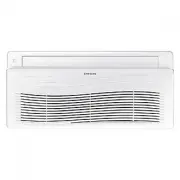
24_ viewing your air conditioner viewing your air conditioner Congratulations on the purchase of the air conditioner. We hope you enjoy the features of your air conditioner and stay cool or warm with optimal efficiency.Please read the user manual to get started and to make the best use of the air con...
Page 25 - WAY CASSETTE
viewing your air conditioner _25 ENGLISH Main parts Air flow blade Air intakeAir filter (under the grille) Display Display Display Filter reset indicator Fan indicator Timer indicator Power indicator Power button Remote control sensor X PC2NUSMEN 2 WAY CASSETTE Your air conditioner and display may loo...
Page 26 - using your air conditioner; TIPS ON USING AIR CONDITIONER; TOPIC
26_ using your air conditioner using your air conditioner TIPS ON USING AIR CONDITIONER Here are some tips that you would follow when using your air conditioner. TOPIC RECOMMENDATION Cooling • If current outside temperatures are much higher than the selected indoor temperature, it may take time to b...
Page 27 - - The steam produced on the outdoor unit
using your air conditioner _27 ENGLISH Frost & De-ice - The steam produced on the outdoor unit in De-ice mode is safe. No intervention is required; after about 10 minutes, the air conditioner operates again normally. The unit will not operate when it starts to de-ice. Fan • Fan may not operate f...
Page 28 - CLEANING THE EXTERIOR; CLEANING THE GRILLE; Slim 1 way cassette
28_ cleaning and maintaining cleaning and maintaining the air conditioner For the best performance of your air conditioner, clean it periodically. When cleaning, make sure to unplug the unit for user’s safety. CLEANING THE EXTERIOR 1. Wipe the surface of the unit with a slightly wet or dry cloth whe...
Page 30 - way cassette; t id f
30_ cleaning and maintaining cleaning and maintaining the air conditioner CLEANING THE GRILLE 2 way cassette X PC2NUSMEN 1. Open the front grille. Push the [ W ] tabs located in 3 places to unlock the groove on the front grille. The grille automatically drops. Two safety clips are mounted to the ins...
Page 31 - way cassette
cleaning and maintaining _31 ENGLISH 4 way cassette X PC4NUSKAN / PC4NUSKEN / PC4NBSKAN 1. Open the front grille. Open the blades on the left and right side of the Samsung logo. Press both of the levers and pull the grille downward. Two safety clips are mounted to the front grille to prevent it from...
Page 32 - CLEANING THE FILTER
32_ cleaning and maintaining cleaning and maintaining the air conditioner CLEANING THE FILTER When cleaning the filter, make sure to unplug the power from the unit. Washable foam based Air filter captures large particles from the air. The filter is cleaned with a vacuum or by hand washing. Slim 1 way c...
Page 35 - • When the indoor unit is used without the air filter,
cleaning and maintaining _35 ENGLISH 4. Dry the filter completely in the shade. When drying the air filter, make sure the filter is not exposed to direct sunlight. Otherwise, the form of the air filter may be changed. 5. Assemble the filter back and then close the grille. If the center of the grille is n...
Page 38 - MAINTAINING YOUR AIR CONDITIONER; Periodical checks
38_ cleaning and maintaining cleaning and maintaining the air conditioner MAINTAINING YOUR AIR CONDITIONER If the air conditioner will not be used for an extended period of time, dry the air conditioner to maintain it in best condition. 1. Dry the air conditioner thoroughly by operating in Fan mode ...
Page 39 - (2) These operations must always be performed; Internal protections via the unit control system
cleaning and maintaining _39 ENGLISH The checks and maintenance operations described are essential to guarantee the efficiency of the air conditioner. The frequency of these operations varies according to the characteristics of the area, the amount of dust, etc. (1) The described operations should be...
Page 40 - appendix; TROUBLESHOOTING; PROBLEM
40_ appendix appendix TROUBLESHOOTING Refer to the following chart if the air conditioner operates abnormally. This may save time and unnecessary expenses. PROBLEM SOLUTION The air conditioner does not operate immediately after it has been restarted. • Because of the protective mechanism, the applia...
Page 43 - OPERATION RANGES; MODEL SPECIFICATION (WEIGHT AND DIMENSION)
appendix _43 ENGLISH OPERATION RANGES The table below indicates the temperature and humidity ranges the air conditioner can be operated within. Refer to the table for efficient use. MODE Indoor temperature Outdoor temperature Indoor humidity Cooling 18~32 °C -5~48 °C 80 % or less Heating 27 °C or les...
Page 44 - Indoor Unit Installation; Performing Leak Test & Insulation; Leak test; Installation Part
44_ installing your air conditioner Indoor Unit Installation It is recommended to install the Y- joint before installing the indoor unit. 1. Place the pattern sheet on the ceiling at the spot where you want to install the indoor unit. Since the diagram is made of paper, it may shrink or stretch slig...
Page 45 - Insulation; Drain pipe and Drain Hose Installation
installing your air conditioner _45 ENGLISH 1. To avoid condensation problems, place T13.0 or thicker Acrylonitrile Butadien Rubber separately around each refrigerant pipe. Always make the seam of pipes face upwards. Note No gap NBR( T13.0 or thicker) 2. Wind insulating tape around the pipes and dra...
Page 46 - Drainpipe Connection; Centralized Drainage; Wiring Work; Power and communication cable connection
46_ installing your air conditioner J Flexible hose Installation 1. The drain pipe should be installed within 100 mm from the flexible hose, lift up from 100 mm to 550 mm and lift down 20 mm or more. 2. Install horizontal drainpipe with a slope of 1/100 or more and fix it by hanger space of 1~1.5 m....
Page 47 - Setting an indoor unit address and installation option; The procedure of option setting
installing your air conditioner _47 ENGLISH Setting an indoor unit address and installation option Set the indoor unit address and installation option with remote controller option. Set the each option separately since you cannot set the ADDRESS setting and indoor unit installation setting option at...
Page 57 - Changing a particular option
installing your air conditioner _57 ENGLISH Changing a particular option Option SEG1 SEG2 SEG3 SEG4 SEG5 SEG6 Explanation PAGE MODE The option mode you want to change The tens’ digit of an option SEG you will change The unit digit of an option SEG you will change Changed value Remote Controller Disp...
Page 58 - Memo
Page 60 - QUESTIONS OR COMMENTS?
QUESTIONS OR COMMENTS? DB68-03568A-10 COUNTRY CALL OR VISIT US ONLINE AT UK 0330 SAMSUNG (7267864) www.samsung.com/uk/support IRELAND (EIRE) 0818 717100 www.samsung.com/ie/support GERMANY 06196 77 555 77 *OTH www.samsung.com/de/support FRANCE 01 48 63 00 00 www.samsung.com/fr/support ITALIA 800-SAMS...