Page 2 - Contents
2 Contents Correct Disposal of This Product (Waste Electrical & Electronic Equipment) (Applicable in countries with separate collection systems) This marking on the product, accessories or literature indicates that the product and its electronic accessories (e.g. charger, headset, USB cable) sho...
Page 3 - Safety Information; Do NOT disassemble.; FOR INSTALLATION; WARNING; Use the power line with the power specifications of the
3 ENGLISH Safety Information Before using your new air conditioner, please read this manual thoroughly to ensure that you know how to safely and efficiently operate the extensive features and functions of your new appliance.Because the following operating instructions cover various models, the chara...
Page 5 - CAUTION; FOR POWER SUPPLY; This may result in electric shock or fire.
5 ENGLISH CAUTION Please cover the air conditioner with PE BAG after installation, and remove it when you start to run air conditioner. Install your appliance on a level and hard floor that can support its weight. • Failing to do so may result in abnormal vibrations, noise, or problems with the prod...
Page 6 - When not using the air conditioner for a long period of time or; FOR USING; If the appliance is flooded, please contact your nearest service
6 CAUTION When not using the air conditioner for a long period of time or during a thunder/lightning storm, cut the power at the circuit breaker. • Failing to do so may result in electric shock or fire. FOR USING WARNING If the appliance is flooded, please contact your nearest service centre. • Fail...
Page 7 - This may result in electric shock.
7 ENGLISH • Especially, when you wish to install the product in an unusual location such as in an industrial area or near the seaside where it is exposed to salt in the air, please contact your nearest service centre. Do not touch the circuit breaker with wet hands. • This may result in electric sho...
Page 8 - Failing to do so may result in electric shock or fire.
8 Do not use this air conditioner for long periods of time in badly ventilated locations or near infirm people. • Since this may be dangerous due to a lack of oxygen, open a window at least once an hour. If any foreign substance such as water has entered the appliance, cut the power by unplugging th...
Page 10 - FOR CLEANING; Failing to do so may result in damage, electric shock or fire.
10 For use in Europe : This appliance can be used by children aged from 8 years and above and persons with reduced physical, sensory or mental capabilities or lack of experience and knowledge if they have been given supervision or instruction concerning use of the appliance in a safe way and underst...
Page 11 - viewing your air conditioner before use; CHECKING THE INDOOR UNIT; Main parts
11 ENGLISH viewing your air conditioner before use Congratulations on the purchase of the air conditioner. We hope you enjoy the features of your air conditioner and stay cool or warm with optimal efficiency.Please read the user manual to get started and to make the best use of the air conditioner. ...
Page 12 - REMOVING THE FRONT PANEL; Viewing the power button and parts under the panel
12 viewing your air conditioner before use REMOVING THE FRONT PANEL Grab the top portion of the front panel and pull the front cover towards yourself. Unhook the safety string and lift up the front panel. Viewing the power button and parts under the panel You may locate the Power button among with t...
Page 13 - NOTE
13 ENGLISH 01 05 06 070809 16 17 18 20 21 02 03 04 11 12 13 19 14 15 10 01 Set temperature indicator02 Timer option indicator03 Operation mode indicator04 Options indicator05 Low battery indicator06 Transmit indicator 07 Fan speed indicator08 Vertcal air swing indicator09 Horizontal air swing indica...
Page 14 - Replacing batteries; When the; Storing the remote control
14 viewing your air conditioner before use Replacing batteries When the icon appears in the remote control display, replace the batteries with new ones. Two 1.5V AAA type batteries are required. Correct disposal of batteries in this product (Applicable in countries with separate collection systems) ...
Page 15 - Basic Operation
15 ENGLISH Basic Operation Auto In Auto mode, the air conditioner will automatically adjust the temperature and fan speed to maintain your fresh environment. • When the indoor temperature is too high, the powerful cool breeze is generated and when the indoor room becomes cool enough, the soft breeze...
Page 16 - Heat
16 Heat In Heat mode, you can warm your room even in fall and winter. • The fan may not commence immediately to avoid generating a cold breeze. • In Heat mode, defrost operation may be performed to remove the frost formed on the outdoor unit. (When the frost is removed by the defrost operation in He...
Page 17 - Turning the air conditioner on; Selecting the fan speed
17 ENGLISH Turning the air conditioner on Press the button to operate the air conditioner. Selecting the operation mode Press the button to select an operation mode. ► ► ► ► Adjusting the temperature Press the button to adjust the temperature. Mode Temperature control Auto/Cool/ Dry Adjust by 1 °C b...
Page 18 - Selecting air flow direction
18 Selecting air flow direction Keep the air flow in a constant direction by stopping the movements of the vertical and horizontal air flow blades. In operation ► NOTE • If you adjust the vertical air flow blade manually, it may not close completely when you turn off the air conditioner. Horizontal ...
Page 19 - Setting the On timer; Advanced Operation
19 ENGLISH You can set the air conditioner to be turned on or off automatically at the desired time. Setting the On timer When the air conditioner is turned off: 1. Press the button to select (On). • The (On) indicator will keep blinking and you can set the time. 2. Press the or button to set the ti...
Page 20 - Setting the Off timer
20 Setting the Off timer When the air conditioner is turned on: 1. Press the button to select (Off). • The (Off) indicator will keep blinking and you can set the time. 2. Press the or button to set the time. • You can set the time in half hour intervals from 30 minutes (0.5 on the display) to 3 hour...
Page 21 - Using the Purity function
21 ENGLISH Using the Purity function When the air conditioner is turned on 1. Press the button. 2. Press the , or button until the ( ) indicator starts blinking. 3. Press the button to set the Purity function. ( ) ( ) indicator will be displayed on the remote controller display and Ionizer funct...
Page 23 - Controlling Indoor Units
23 ENGLISH You can individually select and operate indoor units among 4 indoor units. Controlling Indoor Units When the air conditioner is turned on: 1. Press the button. 2. Press the , or button until the (Zone) indicator starts blinking. 3. Press the button to select the indoor unit to operate. • ...
Page 24 - CLEANING THE EXTERIOR; CLEANING THE FILTER; Air filter; cleaning and maintaining the air conditioner
24 CLEANING THE EXTERIOR 1. Wipe the surface of the unit with a slightly wet or dry cloth when needed. Do not use Benzene, Thinner or Clorox TM . They may damage the surface of the air conditioner and can create a risk of fire. CLEANING THE FILTER When cleaning the filter, make sure to unplug the po...
Page 26 - REPLACING THE FILTER; Deodorizing filter
26 REPLACING THE FILTER Replacement filter may be purchased from the retail store or ordered from the dealer where you purchased the unit. If you cannot find one, please call a contact center. Deodorizing filter Deodorizing filter absorbs efficiently cigarette smoke, pet odors and other unpleasant s...
Page 27 - MAINTAINING YOUR AIR CONDITIONER; Periodical checks
27 ENGLISH MAINTAINING YOUR AIR CONDITIONER If the air conditioner will not be used for an extended period of time, dry the air conditioner to maintain it in best condition. 1. Dry the air conditioner thoroughly by operating in Fan mode for 3 to 4 hours and disconnect the power plug. There may be in...
Page 28 - Internal protections via the unit control system; Type
28 MAINTAINING YOUR AIR CONDITIONER Internal protections via the unit control system This internal protection operates if an internal fault occurs in the air conditioner. Type Description Against cold air The internal fan will be off to against cold air when the heat pump is heating. De-ice cycle Th...
Page 29 - Appendix; TROUBLESHOOTING; PROBLEM
29 ENGLISH Appendix TROUBLESHOOTING Refer to the following chart if the air conditioner operates abnormally. This may save time and unnecessary expenses. PROBLEM SOLUTION The air conditioner does not operate immediately after it has been restarted. • Because of the protective mechanism, the applianc...
Page 30 - OPERATION RANGES; Model specification (Dimension and weight)
30 OPERATION RANGES The table below indicates the temperature and humidity ranges the air conditioner can be operated within. Refer to the table for efficient use. MODE OPERATIONAL TEMPERATURE INDOOR HUMIDITY IF OUT OF CONDITIONS INDOOR OUTDOOR COOLING 18˚C to 32˚C -5˚C to 48˚ 80% or less Condensati...
Page 31 - Memo
Page 32 - Performing Leak Test & Insulation; Leak test; Indoor Unit Installation; Installation Part
32 Performing Leak Test & Insulation LEAK TEST WITH NITROGEN(before opening valves) In order to detect basic refrigerant leaks, before recreating the vacuum and recirculating the R410A, it’s responsible of installer to pressurize the whole system with nitrogen(using a pressure regulator) at a pr...
Page 33 - Insulation; Drain hose installation
33 ENGLISH 1. To avoid condensation problems, place T13.0 or thicker Acrylonitrile Butadien Rubber separately around each refrigerant pipe. Always make the seam of pipes face upwards. Note 2. Wind insulating tape around the pipes and drain hose avoiding to compress the insulation too much. 3. Finish...
Page 34 - Wiring Work; Selecting compressed ring terminal
34 Wiring Work Silver solder Selecting compressed ring terminal Norminal dimensions for cable (mm 2 ) Norminal dimensions for screw (mm) B D d1 E F L d2 t Standard dimension (mm) Allowance (mm) Standard dimension (mm) Allowance (mm) Standard dimension (mm) Allowance (mm) Min. Min. Max. Standard dime...
Page 35 - The procedure of option setting; Setting an indoor unit address and installation option
35 ENGLISH Set the indoor unit address and installation option with remote controller option. Set the each option separately since you cannot set the ADDRESS setting and indoor unit installation setting option at the same time. You need to set twice when setting indoor unit address and installation ...
Page 36 - Option setting
36 Setting an indoor unit address and installation option Option setting Status 1. Setting SEG2, SEG3 option Press Low Fan button( ∨ ) to enter SEG2 value. Press High Fan button( ∧ ) to enter SEG3 value. Each time you press the button, … will be selected in rotation. 2. Setting Cool mode Press...
Page 39 - 2 series installation option
39 ENGLISH Setting an indoor unit address and installation option 1. Check whether power is supplied or not. - When the indoor unit is not plugged in, there should be additional power supply in the indoor unit. 2. The panel(display) should be connected to an indoor unit to receive option. 3. Set the...
Page 42 - 5 series installation option
42 Setting an indoor unit address and installation option SEG1 SEG2 SEG3 SEG4 SEG5 SEG6 0 5 Use of Auto Change Over for HR only in Auto mode (When setting SEG3) Standard heating temp. Offset (When setting SEG3) Standard cooling temp. Offset (When setting SEG3) Standard for mode change Heating → Cool...
Page 45 - Changing a particular option
45 ENGLISH Setting an indoor unit address and installation option Changing a particular option Option SEG1 SEG2 SEG3 SEG4 SEG5 SEG6 Explanation PAGE MODE The option mode you want to change The tens’ digit of an option SEG you will change The unit digit of an option SEG you will change The changed va...
Page 46 - QUESTIONS OR COMMENTS?
QUESTIONS OR COMMENTS? DB68-03631A -13 SAMSUNG ELECTRONICS CO.,LTD. No.501 Suhong East Road,Suzhou Industrial Park,Jiangsu Province,P.R.China SUZHOU SAMSUNG ELECTRONICS CO.,LTD EXPORT No.218 Jiepu Road,Suzhou Industry Park,Jiangsu Province,P.R.China Samsung Electronics Service Department PO Box 1298...
Page 47 - Air Conditioner; user manual; imagine; Thank you for purchasing this Samsung product.; Console Type Series
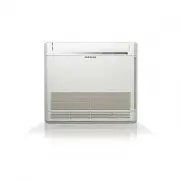
Air Conditioner user manual imagine the possibilities Thank you for purchasing this Samsung product. Console Type Series Floor : AM NJD