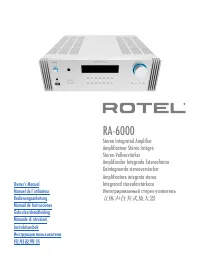
Page 2 - RA‐1572MKII Stereo Integrated Amplifier; Important Safety Instructions
2 RA‑1572MKII Stereo Integrated Amplifier Notice The RS232 connection should be handled by authorized persons only. WARNING: There are no user serviceable parts inside. Refer all servicing to qualified service personnel. WARNING: To reduce the risk of fire or electric shock, do not expose the unit t...
Page 3 - Commandes et Branchements; Органы управления и разъемы
3 1 2 4 3 w q = - 9 7 6 8 5 e r t y 0 u o p \ [ i ] Figure 1 : Controls and Connections Commandes et Branchements Bedienelemente und Anschlüsse Controles y Conexiones Controlli e connessioniBedieningselementen en aansluitingen Controlli e connessioni Kontroller och anslutningar Органы управления и р...
Page 4 - Télécommande infrarouge RR‐AX93
4 RA‑1572MKII Stereo Integrated Amplifier A C E F G H IJ K Q N M L O B D P Figure 2 : RR‑AX93 Remote Control Télécommande infrarouge RR‑AX93 Fernbedienung RR‑AX93 Mando a Distancia RR‑AX93 Afstandsbediening RR-AX93Telecomando RR-AX93RR-AX93 fjärrkontroll Пульт ДУ RR-AX93
Page 5 - Analoge ingangen en luidsprekeruitgangen
5 R L RP-565E CLASS 1LASER PRODUCT APPAREIL LASER DE CLASSE 1 Rotel RCD-1572 Rotel RA-1572MKII SPEAKER SPEAKER GND Figure 3 : Analog Input and Speaker Output Connections Branchements des entrées analogiques et sorties enceintes acoustiques Anschlussdiagramm (analoge Eingangsanschlüsse, Ausgangsansch...
Page 6 - Entrées numériques et Branchements des sorties trigger 12 V; Цифровой вход и выход 12-В триггерного сигнала
6 RA‑1572MKII Stereo Integrated Amplifier Computer (Supplied) RP-565E CLASS 1LASER PRODUCT APPAREIL LASER DE CLASSE 1 Rotel RCD-1572 Rotel RA-1572MKII Figure 4 : Digital Input and 12 Volt Trigger Out Connections Entrées numériques et Branchements des sorties trigger 12 V Anschlussdiagramm (Digitalei...
Page 7 - Aansluiting
7 Rotel RCD-1572 Rotel RA-1572MKII RP-565E CLASS 1LASER PRODUCT APPAREIL LASER DE CLASSE 1 Figure 5 : Balanced (XLR) Inputs Connection Entrées symétriques (XLR) connexion Anschlussdiagramm (symmetrische (XLR‑) Eingänge) Conexión de Entradas Balanceadas (XLR) Aansluiting Gebalanceerde ingangen (XLR) ...
Page 8 - LJÊÌ ̊ Á‡Ï ̃‡ÌËfl
8 RA‑1572MKII Stereo Integrated Amplifier Important Notes When making connections be sure to: 4 Turn off all the components in the system before hooking up any components, including loudspeakers. 4 Turn off all components in the system before changing any of the connections to the system. It is also...
Page 10 - Getting Started; A Few Precautions; The RR‐AX93 Remote Control; Remote Control Batteries; AC Power and Control; AC Power Input
10 RA‑1572MKII Stereo Integrated Amplifier Getting Started Thank you for purchasing the Rotel RA-1572MKII Stereo Integrated Amplifier. When used in a high-quality music audio system, your Rotel product will provide years of musical enjoyment. The RA-1572MKII is a full featured, high performance comp...
Page 12 - Polarity and Phasing
12 RA‑1572MKII Stereo Integrated Amplifier performance, you may want to consider special high-quality speaker cables. Your authorized Rotel dealer can help in the selection of cables for your system. Polarity and Phasing The polarity – the positive/negative orientation of the connections – for every...
Page 13 - Dimmer Control; Display Dimmer; PC‐USB Input; Rotel Link
13 To temporarily changes the Tone Control Bypass, press the BYPASS C button on the remote control to toggle the Bypass mode enabled and disabled. Bass and Treble Controls 9 C Set the Bass or Treble controls from the front panel by pressing the MENU 9 button to toggle to the Tone control menu. Press...
Page 14 - EXT REM IN Jack
14 RA‑1572MKII Stereo Integrated Amplifier • TONE Control: TONE BYPASS ON/OFF, BASS level and TREBLE levels can be changed to desired settings. Press the ENTER button on the front panel or on the remote to toggle between the tone setup options. (For more information on Tone Control refer to the Tone...
Page 16 - Troubleshooting; Power Indicator Is Not Illuminated; Specifications
16 RA‑1572MKII Stereo Integrated Amplifier Troubleshooting Most difficulties in audio systems are the result of incorrect connections, or improper control settings. If you encounter problems, isolate the area of the difficulty, check the control settings, determine the cause of the fault and make th...