Page 3 - Table of Contents
3 Table of Contents Quick Assembly ............................................................................................................................. 4 Specifications .............................................................................................................................
Page 4 - Quick Assembly; pet
4 Quick Assembly To view some videos on unboxing, assembling, and using your new vacuum you can find them at the link below, or scan the QR code to go to our YouTube page to see all our videos: htps://proluxcleaners.com/pages/prolux - pet - grooming
Page 5 - Specifications
5 Specifications • Lightweight - Vacuum weighs just 8lbs • Dependable - 3-year motor and 1 year body warranty • Washable HEPA filter gives you excellent filtration • 3 Speed Motor – Eco, Standard and Boost • 9ft+ Power Cord • 6.5ft+ Long Tool Hose • Powerful – 31 CFM on Eco, 37 CFM on Standard and 4...
Page 6 - WARRANTY; MUST
6 WARRANTY Here at Prolux we take pride in the quality of our products, so much of our time and money is spent on R&D rather than advertising. Because of this we feel very confident in the quality of our products and feel very comfortable being able to offer a 3-year motor warranty and a 1-year ...
Page 7 - IMPORTANT SAFETY INSTRUCTIONS; Vacuum Safety; Read the owner's manual in its entirety before using this product.; Precautions
7 IMPORTANT SAFETY INSTRUCTIONS Vacuum Safety Read the owner's manual in its entirety before using this product. Failure to do so can result in serious injury or death. Prolux takes no responsibility for damages/injuries due to violations of the following operating instructions. To reduce the risk o...
Page 8 - Safety Instructions of the AA batteries (sold separately)
8 • If the appliance fails to work properly, is damaged, stays outdoors for a long time, or is dropped into water, please contact customer service. • If water enters any electrical components inside the product, please disconnect the power plug . • Do not use when the power cord or power plug is dam...
Page 9 - Description of Parts
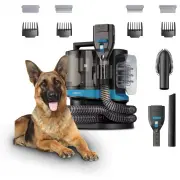
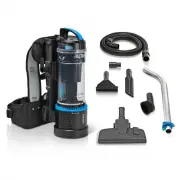
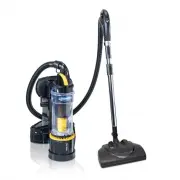
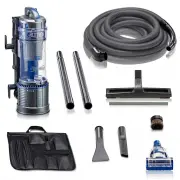
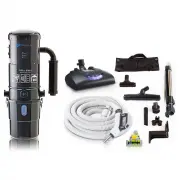
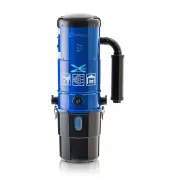
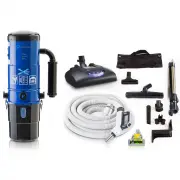
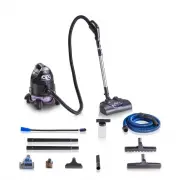
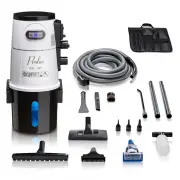
9 Description of Parts 1. Main Canister 2. Tool Hose 3. De-shedder 4. Hair Clipper 5. Cleaning Brush 6. Crevice Tool 7. Rake Comb 8. Flea Comb 9. Soft Comb 10. De-Shedding Comb 11. Clipper Guide Guards 12. Maintenance Brush
Page 10 - Assembly and Operation
10 Assembly and Operation Important: For the best results do not use the vacuum without all filters and dirt bin properly installed. Use for dry pets ONLY! 1. Remove everything from box and lay in easy view. 2. Ensure filter is installed and dirt bin is locked in place. 3. Place the main unit on a l...
Page 11 - Operation; Attachment Overview
11 Operation Attachment Overview Prolux is proud to include the highest quality attachments available! Through research and development and trial and error… Prolux has finally perfected vacuum attachments, matching durability with functionality! This is Cleaning…Reinvented! • De-Shedder - Quickly an...
Page 12 - Vacuum Speed Options
12 Vacuum Speed Options The 4 in 1 Pet Grooming Vacuum comes with 3 power/speed options based on what type of grooming you’re currently doing. Choose between these 3 options by pressing the +/- button on top of the main unit: Eco Mode for Trimming: Standard Mode for De-Shedding: Boost Mode for Flea ...
Page 14 - Hair Clipper; Comb and Guide Guard Replacement; To change the comb attachment:
14 Hair Clipper Note: Do not touch the blade if the guide guard is not installed. Note: Please be careful on the soft parts of the pet's skin and do not use excessive force which can cause scratches to the skin. Note: Clipper attachment will require (2) AA batteries which are sold separately. 1. Att...
Page 16 - To change the clipper guide guard:
16 To change the clipper guide guard: 1. If the clipper has a guard installed already you can unlock the guard by pressing upward on the back of the guard. Press upward and this will unlock the guard from the clipper and allow you to then slide the guard off removing it from the clipper blade. 2. To...
Page 17 - Dirt Bin Emptying
17 Dirt Bin Emptying 1. Turn vacuum off and unplug it from the wall outlet. 2. Unlock dirt bin by pressing the bin unlock button on top of the vacuum. 3. Grab the dirt bin by the top handle and lift the bin off the vacuum body. 4. Hold dirt bin over a garbage can or other receptacle and press the di...
Page 18 - Maintenance; Clipper Maintenance
18 Maintenance Note: Clean the clipper blade and de-shedder attachment after each use. Note: Make sure clipper is switched off before performing any maintenance. Note: Do not rinse the clipper or blade with water to clean. Clipper Maintenance 1. Remove clipper from vacuum hose and make sure the clip...
Page 19 - De-Shedder Maintenance
19 De-Shedder Maintenance 1. Remove de-shedder attachment from the vacuum hose and make sure the comb attachment lock is unlocked allowing the comb attachment to stand up. 2. Remove the comb attachment from the de-shedder. Review the ‘ Comb and Guide Guard Replacement’ section. 3. Clean the comb and...
Page 21 - Suction Port Channel Cleaning
21 Post Motor Filter: 1. Post motor filter is located underneath the dirt bin and is only there as a failsafe in case anything was to not get caught by the HEPA filter and dirt bin. Because of this the post motor filter rarely needs to be cleaned. 2. If it does need to be cleaned, while the dirt bin...
Page 23 - Dirt Bin Cleaning; Storage
23 Dirt Bin Cleaning 1. After emptying the dustbin contents, you can then remove the HEPA filter and filter cover. 2. Use a damp microfiber cloth to wipe away dust and debris inside the bin. 3. Leave the dirt bin apart to dry completely before reassembling. 4. Once dry reassemble and put dirt bin ba...
Page 24 - Frequently Asked Questions
24 Frequently Asked Questions 1. Why is my vacuum not picking up? • Vacuum dirt bin is full. Check the dirt bin capacity and empty if needed. • Clog in the hose or attachment. Remove the hose from the vacuum. Separate the hose from the attachment. Check for clog. If a clog is found using compressed ...
Page 25 - Troubleshooting; WARNING
25 Troubleshooting WARNING : Never use a defective appliance. Always switch the appliance off and disconnect it from the outlet before you start to troubleshoot. Fault Possible Cause(s) Solution The vacuum will not turn on. The plug is not connected to the electrical wall outlet or the appliance is ...
Page 26 - Why do I have to register my warranty within 90 days to get my; Warranty; Great question! Do you know what normally kills a vacuum cleaner?; once every 6 months.; To register for your Warranty, go to; scan below with your phone
26 Warranty Why do I have to register my warranty within 90 days to get my Warranty ? Great question! Do you know what normally kills a vacuum cleaner? 1. Vacuum Dirt Bin being overfilled which causes the motor to overheat. 2. Improper cleaning and not replacing filters, which overheats the motor. 3...
Page 27 - LIMITED WARRANTY; when utilized for normal use.; What is Not Covered by the Prolux Warranty - Warranty Exclusions:; This limited warranty does not extend to and expressly excludes:
27 LIMITED WARRANTY When registered, Prolux warranties this product’s motor free from defects in material and workmanship for three (3) years on the motor, and one (1) year on the body of the cleaner, free from manufacturer defects in material and workmanship from the original date of purchase, when...