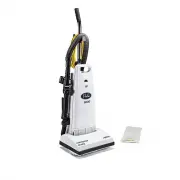
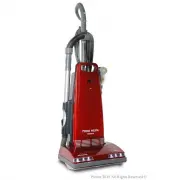
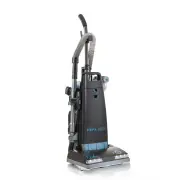
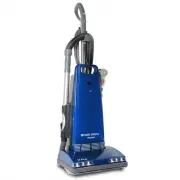
Page 3 - List of contents
3 List of contents Specifications .......................................................................................................................... 3 Safety Precautions ............................................................................................................. 4 Unpack...
Page 4 - Safety Precautions; Operating Manual; The Notices Given; WARNING; Children; Appropriate Use
4 Safety Precautions Operating Manual Read this operating manual carefully before using the appliance. Keep the operating manual for reference. Include the operating manual if you pass the appliance to third parties. Violations of the operating instructions can lead to severe injuries as well as...
Page 5 - Cord Connection; Unpacking and Assembling; Unpacking
5 Cord Connection The vacuum runs on electricity, that means there is always danger of electric shock, so please observe the following; - Never touch the plug with wet hands. - Always pull directly with the plug. If you want to disconnect the appliance from the outlet. Never pull on the cord, as...
Page 6 - Using Accessories & Tools
6 2. Insert the handle (Fig. 3/1) into the upper end of the telescopic tube (Fig 3/2). 3. Attach the floor nozzle (Fig. 3/3) to the bottom end of the telescopic tube (Fig 3/4). NOTE: Shove all the way together and firmly twist to the right to connect pieces. 4. Adjust the length of the telescopi...
Page 7 - Electric Power Nozzle used on Deluxe Prolux TerraVac models
7 If possible, store nozzles no longer in use in the accessory bracket. The USA version of this vacuum has 2 different attachments (as shown below). The straight suction combi floor nozzle that can be used on both hard floor surfaces and carpet (Fig. 8) AND the electric power nozzle with spinnin...
Page 8 - Electric Power Nozzle used on Standard Prolux TerraVac Models; Operation; ATTENTION; Vacuum Cleaning
8 Electric Power Nozzle used on Standard Prolux TerraVac Models Operation WARNING : Check the vacuum cleaner and the power cord each time before using it. A damaged appliance must not be used. There is danger of injury. ATTENTION : Only use the vacuum cleaner with all filters intact, in dry cond...
Page 9 - Setting the Suction Power
9 WARNING : If the red marking shows on the cord, retract the cord by the pushing the retract button to pull in the cable (Fig. 11/2) up to the yellow mark again. If the cord is pulled past the red mark the cord might break. Also there is danger of an electric shock. 3. Switch on the vacuum clea...
Page 10 - Transport and Storage; NOTE
10 1. To set the desired power setting, press the + button or the - button several times until the desired setting lights up on the suction power display. - + button (Fig. 14/2) increases suction power - - button (Fig. 14/3) reduces suction power Switching Off and Retracting Power Cord 1. Swit...
Page 11 - Maintenance; Changing the Dust Filter Bag; To change the bag
11 Maintenance Changing the Dust Filter Bag Change the dust filter bag at the latest when the electronic dust filter bag change indicator shows "red" or the suction power has decreased. ATTENTION : When leaving your working-area, switch off the appliance and mind the notices, ‘Switching ...
Page 12 - Changing Filters; Motor protection filter
12 Fig. 20 Changing Filters Your vacuum cleaner is equipped with the following filters: - Motor protection filter (Fig. 20/1) Prevents larger particles from destroying the motor in case the dust filter bag is defective. Change as needed or if vacuum overheats or bypass valve opens. - HEPA exhaus...
Page 13 - Cleaning the Housing; Troubleshooting
13 1. Switch off the vacuum cleaner and remove the dust filter bag as described in section “Changing the Dust Filter Bag," steps 1 thru 4. 2. Remove the filter holder with motor protection filter (Fig 22). Slightly press it down and then pull the filter forwards and out. 3. Remove the motor ...
Page 14 - Troubleshooting for Electric Power Nozzle –
14 The power cord is damaged. Replace with a new cord by a service center or professional technician. Suction Power is low. The dust filter bag is full or clogged. Empty/clean the dust filter bag. Nozzle, telescopic tube or suction hose are clogged. Remove the obstacle. If necessary, use a long ...
Page 15 - *IMPORTANT: Before sending unit back for warranty work, contact
15 Solution – Most likely a large object may have been vacuumed up, jammed the brush roll and broke the belt. Remove bottom plate of the power nozzle, check or replace belt, remove obstruction and try again. Problem – electric power nozzle cuts in and out as you vacuum back and forth. Solution –...