Page 2 - Contents; Customer’s Record
2 Contents Safety Instructions ---------------------------------------------------------------- 2-5 Included Parts -------------------------------------------------------------------- 6-7 Assembly Instructions ------------------------------------------------------------ 8-10 Operating Instructions -...
Page 3 - IMPORTANT SAFETY INSTRUCTIONS; Read all instructions before using this appliance; WARNING
3 and keep this booklet as a permanent record of your purchase. Model Number: _______________________________________________________ Serial Number: _______________________________________________________ Date Purchased: ______________________________________________________ IMPORTANT SAFETY INSTRUC...
Page 5 - Household; SAVE THESE INSTRUCTIONS.
5 WARNING Household Models 6000 & 7000 NOTE: As a safety feature and to reduce risk of damage, injury or electric shock, this vacuum cleaner is equipped with a polarized alternating current line plug (one blade wider than the other). This plug will fit in a polarized outlet only one way. If the ...
Page 8 - How To Use Friction Fit Cleaning Tools: Model 6000
8 How To Use Friction Fit Cleaning Tools: Model 6000
Page 9 - together and twist firmly. To remove simply untwist.
9 The tools are connected by friction fit. Meaning to attach simply shove together and twist firmly. To remove simply untwist.
Page 10 - EASY ASSEMBLY INSTRUCTION; Step One: Attaching the Handle; and lower hooks for storage.; How To Release Power Cord:
10 EASY ASSEMBLY INSTRUCTION Step One: Attaching the Handle 1. Remove handle screw. 2. Insert handle into top of dust cover with handle switch facing forward (Model 7000 only) 3. Align small hole on handle with screw hole in dust cover. Insert screw and tighten securely (All models). 4. Turn upper c...
Page 11 - The secondary filter protects the motor from dust and dirt.
11 Replacing the Dust Bag: * Remember: Always have a dust bag installed when operating your vacuum cleaner. Replace with a genuine dust bag when full. 1. Push down on knob at top of dust cover to open compartment. 2. Pull cardboard bag collar off holder. Remove and discard used dust bag. 3. Slide cl...
Page 13 - Special Features Make Your Vacuum a Peak Performer!; to start. Push down; Full Bag Indicator Light: Model 7000
13 Special Features Make Your Vacuum a Peak Performer! ON/OFF Switch: Model 6000 Vacuum Cleaners have a simple toggle switch on the dust compartment. Push down --- to start. Push down O to stop. Model 7000 is equipped with a convenient handle slide switch to turn power ON and OFF. Automatic Self-Adj...
Page 14 - Available Optional Cleaning Tools:
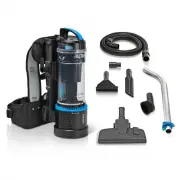
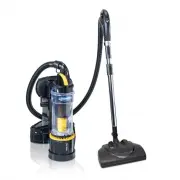
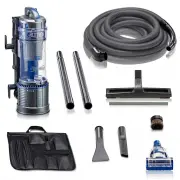
14 On-board Cleaning Tools: Model 7000 Model 7000 is equipped with state-of-the-art on-board cleaning tools including: • 2 piece telescoping wand • Extension wand • Crevice tool • Dusting brush • Upholstery tool To use: 1. Remove 2 piece telescoping wand from wand retainer. 2. Connect 2 piece telesc...
Page 15 - reduce
15 6. Upholstery brush Connecting the Optional Hose Assembly: Simply lift the lid of the cleaning attachment opening located at the back of your vacuum cleaner and insert the hose end until it fits snugly. Connecting the Tools: Connect any of the cleaning tools to the extension wand or curved wand a...
Page 16 - Note; Replacing Headlight Bulb:; First unplug the vacuum cleaner from the electrical outlet.
16 cleaning draperies, small rugs, etc., move the suction control slide on the back of the vacuum cleaner by increasing the opening until desired suction power is achieved. Close for normal vacuum operation. Note : Model 7000 full-bag indicator light will not operate while suction control is in open...
Page 17 - not to pinch or re-arrange any wires and insert the two frame screws.; Resetting the Thermal Switch:
17 5. Replace with new bulb, turn clockwise. 6. Reinsert the headlight assembly back into the nozzle housing being careful not to pinch or re-arrange any wires and insert the two frame screws. 7. Reinsert bottom plate making certain that the hinges are in place on the front of the housing before sli...
Page 19 - Changing the Agitator Brushes:; completely and firmly.
19 Changing the Agitator Brushes: Replace agitator brushes when they are worn or when the bristles do not touch a card held across the base plate. Replace all four brushes at the same time to maintain maximum cleaning performance. Remove agitator, start as described on previous page, Section 1 to 4....
Page 20 - For Best Performance:; Keep this manual in a safe place for future reference.
20 For Best Performance: 1. Keep machine and all accessories clean and in proper operating condition. 2. Change dust bags and filters as recommended to maintain optimum cleaning efficiency. 3. Always use genuine dust bags and filters. Use of other products may result in unsatisfactory cleaning or fi...
Page 21 - ProLux Limited Warranty
21 Cleaning the Nozzle: The nozzle hose carries the dirt from the nozzle to the dust bag and also functions as the attachment cleaning hose. If it should become clogged: Model 6000 & 7000 Unplug the power cord. Open the lid of the cleaning attachment opening and remove clog or blockage. If the h...