Page 2 - Contents; Get star ted
3 English EN Contents ,PSRUWDQW 4 Impor tant safety instructions 4 Notice 6 <RXUSRUWDEOH'9'SOD\HU 7 Introduction 7 What’s in the box 8 Over view of the main unit 9 Over view of the remote control 11 3 Get star ted 13 Charge the batter y 13 Install remote control batter y 14 Connect additional equ...
Page 4 - Warning; Hearing safety; /LVWHQDWDPRGHUDWHYROXPH
5 Warning Never remove the casing of this apparatus. Never lubricate any par t of this apparatus. Never place this apparatus on other electrical equipment. .HHSWKLVDSSDUDWXVDZD\IURPGLUHFWVXQOLJKWQDNHGÁDPHVRUKHDW Never look into the laser beam inside this apparatus. Ensure that you always h...
Page 5 - Notice; (QYLURQPHQWDOLQIRUPDWLRQ; Recycling
6 Notice $Q\FKDQJHVRUPRGLÀFDWLRQVPDGHWRWKLVGHYLFHWKDWDUHQRWH[SUHVVO\ approved by Philips Consumer Lifestyle may void the user’s authority to operate the equipment. This product complies with the radio interference requirements of the European Community.This product complies with the requirements of ...
Page 8 - YHUYLHZRIWKHPDLQXQLW; Accesses or exits the setup menu.
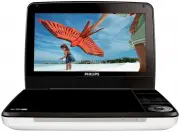
9 2YHUYLHZRIWKHPDLQXQLW a 6(783 Accesses or exits the setup menu. b Adjusts brightness of the screen backlight. c Stops disc play. d Skips to the previous or next title, chapter, or track. e Navigates through the menus. , Searches backward/forward at different speeds. / OK &RQÀUPVDQH...
Page 10 - Power supply socket; YHUYLHZRIWKHUHPRWHFRQWURO
11 o '&,1 Power supply socket 2YHUYLHZRIWKHUHPRWHFRQWURO i j k l m e f h a b c d g English EN
Page 12 - Get started; Caution; Slide the
13 3 Get started Caution Use the controls only as stated in this user manual. Always follow the instructions in this chapter in sequence.If you contact Philips, you will be asked for the model and serial number of your player. The model number and serial number are on the bottom of your player. Wr...
Page 13 - Remove the protective tab to activate the remote control batter y.; &RQQHFWDGGLWLRQDOHTXLSPHQW
14 ,QVWDOOUHPRWHFRQWUROEDWWHU\ Caution 5LVNRIH[SORVLRQ.HHSEDWWHULHVDZD\IURPKHDWVXQVKLQHRUÀUH1HYHUGLVFDUG EDWWHULHVLQÀUH Risk of decreased batter y life! Never mix different brands or types of batteries. Risk of product damage! When the remote control is not used for long periods, remove the ba...
Page 14 - Tip; Turn on; POWER ON; TV
15 Tip To conser ve energy, press $902'( to turn off the front panel display. 8VH\RXUSOD\HU Turn on Slide the POWER ON / OFF switch to the ON position. The » indicator turns on. 6HOHFW26'ODQJXDJH You can choose a different language for the on-screen display text. Press 6(783 . The setup menu appea...
Page 15 - Play discs; OPEN; Play options
16 Play discs Slide OPEN on the player. Inser t the disc with label side facing up. 3 Push down to close the disc compar tment. Play star ts automatically. If not, press » / OK . If a menu appears, select an item, then press / OK to star t play. To pause, press / OK . Press again to resume play....
Page 16 - $GMXVWEULJKWQHVVRIVFUHHQEDFNOLJKW; Note; Adjust settings; WRÀQHWXQH\RXUVHWWLQJV
17 $GMXVWEULJKWQHVVRIVFUHHQEDFNOLJKW Note You can adjusts brightness of the screen backlight to match lighting conditions. During play, press repeatedly to select an option. >%ULJKW@ >1RUPDO@ >'LP@ Tip To achieve the longest playtime, select >'LP@ . To achieve the best view, se...
Page 17 - Product information
18 >%DWWHU\/LIH6HWXS3DJH@ >/&'%DFNOLJKW@ Adjust the default brightness level of screen backlight. >3UHIHUHQFH3DJH@ >$XGLR@ Select audio language. >'9'6XEWLWOH@ Select DVD subtitle language. >'LY;6XEWLWOH@ Select DivX subtitle language. >'LVF0HQX@ Select disc menu language. &...
Page 18 - URXEOHVKRRWLQJ; No power
19 EN Frequency response 20Hz-20KHz ± 1dB Signal/noise ratio 80 dB Audio distor tion + noise -80 (1KHz) Channel separation 80 dB Dynamic range 80 dB Audio out (analog audio) Output level: 2V ± 10% Load impedance 10 K Video out Output level: 1Vp - p ± 20% Load impedance 75 7URXEOHVKRRWLQJ Warning Ris...