Page 3 - Contents
1 EN Contents 1 Important 2 Safety 2 Notice 2 2 Your Micro Music System 5 Introduction 5 What's in the box 5 Over view of the main unit 6 Over view of the remote control 7 3 Get started 8 Connect speakers 8 Connect power 8 Prepare the remote control 9 Power on 9 Set the clock 9 Select a source 10 4 ...
Page 4 - Important; Safety; Notice
2 EN 1 Important Safety Read and understand all instructions before you use this micro music system. If damage is caused by failure to follow the instructions, the warranty does not apply. Risk of electric shock or fire! • Never remove the casing of the product. • Never expose the product and access...
Page 5 - Compliance; Care of the environment; Care for your product
3 EN Compliance Hereby, Gibson Innovations declares that this product is in compliance with the essential requirements and other relevant provisions of Directive 2014/53/EU. You can find the Declaration of Conformity on www.philips.com/ suppor t. This apparatus includes this label: Care of the envir...
Page 6 - Introduction
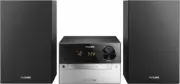
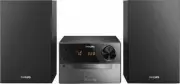
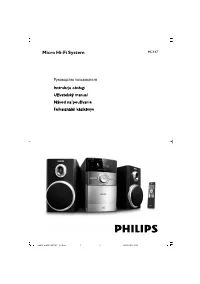
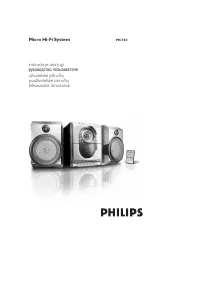
4 EN 2 Your Micro Music System Congratulations on your purchase, and welcome to Philips! To fully benefit from the suppor t that Philips offers, register your product at www.philips.com/welcome. Introduction With this unit, you can: • enjoy audio from discs, USB devices, and other external devices; ...
Page 7 - Overview of the main unit
5 EN Overview of the main unit a • Turn on the product. • Switch to standby mode or ECO power standby mode. b Display panel • Show current status. c • Connect USB storage devices. d AUDIO IN • Connect external audio devices. e Disc compartment f • Open or close the disc compar tment. g VOLUME • Adju...
Page 10 - Get started; Connect speakers; Connect power
8 EN 3 Get started Caution • Use of controls or adjustments or performance of procedures other than herein may result in hazardous radiation exposure or other unsafe operation. Always follow the instructions in this chapter in sequence. Connect speakers Note • Inser t the stripped por tion of each s...
Page 11 - Prepare the remote control; Power on; Switch to standby mode; Switch to ECO power standby mode; Set the clock
9 EN Prepare the remote control Caution • Risk of product damage! When the remote control is not used for long periods, remove the batteries. To insert the remote control battery: 1 Open the batter y compar tment. 2 Inser t the supplied AAA batter y with correct polarity (+/-) as indicated. 3 Close ...
Page 12 - Select a source
10 EN Select a source On the main unit Press SOURCE repeatedly to select a source. • [DISC] : the disc in the disc compar tment • [USB] : .mp3 files stored on the connected USB storage device • [TUNER] : the FM tuner • [AUDIO IN] : the audio input through the AUDIO IN socket On the remote control Pr...
Page 13 - Control play
11 EN 4 Play Play from disc 1 Press CD to select CD source. 2 Press to open the disc compar tment. 3 Inser t a disc with the label side up. 4 Press to close the disc compar tment. » Play star ts automatically. If not, press . Play from USB Note • Make sure that the USB device contains playable audio...
Page 14 - Skip tracks; Program tracks
12 EN Skip tracks When playing a CD: Press / to select tracks. When playing an MP3 disc and USB: 1 Press / to select an album or a folder. 2 Press / to select a track or a file. Program tracks This function allows you to program 20 tracks in the desired sequence. 1 In stop mode, press PROG to activa...
Page 16 - Adjust sound; Select a preset sound effect; Adjust volume level
14 EN 6 Adjust sound The following operations are applicable to all suppor ted media. Select a preset sound effect • Press SOUND repeatedly to select a preset sound effect. • DSC1 , DSC2 , DSC3 , DSC4 , and DSC5 Adjust volume level • On the remote control, press VOL +/- repeatedly. • On the main uni...
Page 17 - Other features; Set the alarm timer; Stop an alarm; Activate/deactivate alarm timer; Set the sleep timer
15 EN 7 Other features Set the alarm timer This product can be used as an alarm clock. You can select the disc, FM, or .mp3 files on a USB storage device as alarm source. Note • Make sure that you have set the clock correctly. • If the selected alarm source is unavailable, this product switches to F...
Page 19 - Amplifier; USB playability information
17 EN 8 Product information Note • Product information is subject to change without prior notice. Specifications Amplifier Maximum Output Power 15 W Frequency Response 60 Hz - 16 kHZ; +3 dB Signal to Noise Ratio >70 dB Total Harmonic Distor tion <1% Aux Input 800 mV RMS Speakers Speaker Impeda...
Page 20 - Supported MP3 disc formats
18 EN • memor y cards (requires an additional card reader to work with this unit) Supported USB formats: • USB or memor y file format: FAT12, FAT16, FAT32 (sector size: 512 bytes) • MP3 bit rate (data rate): 32-320 Kbps and variable bit rate • Director y nesting up to a maximum of 8 levels • Number ...
Page 21 - Troubleshooting
9 Troubleshooting Warning • Never remove the casing of this device. To keep the warranty valid, never tr y to repair the system yourself. If you encounter problems when using this device, check the following points before requesting ser vice. If the problem remains unsolved, go to the Philips Web pa...