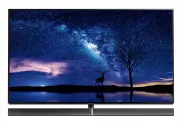
Page 2 - Contents; Be Sure to Read
English 2 ● For information about the trademarks, refer to [eHELP] (Search by Purpose > Read first > Before use > Licence). Contents Be Sure to Read Important Notice··················································· 3 Safety Precautions ··············································· 4 Qui...
Page 3 - Important Notice
English 3 This product is licensed under the AVC patent portfolio license for the personal and non-commercial use of a consumer to (i) encode video in compliance with the AVC Standard (“AVC Video”) and/or (ii) decode AVC Video that was encoded by a consumer engaged in a personal and non-commercial a...
Page 4 - Take care; Important information; Safety Precautions; Mains plug and lead
English 4 ■ Take care Warning ● Do not remove covers and never modify the TV yourself as live parts are accessible and risk of electric shock when they are removed. There are no user serviceable parts inside. ● Do not expose the TV to rain or excessive moisture. This TV must not be exposed to drippi...
Page 6 - Magnetic influence; Moving the TV / speaker; When not in use for a long time; Excessive volume
English 6 ■ Battery for the Remote Control / Touch Pad Controller Caution ● Incorrect installation may cause battery leakage, corrosion and explosion. ● Replace only with the same or equivalent type. ● Do not mix old and new batteries. ● Do not mix different battery types (such as alkaline and manga...
Page 7 - Accessories; Standard accessories
English 7 Fall-prevention parts (p. 11) ● Accessories may not be placed all together. Take care not to throw them away unintentionally. Assembling / Removing the pedestal / speaker Assembly screw (4) M5 × 10 (mm) Assembly screw (5) M4 × 12 (mm) Assembly screw M3 × 5 (mm) Base FRONT Bracket (L) Brack...
Page 8 - Assembling the pedestal / speaker
English 8 Assembling the pedestal / speaker R L A E D F 1 J 2 Cable cover (rear) Cover Speaker Speaker cable
Page 11 - Preventing the TV from falling over
English 11 12 H 13 ■ Preventing the TV from falling over It is recommended to secure the pedestal to a furniture as shown to prevent the TV from falling over. ● This information is designed to reduce the risk of injuries caused by the TV falling over. However, no measure can guarantee protection in ...
Page 13 - Terminals; Connections
English 13 Terminals 1 2 3 4 5 6 7 8 9 1 HDMI1 - 2 (p. 14, 15) 2 USB 1 port 3 Aerial terminal (p. 14) 4 AV IN (COMPONENT / VIDEO) (p. 15) 5 Headphone jack (p. 16) 6 USB 2 - 3 port 7 HDMI3 - 4 8 ETHERNET terminal (p. 14) 9 DIGITAL AUDIO OUT ● To connect the equipment to AV, the terminal adaptor (supp...
Page 14 - AV devices; Set top box; Network; Wired connection; Basic connections; Mains lead; Aerial
English 14 AV devices ■ DVD Recorder / Blu-ray Recorder, etc. TV RF cable HDMI cable DVD Recorder / Blu-ray Recorder, etc. Aerial ■ Set top box TV HDMI cable Set top box Network A broadband network environment is required to be able to use internet services. ● If you do not have any broadband networ...
Page 15 - Wireless connection; Other connections; DVD Player
English 15 ■ Wireless connection Internet environment Built-in wireless LAN Access point Connections for 4K compatible equipment TV HDMI cable 4K compatible equipment ● To watch high-definition 4K more accurately or HDR content, connect the 4K compatible equipment to HDMI1 or 2 terminal. ● Connect t...
Page 16 - Cable arrangement
English 16 ● To enjoy multi-channel sound from external equipment (e.g. Dolby Digital 5.1ch), connect the equipment to the amplifier. For information about the connections, read the manuals of the equipment and amplifier. TV HDMI cable Amplifier with speaker system External equipment (DVD Player, et...
Page 17 - Fixing the cables using the cable clamp; Attaching the terminal cover
English 17 To loosen: Knob Keep pushing the knob To remove from the TV: Keep pushing both side snaps Snaps ■ Fixing the cables using the cable clamp cable clamp To release: Tab Keep pushing the tab Bundle the cable Set ● Fix cables as necessary. ● When using the optional accessory, follow the option...
Page 18 - Identifying Controls; Remote Control
English 18 7 OK ● Confirms selections and choices. ● Press after selecting channel positions to quickly change channel. ● Displays channel list. 8 [Option Menu] ● Easy optional setting for viewing, sound, etc. 9 Coloured buttons (red-green-yellow-blue) ● Used for the selection, navigation and operat...
Page 19 - Installing / Removing batteries; Touch Pad Controller
English 19 1 [ ]: Standby On / Off switch 2 Volume Up / Down 3 On-screen remote control ● Press to display the remote control GUI (Graphical User Interface). 4 Touch pad ● For information about the operation, refer to [Operation Guide] in [VIERA Touch Pad Controller] (Setup Menu). 5 [Option Menu] 6 ...
Page 20 - Panel maintenance; Indicator / Control panel
English 20 2 Ambient sensor ● Senses brightness to adjust picture quality when [Ambient Sensor] in the Picture Menu is set to [On]. 3 Power LED Red: Standby Green: On Orange: Standby with some functions (recording, etc.) active or panel maintenance in progress ● The LED blinks when the TV receives a...
Page 21 - Plug the TV into a live mains socket; How to use the remote control
English 21 ● To change the viewing environment later on, the set will need to have all settings initialised by accessing Shipping Condition. Set up the network connection Select your country Select your area Australia Tick the TV signal mode to tune, and then select [Start Auto Tuning] : tune (searc...
Page 22 - How to Use eHELP; Select the menu; Watching TV; Turn power on
English 22 How to Use eHELP [eHELP] is the detailed operating instructions built into the TV, and gives a more detailed explanation for a better understanding of the operation of each feature. 1 Display [eHELP] or [Help] [eHELP] ● If the [eHELP] has been accessed previously since the TV was turned o...
Page 24 - FAQs
English 24 Parts of the TV become hot ● Parts of the TV may become hot. These temperature rises do not pose any problems in terms of performance or quality. When pushed with a finger, the display panel moves slightly and makes a noise ● There is a little gap around the panel to prevent damage to the...
Page 25 - Specifications; Maintenance; Speaker; Mains plug
English 25 Specifications ■ TV Model No. TH-65EZ1000U Dimensions (W × H × D) 1 452 mm × 918 mm × 330 mm (With Pedestal and speaker) 1 452 mm × 904 mm × 90 mm (With speaker (using “ACCESSORIES FOR SPEAKER WALL-HANGING”)) 1 452 mm × 837 mm × 42 mm (TV only) Mass 27.0 Net (With Pedestal and speaker) 20...
Page 26 - Aerial input
English 26 Operating conditions Temperature 0 °C - 35 °C Humidity 20 % - 80 % RH (non-condensing) Built-in wireless LAN Standard compliance and Frequency range * 1 IEEE802.11a/n 5.15 GHz - 5.35 GHz, 5.47 GHz - 5.85 GHz IEEE802.11b/g/n 2.400 GHz - 2.4835 GHz Security WPA2-PSK (TKIP/AES) WPA-PSK (TKIP...
Page 27 - When using the wall-hanging bracket; Accessories for pedestal
English 27 Bracket (R) ■ ACCESSORIES FOR SPEAKER WALL-HANGING Assembly screw (8) M4 × 12 Speaker bracket (2) Speaker bracket (2) Cable cover Cable cover Speaker holder (2) When using the wall-hanging bracket Professional installation is required. The installation should never be done by any other th...
Page 29 - Installing the wall-hanging bracket
English 29 GH 3 I G A 4 A J 5 6 Installing the wall-hanging bracket Choosing to wall mount the TV shall be done at the owner’s risk. Always use a qualified installer to perform a TV wall bracket installation. Incorrect fitting may cause equipment to fall, resulting in injury and product damage. Any ...
Page 30 - Hang the TV on the wall
Page 31 - Removing the wall-hanging bracket
English 31 G 12 13 K 14 K 15 L ② ① 16 ■ Removing the wall-hanging bracket Remove the wall-hanging bracket / wall-hanging parts in the reverse order of installing. ● Before removing the TV from the wall, remove the speaker from the TV first. Removing the TV with speaker from the wall may cause deform...
Page 35 - Panasonic; SHOULD BE RETAINED BY THE CUSTOMER AT ALL TIMES; Panasonic Australia Pty. Limited; Warranty
Australia 1. The product is warranted for 12 months from the date of purchase. Subject to the conditions of this warranty Panasonic or its Authorised Service Centre will perform necessary service on the product without charge for parts or labour, if in the opinion of Panasonic, the product is found ...
Page 36 - Customer’s Record; WARRANTY - New Zealand only; Distributed in New Zealand by Panasonic New Zealand Limited; NEW ZEALAND
Information on Disposal in other Countries outside the European Union This symbol is only valid in the European Union. If you wish to discard this product, please contact your local authorities or dealer and ask for the correct method of disposal. Customer’s Record The model number and serial number...