Page 2 - Contents; Be Sure to Read
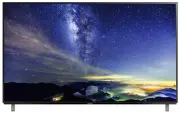
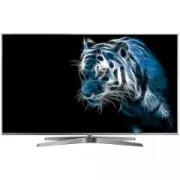
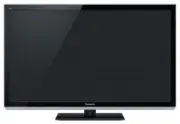
English 2 ● For information about the trademarks, refer to [eHELP] (Search by Purpose > Read first > Before use > Licence). The illustration for TH-65EZ950U is used in this manual unless otherwise mentioned. Illustrations shown may be different between models and countries. Contents Be Sure...
Page 3 - Important Notice
English 3 This product is licensed under the AVC patent portfolio license for the personal and non-commercial use of a consumer to (i) encode video in compliance with the AVC Standard (“AVC Video”) and/or (ii) decode AVC Video that was encoded by a consumer engaged in a personal and non-commercial a...
Page 4 - Important information; Safety Precautions; Mains plug and lead; Take care
English 4 ● Do not expose the TV to rain or excessive moisture. This TV must not be exposed to dripping or splashing water and objects filled with liquid, such as vases, must not be placed on top of or above the TV. ● Do not insert foreign objects into the TV through the air vents. ● If the TV is us...
Page 6 - Moving the TV; When not in use for a long time; Excessive volume
English 6 ● Do not use rechargeable batteries (Ni-Cd, etc.). ● Do not burn or break up batteries. ● Do not expose batteries to excessive heat such as sunshine, fire or the like. ● Make sure you dispose of batteries correctly. ● Remove the battery from the unit when not using for a prolonged period o...
Page 7 - Assembling / Removing the pedestal; Accessories; Standard accessories
English 7 Assembling / Removing the pedestal Assembly screw (4) M5 × 14 (mm) Assembly screw (4) M4 × 12 (mm) Cushioning material Bracket (2) Base (2) Cover (2) Accessories Standard accessories Remote Control (p. 14) ● N2QAYB001120 Touch Pad Controller (p. 15) ● N2QBYA000019 Pedestal (p. 7) Cable tie...
Page 8 - Preparations
English 8 C 2 3 Preparations Take out the cushioning material from the packing case and put it onto a work table. ● Use a flat and firm table bigger than the cushioning material. ● Do not dispose the cushioning material which is also used for removing the pedestal when using the wall-hanging bracket...
Page 9 - Removing the pedestal; Preventing the TV from falling over
English 9 G I H Removing the pedestal Be sure to remove the pedestal in the following procedures when you repack the TV. 1 Remove the cover from the pedestal. 2 Remove the assembly screws from the TV. 3 Lift the TV from the pedestal. 4 Remove the assembly screws from the bracket. B 4 F 5 ■ Preventin...
Page 10 - Terminals; Connections
English 10 Terminals 1 2 3 4 5 6 7 8 9 1 HDMI1 - 2 (p. 11, 12) 2 USB 1 port 3 Aerial terminal (p. 11) 4 AV IN (COMPONENT / VIDEO) (p. 12) 5 Headphone jack (p. 13) 6 USB 2 - 3 port 7 HDMI3 - 4 8 ETHERNET terminal (p. 11) 9 DIGITAL AUDIO OUT ● To connect the equipment to AV, the terminal adaptor (supp...
Page 11 - AV devices; Set top box; Network; Wired connection; Basic connections; Mains lead; Aerial
English 11 AV devices ■ DVD Recorder / Blu-ray Recorder, etc. TV RF cable HDMI cable DVD Recorder / Blu-ray Recorder, etc. Aerial ■ Set top box TV HDMI cable Set top box Network A broadband network environment is required to be able to use internet services. ● If you do not have any broadband networ...
Page 12 - Other connections; DVD Player
English 12 Other connections ■ DVD Player (COMPONENT equipment) TV (Viewing) (Listening) AV2 (COMPONENT / VIDEO) adaptor (supplied) DVD Player ■ Camcorder / Game equipment (VIDEO equipment) TV (Viewing) (Listening) AV2 (COMPONENT / VIDEO) adaptor (supplied) Camcorder / Game equipment ■ Amplifier (li...
Page 13 - Attaching the terminal cover; Cable arrangement; Fixing the mains lead using the cable tie
English 13 Attach the cable tie Insert the cable tie in a hole Hole Bundle the cables Hooks Set the tip in the hooks To loosen: Knob Keep pushing the knob To remove from the TV: Keep pushing both side snaps Snaps ■ Attaching the terminal cover ● Do not apply load to the terminal cover. ● Be careful ...
Page 14 - Identifying Controls; Remote Control
English 14 7 OK ● Confirms selections and choices. ● Press after selecting channel positions to quickly change channel. ● Displays channel list. 8 [Option Menu] ● Easy optional setting for viewing, sound, etc. 9 Coloured buttons (red-green-yellow-blue) ● Used for the selection, navigation and operat...
Page 15 - Installing / Removing batteries; Touch Pad Controller
English 15 1 [ ]: Standby On / Off switch 2 Volume Up / Down 3 On-screen remote control ● Press to display the remote control GUI (Graphical User Interface). 4 Touch pad ● For information about the operation, refer to [Operation Guide] in [VIERA Touch Pad Controller] (Setup Menu). 5 [Option Menu] 6 ...
Page 16 - Panel maintenance; Indicator / Control panel
English 16 2 Ambient sensor ● Senses brightness to adjust picture quality when [Ambient Sensor] in the Picture Menu is set to [On]. 3 Power LED Red: Standby Green: On Orange: Standby with some functions (recording, etc.) active or panel maintenance in progress ● The LED blinks when the TV receives a...
Page 17 - Plug the TV into a live mains socket; How to use the remote control
English 17 Tick the TV signal mode to tune, and then select [Start Auto Tuning] : tune (search for the available channels) : skip tuning Auto Tuning is now complete and the TV is ready for viewing. If tuning has failed check the RF cable, and the network connection, and then follow the on-screen ins...
Page 18 - How to Use eHELP; Select the menu; Watching TV; Turn power on
English 18 How to Use eHELP [eHELP] is the detailed operating instructions built into the TV, and gives a more detailed explanation for a better understanding of the operation of each feature. 1 Display [eHELP] or [Help] [eHELP] ● If the [eHELP] has been accessed previously since the TV was turned o...
Page 20 - FAQs
English 20 The image or sound from external equipment are unusual when the equipment is connected via HDMI ● Set [HDMI Auto Setting] (Setup Menu) to [Mode1] (p. 12) Parts of the TV become hot ● Parts of the TV may become hot. These temperature rises do not pose any problems in terms of performance o...
Page 21 - Specifications; Maintenance; Mains plug
English 21 Specifications ■ TV Model No. 55-inch model : TH-55EZ950U 65-inch model : TH-65EZ950U Dimensions (W × H × D) 55-inch model 1 230 mm × 766 mm × 280 mm (With Pedestal) 1 230 mm × 716 mm × 48 mm (TV only) 65-inch model 1 453 mm × 889 mm × 280 mm (With Pedestal) 1 453 mm × 839 mm × 48 mm (TV ...
Page 23 - When using the wall-hanging bracket
English 23 ■ When using the wall-hanging bracket Choosing to wall mount the TV shall be done at the owner’s risk. Always use a qualified installer to perform a TV wall bracket installation. Incorrect fitting may cause equipment to fall, resulting in injury and product damage. Any such damage will vo...
Page 27 - Panasonic; Panasonic Australia Pty. Limited; Warranty
Australia 1. The product is warranted for 12 months from the date of purchase. Subject to the conditions of this warranty Panasonic or its Authorised Service Centre will perform necessary service on the product without charge for parts or labour, if in the opinion of Panasonic, the product is found ...
Page 28 - Customer’s Record; WARRANTY - New Zealand only; Distributed in New Zealand by Panasonic New Zealand Limited; NEW ZEALAND
Information on Disposal in other Countries outside the European Union This symbol is only valid in the European Union. If you wish to discard this product, please contact your local authorities or dealer and ask for the correct method of disposal. Customer’s Record The model number and serial number...