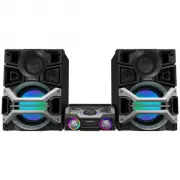
Page 2 - Dear customer; System; Main unit; DATE OF PURCHASE
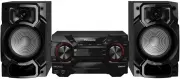
2 RQT7923 Dear customer Thank you for purchasing this product.For optimum performance and safety, please read these instructions carefully. These operating instructions are applicable to the following system. System SC-PM31 SC-PM313 Main unit SA-PM31 SA-PM313 Speakers SB-PM31 SB-PM31 The model numbe...
Page 3 - IMPORTANT SAFETY INSTRUCTIONS; Listening caution; Damage requiring service; Supplied accessories
3 RQT7923 IMPORTANT SAFETY INSTRUCTIONS 1) Read these instructions.2) Keep these instructions.3) Heed all warnings.4) Follow all instructions.5) Do not use this apparatus near water.6) Clean only with dry cloth.7) Do not block any ventilation openings. Install in accordance with the manufacturer’s i...
Page 4 - Connect the AC power supply cord.; Getting started; Connect the speaker cords.; Incorrect connection can damage the unit.; Step; - Making the connections; Connect the AM loop antenna.; Connect the FM indoor antenna.
4 RQT7923 To household AC outlet 4 Connect the AC power supply cord. • The included AC power supply cord is for use with this unit only. Do not use it with other equipment. Getting started 3 Connect the speaker cords. Cords with white and blue tags are for high frequency.Cords with red and black tag...
Page 5 - SStep
5 RQT7923 Step 2 Step 2 - Inserting batteries into the remote control - Inserting batteries into the remote control !!2,2 ■ Batteries • Insert so the poles (+ and –) match those in the remote control.• Remove if the remote control is not going to be used for a long period of time. Store in a cool, d...
Page 6 - Overview of controls; Top of the unit; Remote control
6 RQT7923 Overview of controls Main unit Main unit Refer numbers in parentheses for page reference. Top of the unit 1 Standby/on switch ( y /l POWER) (7, 12) Press to switch the unit from on to standby mode or vice versa. In standby mode, the unit is still consuming a small amount of power. Remote c...
Page 7 - Playing a disc; Other basic operations; Play Mode function; CDs and MP3 – Play
7 RQT7923 Numeric buttons CD trays Playing a disc Playing a disc 1 Press [ y ] to turn the unit on. 2 Press [CD 1 ~ CD 5] to select your desired tray. 3 Press [ 0 OPEN/CLOSE] to open the disc tray and then load the disc. Press [ 0 OPEN/CLOSE] again to close the tray. Label must face upward Disc tray...
Page 9 - Album/Track title search
9 RQT7923 To Action cancel program mode Press [PROGRAM ] in the stop mode. replay the program Press [PROGRAM ] then [CD 6 ]. check program contents Press [ 4 / REW/ 4 ] or [ 3 / FF/ ¢ ] when “PGM” is displayed in the stop mode.To check while programming, press [PROGRAM ] twice after “PGM” appears, t...
Page 10 - Cassette tapes – Play and record; Recording CDs; Recording programmed tracks; Erasure prevention
10 RQT7923 Cassette tapes – Play and record Recording CDs Recording CDs 1 Insert the cassette to be recorded on. B B Insert inside the guides Forward side 2 Press [CD 6 ] and then [STOP 7 , –DEMO]. 3 Press [ 0 OPEN/CLOSE] to insert the CD. Press again to close. 4 Press [PLAY MODE] to select your des...
Page 11 - Radio – Tune; Memory preset; Press numeric buttons to select a channel.; FM allocation setting; By main unit only; Manual tuning; frequency of the required station.
11 RQT7923 02/'2!- 0,!9-/$% 45.%2"!.$ 45.%2"!.$ Numeric buttons Radio – Tune Memory preset Memory preset Up to 15 stations each can be set in the FM and AM bands. Preparation Press [TUNER / BAND] to select “FM” or “AM”. Automatic presetting Automatic presetting Press and hold [PROGRAM] to st...
Page 12 - Timer
12 RQT7923 Setting the clock Setting the clock This is a 12-hour clock. 1 Press [CLOCK/TIMER] to select “CLOCK”. Each time you press the button: CLOCK ˚ PLAY Original display ˚ REC 2 Within 5 seconds, press [ 4 / REW / 4 ] or [ 3 / FF/ ¢ ] to set the time. 3 Press [CLOCK/TIMER] again to confirm. Dis...
Page 13 - Sound adjustment; External unit
13 RQT7923 Sound adjustment 3522/5.$ 02%3%4%1 "!3342%",% 33/5.$%1 Selecting sound effects Selecting sound effects You can change the sound effect by selecting Super Sound EQ, Preset EQ or adjusting the bass or treble effect. Super sound EQ Super sound EQ Provide you with clearer bass and tre...
Page 14 - Troubleshooting guide
14 RQT7923 Troubleshooting guide Before requesting service, make the following checks. If you are in doubt about some of the check points, or if the remedies indicated in the chart do not solve the problem, refer to the “Customer Services Directory” on page 15 if you reside in the U.S.A., or refer t...
Page 15 - Accessory Purchases
15 RQT7923 Warranty (ONLY FOR U.S.A.) Panasonic Audio Products Limited Warranty Panasonic Consumer Electronics Company, Division of Panasonic Corporation of North America One Panasonic Way Secaucus, New Jersey 07094 Panasonic Puerto Rico, Inc. Ave. 65 de Infantería, Km. 9.5 San Gabriel Industrial Pa...
Page 16 - Specifi cations; Maintenance; If the surfaces are dirty; When moving the unit
Panasonic Consumer ElectronicsCompany, Division of Panasonic Corporation of North America One Panasonic Way Secaucus,New Jersey 07094 http://www.panasonic.com Panasonic Puerto Rico, Inc. Ave. 65 de Infantería, Km. 9.5San Gabriel Industrial Park, Carolina,Puerto Rico 00985 © 2004 Matsushita Electric ...