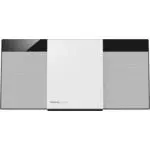
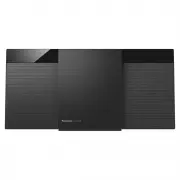
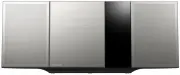
Page 2 - System
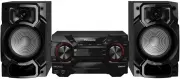
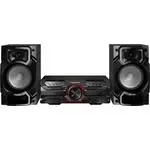
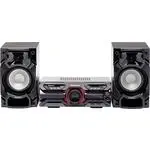
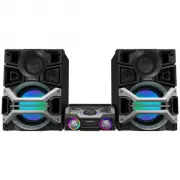
RQTX0262 2 These operating instructions are applicable to the following system. System SC-PM5 SC-PM24 Main unit SA-PM5 SA-PM24 Speakers SB-PM5 SB-PM24 Back of product Inside of product ■ Sales and Support Information (For the United Kingdom and Republic of Ireland) Customer Care Centre• For customer...
Page 3 - How to replace the fuse; Caution for AC Mains Lead
RQTX0262 3 For your safety, please read the following text carefully. This appliance is supplied with a moulded three pin mains plug for your safety and convenience.A 5-ampere fuse is fi tted in this plug.Should the fuse need to be replaced please ensure that the replacement fuse has a rating of 5-a...
Page 4 - Safety precautions; Placement
RQTX0262 4 Safety precautions Placement Placement Set the unit up on an even surface away from direct sunlight, high temperatures, high humidity, and excessive vibration. These conditions can damage the cabinet and other components, thereby shortening the unit’s service life. Place it at least 15 cm...
Page 5 - Use only the supplied speakers.; Preparing the remote control; Note on using the remote control
RQTX0262 5 DEMO function 7 , -DEMO When the unit is fi rst plugged in, a demonstration of its functions may be shown on the display.If the demo setting is off, you can show a demonstration by selecting “DEMO ON”. Press and hold [ 7 , -DEMO] (demo). The display changes each time you press and hold th...
Page 6 - Making the connections; Incorrect connection can damage the unit.; Speaker connections; Antenna connections; Insertion of connector; For your reference; AC mains lead connections
RQTX0262 6 Making the connections Connect the AC mains lead only after all other connections have been made. To household mains socket Black ( · ) Red ( ª ) Black ( · ) Red ( ª ) Incorrect connection can damage the unit. Speaker connections Speaker connections Place the antenna where reception is be...
Page 7 - Top of unit; Overview of controls; Display panel
RQTX0262 7 Main unit Main unit Refer to the numbers in parentheses for page reference. Buttons labelled such as 1 function in exactly the same way as the controls on the remote control. ( ➡ page 8) Top of unit Overview of controls Display panel Remote control signal sensor 7 1 Standby/on switch ( y ...
Page 8 - disc or USB; Dimmer function
RQTX0262 8 Remote control Remote control Buttons labelled such as 1 function in exactly the same way as the controls on the main unit. ( ➡ page 8) This auto off function allows you to turn off the unit in disc or USB mode only after left unused for 10 minutes. • Press the button to activate the func...
Page 9 - Discs; Basic play; Play Mode function; Checking the track information; Advanced play; Repeat Play
RQTX0262 9 Discs Basic play Basic play 1 Press [ y ] to turn the unit on. 2 Press [ 0 , OPEN/CLOSE] to open the disc tray and then load the disc. Press [ 0 , OPEN/CLOSE] again to close. 3 Press [ 6 , CD] or [OK] to start play. 4 Adjust the volume. Stop playback Press [ 7 ] (stop). Pause play Press [...
Page 10 - to select your desired; NOTE about using a DualDisc
RQTX0262 10 Discs (continued) Program Play Program Play This function allows you to program up to 24 tracks. CD 1 Press [ 6 , CD] and then [ 7 ] (stop). 2 Press [PROGRAM]. 3 Press the numeric buttons to select your desired track. Repeat this step to program other tracks. 4 Press [ 6 , CD] to start p...
Page 11 - Using the FM/AM radio; Manual tuning; frequency of the required station.; To improve FM sound quality; RDS broadcasting; Program type displays; Memory preset; Automatic presetting; Press [PLAY MODE] repeatedly to select; Manual presetting; OR
RQTX0262 11 Using the FM/AM radio Manual tuning Manual tuning 1 Press [FM/AM] to select “FM” or “AM”. 2 Press [TUNE MODE] to select “MANUAL”. 3 Press [ 4 / 1 ] or [ ¡ / ¢ ] to select the frequency of the required station. To tune automatically Press [ 4 / 1 ] or [ ¡ / ¢ ] for a moment until the freq...
Page 12 - CLOCK; Using the sleep timer; Using the play timer; Using the timer; PLAY; PLAY
RQTX0262 12 Setting the clock Setting the clock This is a 24-hour clock. 1 Press [CLOCK/TIMER] to select “CLOCK”. Each time you press the button: CLOCK ˚ PLAY Original display 2 ( Within 5 seconds or so ) Press [ 4 / 1 ] or [ ¡ / ¢ ] to set the time. 3 Press [CLOCK/TIMER] again to finish setting the...
Page 13 - desired setting; By main unit only; select your desired setting.; Using sound effects; Connecting a USB mass storage; Playing a USB mass storage device; Reduce the volume and connect the USB
RQTX0262 13 Changing the sound Changing the sound quality: Preset EQ quality: Preset EQ Press [PRESET EQ] repeatedly to select your desired setting. HEAVY SOFT CLEAR FLAT VOCAL Setting Effect HEAVY Adds punch to rock CLEAR Clarifi es higher frequencies SOFT For background music VOCAL Adds gloss to v...
Page 14 - NOTE on USB; Using other optional equipments; Avoid interfering with other; remote control for at least 2 seconds.; Connecting to a portable audio; Playing a portable audio equipment; Plug the audio cord into the MUSIC P.; Level adjustment
RQTX0262 14 Compatible devices Devices which are defined as USB mass storage class:• USB devices that support bulk only transfer.• USB devices that support USB 2.0 full speed. Supported format • Folders are defined as album.• Files are defined as track.• Track must have the extension “.mp3” or “.MP3...
Page 15 - Troubleshooting guide
RQTX0262 15 Troubleshooting guide Before requesting service, make the following checks. If you are in doubt about some of the check points, or if the solutions indicated in the chart do not solve the problem, consult your dealer for instructions. ■ Common problems Page No response when remote contro...
Page 16 - Panasonic Corporation; Specifi cations
Panasonic Corporation Web Site: http://panasonic.net Pursuant to at the directive 2004/108/EC, article 9(2) Panasonic Testing CentrePanasonic Marketing Europe GmbH Winsbergring 15, 22525 Hamburg, Germany RQTX0262-2B L0109CH2119 En Specifi cations AMPLIFIER SECTION AMPLIFIER SECTION RMS Output Power ...