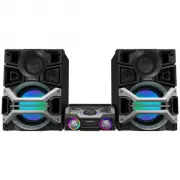
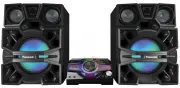
Page 2 - Dear customer; Table of contents; Before use; DATE OF PURCHASE; MODEL NUMBER; System; Main unit
RQT6683 2 Before use Dear customer Thank you for purchasing this product.For optimum performance and safety, please read theseinstructions carefully. These operating instructions are applicable to the followingsystems. Table of contents Before use Supplied accessories ..................................
Page 3 - Supplied accessories; dangerous voltage within the product s
RQT6683 3 Before use Please check and identify the suppliedaccessories.Use numbers indicated in parentheseswhen asking for replacement parts.(Only for U.S.A.)To order accessories contact1-800-332-5368 or web site(http://www.panasonic.com). Supplied accessories AC power supply cord .....................
Page 4 - IMPORTANT SAFETY INSTRUCTIONS
RQT6683 4 Before use IMPORTANT SAFETY INSTRUCTIONS Read these operating instructions carefully before using the unit. Follow the safety instructions on the unit and the applicablesafety instructions listed below. Keep these operating instructions handy for future reference. 1) Read these instruction...
Page 5 - The remote control; Battery installation; Placement of speakers; Notes; Listening caution
RQT6683 5 Before use The remote control Battery installation Use of batteries • Align the poles (+ and –) properly when inserting the batteries. • Do not mix old and new batteries or different types of batteries. • Do not recharge ordinary dry cell batteries.• Do not heat or disassemble the batterie...
Page 6 - Connections; Connect the FM indoor antenna.; Connect the AM loop antenna.; Incorrect connection can damage the unit.; Caution; Caution
RQT6683 6 Before use Connections • Plug the AC power supply cord into a household AC outlet only after all other connections have been made. • To prepare the AM loop antenna wire and speaker cords, twist the vinyl cover tip and pull off. 1 Connect the FM indoor antenna. Tape the antenna to a wall or...
Page 7 - FM outdoor antenna; AM outdoor antenna; External unit connections; Connecting analog equipment
RQT6683 7 Before use Connections Optional antenna connections You may need an outdoor antenna if you use this system ina mountainous region or inside a reinforced-concretebuilding, etc. FM outdoor antenna Disconnect the FM indoor antenna if an FM outdoorantenna is installed. Note An outdoor antenna ...
Page 8 - Front panel controls; This indicator changes in the following manner:
RQT6683 8 Before use Front panel controls Main unit 1 Cassette lid 2 Cassette open button ( c OPEN) ............................ 17 3 AC supply indicator (AC IN) This indicator lights when the unit is connected to the ACmains supply. 4 Standby/on switch ( POWER) Press to switch the unit from on to s...
Page 9 - Buttons such as; Sleep timer/auto off button; Use this for selecting repeat mode, CD play mode, tune; Play timer/recording timer button
RQT6683 9 Before use SLEEP CLOCK TIMER PLAY REC AUTO OFF DISC PLAY MODE MUTING REW S.SOUND EQ S.SOUND EQ DIMMER DISPLAY PRESET EQ FF 1 2 3 4 6 5 7 8 9 PGM 10 VOL VOL CD AUX TUNER/ BAND BAND TAPE 0 CLEAR 4 ~ 5 # ./ : ; < = > ? @ [ \] , + $ 6 Front panel controls Remote Control Buttons such as 4...
Page 10 - The radio: manual tuning; the frequency of the required station.; By remote control only; FM allocation setting; By main unit only; PLAY MODE; Listening operations
RQT6683 10 Before use The radio: manual tuning 1 Press [TUNER/BAND] to select “FM” or “AM”. The unit comes on automatically.Every time you press the button:FM ↔ AM 2 Press [PLAY MODE] on the remote control toselect “MANUAL”. Every time you press the button:MANUAL ↔ PRESET 3 Press [ g 4 4 4 4 4 /REW]...
Page 11 - The radio: preset tuning; Automatic pre-setting; page; Selecting channels; OR; Preset channel
RQT6683 11 Listening operations The radio: preset tuning By remote control only There are two methods of pre-setting stations.Automatic presetting: All the stations the tuner can receive are preset. Manual presetting: You can select the stations to pre-set and the order they are presetin. Up to 15 s...
Page 12 - CDs; Listening to the CD on a single tray; To prevent damage
RQT6683 12 Listening operations CDs This unit can play CD-DA (digital audio) format audioCD-R and CD-RW that have been finalized (a processthat enables CD-R/CD-RW players to play audio CD-Rand CD-RW) upon completion of recording.It may not be able to play some CD-R or CD-RW due to thecondition of th...
Page 13 - CD CHECK; Listening to the CD placed in a specific tray
RQT6683 13 Listening operations 1 2 3 4 A DOWN VOLUME UP CD CHECK CD / DEMO STOP , 2 3 CD CHECK 1 4 CD CHANGE CD 1 CD 2 CD 3 CD 4 CD 5 CD 1 CD 2 CD 3 CD 4 CD 5 CD CHECK 1 CD indicator Elapsed play time Track number Disc tray Label must face upward. Tray number CDs Listening to a CD placed in aspecif...
Page 15 - Repeat play; CD display
RQT6683 15 Listening operations CDs Direct access play By remote control only Direct access allows you to start normal play from a specifictrack to the last track of the CD. 1 Press [DISC]. 2 (within 10 seconds or so) Press [1] – [5] to select the disc you want. 3 Press the numeric button(s) to sele...
Page 16 - When “CD FULL” appears
RQT6683 16 Listening operations A B 1 2 5 CD CD 7 3 4 3 2 1 SLEEP SLEEP CLOCK TIMER PLAY REC AUTO OFF UTO OFF DISC PLAY MODE Y MODE MUTING REW S.SOUND EQ S.SOUND EQ DIMMER DISPLAY PRESET EQ PRESET EQ FF 1 2 3 4 6 5 7 8 9 PGM 10 VOL VOL AUX TUNER/ BAND TAPE 0 CLEAR CLEAR 5 4 CD / REW, /FF 1 7 PGM 1 2...
Page 17 - Cassette tapes; To stop tape playback; Cassette tape selection and care; Types of tapes which can be played correctly.
RQT6683 17 Listening operations 1 2 3 B 2 3 / REW /FF, DEMO STOP , OPEN TAPE DOWN VOLUME UP OPEN 1 Cassette tapes 1 Press [ c OPEN], insert a cassette with the tape facing in. When the button is pressed, the unit comes onautomatically.Make sure the cassette is fully inserted and close thelid by hand...
Page 18 - Before recording; Types of tapes which can be recorded correctly; Recording operations; To protect tapes against further recording
RQT6683 18 Listening operations B A B C 3 1 OPEN OPEN OPEN Before recording Types of tapes which can be recorded correctly The system automatically identifies the type of tape. NORMAL POSITION/TYPE I ✓ HIGH POSITION/TYPE II ✕ METAL POSITION/TYPE IV ✕ High position and metal position tapes can be use...
Page 19 - Recording from the radio; Tune to the required station.; cassette deck will go into the stop mode.; Select the position where there is less noise.; Recording CDs; Do steps 1 to 4 on page 14.; Ensure CD is stopped.
RQT6683 19 Listening operations 2 2 A B C DEMO STOP , 2 DEMO STOP , 2 REC REC SLEEP SLEEP CLOCK TIMER PLAY REC AUTO OFF UTO OFF DISC PLAY MODE Y MODE MUTING REW S.SOUND EQ S.SOUND EQ DIMMER DIMMER DISPLAY PRESET EQ PRESET EQ FF 1 2 3 4 6 5 7 8 9 PGM 10 VOL VOL CD AUX TUNER/ BAND TAPE 0 CLEAR CLEAR P...
Page 20 - Using an external unit; Listening to an external source; Insert the tape to be recorded on.; Listening with headphones; You can choose one of three types of sound quality.; HEAVY: Adds punch to rock; Each time you press the button:; • Preset EQ cannot be used together with Super Sound; Enhancing the sound quality; Timers and others
RQT6683 20 Listening operations C Using an external unit Listening to an external source (See page 7 for external unit connection.) 1 Press [AUX]. 2 Start playback from the external source. (Refer to yourequipment’s operating instructions.) Recording from an external source 1 Insert the tape to be r...
Page 21 - This function does not work if the source is tuner or AUX.; Turning the demo function off; Press and hold [STOP; the display is shown.
RQT6683 21 Listening operations A Auto-off function By remote control only When CD or tape is selected as the sourceTo save power, the unit turns off if it is left unused for 10minutes. Note This function does not work if the source is tuner or AUX. Press and hold [–AUTO OFF]. “AUTO OFF” is shown on...
Page 22 - Setting the time; Every time you press the button:; Within 7 seconds; Press and hold to change the time faster.; Displaying the clock:; Convenient functions; To dim the display panel; To mute the volume; MUTING
RQT6683 22 Listening operations A Setting the time By remote control onlyThis is a 12-hour clock.The example shows how to set the clock for 6:30 p.m.. 1 Press [ y y y y y ] to turn the unit on. 2 Press [CLOCK / TIMER] to select “CLOCK”. Every time you press the button: CLOCK PLAY REC Original displa...
Page 23 - Using the timers; Using the play/record timer; Setting the start and finish times
RQT6683 23 Listening operations Using the timers Using the play/record timer By remote control onlyThe timer has two functions. It can be set to on at a certaintime to wake you up, or it can be set to record from the radioor from the aux source.The play timer cannot be used in combination with there...
Page 24 - Using the sleep timer; While enjoying the desired source:; TIMER
RQT6683 24 Listening operations Using the timers A Using the play/record timer By remote control only To check settingsWhile the unit is on and the “ r PLAY” (or “ r REC”) indicator is on, press [CLOCK/TIMER] so “ r PLAY” (or “ r REC”) appears on the display.Two seconds after “ r PLAY” (or “ r REC”)...
Page 25 - Troubleshooting guide; back cover
RQT6683 25 Listening operations Reference Troubleshooting guide Before requesting service, make the below checks. If you are in doubt about some of the check points, or if the reme-dies indicated in the chart do not solve the problem:In the U.S.A., contact the Panasonic Customer Call Center at 1-800...
Page 26 - Panasonic/Technics Audio Products
RQT6683 26 Listening operations Warranty (ONLY FOR U.S.A.) Reference Panasonic/Technics Audio Products Limited Warranty Panasonic Consumer Electronics Company,Division of Matsushita Electric Corporation of AmericaOne Panasonic Way Secaucus, New Jersey 07094 Panasonic Sales Company, Division of Matsu...
Page 27 - Specifications
RQT6683 27 Listening operations Reference Specifications AMPLIFIER SECTION SC-PM18 Power output 10% Total harmonic distortion60 Hz–3 kHz, both channels driven (Low channel) 25 W per channel (6 Ω ) 3 kHz–16 kHz, both channels driven (High channel) 25 W per channel (6 Ω ) Total Bi-Amp power 50 W per c...
Page 28 - Panasonic Canada Inc.; When moving the unit; Disconnect the AC power supply cord.; Product Service; Damage requiring service; Product information; Maintenance
RQT6683 28 Listening operations Panasonic Canada Inc. 5770 Ambler DriveMississauga, OntarioL4W 2T3 www.panasonic.ca En RQT6683-2P L1202HS2033 Panasonic Consumer ElectronicsCompany, Division of MatsushitaElectric Corporation of America One Panasonic Way Secaucus,New Jersey 07094 http://www.panasonic....