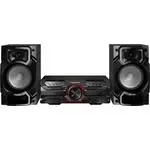
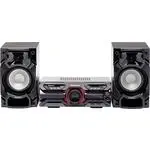
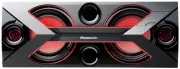
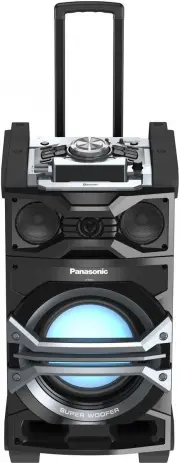
Page 2 - Dear customer; System; Table of contents
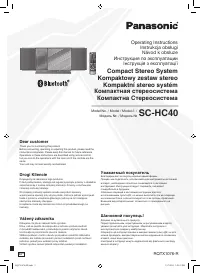
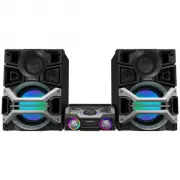
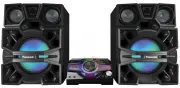
RQT7330 2 Dear customer Thank you for purchasing this product.For optimum performance and safety, please read these instructionscarefully. These operating instructions are applicable to the following systems.Unless otherwise indicated, illustrations in these operating instructionsare of SC-AK520. Sy...
Page 3 - Listening caution; Product Service; Product information; IMPORTANT SAFETY INSTRUCTIONS
RQT7330 3 Read these operating instructions carefully before using the unit. Follow the safety instructions on the unit and the applicable safety instructionslisted below. Keep these operating instructions handy for future reference. Selecting fine audio equipment such as the unit you’ve just pur-ch...
Page 4 - Batteries; The remote control; Use; Supplied accessories
RQT7330 4 Batteries The remote control Aim at the sensor, avoiding obstacles, at a maximum range of 7meters directly in front of the unit. • Keep the transmission window and the unit’s sensor free from dust. • Operation can be affected by strong light sources, such as directsunlight, and the glass d...
Page 5 - Disc information; CD selection; When making MP3 files to play on this unit; Limitations on MP3 play; MP3 information
RQT7330 5 Disc information Choose CDs with this mark: Do not: • use irregularly shaped CDs. • attach extra labels and stickers. • use CDs with labels and stickersthat are coming off or withadhesive exuding from underlabels and stickers. • attach scratch proof covers orany other kind of accessory. • ...
Page 6 - AC power supply cord; AM loop antenna; Preparation; Speaker cords
RQT7330 6 4 AC power supply cord Note The included AC power supply cord is for use with this unit only.Do not use it with other equipment. For your reference To save power when the unit is notto be used for a long time, unplug itfrom the household AC outlet.You will need to reset some memoryitems af...
Page 7 - Front panel controls
RQT7330 7 Main unit Center console Remote control Buttons such as 2 function in exactly the same way as the buttons on the main unit. [ Sleep timer + Auto off button [SLEEP, AUTO OFF] ..... 16, 17 \ Disc button [DISC] ................................................................. 8 ] Program butt...
Page 8 - Set a CD in the tray.; CDs; CD display; On the main unit; Repeat play; Remote control only; Basic play
RQT7330 8 To listen to specific CDs and tracks(CD Play Mode function) Remote control only Preparation: Press [ : / J , CD] and then [ L , CLEAR]. 1 Press [PLAY MODE] to select the desired mode. Every time you press the button: ALL-DISC 1-RANDOM 1-SONG 1-DISC A-RANDOM ALL-DISC: Plays all loaded discs...
Page 9 - Program play; How discs with MP3 differ from CDs; Starting play from a specific track
RQT7330 9 Program play You can program up to 24 tracks. Remote control only Preparation: Press [ : : : : : / J J J J J , CD] and then [ L , CLEAR]. Press [PROGRAM]. “PGM” appears. Press [DISC] and (within 10 seconds) [1] – [5] to select the disc. Select the tracks with the numbered buttons. To selec...
Page 11 - Title search function
RQT7330 11 Starting play from a desired track in adesired album Remote control only Preparation: Press [ : / J , CD] and then [ L , CLEAR]. 1 Press [ALBUM ( or )] and then the numbered buttons to select the album. To select album 10 or over, press [ > 10] once then the two digits. To select album...
Page 12 - CD display for MP3; Entering characters
RQT7330 12 CD display for MP3 During play or pause AK520 AK523 Remote control only Press [CD DISP] to select a desired CD display mode. Every time you press the button: a Remaining play time, Original display b Elapsed play time, Album title c Elapsed play time, Track title d Elapsed play time, ID3 ...
Page 13 - Marking a track; Manual tuning; Radio
RQT7330 13 To recall a marked track number in the current disc During play or stop On the remote controlPress [MARKER] to recall a marker. On the main unitPress [MARKER, -RECALL] to recall a marker. Play starts from the track recalled. Note • “NO MARKER” indicates that the marker in the current disc...
Page 14 - DECK 2] and insert the; Cassettes; Front side; Select the source to be recorded.; Erasure prevention; Playback
RQT7330 14 You can use either deck 1 or deck 2 for tape playback. Use normal position tapes.High position and metal position tapes can be played, but the unit willnot be able to do full justice to the characteristics of these tapes. 1 Press [ : , TAPE]. The unit comes on.If a cassette was loaded, pl...
Page 15 - Optional antenna connections; FM outdoor antenna; External unit connections; Turning the demo function on/off; Enhancing the sound quality; Sound quality/sound field; Other functions
RQT7330 15 Optional antenna connections Use outdoor antenna if radio reception is poor. FM outdoor antenna • Disconnect the FM indoor antenna. • The antenna should be installed by a competent technician. AM outdoor antenna Run a piece of vinyl wire horizontally across a window or otherconvenient loc...
Page 16 - Convenient functions
RQT7330 16 Other functions This is a 12-hour clock. 1 Switch on the power. 2 Press [SHIFT] + [CLOCK/TIMER] to select “CLOCK”. Every time you press the button: 3 (Within 7 seconds or so) Press [ g , REW/ 3 ] or [ f , 4 /FF] to set the time. 4 Press [SHIFT] + [CLOCK/TIMER] to finish setting thetime. T...
Page 17 - Using the sleep timer; Using the play/record timer; Timers
RQT7330 17 To check the settings Press [SHIFT] + [CLOCK/TIMER] while the unit is on to select “ r PLAY” or “ r REC”. The settings are shown in the following order:Play timer: start time → finish time → source → volume Record timer: start time → finish time → source To check the settings while the un...
Page 18 - Troubleshooting guide; Maintenance
RQT7330 18 Troubleshooting guide Before requesting service, make the below checks. If you are in doubt about some of the check points, or if the remedies indicated in thechart do not solve the problem, refer to the “Customer Services Directory” on the back cover if you reside in the U.S.A., or refer...
Page 19 - Specifications
RQT7330 19 Specifications AMPLIFIER SECTION AK520 Power output THD 10%, both channels driven 60 Hz–3 kHz (Low channel) 55 W per channel (6 Ω ) 3 kHz–16 kHz (High channel) 55 W per channel (6 Ω ) 40 Hz–100 Hz (Subwoofer channel) 140 W (8 Ω ) Total power 360 W (Total) Power output THD 10%, both channe...
Page 20 - Panasonic Canada Inc.; Panasonic Audio Products; Customer Services Directory
Panasonic Consumer ElectronicsCompany, Division of MatsushitaElectric Corporation of America One Panasonic Way Secaucus,New Jersey 07094 http://www.panasonic.com Panasonic Sales Company,Division of Matsushita Electric ofPuerto Rico, Inc. (“PSC”) Ave. 65 de Infantería, Km. 9.5San Gabriel Industrial P...