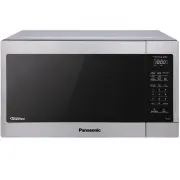
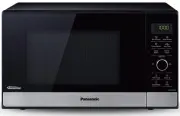
Page 3 - CONTENTS; Safety Information
CONTENTS Safety Information IMPORTANT SAFETY INSTRUCTIONS ................................................................................................ 1 Installation .....................................................................................................................................
Page 4 - IMPORTANT SAFETY INSTRUCTIONS; DANGER; PRECAUTIONS TO AVOID POSSIBLE EXPOSURE; Thank you for purchasing a Panasonic Microwave Oven; WARNING
1 IMPORTANT SAFETY INSTRUCTIONS Your safety and the safety of others are very important. We have provided important safety messages in this manual and on your appliance. Always read and obey all safety messages. This is the safety alert symbol. It is used to alert you to potential hazards that can k...
Page 5 - IMPORTANT SAFETY INSTRUCTIONS (continued); SAVE THESE INSTRUCTIONS; Safety Precautions
2 IMPORTANT SAFETY INSTRUCTIONS (continued) 10. DO NOT allow children to use this appliance, unless closely supervised by an adult. DO NOT assume that because a child has mastered one cooking skill he/she can cook everything. 11. DO NOT operate this appliance if it has a damaged cord or plug, if it ...
Page 7 - Food Preparation; Grounding Instructions
4 Food Preparation Grounding Instructions THIS APPLIANCE MUST BE GROUNDED. In the event of an electrical short circuit, grounding reduces the risk of electric shock by providing an escape wire for the electric current. This appliance is equipped with a cord having a grounding wire with a grounding p...
Page 9 - Cookware Guide
6 Cookware Guide This section answers the question, “Can I use in the Microwave?” Aluminum Foil It is not recommended to use. Arcing can occur if foil is too close to oven wall or door and cause damage to your oven. Browning Dish Yes. Only use browning dishes that are designed for microwave cooking....
Page 10 - Location of Controls
7 Location of Controls 1 External Air Vent 2 Internal Air Vent 3 Door Safety Lock System 4 Exhaust Air Vent 5 Control Panel 6 Glass Tray 7 Roller Ring 8 Heat/Vapor Barrier Film (do not remove) 9 Waveguide Cover (do not remove) 10 Door Release Button 11 Warning label 12 Menu label 13 Power Supply Cor...
Page 11 - Operation; Continued on the
8 Operation Using the Microwave for the First Time 1 Display Window Plug into a properly grounded electrical outlet. The oven automatically defaults to the imperial measure system (oz/ lb). 2 Press Dial to cycle between the weight system, Metric ( g / k g ) or Imperial (oz/lb). 3 Press Stop/Reset to...
Page 14 - Defrosting Chart
11 Operation (continued) Auto Defrost 1 This feature allows you to defrost foods such as meat, poultry and seafood, simply by entering the weight. Press Auto Defrost . Bars will be displayed above the “Defrost”, and on the left side of the “oz/ lb” or “ g /k g ”. 2 Enter weight of the food using the...
Page 16 - Sensor Cook Chart
13 Operation (continued) Sensor Cook Chart See the chart below for Sensor Cook categories. Recipe Serving/Weight Hints 1. Potato 1 - 4 potatoes (6 - 8 oz. each) (170 - 225 g ) Pierce each potato with a fork 6 times spacing around surface. Place potato or potatoes around the edge of paper-towel-lined...
Page 17 - Setting the Timer; Microwave Recipes
14 Setting the Timer 1 This feature allows you to program the oven as a kitchen timer. Press Cooking Timer/Clock once. 2 Set desired amount of time using Dial (up to 90 minutes). 3 Press Dial . The timer will count down without cooking and beep five times when done. Caution: If oven lamp is lit whil...
Page 18 - Food Characteristics
15 Food Characteristics Bone and Fat Both bone and fat affect cooking. Bones may cause irregular cooking. Meat next to the tips of bones may overcook while meat positioned under a large bone, such as a ham bone, may be undercooked. Large amounts of fat absorb microwave energy and the meat next to th...
Page 19 - Care and Cleaning of Your Microwave Oven
16 Please see below for particular cleaning instructions for each section of the oven.BEFORE CLEANING: Unplug oven at wall outlet. If outlet is inaccessible, leave oven door open while cleaning. AFTER CLEANING: Be sure to place the Roller Ring and the Glass Tray in the proper position and press Stop...
Page 20 - Before Requesting Service
17 See below before calling for service, as most problems can easily be remedied by following these simple solutions: The oven causes TV interference. Some radio and TV interference might occur when you cook with the microwave oven. This interference is similar to the interference caused by small ap...
Page 21 - for all your Panasonic gear; Go to; Get everything you need to get the most; Customer Services Directory; For Product Information, Operating; Panasonic Products Limited Warranty
18 Limited Warranty (Only for U.S.A.) Limited Warranty Coverage (For USA Only) If your product does not work properly because of a defect in materials or workmanship, Panasonic Consumer Electronics Corporation (referred to as “the warrantor”) will, for the length of the period indicated on the chart...
Page 22 - Specifications
19 The serial number of this product may be found on the back side of the oven.You should note the model number and the serial number of this oven in the space provided and retain this book as a permanent record of your purchase for future reference. Model No. Serial No. Date of Purchase Power Sourc...