Page 2 - Precautions to avoid; Microwave oven Safety; danGeR
your safety and the safety of others are very important. We have provided important safety messages in this manual and on yourappliance. Always read and obey all safety messages. Precautions to avoid Possible eXPosure to eXcessive MicroWave energy (a) Do not attempt to operate this oven with the doo...
Page 3 - ImporTanT SafeTy InSTrucTIonS; Thank you for purchasing a Panasonic Microwave Oven.; WaRninG
1 ImporTanT SafeTy InSTrucTIonS To reduce the risk of burns, electric shock, fire, injury to persons, or exposureto excessive microwave energy: 1. Read all instructions before using this appliance.2. Read and follow the specific “PRECAUTIONS TO AVOID POSSIBLE EXPO- SURE TO EXCESSIVE MICROWAVE ENERGY...
Page 5 - SaVe TheSe InSTrucTIonS
3 SaVe TheSe InSTrucTIonS For proper use of your oven, read remaining safety cautions and operating instructions. glass Tray 1. Do noT operate the oven without the Roller Ring and the Glass Tray in place. 2. Do noT operate the oven without the Glass Tray fully engaged on the drive hub. Improper cook...
Page 6 - InSTaLLaTIon anD grounDIng
4 examine your oven Unpack oven, remove all packing material and examine the oven for any dam- age such as dents, broken door latches or cracks in the door. Notify dealer immediately if oven is damaged. DO NOT install if oven is damaged. placement of oven 1. The oven must be placed on a flat, stable...
Page 8 - Safety precautions
6 Follow These Safety Precautions When Cooking in Your Oven. ImporTanTproper cooking depends upon the power, the time setting and quantity offood. If you use a smaller portion than recommended but cook at the timefor the recommended portion, fire could result. 1) home cannIng / STerILIZIng / DryIng ...
Page 10 - cookware guide
8 cookware guide iteM MicroWave coMMents Yes for Small strips of foil can be molded around thin parts of Aluminum Foil Shielding meat or poultry to prevent overcooking. Arcing can occur only if foil is too close to oven wall or door and damage to your oven will result. Browning dishes are designed f...
Page 11 - oven components diagram
9 oven components diagram q external air vent w internal air vent e door safety lock system r exhaust air vent t control Panel y identification Plate u glass tray i roller ring o heat/vapor barrier film (do not remove) a Waveguide cover (do not remove) s door release button d Warning label f Pop-out...
Page 12 - control Panel
10 control Panel beep sound: When a button is pressed correctly, a beep will be heard.If a button is pressed and no beep is heard, the unit did not or cannot accept the instruction.When operating, the oven will beep twice between programmed stages. At the end of anycomplete program, the oven will be...
Page 15 - Popcorn feature
13 notes on PoPcorn feature: 1. Pop one bag at a time. 2. Place bag in oven according to manu- facturers’ directions. 3. Start with popcorn at room tempera- ture. 4. Allow popped corn to sit unopened for a few minutes. 5. Open bag carefully to prevent burns, because steam will escape. 6. Do not rehe...
Page 16 - inverter turbo defrost feature
14 This feature allows you to defrost foods such as: meat, poultry and seafood simply by entering the weight. Place food on microwave safe dish. example: to defrost 1.5 pounds of meat 1. • Press inverter turbo defrost . 2. • Set weight of the food to 1.5 pounds, using Time/Weight Dial. 3. • Press st...
Page 17 - defrosting tips & techniques
15 defrosting tips & techniques (continued) defrost after defrosting food tiMe at P3 during defrosting mins (per lb) stand time rinse fish and seafood [up to 3 lbs. (1.4 kg )] Crabmeat 6 Break apart/Rearrange Fish Steaks 4 to 6 Turn over 5 min. YES Fish Fillets 4 to 6 Turn over/Rearrange/Shield ...
Page 19 - auto cook chart
17 auto cook chart recipe serving/Weight hints 1. Oatmeal 0.5 cup, 1cup (40 g , 80 g) Place inside a microwave safe serving bowl with no cover. Follow manufacturers’directions for preparation. 2. Breakfast Sausage 2 pcs, 4 pcs, 6 pcs, 8 pcs Follow manufacturers' directions for preparation of pre- co...
Page 20 - timer feature
18 timer feature note: 1. When each stage finishes, a two-beep signal sounds. At the end of the pro- gram, the oven will beep five times. 2. If the oven door is opened during Stand Time, Kitchen Timer or Delay Time, the time on the display will con- tinue to count down. 3. Stand time and Delay Start...
Page 21 - Microwave shortcuts
19 Microwave shortcuts food PoWer tiMe directions (in mins.) To separate refrigerated P10 (HIGH) 30 sec. Remove wrapper and place in microwave bacon , safe dish. After heating, use a plastic 1 pound (450 g ) spatula to separate slices. To soften brown sugar P10 (HIGH) 20 sec. - 30 sec. Place brown s...
Page 24 - cooking techniques
22 cooking techniques (continued) covering As with conventional cooking, moisture evaporates during microwave cooking. Casserole lids or plastic wrap are used for a tighter seal. When using plastic wrap, vent the plastic wrap by folding back part of the plastic wrap from the edge of the dish to allo...
Page 25 - care and cleaning of your Microwave oven
23 care and cleaning of your Microwave oven label: Do not remove, wipe with a damp cloth. inside of the oven: Wipe with a damp cloth after using. Mild detergent may be used if needed. Do not use harsh deter- gents or abrasives. oven door: Wipe with a soft dry cloth when steam accumulates inside or a...
Page 26 - these things are normal:; before requesting service
24 these things are normal: The oven causes Some radio and TV interference might occur when you cook interference with with the microwave oven. This interference is similar to the my TV. interference caused by small appliances such as mixers, vacuums, blow dryers, etc. It does not indicate a problem...
Page 27 - limited Warranty & customer services directory
25 limited Warranty & customer services directory (for u.s.a and Puerto rico only) PANASONIC CONSUMER ELECTRONICS COMPANY, DIvISION Of PANASONIC CORPORATION OfNORTh AMERICA One Panasonic WaySecaucus, New Jersey 07094 Panasonic Microwave oven Product limited Warranty limited Warranty coverage If ...
Page 28 - Quick guide to operation
26 Quick guide to operation feature To set clock ( * page 11) how to operate Press twice. Set time of day. Press once. To set Power and time ( * page 12) Press to select Power Level. Set cooking time. Press. Press. Press. Press. Press. Press. Press. Press. To defrost using inverter turbo defrost ( *...
Page 29 - specifications
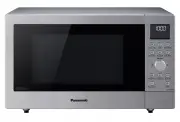
27 specifications Power Source:Power Consumption:Cooking Power:*Outside Dimensions(W x D x H):Oven Cavity Dimensions(W x D x H):Operating Frequency:Net Weight: NN-SD372S 120 V, 60 Hz 10.2 Amps, 1,200 W 950 W 19 3 / 16 " x 14 13 / 16 " x 11" (488 mm x 376 mm x 279 mm) 12 3 / 8 " x 13 ...
Page 30 - user’s record
28 user’s record The serial number of this product may be found on the back side of the oven or on the left side of the control panel. You should note the model number and the serial number of this oven in the space provided and retain this book as a permanent record of your purchase for future refe...