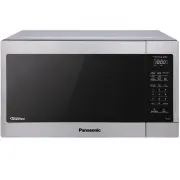
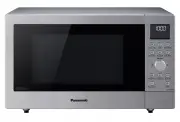
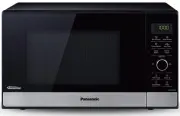
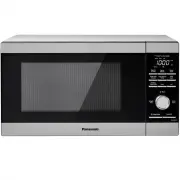
Page 2 - CONTENTS; Safety Information; Food Preparetion; Operation; Location of controls
CONTENTS Safety Information IMPORTANT SAFETY INSTRUCTIONS ..................................................................................................................... 1-3 Installation ..............................................................................................................
Page 3 - IMPORTANT SAFETY INSTRUCTIONS; Thank you for purchasing a Panasonic Microwave Oven; PRECAUTIONS TO AVOID POSSIBLE EXPOSURE; DANGER; WARNING
IMPORTANT SAFETY INSTRUCTIONS Thank you for purchasing a Panasonic Microwave Oven Your microwave oven is a cooking appliance and you should use as much care as you use with a stove or any other cooking appliance. When using this electric appliance, basic safety precautions should be followed, includ...
Page 4 - IMPORTANT SAFETY INSTRUCTIONS (continued); SAVE THESE INSTRUCTIONS
IMPORTANT SAFETY INSTRUCTIONS (continued) 10. DO NOT allow children to use this appliance, unless closely supervised by an adult. DO NOT assume that because a child has mastered one cooking skill he/she can cook everything. 11. DO NOT operate this appliance if it has a damaged cord or plug, if it is...
Page 5 - Installation
3. DO NOT dry clothes, newspapers or other materials in the oven, or use newspaper or paper bags for cooking. 4. DO NOT hit or strike Control Panel. Damage to controls may occur. 5. DO NOT use recycled paper products unless the paper product is labeled as safe for microwave oven use. Recycled paper ...
Page 6 - Food Preparation; Wiring Requirements
(c The plug must be plugged into an outlet that is properly installed and grounded. • Plug into properly installed and grounded three-prong outlet. • DO NOT remove ground prong. • DO NOT use an adapter. Power Supply 1. A short power-supply cord is provided to reduce the risks resulting from becoming...
Page 8 - Cookware Guide; This section answers the question, “Can I use in the Microwave?”; CONTAINER TEST
Cookware Guide This section answers the question, “Can I use in the Microwave?” Aluminum Foil It is not recommended to use. Arcing can occur if foil is too close to oven wall or door and cause damage to your oven. Browning Dish Yes. Only use browning dishes that are designed for microwave cooking. C...
Page 9 - Location of Controls
Location of Controls 1 External Air Vent 2 Internal Air Vent 3 Door Safety Lock System 4 Exhaust Air Vent 21 (See page 12) 22 Keep Warm Pad (See page 1 23 Quick 30 Pad (See page 11) Stop/Reset Pad is pressed once during oven operation, Start Pad must be pressed again to 5 Control Panel 6 Identificat...
Page 10 - Setting the Clock
Operation Using the Microwave for the First Time Plug into a properly grounded electrical outlet. The oven automatically defaults to the imperial measure system (oz/lb). 1 2 3 Setting the Clock Setting the Child Safety Lock When the time of day appears in the display, press Start three times; Press ...
Page 11 - Cooking; Setting a Standing
Operation (continued) Cooking 1 If cooking at high power (10), skip to step 2. Press Power Level until the desired power level appears in the display. P10 is the highest and PL1 is the lowest. Press Power Level once PL10 (HIGH) twice PL9 3 times PL8 4 times PL7 (MED-HIGH) 5 times PL6 (MEDIUM) 6 time...
Page 14 - Conversion; Defrost; Defrosting Tips & Techniques
Operation (continued) Conversion Follow the chart to convert ounces or hundredths of a To use Turbo Defrost, enter the weight of the food in pounds (1.0) and tenths of a pound (0.1). If a piece of meat weighs 1.95 lbs or 1 lb 14 oz, enter 1.9 lbs. Ounces Hundredths of a Pound Tenths of a Pound 0 .01...
Page 15 - Sensor Cook; Sensor Reheat
Operation (continued) Sensor Cook 1 Press Sensor Cook until the number corresponding to the desired food appears in the display (see chart on the next page) . 2 If desired, press More to add 20% more time than suggested. Press Less to subtract 20% cooking time. 3 Press Start . Cooking is complete wh...
Page 16 - Sensor Cook Chart; Setting; the Timer
Operation (continued) Sensor Cook Chart See the chart below for Sensor Cook categories. Recipe Serving/Weight Hints 1. Potato 1 - 4 potatoes (6 - 8 oz. each) (170 - 22 7 Pierce each potato with a fork 6 times spacing around surface. Place potato or potatoes around the edge of paper-towel-lined glass...
Page 17 - Macaroni and Cheese; Beef and Macaroni Casserole
Operation (continued) Microwave RecipesOMELET Macaroni and Cheese Basic Omelet Recipe 1 Tablespoon butter or margarine 2 Eggs 2 Tablespoons milk Salt and ground black pepper, if desired Heat butter in a microwave safe 8-inch round dish, 20 seconds at PL10, or until melted. Turn the plate to coat the...
Page 18 - Food Characteristics; Cooking Techniques
Food Characteristics Food Characteristics Bone and Fat Both bone and fat affect cooking. Bones may cause irregular cooking. Meat next to the tips of bones may overcook while meat positioned under a large bone, such as a ham bone, may be undercooked. Large amounts of fat absorb microwave energy and t...
Page 20 - Before Requesting Service
Before Requesting Service See below before calling for service, as most problems can easily be remedied by following these simple solutions: The oven causes TV interference. Some radio and TV interference might occur when you cook with the microwave oven. This interference is similar to the interfer...
Page 21 - Panasonic Products Limited Warranty
Limited Warranty (Only for U.S.A.) Panasonic Products Limited Warranty /LPLWHG:DUUDQW\&RYHUDJH)RU86$2QO\ ,I \RXU SURGXFW GRHV QRW ZRUN SURSHUO\ EHFDXVH RI D GHIHFW LQ PDWHULDOV RU ZRUNPDQVKLS3DQDVRQLF&RQVXPHU(OHFWURQLFV&RUSRUDWLRQUHIHUUHGWRDV ³WKHZDUUDQWRU´ZLOOIRUWKHOHQJWKRIWKHSHULRGLQGL...
Page 22 - Specifications
20 Specifications Power Source....................................................................................................................... .....................................................................................................120 V, 60 Hz Power Consumption .....................
Page 24 - User’s Record
The serial number of this product may be found on the back side of the oven or on the left side of the control panel. You should note the model number and the serial number of this oven in the space provided and retain this book as a permanent record of your purchase for future reference. Model No. ...