Page 3 - Important Notice
3 Thank you for purchasing a Panasonic Microwave Oven. Your oven is rated 1000 Watts (IEC). When using other cookbooks remember to adjust cooking times accordingly. The symbol indicates the heating category for your oven when cooking or reheating convenience foods. Your oven is rated ‘E’, which is v...
Page 4 - CONTENTS
4 Control Panel ........................................................................................27 How to Use the Dial ..............................................................................28 Display Window ................................................................................
Page 6 - Safety Instructions
6 Important safety instructions. Before operating this oven, please read these instructions carefully and keep for future reference. This appliance can be used by children aged from 8 years and above and persons with reduced physical, sensory and mental capabilities or lack of experience and kno...
Page 8 - Do not use commercial oven cleaners.
8 Safety Instructions If smoke is emitted or a fire occurs in the oven, tap Stop/Cancel pad and leave the door closed in order to stifle any flames. Disconnect the power cord, or shut off power at fuse or circuit breaker panel. This appliance is intended to be used in household applications only...
Page 9 - Combination
9 Safety Instructions Some foods may inevitably splatter grease on to the oven walls. If the oven is not cleaned occasionally, it may start to ‘smoke’ during use. Failure to maintain the oven in a clean condition could lead to deterioration of surfaces that could affect the life of the appliance...
Page 10 - Steam
10 Safety Instructions Warning! This appliance produces boiling hot steam. During and after cooking with steam function, do not open the oven door when your face is very close to the oven. Care must be taken when opening the door as steam may cause injury. Warning! Steam may billow out when yo...
Page 11 - Do not
11 Safety Instructions The oven lamp must be replaced by a service technician trained by the manufacturer. Do not attempt to remove the outer casing from the oven. Before using the oven, place the drip tray in position. Refer to page 20 for correct installation. The purpose of the drip tray is...
Page 12 - Disposal of Old Equipment; Only for European Union and; Important Safety Instructions; How to replace the fuse
12 Disposal of Old Equipment This symbol on the products, packaging, and/or accompanying documents means that used electrical and electronic products must not be mixed with general household waste.For proper treatment, recovery and recycling of old products, please take them to applicable collection...
Page 13 - Important
13 If the fitted moulded plug is unsuitable for the socket outlet in your home then the fuse should be removed and the plug cut off and disposed of safely and an appropriate one fitted. There is a danger of severe electrical shock if the cut off plug is inserted into any 13 amp socket. If a new plug...
Page 14 - Before Using Your Oven; Examine your Oven
14 Exterior oven surfaces including air vents on the cabinet and the oven door will get hot during Combination/Grill/Oven/Steam . After cooking by these modes, the oven accessory will be very hot. Caution! Hot Surfaces! Before Using Your Oven Examine your Oven 1. Unpack oven, remove all packing mate...
Page 16 - Care & Cleaning of Your Oven
16 Care & Cleaning of Your Oven 3. After using Grill, Oven, Steam, and Combination cooking the walls of the oven should be cleaned with a soft cloth and soapy water. Particular care should be taken to keep the window area clean especially after cooking by Grill, Oven, Steam, and Combination. Stu...
Page 17 - Service
17 Care & Cleaning of Your Oven 11. A steam cleaner is not to be used for cleaning the appliance. 12. Ensure the Grill Tray is kept clean, especially when using Combination programs. 13 . Keep air vents clear at all times. Check that no dust or other material is blocking any of the air vents on ...
Page 18 - Water Tank
18 Maintenance of Your Oven Accessory Advice Water Tank 3. Do not use the water tank if it is cracked or broken, as leaking water could result in electrical failure and danger of electric shock. If the water tank becomes damaged, please contact your dealer. Oven Light 4. The oven lamp must be replac...
Page 19 - Oven Accessory; Care of the Grill Tray; Grill Tray; Cooking modes
19 Oven Accessory The oven comes equipped with an accessory, the Grill Tray. Always follow the directions given for use of the accessory. The accessory has a number of uses: Care of the Grill Tray 1. Never use any sharp utensils on the tray as this will damage the non- stick surface. 2. After use, w...
Page 20 - Parts of Your Oven; Drip Tray; Note
20 Parts of Your Oven Re-position the drip tray by clicking back onto the legs. Drip Tray 1. Before using the oven, the drip tray must be fitted as it collects excess water during cooking. The drip tray should be removed and cleaned on a regular basis. 2. Fit the drip tray by holding with both hands...
Page 22 - Important Information; Safety; Food Low in Moisture
22 Important Information Safety If smoke is emitted or a fire occurs in the oven, tap Stop/Cancel pad and leave the door closed in order to stifle any flames. Disconnect the power cord, or shut off power at the fuse or the circuit breaker panel. Short Cooking Times As microwave cooking times are muc...
Page 24 - Reheating; Fan Motor Operation
24 Important Information Paper, Plastic When heating food in plastic or paper containers, keep an eye on the oven due to the possibility of ignition. Do not use wire twist-ties with roasting bags when cooking mode includes microwave power as arcing will occur. Do not use recycled paper products, e.g...
Page 25 - Storage of Accessories; Microwaving Principles
25 Important Information Microwaves are present in the atmosphere all the time, both naturally and from manmade sources. Manmade sources include radar, radio, television, telecommunication links and mobile phones. Microwave stirrer Waveguide Stirrer motor Magnetron Oven cavity Base of the oven Utens...
Page 26 - Important Notes
26 Microwaving Principles Transmission Then they pass through the cooking containers to be absorbed by the water molecules in the food, all foods contain water to a more or lesser extent. Reflection The microwaves bounce off the metal walls and the metal door screen. The dish used to cook or reheat ...
Page 27 - Control Panel; Beep sound
27 Control Panel 11 1. Micro Power (pages 42-43) 2. Grill (pages 47-48) 3. Steam (pages 52-55) 4. Oven (pages 49-51) 5. Chaos Defrost (pages 87-89) 6. Combination (pages 56-60) 7. Auto Cook (pages 70-86) 8. Cleaning (pages 90-93) 9. Timer/Clock (pages 39, 64-67) 10. Stop/Cancel Before cooking: One t...
Page 28 - The Dial has the following 4 functions:
28 How to Use the Dial Display Window The Dial has the following 4 functions: 1 Time/Weight//Temperature/Menu Selection Select the time, weight, temperature or auto menu by turning the Dial . 2 Add Time Use the Dial for the add time function (see page 68). 3 Start/Set Press the Dial to start operati...
Page 29 - General Guidelines; Standing Time
29 Moisture Content Many fresh foods e.g. vegetables and fruit, vary in their moisture content throughout the season. Jacket potatoes are a particular example of this. For this reason cooking times may have to be adjusted throughout the year. Dry ingredients e.g. rice, pasta, can dry out during stor...
Page 32 - Quick Check Guide to Cooking Utensils; Testing Dishes for Suitability -; Result
32 Quick Check Guide to Cooking Utensils Testing Dishes for Suitability - For Microwave Cooking Only. When unsure that a cooking container is suitable for use in your microwave, check by the following test:1. Fill a microwave safe measuring jug with 300 ml cold water. 2. Place it on the base of the ...
Page 33 - Containers to Use; Plastic
33 Containers to Use Plastic Many plastic containers are designed for microwave use, but do not use for cooking foods high in sugar or fat or for foods that require long cooking times e.g. brown rice. Only use Tupperware ® containers if they are designed for Microwave use. Pottery, Earthenware, Ston...
Page 34 - Paper; Baskets
34 Only use for short cooking times. Never re-use a piece of kitchen towel. Always use a fresh piece of paper for each dish. Avoid kitchen paper containing manmade fibres. If you are using branded re-cycled kitchen towel, check first that it is recommended for microwave use. Do not use waxed or plas...
Page 35 - Cooking Modes
35 Cooking Modes The diagrams shown below are examples of the accessory. It may vary depending on recipe/dish used. Cooking modes MICROWAVE Accessory - Uses Defrosting Reheating Melting: butter, chocolate, cheese. Cooking fish, vegetables, fruits, eggs. Preparing: stewed fruits, jam, sauce...
Page 38 - Let’s Start to Use Your Oven
38 Let’s Start to Use Your Oven 1 Plug in. Plug into a 13 amp fused electrical socket. You will be reminded to read your operating instructions. 2 Tap Timer/Clock pad twice to set clock. Set clock as a 24 hr clock. (See page 39 for details). 3 Select 220 °C Oven to burn off the oil. ( will appear in...
Page 39 - Setting the Clock
39 Setting the Clock 1 Tap Timer/Clock pad twice. “SET HOUR’’ appears in the display window. 2 Turn the Dial to select the hour. 3 Press the Dial to confirm the selection. "SET MIN" appears in the display window. 4 Turn the Dial to select the minute. 5 Press the Dial to confirm the selection...
Page 40 - Beep Choice
40 Beep Choice 1 Press the Dial after first plugged in."BEEP ON/OFF" scrolls across display window. The default mode is "ON". 2 Turn the Dial. The mode changes to "OFF". 3 After setting, tap Stop/Cancel pad to exit. 1. The choice can be selected only when you plug-in the oven...
Page 42 - Microwave Cooking and Defrosting; Power Level
42 Microwave Cooking and Defrosting 1 Tap Micro Power pad once. The microwave symbol " " will appear. When you select Defrost, " " will also appear. 2 Select the power level. Turn the Dial until the power you require appears in the display window. Power Level High (1000 W)Med High (8...
Page 43 - Bottom feeding technology
43 Note Microwave Cooking and Defrosting 1. You can change the cooking time during cooking if required. Turn the Dial to increase or decrease the cooking time. Time can be increased/decreased in 1 minute increments, up to 10 minutes. 2. Do not attempt to use microwave only with any metal container i...
Page 44 - Defrosting Guidelines; For Best Results
44 Defrosting Guidelines For Best Results 1. Place foods in a suitable container. Meat joints and chickens should be placed on an upturned saucer or on a plastic rack if you have one. 2. Check food during defrosting, as foods vary in their defrosting speed. 3. It is not necessary to cover the food. ...
Page 45 - Defrosting Charts
45 Defrosting Charts The times given below are a guideline only. Always check the progress of the food by opening the oven door and then re-starting. For larger quantities adjust times accordingly. Food should not be covered during defrosting. Food Weight Defrost Time Method Standing Time Meat Beef/...
Page 47 - Grilling
47 Grilling The grill system on the oven gives fast efficient cooking for a wide variety of foods e.g. chops, sausages, steaks, toast, etc . Do not pre-heat on grill mode with the Grill Tray in position. 1 Tap Grill pad once. 2 Select the power level. Turn the Dial until the power you require appear...
Page 48 - Guidelines; Oven Accessory to Use
48 Grilling Guidelines 1. You can change the cooking time during cooking if required. Turn the Dial to increase or decrease the cooking time. Time can be increased/ decreased in 1 minute increments, up to 10 minutes. 2. There is no microwave power on the Grill only program. 3. Use the Grill Tray pro...
Page 49 - Oven Cooking
49 Oven Cooking The oven can be used as an oven using the oven mode which uses top and bottom heat. For best results always place food in a preheated oven. When using oven mode, the Grill Tray can be placed in the upper or lower shelf position.See individual guidelines on pages 50-51 for recommended...
Page 51 - Guideline to Oven Temperatures
51 Oven Cooking The Grill Tray and surrounding oven will get very hot. Use oven gloves. Caution! You can use the Grill Tray for baking dish for roasting potatoes or vegetables, and for baking fairy cakes, scones and cookies. It is also ideal for re-heating pre-baked convenience pastry items. Roastin...
Page 52 - Steam Cooking
52 Steam Cooking The oven can be programmed as a steamer to cook vegetables, fish, chicken and rice. There are 2 different steam settings available: Steam 1 (max) and Steam 2 (low). 1 Tap Steam pad once. 2 Select the power level. Turn the Dial until the power you require appears in the display windo...
Page 53 - Guidelines for Water Tank
53 Steam Cooking Note 4. You can change the cooking time during cooking if required. Turn the Dial to increase or decrease the cooking time. Time can be increased/decreased in 1 minute increments, up to 10 minutes. 5. It is possible to refill the water tank at any time during cooking, without having...
Page 55 - Steam Shot
55 Food Cooking mode Steam Shot Puff pastries Oven 2 ⁄ 3 total time add 3 mins Steam Shot Breads Oven 2 ⁄ 3 total time add 3 mins Steam Shot Sponge cakes Oven ½ total time add 3 mins Steam Shot Part baked rolls Oven or Grill 2 ⁄ 3 total time add 3 mins Steam Shot Steam Shot This feature allows you t...
Page 56 - Combination: Grill and Microwave
56 Combination: Grill and Microwave On the base of the oven in your own microwaveable and heatproof dishes, this mode is suitable for cooking lasagne, gratins, meat, potatoes.To cook successfully by this combination you should always use a minimum of 200 g food. Small quantities should be cooked by ...
Page 57 - Guideline
57 Combination: Grill and Microwave Note Containers to use 1. Preheating is not available for Combi 1, 2. 2. You can change the cooking time during cooking if required. Turn the Dial to increase or decrease the cooking time. Time can be increased/decreased in 1 minute increments, up to 10 minutes. 3...
Page 58 - Combination: Cooking with Steam
58 Combination: Cooking with Steam Steam can be used to cook foods simultaneously with microwave, grill or oven mode. This can often reduce traditional oven cooking times and keep the food moist. 1 Tap Combination pad once. 2 Turn the Dial until the power you require appears in the display window. 3...
Page 59 - Oven accessory to Use:
59 Oven accessory to Use: Combi 3,4: Steam + Microwave Directly on the base of the oven in a microwaveable and heatproof dish or alternatively you can use the Grill Tray in either of the shelf positions. Combi 5: Steam + Grill Combi 6: Steam + Oven Grill Tray in either of the shelf positions. Combin...
Page 61 - or 3 stage cooking
61 Multi-stage Cooking 2 or 3 stage cooking 1 Select desired Function. 2 Turn the Dial until the power you require appears in the display window. 3 Press the Dial to confirm the selection. 4 Select the cooking time by turning the Dial. 5 Select desired Function. 6 Turn the Dial until the power you r...
Page 64 - Using the Timer; Delay start cooking
64 Using the Timer Delay start cooking By using the timer, you are able to program delay start cooking. Note 1. Three-stage cooking can be programmed including delay start cooking. 2. If the oven door is opened during the delay time, the time in the display window will continue to count down. 3. If ...
Page 66 - To set a standing time:
66 Using the Timer To set a standing time: By using the Timer, you can program Standing time after cooking is completed or use to program the oven as a minute timer. Note 1. Three-stage cooking can be programmed including standing time. 2. If the oven door is opened during the standing time or minut...
Page 68 - Using the Add Time Function; Modes
68 Using the Add Time Function This feature allows you to add cooking time at the end of previous cooking. After cooking, turn the Dial to select Add Time function. Press the Dial to start. Time will be added. The time in the display window will count down. Modes Maximum cooking time Micro Power 100...
Page 69 - Sensor Reheat Programs
69 Note Press the Dial in two minutes right after the door was closed, otherwise One Push Reheating Function will be rejected and beeps will sound. Open the door and close it again will release the One Push Reheating Function. This unique feature ‘the Genius’ built in sensor allows you to reheat a c...
Page 71 - Adjust to Taste; How it Works
71 Adjust to Taste The Sensor Reheat Program reheats a chilled meal or a frozen meal for average tastes. You are able to adjust the Sensor Reheat Program to your own taste. After pressing the Dial , " / "symbol appears in the display,turn Dial clockwise for more time or anticlockwise for les...
Page 72 - Auto Steam Programs
72 This feature allows you to steam some of your favourite foods by setting the weight only. The oven determines the steam level and the cooking time automatically. Select the category and set the weight of the food. The weight is programmed in grams. For quick selection, the weight starts from the ...
Page 73 - Guidelines for Use
73 Auto Steam Programs Guidelines for Use 1. The auto steam programs must only be used for foods described. 2. Only cook foods within the weight ranges described. 3. Always weigh the food rather than relying on the package weight information. 4. Always use the Grill Tray as indicated. 5. For larger ...
Page 75 - Healthy Grill & Fries Programs
75 Healthy Grill & Fries Programs 1 Tap Auto Cook pad once. 2 Turn the Dial to select the food category. (No.9-13) 3 Press the Dial to confirm the selection. 4 Press the Dial to start preheating (No.12 only). A “P” will appear in the display window. When the oven is preheated the oven will beep ...
Page 78 - Auto Cook Programs
78 Auto Cook Programs 1 Tap Auto Cook pad once. 2 Turn the Dial to select the food category. (No.14-17) 3 Press the Dial to confirm the selection. 4 Select the weight by turning the Dial. The Dial will count up in 10 g steps. Skip this step for program No. 17. 5 Press the Dial to start. The cooking ...
Page 81 - Re-bake Bread Programs
81 Re-bake Bread Programs 1 Tap Auto Cook pad once. 2 Turn the Dial to select the food category. (No.18-20) 3 Press the Dial to confirm the selection. 4 Select the weight by turning the Dial. The Dial will count up in 10 g steps. 5 Press the Dial to start. The cooking program will start and the time...
Page 83 - Junior Menu
83 Junior Menu 1 Tap Auto Cook pad once. 2 Turn the Dial to select the food category. (No.21-25) 3 Press the Dial to confirm the selection. 4 Select the weight by turning the Dial. The Dial will count up in 10 g steps (except for No.21&22). 5 Press the Dial to start. The cooking program will sta...
Page 84 - Chocolate Brownie Mug Cake
84 Junior Menu No. Program Weight/ Placement Instructions 21 Mug Cake 1-2 Base of oven For cooking one or two mug cakes, either Chocolate Brownie or Lemon. Prepare the mug cake as in the following recipes. Size of mug should be no smaller than 300 ml. Place it on the base of the oven. Select program...
Page 87 - Chaos Defrost; Beep; Beep; Beep
87 Chaos Defrost This feature allows you to defrost minced meat, chops, chicken portions, meat joints and bread. Tap Chaos Defrost pad to select the correct defrost category and then enter in the weight of the food in grams (see page 88). Foods should be placed in a suitable dish, whole chickens and...
Page 90 - Cleaning Setting
90 Cleaning Setting F1. Drain Water Water is pumped through the system to clean the pipes. The water is drained into the drip tray. 1 Add 100 g of water to the water tank. Ensure drip tray is empty. 2 Tap Cleaning pad once. 3 Turn the Dial to select F1. Drain Water. 4 Press the Dial to confirm the s...
Page 94 - Cleaning the Water Tank
94 Cleaning the Water Tank Remove the water tank and clean the compartment where the water tank is inserted. Open the water supply cap, remove the lid and pipe cap and clean. Clean with a soft sponge in water. Pipe CapEnsure it faces downwards If the pipe cap is difficult to remove, wiggle from side...
Page 95 - Cooking and Reheating Guidelines; When is food reheated?
95 Cooking and Reheating Guidelines Most foods reheat very quickly in your oven by HIGH power. Meals can be brought back to serving temperature in just minutes and will taste freshly cooked. Always check food is piping hot and return to oven if necessary. As a general rule, always cover wet foods, e...
Page 96 - Caution - Christmas puddings and liquids
96 Cooking and Reheating Guidelines Caution - Mince pies Caution - Christmas puddings and liquids Caution - Babies’ bottles Remember even if the pastry is cold to the touch, the filling will be piping hot and will warm the pastry through. Take care not to overheat otherwise burning can occur due to ...
Page 97 - Reheating Charts
97 Reheating Charts The times given in the charts below are a guideline only, and will vary depending on STARTING temperature, dish size and quantity. Pastry or bread items reheated by microwave will be soft not crisp. Heating category Your oven is Heating Category E and this is displayed on the rea...
Page 103 - Cooking Charts
103 Cooking Charts Food Weight/ Quantity Power Level Time to Select (approx) Instructions/ Guidelines Bread Part baked bread rolls 300 g (6) Combi 2 8-10 mins Place on Grill Tray in lower shelf position. Bacon and pork - from raw - Caution: Hot fat! Remove accessories with care. Bacon rashers 300 g ...
Page 112 - Low-Oil Oven Fry Charts
112 Food Weight/ Quantity Power Level Time to Select (approx) Instructions/ Guidelines Steak (½ inch of thickness) 4 pcs (670 g ) Oven (Preheat at 220 °C) 12-14 mins Seasoned. Place on Grill Tray in upper shelf position, turn over at 2 / 3 of total time. Pork chops 4 pcs (450 g ) 20-24 mins Hamburge...
Page 113 - Questions and Answers
113 Questions and Answers Q: Why won’t my oven turn on? A: When the oven does not turn on, check the following: 1. Is the oven plugged in securely? Remove the plug from the outlet, wait 10 seconds and reinsert. 2. Check the circuit breaker and the fuse. Reset the circuit breaker or replace the fuse ...
Page 115 - Ingredients; Steamed Provencal Fish Fillets; Accessory
115 Servings 4 1 courgette, sliced 4 tomatoes, sliced 10 ml mixed herbs 4 salmon fillets 30 ml olive oil 12 black olives, stoned salt and pepper approx. 20-23 minutes Combi 3 (Steam + Microwave) Ingredients Time & Setting Method 1. Place the courgette in a single layer on the Grill Tray, top wit...
Page 116 - Spiced Sweet Potato Fries
116 2 big sweet potatoes 2 tbsp olive oil 1 tsp cinnamon 1 tsp smoked paprika ¹ ⁄ tsp cumin ¹ ⁄ tsp ground coriander pink himalayan salt Ingredients Method 1. Cut sweet potatoes in half lengthwise, then cut into wedges. 2. Season sweet potatoes with olive oil, spices and salt, then arrange them on t...
Page 117 - Steamed Chicken with Lemon and Thyme
117 Servings 4 2 lemons, thinly sliced 1 bunch thyme 4 chicken breasts 2 cloves of garlic, finely chopped 200 ml natural yoghurt 15 ml honey 5 ml Dijon mustard Ingredients Method 1. Place the sliced lemons on the Grill Tray and scatter half of the thyme over them. 2. Place the chicken breasts betwee...
Page 118 - Pizza
118 Servings 2 2 onions, finely sliced 3 cloves of garlic, crushed 1 tbsp (15 ml) olive oil 1 roll pizza dough 100 ml passata (tomato sauce) 100 g mozzarella, grated Optional: other pizza toppings tomatoes, bell pepper, ham etc. Ingredients Method 1. Place the finely sliced onions and garlic in a la...
Page 119 - Specifications
119 Specifications This product is an equipment that fulfills the European standard for EMC disturbances (EMC = Electromagnetic Compatibility) EN 55011. According to this standard this product is an equipment of group 2, class B and is within required limits. Group 2 means that radio-frequency energ...
Page 121 - PHONE OUR
cook share learn PHONE OUR CUSTOMER COMMUNICATIONS CENTRE 0344 844 3899 For service or spares. Or order spares direct on line at www.panasonic.co.uk Panasonic Corporationhttp://www.panasonic.com © Panasonic Corporation 2022 F0003CM40BP PA0122-0 Printed in P.R.C. Scan the QR code for more recipes exp...
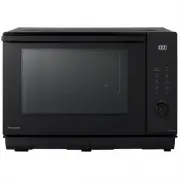


 Panasonic NE-1054F
User Manual
Panasonic NE-1054F
User Manual
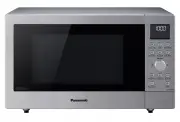 Panasonic NN-CD58JSQPQ
User Manual
Panasonic NN-CD58JSQPQ
User Manual
 Panasonic NN-CD87KS
User Manual
Panasonic NN-CD87KS
User Manual
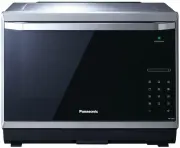 Panasonic NN-CS894SQPQ
User Manual
Panasonic NN-CS894SQPQ
User Manual
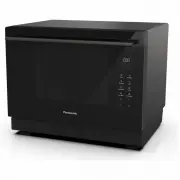 Panasonic NN-CS89LBQPQ
User Manual
Panasonic NN-CS89LBQPQ
User Manual
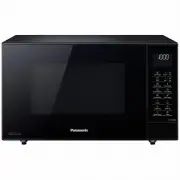 Panasonic NN-CT56MBQPQ
User Manual
Panasonic NN-CT56MBQPQ
User Manual
 Panasonic NN-GN68KS
User Manual
Panasonic NN-GN68KS
User Manual
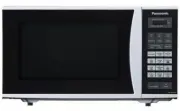 Panasonic NN-GT352WZPE
User Manual
Panasonic NN-GT352WZPE
User Manual
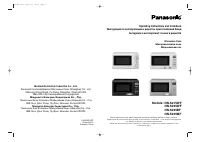 Panasonic NN-S215WF
Manual
Panasonic NN-S215WF
Manual
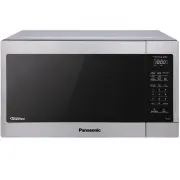 Panasonic NN-SC73LS
User Manual
Panasonic NN-SC73LS
User Manual
 Panasonic NN-SD372S
Manual
Panasonic NN-SD372S
Manual
 Panasonic NN-SD372SR
User Manual
Panasonic NN-SD372SR
User Manual
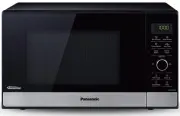 Panasonic NN-SD38HSQPQ
User Manual
Panasonic NN-SD38HSQPQ
User Manual
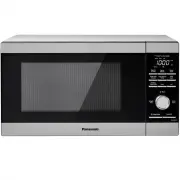 Panasonic NN-SD65LS
User Manual
Panasonic NN-SD65LS
User Manual
 Panasonic NN-SD775S
User Manual
Panasonic NN-SD775S
User Manual
 Panasonic NN-SE785S
User Manual
Panasonic NN-SE785S
User Manual