Page 3 - CONTENTS
3 CONTENTS/TABLE DES MATIÉ/INHALT/CONTENIDO ENGLISH ..............................................................................2FRANÇAIS ........................................................................46DEUTSCH ..........................................................................90ES...
Page 4 - NAMES OF PARTS; Camera
4 NAMES OF PARTS Camera Battery compartment cover Tripod socket Self-timer/Remote controllamp Zoom lever (T/W)Index display/Close-up playback lever ( / ) Shutter button Control panel Flash Lens Lens barrier Microphone Speaker Remote control receiver Battery compartment lock 1 C-40ZBasic-E1 01.10.11 ...
Page 5 - ÑñÉí
5 Flash mode button ( ) Erase button ( ) Macro/Spot button ( ) Protect button ( ) Rotation button Mode dial ( , , , , , , , , ) Viewfinder Monitor OK/Menu buttonManual focus button ( ) Monitor button( ) Card access lamp Arrow pad( ÑñÉí ) Card cover Strap eyelet (refer to the“Quick-start guide”includ...
Page 6 - Viewfinder indications; Orange lamp; Lights during movie recording.; Green lamp; Blinks when there is a problem with the card.; AF target mark; Place this on the subject.
6 NAMES OF PARTS Viewfinder indications 1 Orange lamp ● In some situations, this lamp lights up when you press the shutter buttonhalfway. This indicates that the flash will then fire when the picture istaken. ● Lights during movie recording. ● Blinks if the flash is required and the flash is turned ...
Page 7 - Control panel indications
7 Control panel indications Control panel indications 1 Flash intensity control ● Displayed when the amount of the light emitted by the flash is adjusted. 2 Spot metering mode ● Displayed when the Spot metering mode is set. 3 Self-timer ● Displayed when the self-timer is activated. 4 Sequential shoo...
Page 9 - Monitor indications — Shooting information; Shooting mode; Displays the shooting mode.; Aperture value; Displays the current aperture value.; Shutter speed; Displays the current shutter speed.; Exposure compensation; Displays the current exposure (brightness) compensation value.
9 Monitor indications — Shooting information The information below is displayedfor about 3 seconds after operatingthe buttons/mode dial or closing themenus. The information below is alwaysdisplayed in the shooting mode. * The illustrations show examples of indications displayed when the modedial is ...
Page 10 - Number of storable still pictures; Displays the number of still pictures you can shoot.; Manual Focus; Displayed when locking focus using the Manual focus function.; Memory gauge
10 NAMES OF PARTS Monitor indications — Shooting information (Cont.) 6 Number of storable still pictures ● Displays the number of still pictures you can shoot. Seconds remaining ( mode only) ● Displays available movie recording time. 7 Manual Focus ● Displayed when locking focus using the Manual foc...
Page 11 - Drive mode; Displayed when the drive mode is set on the menus.; White balance; : One touch white balance; ISO; Displays the record mode selected on the menus.; Number of pixels; Displayed when self-timer/remote control shooting is activated.
11 9 Drive mode ● Displayed when the drive mode is set on the menus. : Single-frame shooting : Sequential shooting : AF Sequential shooting BKT : Auto-bracket 0 White balance ● Displayed when WB is set on the menus.No indication: AUTO : Daylight : Overcast : Tungsten light : Fluorescent : One touch ...
Page 12 - Flash mode; Displayed when the flash mode is selected by pressing the; Spot metering/Macro mode; No indication: Digital ESP; Sound record; Displayed when
12 NAMES OF PARTS Monitor indications — Shooting information (Cont.) % Flash mode ● Displayed when the flash mode is selected by pressing the (flash mode) button. No indication: Auto-flash : Red-eye reduction flash : Fill-in flash SLOW1/ SLOW2/ SLOW1 : Slow synchronization flash : Off (flash overrid...
Page 13 - Monitor indications — Playback information; Still picture playback information; Displays the number of prints.
13 Monitor indications — Playback information INFO setting on the Menu allows you to select how much information todisplay. Still picture playback information 1 Battery check ● T h e b a t t e r y c h e c k i n d i c a t i o nchanges as follows: ● Be aware that the time whent h e b a t t e r y c h e...
Page 15 - HOW TO USE THIS MANUAL; If a button is shown in black, press it as part of the step.; In the top menu, select MODE MENU
15 HOW TO USE THIS MANUAL The instructions in this manual use a series of numbers for each operatingprocedure and button/dial illustration. Follow these numbers in order whenoperating the camera. If a button is shown in black, press it as part of the step. Before using the following function, set th...
Page 16 - GETTING STARTED; Loading the batteries; CR-V3 lithium battery packs cannot be charged.
16 GETTING STARTED Using the AC power adapter (optional) Use an AC adapter designed for the area where the camera is used. Consultyour nearest Olympus dealer or Service center for details. Loading the batteries This camera uses a CR-V3 lithium battery pack or 2 AA (R6) NiMH batteries,NiCd batteries,...
Page 17 - Inserting/ejecting the card; Grasp the card and pull in straight out.; Inserting the card
17 Inserting/ejecting the card Be sure to use a 3V (3.3 V) card. Non-Olympus 3 V (3.3 V) cards must beformatted with the camera. Do not use a 5 V card or a 2 MB card. Insert the card all the way with the contact areafacing towards the lens side so that the label’sedge is aligned with the guideline (...
Page 19 - Press; Ññ; to set the year. When the year is set, press; Repeat this procedure until the date and time are completely set.; SHOOTING BASICS; Shooting mode setting — Mode dial; The camera sets optimal focusing and exposure. Suitable for; Portrait shooting
19 8 Press Ññ to set the year. When the year is set, press í to move to the month (M) setting. ● Repeat this procedure until the date and time are completely set. ● To move back to the previous setting, press É . 9 Press . ● The camera returns to the menu screen. ● The current settings stay the same...
Page 21 - Using the menu; How to Set a Function in MODE MENU
21 Using the menu Shortcut menu The shortcut menu consists of the itemsother than MODE MENU on the Topmenu. These can be replaced with yourfavorite items, but only when the moded i a l i s s e t t o P, A / S / M o r . J u s t p r e s s i n g t h e a r r o w p a d b u t t o n saccording to the marks ...
Page 22 - CAMERA
22 SHOOTING BASICS (Cont.) Menu functions (Shooting) For more details on the functions described here, refer to the referencemanual that is included with the software CD-ROM instructions on CD-ROM.Some function settings may not be available depending on the mode.Factory default settings of some func...
Page 24 - SETUP
24 SHOOTING BASICS (Cont.) SETUP Display REC VIEW MY MODE SETUP SLEEP FILE NAME PIXEL MAPPING m/ft SHORT CUT Function Sets whether or not the picture beingrecorded is displayed immediately aftershooting. Customizes settings, which areactivated in the mode. Sets the sleep timer. Specifies how to reco...
Page 27 - To set the shutter speed faster, press; Using My Mode
27 Aperture setting — Aperture priority shooting 1 In the top menu, select MODE MENU T CAMERA T P/A/S/M T A. 2 To i n c r e a s e t h eaperture value (Fvalue), press Ñ . To decrease the aperturevalue (F value), press ñ . Shutter speed setting — Shutter priority shooting 1 In the top menu, select MOD...
Page 28 - Taking still pictures
28 SHOOTING BASICS (Cont.) Taking still pictures To focus on the subject, press the shutterbutton halfway, slowly and gently. ● When the subject is in focus, the green lamp lightsup. To start shooting, press the shutter button gently all the way(fully). ● The green lamp and card access lamp blink an...
Page 29 - Recording movies; Press the shutter button halfway.; The green lamp on the viewfinder lights up.; Press the shutter button all the way again to stop recording.; Set the mode dial to
29 Recording movies Press the shutter button halfway. ● The green lamp on the viewfinder lights up. Press the shutter button all the way to startrecording. ● T h e o r a n g e l a m p l i g h t s u p d u r i n g m o v i erecording. ● D u r i n g m o v i e r e c o r d i n g , c o r r e c t f o c u s ...
Page 30 - How to shoot using the monitor; Press the; Focus lock
30 SHOOTING BASICS (Cont.) To zoom in on a subject, press the zoomlever towards T. To shoot a wider picture,press the zoom lever towards W. Telephoto/Wide-angle shooting is possibleat up to 2.8x magnification (optical zoomlimit). By combining the digital zoom withthe 2.8x optical zoom, zoom magnific...
Page 31 - Manual focus; Using the flash
31 Manual focus If Auto focus is unable to lock, use manual focus. 1 Hold down for more than 1 second. When the focus distance selection screen appears on the monitor,press í to select MF. 2 Press Ññ to select the focus distance. 3 Hold down for more than 1 second to save the setting. 4 Shoot. 5 To ...
Page 32 - ADVANCED SHOOTING
32 ADVANCED SHOOTING Drive mode Single-frame shooting : Shoots 1 frame at a time when the shutter button is pressed all the way. (normal shooting) Sequential shooting : Shoots pictures sequentially. Focus, exposure and white balance are locked at the first frame. AF Sequential shooting : Shoots pict...
Page 33 - Macro mode shooting; mode focusing is performed quickly. The; Exposure Compensation
33 Macro mode shooting Usually focusing is slow when you get as close as 0.1 m - 0.8 m (0.3 ft - 2.6ft) to the subject. However, in the mode focusing is performed quickly. The (macro) mode allows you to shoot close to the subject (within 0.1 m - 0.8 m (0.3 ft - 2.6 ft)). With the zoom lever is press...
Page 34 - PLAYBACK; Viewing still pictures; P i c t u r e s i n d i c a t e d b y; The monitor turns on and the recorded picture appears.
34 PLAYBACK Viewing still pictures D i s p l a y t h e d e s i r e d p i c t u r e susing the arrow pad. ● P i c t u r e s i n d i c a t e d b y a r e movie frames. 2 Jumps to the picture 10 frames behind. Displays the next picture. Displays the previous picture. Jumps to the picture 10 frames ahead...
Page 35 - Playing back movies; MOVIE PLAYBACK; If; to select
35 Playing back movies Press Ñ on the arrow pad to select MOVIE PLAY. ● The card access lamp blinkswhile movie data is accessed. Press Ññ to select MOVIE P L AY B A C K o n t h e M O V I EP L AY s c r e e n . To e x i t t h i sscreen, press É . 3 MODE MENU MOVIE PLAY INFO MOVIE PLAYBACK INDEX EDIT M...
Page 37 - Playback on a TV; Make sure that the TV and camera power are off .; The selected image will be displayed on the TV.
Pictures can be rotated only when they are played back on a TV. Withp i c t u r e r o t a t i o n , y o u c a n t u r n t h e m h o r i z o n t a l l y, 9 0 d e g r e e sclockwise, or counter-clockwise. Press. 37 Playback on a TV 1 Make sure that the TV and camera power are off . 2 3 Press the (moni...
Page 38 - Print reserve cannot be performed for a picture displayed with; Sets single-frame print and the date. Trimming setting is not; PRINT SETTINGS
38 Selected images can be reserved in a card for printing on a printer or at aphoto lab that supports the DPOF (Digital Print Order Format) system. ● Print reserve cannot be performed for a picture displayed with . Single-frame print reserve 1 Play back a still picture. Press to display the top menu...
Page 39 - You can print an enlarged part of a recorded picture.; This camera cannot be directly connected to printers.
39 All-frame print reserve Allows you to store print data for all the pictures on the card, as well asallowing you to choose how many prints you want. Trimming print reserve You can print an enlarged part of a recorded picture. Resetting print reserve Allows you to reset all Print Reserve settings f...
Page 40 - TRANSFERRING PICTURES TO A COMPUTER; To use CAMEDIA Master software, read its instructions.; Note; on using CAMEDIA Master 2.5 software
40 TRANSFERRING PICTURES TO A COMPUTER Even if your computer has a USB connector, data transfer may not function correctly if youare using one of the operating systems listed below or if you have an add-on USBconnector (extension card, etc.). ● Windows 95/NT 4.0 ● Windows 98 upgrade from Windows 95 ...
Page 41 - Saving directly from a card; OPTIONAL ACCESSORIES
41 Saving directly from a card Card adapters enable you to save images on your personal computer withouthaving to connect your camera directly to your computer.For the latest information on available adapters, consult our CustomerSupport Center. For more details, refer to the software CD’s instructi...
Page 42 - ERROR CODES; Empty screen
42 ERROR CODES If there is a problem with your camera, a blinking error code will appear. Possible causes The card isnot inserted,or it cannot berecognized. No morepictures canbe taken. Writing to thecard isprohibited. Cannotrecord, playback or erasepictures in thiscard. The recordedimage cannotbe p...
Page 44 - SPECIFICATIONS; Digital camera (for shooting and displaying)
44 SPECIFICATIONS Product type Digital camera (for shooting and displaying) Recording System Still Digital recording, JPEG (in accordance withDesign rule for Camera File system (DCF)), TIFF(non-compression), Digital Print Order Format(DPOF) Sound with still images Wave format Movie QuickTime Motion ...
Page 46 - Nom de marque; Pour les utilisateurs au Canada
Nous vous remercions de la confiance témoignée à Olympus par l’achat decet appareil photo numérique. De manière à garantir un fonctionnementoptimal et une haute longévité, nous vous prions de lire attentivement lemode d’emploi avant d’utiliser votre nouvel appareil pour la première fois.Conservez-le...
Page 47 - TABLE DES MATIÉ
47 NOMENCLATURE DES PIÈCES 48 UTILISATION DE CE MANUEL 59 PRÉPARATIFS 60 PRISE DE VUE DE BASE 63 PRISE DE VUE ÉLABORÉE 76 AFFICHAGE 78 RÉGLAGES D’IMPRESSION 82 TRANSFERT D’IMAGE VERS UN ORDINATEUR 84 ACCESSOIRES EN OPTION 85 CODES D’ERREUR 86 FICHE TECHNIQUE 88 TABLE DES MATIÉ Ces instructions ne so...
Page 48 - NOMENCLATURE DES PIÈCES; Appareil photo
48 NOMENCLATURE DES PIÈCES Appareil photo Verrou du compartiment des piles Couvercle du compartimentdes piles Embase filetée de trépied Voyant deretardateur/télécommande Levier de zoom (T/W) Levier d’affichaged’index/affichage gros plan( / ) Déclencheur Écran de commande Flash Microphone Objectif Ha...
Page 50 - Indications dans le viseur; Voyant orange; Reste allumé pendant l’enregistrement de films.; Voyant vert; Clignote lorsqu’il y a un problème avec la carte.; Repères de mise au point automatique; Les placer sur le sujet.
50 NOMENCLATURE DES PIÈCES Indications dans le viseur 1 Voyant orange ● Dans certaines situations, ce voyant s’allume quand vous appuyez surl e d é c l e n c h e u r j u s q u ’ à m i - c o u r s e . C e c i i n d i q u e q u e l e f l a s h s edéclenchera lorsque la vue est prise. ● Reste allumé pe...
Page 51 - Indications de l’écran de commande; Affiché lorsque le mode de mesure ponctuelle est réglé.
51 Indications de l’écran de commande Control panel indications 1 Commande d’intensité du flash ● Affichée lorsque la quantité de lumière émise par le flash est ajustée. 2 Mode de mesure ponctuelle ● Affiché lorsque le mode de mesure ponctuelle est réglé. 3 Retardateur ● Affiché lorsque le retardate...
Page 52 - Indications de l’écran de commande (Suite)
52 NOMENCLATURE DES PIÈCES Indications de l’écran de commande (Suite) # Mode flash ● Affiché lorsque le mode flash est sélectionné en appuyant sur la touche (mode flash). Pas d’indication: Flash automatique : Flash atténuant l’effet “yeux rouges” : Flash d’appoint SLOW : Flash synchronisé à vitesse ...
Page 53 - Indications sur l’écran ACL — Informations de prise de vue; Mode de prise de vue; Affiche le mode de prise de vue.; Valeur de l’ouverture; Affiche la valeur de l’ouverture courante.; Vitesse d’obturation; Affiche la vitesse d’obturation courante.; Compensation d’exposition
53 Indications sur l’écran ACL — Informations de prise de vue Les indications varient en fonction du mode de prise de vue.Si vous prenez des vues en utilisant l’écran ACL pendant une longue durée,des parasites risquent d’apparaître sur les vues. Les informations ci-dessous sonta f f i c h é e s p e ...
Page 54 - Indications sur l’écran ACL — Informations de prise de vue (Suite); Nombre de vues enregistrables; Affiche le nombre de vues fixes que vous pouvez prendre.; Secondes restantes (mode; Affiche la durée d’enregistrement cinéma disponible.; Mise au point manuelle
54 NOMENCLATURE DES PIÈCES Indications sur l’écran ACL — Informations de prise de vue (Suite) 5 Repères de mise au point automatique ● Les placer sur le sujet. 6 Nombre de vues enregistrables ● Affiche le nombre de vues fixes que vous pouvez prendre. Secondes restantes (mode uniquement) ● Affiche la...
Page 56 - Mode Flash
56 NOMENCLATURE DES PIÈCES Indications sur l’écran ACL — Informations de prise de vue (Suite) % Mode Flash ● Affiché lorsque le mode flash est sélectionné en appuyant sur la touche (mode flash). Pas d’indication: Flash automatique : Flash atténuant l’effet “yeux rouges” : Flash d’appoint SLOW1/ SLOW...
Page 57 - Indications sur l’écran ACL — Informations d’affichage; Information d’affichage d’images fixes; Affiche le nombre de tirages.
57 Indications sur l’écran ACL — Informations d’affichage L e r é g l a g e I N F O d a n s l e m e n u v o u s p e r m e t d e c h o i s i r l a q u a n t i t éd’information à afficher. Information d’affichage d’images fixes 1 Contrôle des piles ● L’ i n d i c a t i o n d e c o n t r ô l e d e spil...
Page 58 - Indications sur l’écran ACL — Informations d’affichage (Suite); Information d’affichage de films
58 NOMENCLATURE DES PIÈCES Indications sur l’écran ACL — Informations d’affichage (Suite) Information d’affichage de films ● L e s i n d i c a t i o n s q u i a p p a r a i s s e n t s u r u n e i m a g e c i n é m a q u i a é t ésélectionnée et affichée à partir de l’affichage d’index sont différen...
Page 59 - UTILISATION DE CE MANUEL; Dans le menu principal, sélectionner MODE MENU
59 UTILISATION DE CE MANUEL Régler les fonctions dans les menus en suivant l’ordre des flèches. Avantd’utiliser les menus, lire “Utilisation des menus” pour des détails. Dans le menu principal, sélectionner MODE MENU T CAMERA T A/S/M T M. Les instructions dans ce manuel utilisent une série de nombre...
Page 60 - PRÉPARATIFS; Mise en place des piles; Utilisation de l’adaptateur secteur (Option)
60 PRÉPARATIFS Mise en place des piles Utilisation de l’adaptateur secteur (Option) Utiliser un adaptateur secteur conçu pour la région où l’appareil est utilisé.Consulter le revendeur Olympus le plus proche ou un centre de service pourdes détails. Cet appareil utilise une pile au lithium CR-V3 ou 2...
Page 61 - Introduction/éjection de la carte; Saisir la carte et la tirer franchement.; Introduction de la carte
61 Introduction/éjection de la carte Bien s’assurer d’utiliser une carte 3 V (3,3 V). Des cartes de marque autreque Olympus 3 V (3,3 V) doivent être formatées sur cet appareil. Ne pasutiliser une carte 5 V ni une carte 2 Mo. Introduire complètement la carte avec la zonede contact tournée vers le côt...
Page 63 - pour régler l’année. Lorsque l’année est réglée,; Pour revenir au réglage précédent, appuyer sur; Appuyer sur; L’appareil revient à l’écran de menu.; PRISE DE VUE DE BASE; Réglage du mode de prise de vue — Molette Mode; Prise de vue de portrait
63 7 Appuyer sur í pour passer au réglage de l’année (Y). 8 Appuyer sur Ññ pour régler l’année. Lorsque l’année est réglée, appuyer sur í pour régler le mois. ● Répéter la procédure jusqu’à ce que la date et l’heure soient régléescomplètement. ● Pour revenir au réglage précédent, appuyer sur É . 9 A...
Page 64 - Vous réglez à la fois l’ouverture et la vitesse d’obturation.
64 PRISE DE VUE DE BASE (Suite) Prise de vue de scène de nuit Convient pour prendre des vues le soir ou de nuit. L’appareil se règle sur unevitesse d’obturation plus lente que celle utilisée en prise de vue normale. Parexemple, si vous prenez une vue d'une rue de nuit dans le mode , le manque d e l ...
Page 65 - MODE; Utilisation des menus; Comment régler une fonction dans MODE MENU; Sélectionner la fonction que vous voulez en utilisant; sur
65 En affichant des menus, le premier menu qui apparaît sur l’écran ACL estappelé le menu principal. Le contenu de ce menu change en fonction dumode. Sur le menu principal, deux types de menus sont disponibles: MODE MENU et les autres menus (menus raccourcis). Utilisation des menus Menu raccourci (S...
Page 71 - Utilisation de Mon mode
71 Réglage de l’ouverture— Prise de vue priorité ouverture Réglage de la vitesse d’obturation — Prise de vue priorité vitesse Réglage de l’ouverture et de la vitesse d’obturation— Prise de vue manuelle 1 Dans le menu principal, sélectionner MODE MENU T CAMERA T P/A/S/M T A. 2 Pour augmenter la valeu...
Page 72 - Prise de vue fixe
72 PRISE DE VUE DE BASE (Suite) Prise de vue fixe P o u r f a i r e l a m i s e a u p o i n t s u r l e s u j e t ,a p p u y e r l e n t e m e n t e t d o u c e m e n t s u r l edéclencheur jusqu’à mi-course. ● Lorsque le sujet est au point, le voyant verts’allume. Pour prendre la photo, appuyer dou...
Page 73 - Enregistrement de films; Le voyant vert dans le viseur s’allume.; R é g l e r l a m o l e t t e M o d e s u r
73 Enregistrement de films A p p u y e r s u r l e d é c l e n c h e u r j u s q u ’ à m i -course. ● Le voyant vert dans le viseur s’allume. Appuyer complètement sur le déclencheurpour commencer l’enregistrement. ● L e v o y a n t o r a n g e s ’ a l l u m e p e n d a n tl’enregistrement vidéo. ● P...
Page 74 - Appuyer sur la touche; Mémorisation de la mise au point
74 PRISE DE VUE DE BASE (Suite) P o u r f a i r e u n z o o m a v a n t s u r u n s u j e t ,appuyer sur le levier de zoom vers T. Pourprendre une vue plus large, appuyer sur lelevier de zoom vers W. La prise de vue au téléobjectif/grand angleest possible jusqu’à un grossissement 2,8x(limite du zoom...
Page 75 - Utilisation du flash; (Pas d’affichage (réglage initial par défaut effectué en
75 Mise au point manuelle Si la mise au point automatique n’est pas en mesure de faire la mise au point,utiliser la mise au point manuelle. 1 Maintenir pressée pendant plus d’une seconde. Lorsque l’écran de sélection de la distance de mise au point apparaîtsur l’écran ACL, appuyer sur í pour sélecti...
Page 76 - PRISE DE VUE ÉLABORÉE; Mode Drive
76 PRISE DE VUE ÉLABORÉE Mode Drive Prise d’une seule vue : Prend une vue à la fois lorsque le déclencheur est pressé complètement. (prise de vue normale) Prise de vue en série : Prend des vues en série. La mise au point, l’exposition et la balance des blancs sont mémorisées pour la première vue. Pr...
Page 77 - Réglage du mode gros plan; la mise au point est effectuée; Appuyer plusieurs fois sur la touche
77 Réglage du mode gros plan Habituellement, la mise au point est lente lorsque vous êtes proche de 10 à80 cm du sujet. Toutefois, dans le mode la mise au point est effectuée rapidement. Le mode (gros plan) vous permet de prendre des vues de très près (de 10 cm à 80 cm du sujet). Avec le levier de z...
Page 78 - AFFICHAGE; Visualisation de prise de vue; L’écran ACL s’éteint. Prendre des vues en utilisant le viseur.; A p p u y e r s u r l a t o u c h e; L’écran ACL s’allume et la vue enregistrée apparaît.
78 AFFICHAGE Visualisation de prise de vue Pour revenir rapidement au mode de prise de vue (disponibleuniquement lorsque l’appareil est passé en mode d’affichage enutilisant le contrôle rapide), appuyer sur le déclencheur jusqu’àmi-course. ● L’écran ACL s’éteint. Prendre des vues en utilisant le vis...
Page 79 - Affichage de films; Ñ ñ; Si la touche; pour sélectionner
79 Affichage de films Pour revenir rapidement aum o d e d e p r i s e d e v u e( d i s p o n i b l e u n i q u e m e n tlorsque l’appareil est passée n m o d e d ’ a f f i c h a g e e nutilisant le contrôle rapide) 6 Appuyer sur Ñ de la molette d e d é f i l e m e n t p o u r c h o i s i rMOVIE PLAY...
Page 80 - Pour annuler la protection, appuyer de nouveau sur; Effacement d’une seule vue; Si la vue est protégée, annuler la protection.; Effacement de toutes les vues; Une fois effacées, les vues ne peuvent pas être restituées.
80 AFFICHAGE (Suite) Protection (Protection des images contre un effacement accidentel) 1 Afficher la vue que vous voulez protéger en utilisant la molette dedéfilement. 2 Appuyer sur . La vue est alors protégée. ● Pour annuler la protection, appuyer de nouveau sur . Effacement d’une seule vue 1 Séle...
Page 81 - Affichage sur un téléviseur; La vue sélectionnée sera affichée sur l’écran du téléviseur.
81 Affichage sur un téléviseur 1 S’assurer que l’alimentation du téléviseur et de l’appareil photo estcoupée. 2 3 Appuyer sur la touche (écran ACL) pour mettre en marche l’appareil et mettre en marche le téléviseur. Commuter le téléviseursur l’entrée vidéo. ● Pour des détails sur la commutation de l...
Page 82 - RÉGLAGES D’IMPRESSION; Règle l’impression d’une seule vue et la date. Le réglage du
82 RÉGLAGES D’IMPRESSION Réservation d’impression d’une seule image. 1 A f f i c h e r u n e v u e f i x e . A p p u y e r s u r p o u r a f f i c h e r l e m e n u principal. 2 Appuyer sur ñ pour sélectionner PRINT ORDER dans le menu principal. L’écran PRINT ORDER apparaît. Appuyer sur Ññ de la mol...
Page 83 - Vous pouvez imprimer une partie agrandie d’une image enregistrée.
83 Réservation d’impression de toutes les images Vous permet de mémoriser des données pour imprimer toutes les images surla carte et de choisir également le nombre de tirages que vous voulez. Réservation d’impression avec rognage Vous pouvez imprimer une partie agrandie d’une image enregistrée. Annu...
Page 84 - TRANSFERT D’IMAGES VERS UN ORDINATEUR; Pour utiliser le logiciel CAMEDIA Master, lire ses instructions.; Remarque; en utilisant le logiciel CAMEDIA Master 2.5
84 TRANSFERT D’IMAGES VERS UN ORDINATEUR Même si votre ordinateur dispose d’un connecteur USB, le transfert de données peut nepas fonctionner correctement si vous utilisez l’un des systèmes d’exploitation indiqués cidessous ou si vous avez un connecteur USB additionnel (carte d’extension, etc.). ● W...
Page 85 - Sauvegarde directement à partir d'une carte; ACCESSOIRES EN OPTION
85 Pour plus de détails, se référer aux instructions du CD logiciel sur le CD-ROM. Sauvegarde directement à partir d'une carte Des adaptateurs de carte vous permettent de sauvegarder des images sur unordinateur personnel sans avoir à raccorder votre appareil photo directementà l’ordinateur.Pour les ...
Page 86 - CODES D’ERREUR; Écran vierge
86 CODES D’ERREUR S’il y a un problème avec l’appareil, un code d’erreur clignotant apparaîtra. Causes possibles La carte n’estpas insérée, ouelle ne peut êtrereconnue. Aucune vuesupplémentairene peut êtreprise. L’écriture sur lacarte estinterdite. Impossibled’enregistrer, delire ou d’effacerdes vue...
Page 88 - FICHE TECHNIQUE; Format Wave
88 FICHE TECHNIQUE Type d’appareil Appareil photo numérique (prise de vue etaffichage) Système d’enregistrement Photo Enregistrement numérique, JPEG(conformément au système DCF (Design rule forCamera File)), TIFF (sans compression), supportpour système Digital Print Order Format (DPOF)) Son avec ima...
Page 90 - Für die USA; Markenname; Für Nord- und Südamerika; Warenzeichen; Machines Corporation.
90 Wir bedanken uns für den Kauf dieser Olympus Digitalkamera. Bitte lesen Siediese Anleitung vor der Inbetriebnahme sorgfältig, um die sachgemäße undsichere Handhabung zu gewährleisten. Bewahren Sie diese Anleitung bittezur späteren Bezugnahme auf. Für die USA BetriebserlaubnisModellnummer : C-40ZO...
Page 91 - INHALT
91 BESCHREIBUNG DER TEILE 92 SO VERWENDEN SIE DIESES HANDBUCH 103 VORBEREITUNG 104 GRUNDSÄTZLICHE AUFNAHMEFUNKTIONEN 107 WEITERE AUFNAHMEFUNKTIONEN 120 WIEDERGABE 122 DRUCKBEZOGENE EINSTELLUNGEN 126 BILDÜBERTRAGUNG AUF EINEN PERSONAL COMPUTER 128SONDERZUBEHÖR 129 FEHLERMELDUNGEN 130 TECHNISCHE DATEN...
Page 92 - BESCHREIBUNG DER TEILE; Kamera
92 BESCHREIBUNG DER TEILE Kamera Batteriefachriegel Batteriefachdeckel Stativgewinde Selbstauslöser/Fernauslöser-LED Zoomregler (T/W)Wahlschalter für Indexwiedergabe/Ausschnittsvergrößerung ( / ) Auslöser LCD-Feld Blitz Objektivschutz-schieber Mikrofon Lautsprecher Objektiv Fernauslösersensor 3 C-40...
Page 94 - Sucheranzeigen; Orangefarbene Sucher-LED; Blinkt, wenn eine Kartenstörung vorliegt.
94 BESCHREIBUNG DER TEILE Sucheranzeigen 1 Orangefarbene Sucher-LED ● Kann aufleuchten, wenn der Auslöser halb hinuntergedrückt wird. Ind i e s e m F a l l e r f o l g t d i e A u f n a h m e m i t B l i t z , s o b a l d d e r A u s l ö s e rvollständig nach unten gedrückt wird. ● Leuchtet während ...
Page 97 - LCD-Monitor-Anzeigen — Aufnahmebezogene Informationen; Kameramodus; Zeigt den Kameramodus an.; Blendenwert; Zeigt die gewählte Blende an.; Verschlusszeit; Zeigt die gewählte Verschlusszeit an.; Belichtungskorrektur
97 LCD-Monitor-Anzeigen — Aufnahmebezogene Informationen Die Anzeigen erscheinen nur in den jeweiligen Aufnahme-Modi.Wird beim Fotografieren der LCD-Monitor über einen längeren Zeitraumverwendet, kann Bildrauschen auftreten. D i e n a c h s t e h e n d e n A n z e i g e ne r s c h e i n e n f ü r j ...
Page 98 - Restbildanzeige; Zeigt die noch verbleibende Aufnahmezeit an.; Manuelle Scharfstellung
98 BESCHREIBUNG DER TEILE LCD-Monitor-Anzeigen — Aufnahmebezogene Informationen (Forts.) 5 AF-Markierung ● Bei Ausrichtung auf das Bildmotiv wird eine optimale AF-Berechnungmöglich. 6 Restbildanzeige ● Zeigt die Anzahl der noch verbleibenden Restaufnahmen (Einzelbilder)an. Restzeitanzeige in Sekunde...
Page 99 - Auslösermodus; Erscheint, wenn mittels Menü ein Auslösermodus gewählt wurde.; : Automatische Belichtungsreihen; Weißabgleich; : Fluoreszenzlampenlicht; Zeigt den im Menü gewählten Aufnahmemodus an.; Anzahl der Pixel; : Selbstauslösermodus : Fernauslösermodus
99 9 Auslösermodus ● Erscheint, wenn mittels Menü ein Auslösermodus gewählt wurde. : Einzelbildaufnahme : Serienaufnahme : AF-Serienaufnahme BKT : Automatische Belichtungsreihen 0 Weißabgleich ● Erscheint entsprechend der durchgeführten Menüeinstellung.Keine Anzeige: Automatischer Weißabgleich : Tag...
Page 100 - Blitzprogramm
100 BESCHREIBUNG DER TEILE LCD-Monitor-Anzeigen — Aufnahmebezogene Informationen (Forts.) % Blitzprogramm ● Zeigt das mit der Blitztaste ( ) gewählte Blitzprogramm an. Keine Anzeige: Automatische Blitzabgabe : Blitz mit Vorblitz („Rote-Augen-Effekt“-Reduzierung) : Aufhellblitz SLOW1/ SLOW2/ SLOW1 : ...
Page 101 - LCD-Monitor-Anzeigen — Wiedergabebezogene Informationen; Der Anzeigeumfang kann im INFO-Menü eingestellt werden.; Einzelbild-Wiedergabeinformationen
101 LCD-Monitor-Anzeigen — Wiedergabebezogene Informationen Der Anzeigeumfang kann im INFO-Menü eingestellt werden. Einzelbild-Wiedergabeinformationen 1 Batterieladezustand ● D i e L a d e z u s t a n d s a n z e i g ewechselt wie folgt: ● Die Batterielebensdauer hängtv o n d e r A r t d e r v e r w...
Page 103 - SO VERWENDEN SIE DIESES HANDBUCH; Die in diesem Handbuch verwendeten Symbole; Vom Hauptmenü ausgehend MODE MENU
103 SO VERWENDEN SIE DIESES HANDBUCH D i e R e i h e n f o l g e d e r B e d i e n s c h r i t t e i s t d u r c h N u m m e r n a n g a b e ngekennzeichnet. Beschreibungen werden durch die Abbildung der jeweilserforderlichen Bedienungselemente ergänzt. Führen Sie die Bedienschrittestets in der durc...
Page 104 - VORBEREITUNG; Verwendung des Netzteils (gesondert erhältlich); Einlegen der Batterien
104 VORBEREITUNG Verwendung des Netzteils (gesondert erhältlich) Achten Sie darauf, dass Sie ein für die jeweilige Region/das jeweilige Landgeeignetes Netzteil verwenden. Bei diesbezüglichen Fragen wenden Sie sichbitte an Ihren nächsten Olympus Service. Einlegen der Batterien Vergewissern Sie sich, ...
Page 105 - Einlegen/Auswerfen einer Karte; Die Kartenfachabdeckung fest schließen.
Die Karte vollständig einschieben, wobei derK o n t a k t b e r e i c h i n R i c h t u n g d e rKameravorderseite (Objektiv) zeigen und die ander Kamera aufgedruckte Pfeilmarkierung ( É ) auf die Etikettkante der Karte weisen muss. ● Die Karte gerade einschieben. Die Karte darfkeinesfalls schräg ge...
Page 106 - Niemals das Objektiv mit dem Objektivschutzschieber berühren.; Die folgenden Datumsformate sind wählbar:
106 VORBEREITUNG (Forts.) Ein- und Ausschalten der Kamera Einstellung von Datum und Zeit 1 Die Programmwählscheibe auf die gewünschte Position stellen. 2 Den Objektivschutzschieber öffnen. ● Die Kamera wird hierdurch eingeschaltet und das Objektiv ausgefahren. ● Das Einschalt-Grußbild wird auf dem L...
Page 107 - D i e J a h r e s z a h l m i t d e n P f e i l t a s t e n; e i n g e b e n . N a c h d e r; Um erneut die vorherige Einstellung zu wählen, die Pfeiltaste; Kameramoduswahl — Programmwählscheibe; Porträtaufnahmen; GRUNDSÄTZLICHE AUFNAHMEFUNKTIONEN
107 8 D i e J a h r e s z a h l m i t d e n P f e i l t a s t e n Ñ ñ e i n g e b e n . N a c h d e r Jahreszahleingabe mit der Pfeiltaste í das Monatsfeld (M) wählen. ● Diese Bedienungsschritte wiederholen, bis Datum und Zeit vollständigeingestellt sind. ● Um erneut die vorherige Einstellung zu wäh...
Page 108 - Nachtaufnahmen; Eigenporträtaufnahmen; A (Belichtungsautomatik mit Blendenvorwahl); S (Belichtungsautomatik mit Verschlusszeitvorwahl); „My Mode“ (Benutzerdefinierte Einstellungen)
108 GRUNDSÄTZLICHE AUFNAHMEFUNKTIONEN (Forts.) Nachtaufnahmen G e e i g n e t f ü r A u f n a h m e n b e i D ä m m e r u n g o d e r N a c h t . D i e K a m e r a w ä h l tautomatisch eine längere Verschlusszeit als bei der normalen Aufnahme. Wird z. B.bei Nacht im Modus aufgenommen, zeigt die Aufn...
Page 109 - So verwenden Sie die Menüs; Einstellung einer Funktion im MODE MENU
109 So verwenden Sie die Menüs Frei wählbare Hauptmenüfunktionen (SHORT CUT-Menü) Das frei belegbare Menü (SHORT CUT-Menü) verweist auf alle Hauptmenü-e i n t r ä g e a u ß e r M O D E M E N U . I mK a m e r a m o d u s P, A / S / M o d e r können diese Einträge benutzerseitigg e g e n b e v o r z u...
Page 116 - Einzelbildaufnahme
116 GRUNDSÄTZLICHE AUFNAHMEFUNKTIONEN (Forts.) Einzelbildaufnahme Zur Scharfstellung des Motivs den Auslöserv o r s i c h t i g u n d r u c k f r e i h a l b n a c h u n t e ndrücken. ● Die leuchtende grüne Sucher-LED bestätigt, dassdie Kamera die Schärfe eingestellt hat. Den Auslöser bei halb gedrü...
Page 117 - Den Auslöser halb nach unten drücken.
Den Auslöser halb nach unten drücken. ● Die grüne Sucher-LED leuchtet. Den Auslöser bei halb gedrückter Positionv o l l s t ä n d i g n a c h u n t e n d r ü c k e n , u m d i eAufnahme zu starten. ● Während einer Movie-Aufnahme leuchtet dieorangefarbene Sucher-LED. ● W ä h r e n d e i n e r M o v i...
Page 118 - Die Taste; Schärfespeicher
118 GRUNDSÄTZLICHE AUFNAHMEFUNKTIONEN (Forts.) Z u m E i n z o o m e n d e n Z o o m r e g l e r i nRichtung T drücken. Zum Auszoomen denZoomregler in Richtung W drücken. Mit dem optischen 2,8fach Zoom kann dieBrennweite stufenlos zwischen Weitwinkelund Telebereich variiert werden. Indem dasDigitalz...
Page 119 - Blitzprogrammwahl
119 Manuelle Scharfstellung Falls mit dem Autofokus nicht einwandfrei scharfgestellt werden kann, diemanuelle Scharfstellung verwenden. 1 Die Taste für mehr als 1 Sekunde gedrückt halten. Wenn die Entfernungsskala auf dem LCD-Monitor gezeigt wird, mitder Pfeiltaste í MF wählen. 2 Mit den Pfeiltasten...
Page 120 - WEITERE AUFNAHMEFUNKTIONEN; Spotmessung
120 WEITERE AUFNAHMEFUNKTIONEN Auslösermodus Einzelbildaufnahme : Bei vollständigem Drücken des Auslösers wird ein Bild aufgenommen. Serienaufnahme : Es wird eine Bildfolge aufgenommen. Die für das erste Serienbild gespeicherten Einstellungen für Entfernung, Belichtung undWeißabgleich werden für all...
Page 121 - Nahaufnahmemodus; M o d u s e r f o l g t d i e
121 Nahaufnahmemodus I n n e r h a l b d e s E n t f e r n u n g s b e r e i c h s v o n 0 , 1 b i s 0 , 8 m e r f o l g t d i eS c h a r f s t e l l u n g n o r m a l e r w e i s e l a n g s a m . I m M o d u s e r f o l g t d i e Scharfstellung jedoch schnell. Der Nahaufnahmemodus ( ) muss verwend...
Page 122 - WIEDERGABE; Einzelbildwiedergabe; M i t d e m S y m b o l
122 Bei geschlossenem Objektivschutzschieber die Taste (LCD- Monitor) drücken.ODERIm Aufnahme-Modus zweimal kurz die Taste drücken (Schnellwiedergabe). ● Der LCD-Monitor schaltet sich ein und die zuletzt hergestellte Aufnahmewird gezeigt. WIEDERGABE Einzelbildwiedergabe Das gewünschte Bild kann mitd...
Page 124 - drücken. Oder nochmals die Taste; Löschung aller Bilder; Eine Verlaufsbalkenanzeige bestätigt die Löschung.
124 WIEDERGABE (Forts.) Schreibschutz (Verhindert das unbeabsichtigte Löschen von gespeicherten Bildern) 1 Mit den Pfeiltasten das zu schützende Bild aufrufen. 2 Die Taste drücken. Damit ist das Bild schreibgeschützt. ● Soll der Schreibschutz annulliert werden, nochmals die Taste drücken. Löschung e...
Page 125 - Wiedergabe auf einem Fernsehbildschirm; Sicherstellen, dass Fernsehgerät und Kamera ausgeschaltet sind.; Das gewählte Bild wird auf dem Fernsehbildschirm gezeigt.
Die Bilddrehung ist nur bei Wiedergabe auf einem Fernsehbildschirmm ö g l i c h . M i t t e l s d e r B i l d d r e h u n g s f u n k t i o n k a n n e i n eHochformataufnahme um 90° im oder gegen den Uhrzeigersinngedreht und im Querformat gezeigt werden. Drücken. 125 Wiedergabe auf einem Fernsehbil...
Page 126 - DRUCKBEZOGENE EINSTELLUNGEN
126 DRUCKBEZOGENE EINSTELLUNGEN Die Ausdrucke vorgemerkter Bilder können auch mit einem Druckgerät oderin einem Fotolabor, das mit Digital Print Order Format-Unterstützung (DPOF)arbeitet, angefertigt werden. ● Die Druckvorauswahl kann nicht für Bilder, die mit gekennzeichnet sind, verwendet werden. ...
Page 128 - BILDÜBERTRAGUNG AUF EINEN PERSONAL COMPUTER; Bei Verwendung der CAMEDIA Master 2.5
128 BILDÜBERTRAGUNG AUF EINEN PERSONAL COMPUTER Auch wenn der verwendete Personal Computer eine USB-Schnittstelle hat, kann dieDatenübertragung ggf. nicht ausgeführt werden, wenn der Personal Computer mit einemder nachfolgend aufgelisteten Betriebssysteme arbeitet oder wenn eine externe USB-Schnitts...
Page 129 - Direkte Datenübertragung von der Karte; SONDERZUBEHÖR
129 Direkte Datenübertragung von der Karte Mittels eines Kartenadapters können Bilddaten direkt (und ohne Anschlussder Kamera an den Personal Computer) von der Karte auf einen PersonalComputer übertragen werden.B e z ü g l i c h a k t u e l l e r I n f o r m a t i o n e n z u r Ve r f ü g b a r k e ...
Page 130 - FEHLERMELDUNGEN; Mögliche
130 FEHLERMELDUNGEN F a l l s e i n e K a m e r a - B e t r i e b s s t ö r u n g v o r l i e g t , e r s c h e i n t e i n e b l i n k e n d eFehlermeldung. Mögliche Ursache Keine oder einenicht identifi-zierbare Karteeingelegt. Keine weitereAufnahmemöglich. Schreibge-schützte Karte. Aufnahme,Wiede...
Page 132 - TECHNISCHE DATEN
132 Typ Digitalkamera (Bildaufzeichnung und -wiedergabe). Aufnahmesystem Fotobild Digitale Aufnahme, JPEG (mit DCF-Unterstützung ([Design Rule for Camera FileSystem]), TIFF (ohne Datenkompression), DPOF(Digital Print Order Format) Tonaufnahmefür Fotobilder Wave-Format Movie-Bild QuickTime Motion JPE...
Page 135 - CONTENIDO
135 NOMBRE DE LAS PARTES 136 CÓMO USAR ESTE MANUAL 147 PREPARATIVOS 148 ELEMENTOS BÁSICOS DE UNA TOMA 151 TOMAS AVANZADAS 164 REPRODUCCIÓN 166 AJUSTES DE IMPRESIÓN 170 TRANSFERENCIA DE IMÁGENES A UN ORDENADOR 172 ACCESORIOS OPCIONALES 173 CÓDIGOS DE ERROR 174 ESPECIFICACIONES 176 Estas instrucciones...
Page 136 - NOMBRE DE LAS PARTES; Cámara
136 NOMBRE DE LAS PARTES Cámara Tapa del compartimiento la pilas Rosca trípode Lámpara deldisparadorautomático/mando a distancia Mando de zoom (T/W) Indicación de índice/mandode reproducción de primerplano ( / ) Botón del obturador Panel de control Flash Objetivo Protector deobjetivo Micrófono Altav...
Page 138 - Indicaciones del visor; Lámpara naranja; Se enciende durante la grabación de imágenes de vídeo.; Lámpara verde; Parpadea cuando hay un problema con la tarjeta.; Marca de objeto de enfoque automático (AF); Coloque esto en el sujeto.
138 NOMBRE DE LAS PARTES Indicaciones del visor 1 Lámpara naranja ● En algunas situaciones, esta lámpara se enciende al presionar el botónde disparo del obturador hasta la mitad del recorrido. Esto indica quelugeo el flash disparará cuando se tome fotografía. ● Se enciende durante la grabación de im...
Page 139 - Indicaciones del panel de control
139 Indicaciones del panel de control Control panel indications 1 Control de intensidad del flash ● Aparece cuando la cantidad de luz emitida por el flash es ajustada. 2 Modo de medición de puntos ● Aparece cuando el modo de medición de puntos está activado. 3 Disparador automático ● Mostrado cuando...
Page 141 - Indicaciones del monitor — Información de la toma
141 Indicaciones del monitor — Información de la toma Las indicaciones varían de acuerdo con el modo de la toma.Si efectúa tomas utilizando el monitor por un tiempo prolongado, puedenaparecer ruidos en las imágenes. Después de operar los botones/d i s c o d e m o d o o d e c e r r a r l o smenús, la...
Page 142 - Número de imágenes fijas almacenables; Muestra el número de imágenes fijas posibles de ser tomadas.; Segundos restantes (sólo en el modo; Muestra el tiempo disponible de grabación de imágenes de vídeo.; Enfoque manual
142 NOMBRE DE LAS PARTES Indicaciones del monitor — Información de la toma (Cont.) 6 Número de imágenes fijas almacenables ● Muestra el número de imágenes fijas posibles de ser tomadas. Segundos restantes (sólo en el modo ) ● Muestra el tiempo disponible de grabación de imágenes de vídeo. 7 Enfoque ...
Page 144 - Modo de flash
144 NOMBRE DE LAS PARTES Indicaciones del monitor — Información de la toma (Cont.) % Modo de flash ● Aparece cuando el modo de flash es seleccionado a través de lapresión del botón (modo de flash). Sin indicación: Flash automático : Flash de reducción de ojos rojos : Flash de relleno SLOW1/ SLOW2/ S...
Page 145 - Indicaciones del monitor — Información de la reproducción; Información de la reproducción de fotografías fijas
145 Indicaciones del monitor — Información de la reproducción El ajuste INFO en el menú le permite seleccionar la cantidad de informacióna ser mostrada. Información de la reproducción de fotografías fijas 1 Verificación de pilas ● La indicación de verificación depilas cambia como acontinuación: ● Te...
Page 146 - Indicaciones del monitor — Información de la reproducción (Cont.); Información de la reproducción de imágenes de vídeo
146 NOMBRE DE LAS PARTES Indicaciones del monitor — Información de la reproducción (Cont.) Información de la reproducción de imágenes de vídeo 20 HQ SIZE: 320x240 ’01.12.23FILE: 100–0020 Cuando INFO está ajustado en OFF Cuando INFO está ajustado en ON ● Las indicaciones que aparecen en la imagen de ...
Page 147 - CÓMO USAR ESTE MANUAL; Si un botón aparece en negro, presiónelo como parte del paso.; En el menú principal, seleccione MODE MENU
147 CÓMO USAR ESTE MANUAL Las instrucciones de este manual emplean una serie de números para cadaprocedimiento de operación e ilustración de botón/disco. Siga estos númerosen orden al operar la cámara. Si un botón aparece en negro, presiónelo como parte del paso. Antes de usar la siguiente función, ...
Page 148 - PREPARATIVOS; Uso del adaptador de alimentación CA (opcional); Colocación de las pilas; Las pilas de litio CR-V3 no pueden ser cargadas.
148 PREPARATIVOS Uso del adaptador de alimentación CA (opcional) Use un adaptador CA diseñado para el área donde la cámara será utilizada.Consulte con su distribuidor más cercano o el Centro de servicio paradetalles. Colocación de las pilas A s e g ú r e s e q u e l a c á m a r aesté apagada (es dec...
Page 149 - Inserción/Expulsión de la tarjeta; Cierre la tapa firmemente.; Inserción de la tarjeta
149 Inserción/Expulsión de la tarjeta Asegúrese de emplear una tarjeta de 3V (3,3 V). Las tarjetas no Olympus de3V (3,3 V) deben ser formateadas con la cámara. No utilice una tarjeta de 5 V ó 2 MB. Cierre la tapa firmemente. 4 Inserte la tarjeta hasta el fondo con el área decontacto orientado hacia ...
Page 151 - Presione; para ajustar el año. Cuando el año esté ajustado,; Para volver al ajuste anterior, presione; ELEMENTOS BÁSICOS DE UNA TOMA; Ajuste del modo de toma — Disco de modo; Toma de retrato
151 8 Presione Ññ para ajustar el año. Cuando el año esté ajustado, presione í para mover al ajuste de mes (M). ● Repita este procedimiento hasta que la fecha y la hora estén completamenteajustadas. ● Para volver al ajuste anterior, presione É . 9 Presione . ● La cámara vuelve a la pantalla de menú....
Page 152 - Mi modo
152 Toma de Escena nocturna Apropiado para tomar imágenes de tarde o de noche. La cámara ajusta unavelocidad del obturador más lenta que la utilizada en la toma normal. Por ejemplo,si toma una imagen de una calle de noche en el modo , por la escasez de brillo podrá resultar una imagen oscura sólo co...
Page 153 - Utilizaciónde los menús; Cómo Ajustar una Función en MODE MENU
153 Utilizaciónde los menús Menú de acceso directo El menú de acceso directo consiste en losítems del menú principal, excepto MODEM E N U . E s t o s í t e m s p u e d e n s e rreemplazados con sus ítems preferidos,pero sólo cuando el disco de modo estáajustado en P, A/S/M o . La simple p r e s i ó ...
Page 159 - Ajuste de abertura — Toma con prioridad de abertura; Para aumentar la velocidad del obturador, presione; Utilisation de Mi modo
1 E n e l m e n ú p r i n c i p a l , s e l e c c i o n e M O D E M E N U T C A M E R A T P/A/S/M T S. 2 159 Ajuste de abertura — Toma con prioridad de abertura 1 E n e l m e n ú p r i n c i p a l , s e l e c c i o n e M O D E M E N U T C A M E R A T P/A/S/M T A. 2 Para aumentar el valorde la abertu...
Page 160 - Toma de fotografías fijas
160 ELEMENTOS BÁSICOS DE UNA TOMA (Cont.) P a r a e n f o c a r s o b r e e l s u j e t o , p r e s i o n e e lbotón del obturador ligera y lentamente hastala mitad del recorrido. ● Cuando el sujeto está enfocado, la lámpara verdese enciende. Para iniciar la toma, presione el botón del obturador a f...
Page 161 - Grabación de imágenes de vídeo; La lámpara verde del visor se enciende.; Ajuste el disco de modo en
161 Grabación de imágenes de vídeo Presione el botón del obturador hasta lamitad del recorrido. ● La lámpara verde del visor se enciende. Presione el botón del obturador a fondopara empezar la grabación. ● La lámpara naranja se enciende durante lagrabación de imágenes de vídeo. ● Durante la grabació...
Page 162 - Cómo tomar utilizando el monitor; Pulse el botón; Bloqueo de enfoque
162 ELEMENTOS BÁSICOS DE UNA TOMA (Cont.) Para efectuar el acercamiento de un sujeto,presione el mando de zoom hacia T. Paratomar una fotografía más amplia, presioneel mando de zoom hacia W. E s p o s i b l e e f e c t u a r l a t o m a e nt e l e f o t o / g r a n a n g u l a r e n h a s t a 2 , 8 ...
Page 163 - Uso del flash
163 Enfoque manual Si no es posible bloquear el enfoque automático, utilice el enfoque manual. 1 Mantenga presionado durante más de 1 segundo. Cuando la pantalla de selección de distancia focal aparece en elmonitor, presione í para seleccionar MF. 2 Presione Ññ para seleccionar la distancia focal. 3...
Page 164 - TOMAS AVANZADAS; Modo de accionamiento
164 TOMAS AVANZADAS Modo de accionamiento Toma de un solo cuadro : Toma 1 cuadro por vez cuando el botón del obturador es presionado a fondo (toma normal). Toma secuencial : Toma fotografías secuencialmente. El enfoque, la exposición y el balance del blanco son bloqueados en el primer cuadro. Toma s...
Page 165 - Toma en el modo macro; el enfoque se ejecuta; Presione el botón; Compensación de exposición
165 Toma en el modo macro Normalmente el enfoque es lento cuando se encuentra tan cerca como a 0,1m - 0,8 m del sujeto. Sin embargo, en el modo el enfoque se ejecuta rápidamente. El modo (macro) le permite fotografiar de cerca al sujeto (dentro de 0,1 m - 0,8 m). Con el mando de zoom presionado en l...
Page 166 - REPRODUCCIÓN; Visualización de fotografías fijas; Las fotografías indicadas por; El monitor se enciende y la fotografía grabada aparece.
166 REPRODUCCIÓN Visualización de fotografías fijas M u e s t r e l a s f o t o g r a f í a sdeseadas utilizando las teclasde control. ● Las fotografías indicadas por son cuadros de imágenes de vídeo. 2 Salta hacia la fotografía 10 cuadrosmás atrás. Muestra la siguientefotografía. Muestra la fotogra...
Page 167 - Reproducción de imágenes de vídeo; Muestra el cuadro de imágenes de vídeo (fotografía con; Si es
167 Reproducción de imágenes de vídeo Para retornar al modo de tomafotográfica (disponible sóloc u a n d o l a c á m a r a h a y ai n g r e s a d o e n e l m o d o d er e p r o d u c c i ó n u t i l i z a n d o l aVisualización Rápida), presioneel botón del obturador hasta la mitad del recorrido. 6 ...
Page 169 - Reproducción en un TV; Asegúrese que el TV y la cámara estén encendidos.; La imagen seleccionada será mostrada en el TV.
169 Reproducción en un TV 1 Asegúrese que el TV y la cámara estén encendidos. 2 3 Presione el botón (monitor) para encender la cámara y encender el TV. Conmute el TV en entrada de vídeo. ● Para detalles acerca de la conmutación para la entrada de vídeo,refiérase al manual de instrucción de su TV. 4 ...
Page 170 - Ajusta el número de impresiones, fecha/hora y tamaño de corte.; AJUSTES DE IMPRESIÓN
170 Reserva de impresión de un sólo cuadro 1 Reproduzca una imagen fija. Presione para mostrar el menú principal. 2 Presione ñ para seleccionar PRINT ORDER en el menú principal. La pantalla PRINT ORDER aparece. Presione Ññ en el teclado de control para seleccionar , luego presione . 3 Seleccione un ...
Page 171 - Es posible imprimir una parte ampliada de una fotografía grabada.; Esta cámara no puede ser conectada directamente a las impresoras.
171 Reserva de impresión de todos los cuadros Le permite almacenar datos de impresión para todas las fotografías de latarjeta, así como también permite elegir la cantidad de impresiones quedesea. Reserva de impresión de recortes Es posible imprimir una parte ampliada de una fotografía grabada. Cance...
Page 172 - TRANSFERENCIA DE IMÁGENES A UN ORDENADOR; Nota; sobre el uso del software CAMEDIA Master 2.5
172 TRANSFERENCIA DE IMÁGENES A UN ORDENADOR Aunque su ordenador posea un conector USB, la transferencia de datos puede nofuncionar correctamente si está empleando uno de los sistemas operativos listados abajoo si usted posee un conector añadido USB (tarjeta de extensión, etc.). ● Windows 95/NT 4.0 ...
Page 173 - Almacenamiento directo de la tarjeta; ACCESORIOS OPCIONALES
173 Almacenamiento directo de la tarjeta Los adaptadores de tarjeta le permiten guardar imágenes en su ordenadorpersonal sin necesidad de conectar la cámara directamente al ordenador.Para información más reciente acerca de los adaptadores disponibles,consulte al centro de soporte del usuario. Para m...
Page 174 - CÓDIGOS DE ERROR
174 CÓDIGOS DE ERROR Cuando hay un problema con la cámara, un código de error apareceráparpadeando. Posibles causas La tarjeta noestá insertada ono puede serreconocida. La tarjeta estállena. No sepuede realizarmás tomas conésta tarjeta. Proteccióncontra escritura. Error de tarjeta.No se puedegrabar,...
Page 176 - ESPECIFICACIONES
176 ESPECIFICACIONES Tipo de producto Cámara digital (para fotografiado e indicación deimágenes) Sistema de grabación Imagen fija Grabación digital, JPEG (de acuerdo con laNorma de Diseño para Sistema de Archivo deCámara (DCF)), TIFF (sin compresión), Formatode Orden de Impresión Digital (DPOF) Soni...
Page 177 - Visor de imagen real óptica
177 Visor Visor de imagen real óptica Monitor Monitor LCD a color TFT de 1,5" 114.000 pixelesaprox. Tiempo de carga 6 seg. aprox. (a temperatura normal con pilas de las pilas del flash nuevas) Enfoque automático Enfoque automático del sistema TTL, detecciónde contraste, gama de enfoque: 0,1 m a ...
Page 178 - MEMO
178 MEMO 4 C-4040ZBasic-S134 01.10.11 9:47 AM Page 178
Page 180 - Hotline Numbers for customers in Europe:; for Germany
VT316802 Printed in Japan http://www.olympus.com/ © 2001 OLYMPUS OPTICAL CO., LTD. OLYMPUS OPTICAL CO., LTD. San-Ei Building, 22-2, Nishi Shinjuku 1-chome, Shinjuku-ku, Tokyo, Japan Customer support (Japanese language only): Tel. 0426-42-7499 Tokyo OLYMPUS AMERICA INC. Two Corporate Center Drive, Me...


 Olympus C-120
Manual
Olympus C-120
Manual
 Olympus C-2 Zoom
Manual
Olympus C-2 Zoom
Manual
 Olympus C-220 Zoom
Manual
Olympus C-220 Zoom
Manual
 Olympus C-4040 Zoom
User Manual
Olympus C-4040 Zoom
User Manual
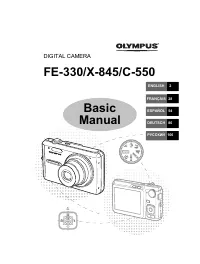 Olympus C-550
User Manual
Olympus C-550
User Manual
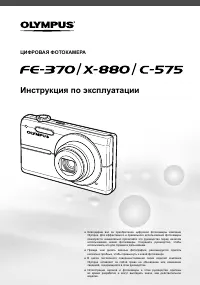 Olympus C-575
Manual
Olympus C-575
Manual
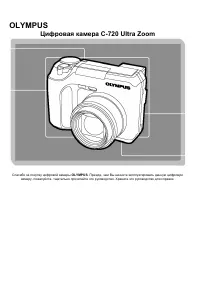 Olympus C-720 Ultra Zoom
User Manual
Olympus C-720 Ultra Zoom
User Manual
 Olympus D-380
Manual
Olympus D-380
Manual
 Olympus D-520 Zoom
Manual
Olympus D-520 Zoom
Manual
 Olympus E-3
User Manual
Olympus E-3
User Manual
 Olympus E-30
User Manual
Olympus E-30
User Manual
 Olympus E-330
User Manual
Olympus E-330
User Manual
 Olympus E-400
User Manual
Olympus E-400
User Manual
 Olympus E-410
User Manual
Olympus E-410
User Manual
 Olympus E-5
User Manual
Olympus E-5
User Manual
 Olympus E-500
User Manual
Olympus E-500
User Manual