Page 2 - ENGLISH; For customers in Europe; trademarks of their respective owners.; For customers in North and South America; Trade Name; For customers in Canada
2 ENGLISH For customers in Europe “CE” mark indicates that this product complies with the Europeanr e q u i r e m e n t s f o r s a f e t y, h e a l t h , e n v i r o n m e n t a n d c u s t o m e rprotection. “CE” mark cameras are intended for sales in Europe. Trademarks • I B M i s a r e g i s t e...
Page 3 - CONTENTS
CONTENTS/TABLE DES MATIÉ/INHALT/CONTENIDO ENGLISH ..............................................................................2FRANÇAIS ........................................................................46DEUTSCH ..........................................................................90ESPA...
Page 4 - NAMES OF PARTS; Camera
4 NAMES OF PARTS Camera ENGLISH Self-timer lamp Diopter adjustment dial Zoom lever (T/W)Index display/Close-up playback lever ( / ) Shutter button Control panel Flash Card cover Strap eyelet Lens Connector cover USB connector DC-IN jack
Page 5 - Viewfinder; ÑñÉí; Battery compartment lock
5 ENGLISH AE lock button (AEL)Custom button ( ) Protect button ( ) Erase button ( ) Flash mode button ( ) Macro/Spot button ( ) Print button ( ) Mode dial (S-Prg, A/S/M/ , P, OFF, ) Viewfinder Monitor OK/Menu button Manual focus button( ) Monitor button( ) Card access lamp Arrow pad ( ÑñÉí ) Battery...
Page 6 - Viewfinder indications; Orange lamp; Blinks when there is a problem with the SmartMedia card.; AF target mark; Place this on the subject in order to focus on it.
6 NAMES OF PARTS Viewfinder indications ENGLISH 1 Orange lamp ● In some situations, this lamp lights up when you press the shutter buttonhalfway. This indicates that the flash will fire when the picture is taken. ● Lights when you start movie recording and remains lit while movierecording is in prog...
Page 7 - Control panel indications
7 Control panel indications ENGLISH 1 Flash mode ● Displayed when the flash mode is selected by pressing the (flash mode) button.No indication: Auto-flash, : Red-eye reduction flash, : Fill-in flash, SLOW : Slow synchronization flash, : Off (flash override) 2 Manual Focus ● Displayed when locking fo...
Page 9 - Monitor indications — Shooting information; Shooting mode; Displays the shooting mode.; Aperture value; Displays the current aperture value.; Shutter speed; Displays the current shutter speed.; Exposure compensation; Displays the current exposure (brightness) compensation value.; Exposure lock; AEL
9 Monitor indications — Shooting information ENGLISH The indications vary depending on the shooting mode. The information below is displayedfor about 3 seconds after operatingthe buttons/mode dial or closing themenus. The information below is alwaysdisplayed in the shooting mode. * These illustratio...
Page 10 - Manual Focus; Displayed when locking focus using the Manual focus function.; Number of storable still pictures; Displays the number of still pictures you can shoot.; Memory gauge
10 NAMES OF PARTS Monitor indications — Shooting information (Cont.) ENGLISH MEMO : AE memory ● The exposure is locked and retained in memory even after shooting.This indicator is displayed until the AE memory is turned off. 6 AF target mark ● Place this on the subject in order to focus on it. 7 Rec...
Page 11 - Drive mode
11 ENGLISH ! Drive mode ● Displayed when the drive mode is set on the menus. : S i n g l e - f r a m e s h o o t i n g , : S e q u e n t i a l s h o o t i n g , : A F Sequential shooting, : Self-timer shooting, BKT : Auto-bracket @ Spot metering/Macro mode ● Displayed when the Spot metering/Macro mo...
Page 12 - Monitor indications — Playback information; Still picture playback information; HQ
12 ENGLISH NAMES OF PARTS Monitor indications — Playback information INFO setting on the Menu allows you to select how much information todisplay on the menu. Still picture playback information 1 Battery check ● T h e b a t t e r y c h e c k i n d i c a t i o nchanges as follows: ● B e a w a r e t h...
Page 13 - Movie playback information
13 ENGLISH Movie playback information ● The indications that appear on a movie picture that has been selected anddisplayed from the thumbnail display are different from those that appearwhen the movie picture is displayed using the movie play function. 1 Battery check 2 Movie mark 3 Protect ● Displa...
Page 14 - HOW TO USE THIS MANUAL; In the top menu, select MODE MENU
14 ENGLISH HOW TO USE THIS MANUAL The instructions in this manual use a series of numbers for each operatingprocedure and button/dial illustration. Follow these numbers in order whenoperating the camera. If a button is shown in black, press it as part of the step. Set the mode dial to the position s...
Page 15 - GETTING STARTED; Load the batteries as shown below:; Loading the batteries
15 ENGLISH GETTING STARTED Load the batteries as shown below: 1 2 4 3 5 When using CR-V3(Olympus LB-01)lithium battery packs When using AA (R6)batteries 6 7 8 Using the AC power adapter (optional) Use an AC adapter designed for the area where the camera is used. Consultyour nearest Olympus dealer or...
Page 16 - Ejecting the card; Inserting/ejecting the SmartMedia card
16 ENGLISH Insert the card fully with the contact areafacing towards the monitor side (back ofthe camera). Push the card down firmly,being careful not to bend it. The card willlock into position and not pop back upwhen properly inserted. ● Note the orientation of the card. If it isi n s e r t e d i ...
Page 17 - Ññ; The screen; MODE MENU
17 ENGLISH 4 Press ñ to select SETUP, then press í . ● The items in the SETUP menuappear. 5 Press Ññ to select , then press í . ● The screen appears. 1 Press the tabs on the lens cap to remove it. 2 Set the mode dial to S-Prg, P, A/S/M/ or . ● The camera turns on. ● The lens does not extend when the...
Page 19 - Adjusting the diopter; SHOOTING BASICS; Shooting mode setting — Mode dial
19 ENGLISH Turn the diopter adjustment dial until you see the AF target mark clearly. Viewfinder AF target mark Diopter adjustment dial Adjusting the diopter SHOOTING BASICS Shooting mode setting — Mode dial Scene program shooting Allows you to shoot pictures by simply selecting an appropriate shoot...
Page 20 - Using the menus; Shortcut menu; and the other menus (; shortcut menus
20 ENGLISH Using the menus Shortcut menu Shortcut menus are the menus otherthan MODE MENU on the top menu.T h e s e c a n b e r e p l a c e d w i t h y o u rfavorite items, but only when the moded i a l i s s e t t o P o r A / S / M / . J u s t p r e s s i n g t h e a r r o w p a d b u t t o n sacco...
Page 21 - Mode menu; ISO
21 ENGLISH DRIVE WB MODE MENU P mode top menu Mode menu MODE MENU (displayed on the top menu)contains all the functions that are availableand is divided into four tabs: CAMERA,PICTURE, CARD, and SETUP. These canbe selected with the tabs on the left of thescreen by using Ññ , as shown below. PICTURE ...
Page 22 - Example of How to Set a Function
22 ENGLISH SHOOTING BASICS (Cont.) Example of How to Set a Function Follow the steps below to set one function in MODE MENU. In this example,you will set (beep sound) to OFF when the mode dial is set to P. 1 Set the mode dial to P and press to display the top menu. DRIVE WB MODE MENU 2 P r e s s í t...
Page 24 - PICTURE (not available in the
24 ENGLISH SHOOTING BASICS (Cont.) Display PANORAMA FUNCTION Function Makes a panoramic image. Renders special effect photos. Setting — OFF,BLACK&WHITE,SEPIA, WHITE BOARD,BLACK BOARD Display WB SHARPNESS CONTRAST Function Sets the record mode. Adjusts the white balance according tothe light sour...
Page 27 - Aperture setting — Aperture priority shooting; To set the shutter speed faster, press
27 ENGLISH Aperture setting — Aperture priority shooting 1 In the top menu, select MODE MENU T CAMERA T A/S/M/ T A, then press to complete the setting. To start shooting, press again. 2 To i n c r e a s e t h eaperture value (Fvalue), press Ñ . To decrease the aperturevalue (F value), press ñ . Shut...
Page 28 - Taking still pictures
28 ENGLISH SHOOTING BASICS (Cont.) Taking still pictures To focus on the subject, press the shutterbutton halfway, slowly and gently. ● When the subject is in focus, the green lamp lightsup. To start shooting, press the shutter button gently all the way(fully). ● The green lamp and card access lamp ...
Page 29 - Recording movies; Press
29 ENGLISH Recording movies Remove the lens cap and setthe mode dial to S-Prg. 1 Press to display Menu. 2 Press Ñ to select S-Prg. Press ñ repeatedly to select Movie. 3 DIGITAL ZOOM S-Prg MODE MENU CANCEL SELECT SELECT GO GO S-pr S-prg 4 Press . 5
Page 31 - How to shoot using the monitor; Press the; Focus lock; Press the shutter button completely to take the shot.
To zoom in on a subject, press the zoomlever towards T. To shoot a wider picture,press the zoom lever towards W. Telephoto/Wide-angle shooting is possibleat up to 3x magnification (equivalent to 32m m – 9 6 m m o n a 3 5 m m c a m e r a ) . B yc o m b i n i n g t h e d i g i t a l z o o m w i t h t ...
Page 32 - Manual focus; Using the flash
32 ENGLISH SHOOTING BASICS (Cont.) Manual focus If Auto focus is unable to lock, use manual focus. 1 Hold down for more than 1 second. When the focus distance selection screen appears on the monitor,press í to select MF. 2 Press Ññ to select the focus distance. 3 Hold down for more than 1 second to ...
Page 33 - ADVANCED SHOOTING
33 ENGLISH ADVANCED SHOOTING Drive mode Single-frame shooting : Shoots 1 frame at a time when the shutter button is pressed all the way. (normal shooting) Sequential shooting : Shoots pictures sequentially. Focus, exposure and white balance are locked at the first frame. AF Sequential shooting : Sho...
Page 34 - Macro mode shooting; Exposure Compensation
34 ENGLISH Macro mode shooting Allows you to shoot close to the subject (no closer than 0.2 m (8 inches)) sothat you can fill the entire frame with your subject while the zoom lever ispressed to the maximum W position.When your target subject is at the center of the frame, macro mode shootingwith th...
Page 35 - Viewing still pictures; P i c t u r e s i n d i c a t e d b y; PLAYBACK
Viewing still pictures D i s p l a y t h e d e s i r e d p i c t u r e susing the arrow pad. ● P i c t u r e s i n d i c a t e d b y a r e movie frames. 2 Jumps to the picture 10 frames behind. Displays the next picture. Displays the previous picture. Jumps to the picture 10 frames ahead. Set the mo...
Page 36 - Playing back movies
36 ENGLISH PLAYBACK (Cont.) Playing back movies To return to the shootingm o d e , p r e s s t h e s h u t t e rbutton halfway. ● The monitor turns off. Shootpictures using the viewfinder. 4 Press Ñ on the arrow pad to select MOVIE PLAY. ● T h e c a r d a c c e s s l a m p b l i n k swhile movie dat...
Page 37 - Protect
37 ENGLISH Protect (Protecting Images Against Accidental Erasure) 1 Display the picture you want to protect by using the arrow pad. 2 Press . The picture is now protected. ● To cancel protection, press again. Single-Frame Erase 1 Select a picture you wish to erase by using the arrow pad. ● If the pi...
Page 38 - Single-frame print reserve; All-frame print reserve; PRINT SETTINGS
38 ENGLISH Selected images can be reserved in a card for printing on a printer or at aphoto lab that supports the DPOF (Digital Print Order Format) system. ● Print reserve cannot be performed for a picture displayed with . Single-frame print reserve Press . The PRINT ORDER screen is displayed. Press...
Page 39 - TRANSFERRING PICTURES TO A COMPUTER; Note
Confirming the computer recognizes the camera Disconnecting the cable Windows 98/98SE Transferring images to a computer -Downloading Mac OS 9.0 - 9.1 Windows 2000 Professional/Me Install the USB driver as instructed in the provided “Software Installation Guide”. Connecting USB cable 39 ENGLISH TRANS...
Page 40 - Saving directly from a SmartMedia removal memory card; Computer operating; Floppy disk adapter
40 ENGLISH Saving directly from a SmartMedia removal memory card Card adapters enable you to save images on your personal computer withouthaving to connect your camera directly to your computer.For the latest information on available adapters, consult our CustomerSupport Center or your local Olympus...
Page 41 - OPTIONAL ACCESSORIES
41 ENGLISH OPTIONAL ACCESSORIES Camera case Photo printers for Olympus digital cameras (P-330N, P-200, P-400) AC adapter Standard SmartMedia card (8/16/32/64/128MB) Floppy disk adapter PC card adapter USB SmartMedia Reader/Writer NiMH battery NiMH battery charger Visit the Olympus home page for the ...
Page 42 - ERROR CODES; Empty screen
42 ENGLISH ERROR CODES If there is a problem with your camera, a blinking error code will appear. Possible causes A SmartMediacard is notinserted, or itcannot berecognized. No morepictures canbe taken. Writing to thecard isprohibited. Cannotrecord, playback or erasepictures in thiscard. The recorded...
Page 44 - SPECIFICATIONS; Digital camera (for shooting and displaying)
44 ENGLISH SPECIFICATIONS Product type Digital camera (for shooting and displaying) Recording System Still Digital recording, JPEG (in accordance withDesign rule for Camera File system (DCF)), TIFF(non-compression), Digital Print Order Format(DPOF) Movie QuickTime Motion JPEG support Memory 3V (3.3V...
Page 46 - FRANÇAIS; Pour les utilisateurs en Europe; Nom de marque; Pour les utilisateurs au Canada
Nous vous remercions de la confiance témoignée à Olympus par l'achat decet appareil photo numérique. De manière à garantir un fonctionnementoptimal et une haute longévité, nous vous prions de lire attentivement lemode d'emploi avant d'utiliser votre nouvel appareil pour la première fois.Conservez-le...
Page 47 - TABLE DES MATIÈRES
47 FRANÇAIS NOMENCLATURE DES PIÈCES 48 UTILISATION DE CE MANUEL 58 PRÉPARATIFS 59 PRISE DE VUES DE BASE 63 PRISE DE VUES ÉLABORÉE 77 AFFICHAGE 79 RÉGLAGES D’IMPRESSION 82 TRANSFERT D’IMAGES VERS UN ORDINATEUR 83 ACCESSOIRES EN OPTION 85 CODES D’ERREUR 86 FICHE TECHNIQUE 88 TABLE DES MATIÈRES Ces ins...
Page 48 - NOMENCLATURE DES PIÈCES; Appareil photo
48 NOMENCLATURE DES PIÈCES Appareil photo FRANÇAIS Voyant de retardateur Molette de réglage dioptrique Levier de zoom (T/W) Levier d’affichaged’index/affichage gros plan( / ) Déclencheur Écran de commande Flash Couvercle du logementde carte Oeillet decourroie Objectif Couvercle de connecteur Connect...
Page 50 - Indications dans le viseur; Voyant orange; Clignote lorsqu’il y a un problème avec la carte.; Repères de mise au point automatique; Les placer sur le sujet pour le mettre au point.
50 NOMENCLATURE DES PIÈCES Indications dans le viseur FRANÇAIS 1 2 3 1 Voyant orange ● Dans certaines situations, ce voyant s’allume quand vous appuyez surl e d é c l e n c h e u r j u s q u ’ à m i - c o u r s e . C e c i i n d i q u e q u e l e f l a s h s edéclenchera lorsque la vue est prise. ● ...
Page 51 - Indications de l’écran de commande
51 Indications de l’écran de commande FRANÇAIS 1 3 4 2 0!@# $ % ^ 5 6789 1 Mode Flash ● Affiché lorsque le mode de flash est sélectionné en appuyant sur latouche (mode de flash). Pas d’indication: Flash automatique, : Flash atténuant l’effet “yeux rouges”, : Flash d’appoint, SLOW : Flash synchronisé...
Page 52 - Indications de l’écran de commande (Suite)
52 NOMENCLATURE DES PIÈCES Indications de l’écran de commande (Suite) FRANÇAIS 7 ISO ● Affiché lorsque la sensibilité ISO est réglée sur n’importe quel modesauf AUTO. 8 Compensation d’exposition ● Affichée lorsque la compensation d’exposition est réglée sur une valeurautre que 0. 9 Fourchette automa...
Page 53 - Indications sur l’écran ACL — Informations de prise de vues; Affiche le mode de prise de vues.
53 Indications sur l’écran ACL — Informations de prise de vues FRANÇAIS Les indications varient en fonction du mode de prise de vues. L e s i n f o r m a t i o n s c i - d e s s o u s s o n taffichées pendant 3 secondes environaprès opération sur les touches/moletteMode ou fermeture des menus. Les i...
Page 54 - Indications sur l’écran ACL — Informations de prise de vues (Suite); Mise au point manuelle; Affiche le nombre de vues fixes que vous pouvez prendre.; mode Cinéma seulement)
54 NOMENCLATURE DES PIÈCES Indications sur l’écran ACL — Informations de prise de vues (Suite) FRANÇAIS HQMF AEL MEMO : Mémoire AE ● L’exposition est mémorisée et conservée en mémoire même après laprise de vues.Cet indicateur est affiché jusqu’à ce que la mémoire AE soit annulée. 6 Repères de mise a...
Page 55 - Mode Drive; Affiché lorsque le mode Drive est réglé dans les menus.; Mode mesure ponctuelle/gros plan; blancs manuelle; Sensibilité ISO; : Flash atténuant l’effet “yeux
55 FRANÇAIS ! Mode Drive ● Affiché lorsque le mode Drive est réglé dans les menus. : Prise d’une seule vue, : Prise de vues en série, : Prise de vues en série AF, : Prise de vue avec retardateur, BKT : Fourchette automatique @ Mode mesure ponctuelle/gros plan ● Affiché lorsque le mode mesure ponctue...
Page 56 - Information d’affichage d’images fixes; Indications sur l’écran ACL — Informations d’affichage
FRANÇAIS 56 Indications sur l’écran ACL — Informations d’affichage L e r é g l a g e I N F O d a n s l e m e n u v o u s p e r m e t d e c h o i s i r l a q u a n t i t éd’information à afficher dans le menu. Information d’affichage d’images fixes 1 Contrôle des piles ● L’ i n d i c a t i o n d e c ...
Page 57 - Information d’affichage de films
57 FRANÇAIS Information d’affichage de films ● L e s i n d i c a t i o n s q u i a p p a r a i s s e n t s u r u n e i m a g e c i n é m a q u i a é t ésélectionnée et affichée à partir de l’affichage d’index sont différentes decelles qui apparaissent quand l’image cinéma est affichée en utilisant l...
Page 58 - UTILISATION DE CE MANUEL; Si une touche est montrée en noir, la presser.; Dans le menu principal, sélectionnez MODE MENU; ou
58 FRANÇAIS UTILISATION DE CE MANUEL Si une touche est montrée en noir, la presser. Régler la molette Mode sur la position montrée dansl’illustration. Dans cet exemple, vous devez la régler sur P. Signifie: “Appuyer sur cette touche”. Ñ , ñ , É et í utilisés dans les instructions correspondent aux t...
Page 59 - PRÉPARATIFS; Mettre les piles comme montré ci-dessous:; Mise en place des piles
59 FRANÇAIS PRÉPARATIFS Mettre les piles comme montré ci-dessous: 1 2 4 3 Utilisation de l’adaptateur secteur (Option) Utiliser un adaptateur secteur conçu pour la région où l'appareil est utilisé.Consulter le revendeur Olympus le plus proche ou un centre de service pourdes détails. Mise en place de...
Page 60 - Éjection de la carte; Introduction/éjection de la carte SmartMedia; Ouvrir le couvercle de logement de carte.
60 FRANÇAIS Introduire complètement la carte dans lazone de contact tournée vers le côté del’écran ACL (arrière de l’appareil). Appuyerfermement sur la carte, en prenant gardede ne pas la plier. Elle se verrouillera enplace et ne resaillira pas vers le haut sielle est insérée correctement. ● F a i r...
Page 61 - Ñ ñ; Mise en marche/coupure de l’alimentation; L’appareil est mis en marche.
61 FRANÇAIS 4 A p p u y e r s u r ñ p o u r s é l e c t i o n n e r S E T U P, p u i sappuyer sur í . ● L e s p o s t e s d u m e n u S E T U Papparaissent. 5 A p p u y e r s u r Ñ ñ p o u r sélectionner , puis appuyer sur í . ● L’écran apparaît. 1 Mise en marche/coupure de l’alimentation Réglage de...
Page 63 - Réglage dioptrique; PRISE DE VUES DE BASE; Réglage du mode de prise de vues — Molette Mode
63 FRANÇAIS Réglage dioptrique PRISE DE VUES DE BASE Réglage du mode de prise de vues — Molette Mode Prise de programme de scènes Permet de prendre des images en sélectionnant simplement le mode de prisede vue adapté parmi les 5 modes de prise de vue préréglés ( Portrait, S p o r t s , P a y s s a g...
Page 64 - et les autres; menus raccourcis; Utilisation des menus; . S i m p l e m e n t e n
64 FRANÇAIS En affichant des menus, le premier menu qui apparaît sur l'écran ACL estappelé le menu principal. Le contenu de ce menu change en fonction de laposition de la molette Mode (voir le schéma ci-dessous). Sur le menuprincipal, deux types de menus sont disponibles: MODE MENU et les autres men...
Page 66 - Exemple de réglage d’une fonction
66 FRANÇAIS Exemple de réglage d’une fonction Suivre les étapes ci-dessous pour régler une fonction dans MODE MENU.Dans cet exemple, vous allez régler (signaux sonores) sur OFF lorsque la molette Mode est réglée sur P. 1 Régler la molette Mode sur P etappuyer sur pour afficher le menuprincipal. DRIV...
Page 68 - PICTURE (pas disponible dans les modes Cinéma )
68 FRANÇAIS Affichage PANORAMA FUNCTION Fonction Fait une image panoramique. Change la couleur de la vue. Réglage — OFF,BLACK&WHITE,SEPIA, WHITE BOARD,BLACK BOARD Affichage WB SHARPNESS CONTRAST Fonction Règle le mode d’enregistrement. Ajuste la balance des blancs enfonction de la source de lumi...
Page 72 - Prise de vues fixes
72 FRANÇAIS Prise de vues fixes Retirer le bouchon d’objectif et régler la molette Mode sur P. 1 Diriger l’appareil sur un sujet touten regardant dans le viseur. 2 P o u r f a i r e l a m i s e a u p o i n t s u r l e s u j e t ,a p p u y e r l e n t e m e n t e t d o u c e m e n t s u r l edéclench...
Page 73 - Enregistrement de films
73 FRANÇAIS Enregistrement de films Retirer le bouchon d’objectif etrégler la molette Mode sur S-Prg. 1 A p p u y e r s u r p o u r afficher Menu. 2 Appuyer sur Ñ pour sélectionner S-Prg. A p p u y e r p l u s i e u r s f o i s s u r ñ pour sélectionner Cinéma. 3 DIGITAL ZOOM S-Prg MODE MENU CANCEL ...
Page 75 - Mémorisation de la mise au point
75 FRANÇAIS P o u r f a i r e u n z o o m a v a n t s u r u n s u j e t ,appuyer sur le levier de zoom vers T. Pourprendre une vue plus large, appuyer sur lelevier de zoom vers W. La prise de vues téléobjectif/grand angleest possible jusqu’à un grossissement 3x( é q u i v a l e n t à 3 2 m m – 9 6 m...
Page 76 - Utilisation du flash; Le flash se déclenche quelle que soit la lumière disponible.
76 PRISE DE VUES DE BASE (Suite) FRANÇAIS Mise au point manuelle Si la mise au point automatique n’est pas en mesure de faire la mise au point,utiliser la mise au point manuelle. 1 Maintenir pressée pendant plus d’une seconde. Lorsque l’écran de sélection de la distance de mise au point apparaîtsur ...
Page 77 - PRISE DE VUES ÉLABORÉE
PRISE DE VUES ÉLABORÉE Mode Drive Prise d’une seule vue : Prend une vue à la fois lorsque le déclencheur est pressé complètement. (prise de vue normale) Prise de vues en série : Prend des vues en série. La mise au point, l’exposition et la balance des blancs sont mémorisées pour la première vue. Pri...
Page 78 - Réglage de mode gros plan; Appuyer plusieurs fois sur la touche; Compensation d’exposition
78 PRISE DE VUES ÉLABORÉE (Suite) FRANÇAIS Réglage de mode gros plan Vous permet de prendre le sujet en s’y rapprochant (jusqu’à 20 cm) pourpouvoir remplir la vue entière avec le sujet alors que le levier de zoom estpressé sur la position W maximum.Quand le sujet cible est au centre du cadre, la pri...
Page 79 - AFFICHAGE; Visualisation de vues fixes; Les vues marquées par
79 FRANÇAIS AFFICHAGE Visualisation de vues fixes Afficher les vues désirées enu t i l i s a n t l a m o l e t t e d edéfilement. ● Les vues marquées par sont des vues cinéma. 2 Saute à la vue 10 images en arrière. Affiche la vue suivante. Affiche la vue précédente. Saute à la vue 10 images en avant...
Page 80 - Afficharge de films; En appuyant à nouveau sur
80 FRANÇAIS AFFICHAGE (Suite) Afficharge de films P o u r r e v e n i r a u m o d e d eprise de vues, appuyer sur led é c l e n c h e u r j u s q u ’ à m i -course. ● L’écran ACL s’éteint. Prendred e s v u e s e n u t i l i s a n t l eviseur. 4 Appuyer sur Ñ de la molette d e d é f i l e m e n t p o...
Page 81 - Protection
81 FRANÇAIS Protection (Protection des images contre un effacement accidentel) 1 Afficher la vue que vous voulez protéger en utilisant la molette dedéfilement. 2 Appuyer sur . La vue est alors protégée. ● Pour annuler la protection, appuyer de nouveau sur . Effacement d’une seule vue 1 Sélectionner ...
Page 82 - RÉGLAGES D’IMPRESSION; Réservation d’impression d’une seule image; Réservation d’impression de toutes les images
82 FRANÇAIS RÉGLAGES D’IMPRESSION D e s i m a g e s s é l e c t i o n n é e s p e u v e n t ê t r e r é s e r v é e s s u r u n e c a r t e p o u rl’impression sur une imprimante ou dans un laboratoire photo qui supporte lesystème DPOF (Digital Print Order Format). ● La réservation d’impression ne p...
Page 83 - TRANSFERT D’IMAGES VERS UN ORDINATEUR; Remarque
83 FRANÇAIS TRANSFERT D’IMAGES VERS UN ORDINATEUR La façon d’effectuer le raccordement à un ordinateur par un câble USBd é p e n d d u s y s t è m e d ’ e x p l o i t a t i o n s o u s l e q u e l l ’ o r d i n a t e u r f o n c t i o n n e .Consulter le fabricant de l’ordinateur pour des détails su...
Page 84 - Environnement de; Adaptateur de disquette; TRANSFERT D’IMAGES VERS UN ORDINATEUR (Suite)
84 FRANÇAIS Sauvegarde directement à partir d’une carte mémoire amovibleSmartMedia Des adaptateurs de carte vous permettent de sauvegarder des images sur unordinateur personnel sans avoir à raccorder votre appareil photo directementà l’ordinateur.Pour les informations les plus récentes disponibles s...
Page 85 - ACCESSOIRES EN OPTION
FRANÇAIS 85 ACCESSOIRES EN OPTION Étui souple d’appareil Imprimantes photo pour appareils photo numériques Olympus Adaptateur secteur Carte SmartMedia standard (8/16/32/64/128 Mo) Adaptateur de disquette Adaptateur de carte PC Unité de lecture/écriture SmartMedia USB Batteries NiMH Chargeur de batte...
Page 86 - CODES D’ERREUR; Écran vierge
86 FRANÇAIS CODES D’ERREUR S’il y a un problème avec l’appareil, un code d’erreur clignotant apparaîtra. Causes possibles Une carteSmartMedia n’estpas insérée, ouelle ne peut êtrereconnue. Aucune vuesupplémentairene peut êtreprise. L’écriture surla carte estinterdite. Impossibled’enregistrer,de lire...
Page 88 - FICHE TECHNIQUE; Support QuickTime Motion JPEG
88 FRANÇAIS FICHE TECHNIQUE Type d’appareil Appareil photo numérique (prise de vues etaffichage) Système d’enregistrement Photo Enregistrement numérique, JPEG(conformément au système DCF (Design rule forCamera File)), TIFF (sans compression), supportpour système Digital Print Order Format (DPOF)) Ci...
Page 90 - DEUTSCH; Warenzeichen; Warenzeichen/Warenzeichen der Warenzeicheninhaber.; Für Nord- und Südamerika; Markenname
90 DEUTSCH Wir bedanken uns für den Kauf einer Olympus DigitalKamera. Bitte lesen Siediese Anleitung vor der Ingebrauchnahme sorgfältig, um die sachgemäße undsichere Handhabung zu gewährleisten. Bewahren Sie diese Anleitung bittezur späteren Bezugnahme auf. Für Europa: D a s „ C E “ - Z e i c h e n ...
Page 91 - INHALT
91 DEUTSCH BESCHREIBUNG DER TEILE 92 SO VERWENDEN SIE DIESES HANDBUCH 102 VORBEREITUNG 103 GRUNDSÄTZLICHE AUFNAHMEFUNKTIONEN 107 WEITERE AUFNAHMEFUNKTIONEN 121 WIEDERGABE 123 DRUCKBEZOGENE EINSTELLUNGEN 126 BILDÜBERTRAGUNG AUF EINEN PERSONAL COMPUTER 127SONDERZUBEHÖR 129 FEHLERMELDUNGEN 130 TECHNISC...
Page 92 - BESCHREIBUNG DER TEILE; Kamera
92 BESCHREIBUNG DER TEILE Kamera DEUTSCH Selbstauslöser-LED Dioptrienregler Zoomregler (T/W)Wahlschalter fürIndexwiedergabe/Ausschnittsvergrößerung( / ) Auslöser LCD-Feld Blitz Kartenfachabdeckung Riemenöse Objektiv Buchsenabdeckung USB-Buchse Gleichspannungseingang
Page 93 - Sucher; Éí; Batteriefachriegel
93 DEUTSCH AE-Speichertaste (AEL)Frei belegbare Taste ( ) Schreibschutztaste ( ) Löschtaste ( ) Blitztaste ( ) Nahaufnahmetaste/Spotmesstaste ( ) Drucktaste ( ) Programmwählscheibe (S-Prg, A/S/M , P, OFF, ) Sucher LCD-Monitor OK/Menü-TasteMF-Taste ( ) LCD-Monitor-Taste ( ) Schreibanzeige Pfeiltasten...
Page 94 - Sucheranzeigen; Orangefarbene Sucher-LED; Blinkt, wenn eine Kartenstörung vorliegt.
94 BESCHREIBUNG DER TEILE Sucheranzeigen DEUTSCH 1 2 3 1 Orangefarbene Sucher-LED ● Kann aufleuchten, wenn der Auslöser leicht angetippt wird. In einems o l c h e n F a l l e r f o l g t d i e A u f n a h m e m i t B l i t z , s o b a l d d e r A u s l ö s e rvollständig gedrückt wird. ● Leuchtet wä...
Page 97 - LCD-Monitor-Anzeigen — Aufnahmebezogene Anzeigen
97 LCD-Monitor-Anzeigen — Aufnahmebezogene Anzeigen DEUTSCH Die Anzeigen erfolgen in Abhängigkeit vom Kamera-Aufnahmemodus. D i e n a c h s t e h e n d e n A n z e i g e nerscheinen für jeweils ca. 3 S e k u n d e n n a c h D u r c h f ü h r u n geiner Einstellung mittels einer Taste,d e r P r o g r...
Page 98 - Zur Scharfstelling auf das Motiv ausrichten.; Manuelle Scharfstellung
98 BESCHREIBUNG DER TEILE LCD-Monitor-Anzeigen — Aufnahmebezogene Anzeigen (Forts.) DEUTSCH MEMO : AE MEMORY ● Die Belichtung wird gespeichert und auch nach der Aufnahme beibehalten.Diese Anzeige erscheint, bis der AE Memory-Modus deaktiviert wird. 6 AF-Markierung ● Zur Scharfstelling auf das Motiv ...
Page 99 - Auslösermodus; Spotmessung/Nahaufnahmemodus
99 DEUTSCH ! Auslösermodus ● Erscheint, wenn mittels Menü ein Auslösermodus gewählt wurde. : Einzelbildaufnahme, : Serienaufnahme, : AF-Serienaufnahme, : Selbstauslöseraufnahme, BKT : automatische Belichtungsreihen @ Spotmessung/Nahaufnahmemodus ● Erscheint, wenn mit der Taste (Spotmessung/Nahaufnah...
Page 100 - LCD-Monitor-Anzeigen — Wiedergabebezogene; Einzelbild-Wiedergabeinformationen
100 BESCHREIBUNG DER TEILE LCD-Monitor-Anzeigen — Wiedergabebezogene DEUTSCH Der Umfang der Menüanzeige kann im INFO-Menü eingestellt werden. Einzelbild-Wiedergabeinformationen 1 Batterieladezustand ● D i e L a d e z u s t a n d s a n z e i g ewechselt wie folgt: ● Die Dauer bis zum Erscheinender Ba...
Page 101 - Movie-Wiedergabeinformationen
101 DEUTSCH Movie-Wiedergabeinformationen ● D i e A n z e i g e n f ü r e i n M o v i e - B i l d , d a s u n t e r B e z u g n a h m e a u f d i eIndexbildanzeige gewählt und gezeigt wird, sind nicht die gleichen, wenndas Movie-Bild im Movie-Wiedergabemodus gezeigt wird. 1 Batterieladezustand 2 Mov...
Page 102 - SO VERWENDEN SIE DIESES HANDBUCH; Die in diesem Handbuch verwendeten Symbole; Vom Hauptmenü ausgehend MODE MENU; oder
102 DEUTSCH SO VERWENDEN SIE DIESES HANDBUCH D i e R e i h e n f o l g e d e r B e d i e n s c h r i t t e i s t d u r c h N u m m e r n a n g a b e ngekennzeichnet. Beschreibungen werden durch die Abbildung der jeweilserforderlichen Bedienungselemente ergänzt. Führen Sie die Bedienungsschrittestets...
Page 103 - VORBEREITUNG; Die Batterien wie nachfolgend gozeigt oinlogen; Einlegen der Batterien
103 DEUTSCH VORBEREITUNG Die Batterien wie nachfolgend gozeigt oinlogen Verwendung des Netzteils (gesondert erhältlich) Achten Sie darauf, dass Sie ein für die jeweilige Region/das jeweilige Landgeeignetes Netzteil verwenden. Bei diesbezüglichen Fragen wenden Sie sichbitte an Ihren nächsten Olympus ...
Page 104 - Einlegen einer SmartMedia-Karte; Einlegen/Auswerfen einer SmartMedia-Karte; Die Kartenfachabdeckung öffnen.
104 DEUTSCH D i e K a r t e s o h a l t e n , d a s s d e rKontaktbereich in Richtung LCD-Monitor(Kamerarückseite) weist. Die Karte festa b e r o h n e G e w a l t a n w e n d u n geinschieben, ohne dass sie verbiegt. DieK a r t e i s t k o r r e k t e i n g e l e g t , w e n n s i eeinrastet und be...
Page 105 - Ein- und Ausschalten der Kamera; Das
105 DEUTSCH 1 Zum Abnehmen der Objektivkappe gleichzeitig die beiden Riegelnach innen drücken. 2 Die Programmwählscheibe auf S-Prg, P, A/S/M oder stellen. ● Hierdurch wird die Kamera eingeschaltet. ● Wird gewählt, wird das Objektiv nicht ausgefahren. 3 Die Programmwählscheibe auf OFF stellen. ● Die ...
Page 106 - das Datumsformat einstellen.; e i n g e b e n . N a c h d e r
106 DEUTSCH VORBEREITUNG (Forts.) 6 We n n g e w ä h l t w u r d e ( g r ü neingerahmt), mit den Pfeiltasten Ññ das Datumsformat einstellen. ● Die folgenden Datumsformate sind wählbar:D-M-Y (Tag/Monat/Jahr)M-D-Y (Monat/Tag/Jahr)Y-M-D (Jahr/Monat/Tag) ● In diesem Anwendungsbeispiel wird dasDatumsform...
Page 107 - Dioptrieneinstellung; GRUNDSÄTSLICHE AUFNAHMEFUNKTIONEN; Kameramoduswahl — Programmwählscheibe
107 Den Dioptrienausgleichsregler drehen, bis die Autofokus-Markierung scharf erkennbar ist. Dioptrieneinstellung DEUTSCH GRUNDSÄTSLICHE AUFNAHMEFUNKTIONEN Kameramoduswahl — Programmwählscheibe Aufnahmen im Szeneriprogramm-Modus In diesem Modus können auf unkomplizierte Weise Aufnahmen gemachtwerden...
Page 108 - So verwenden Sie die Menüs
108 DEUTSCH GRUNDSÄTSZICHE AUFNAHMEFUNKTIONEN (Forts.) So verwenden Sie die Menüs Frei wählbare Hauptmenüfunktionen (SHORT CUT-Menü) D i e M e n ü s d e s H a u p t m e n ü s , m i tAusnahme von MODE MENU, könnenbenutzerseitig ausgewechselt werden.I m K a m e r a m o d u s P o d e r A / S / M /könne...
Page 109 - wie
109 DEUTSCH DRIVE WB MODE MENU Hauptmenü im Kameramodus P MODE MENU Das MODE MENU (im Hauptmenü) enthälta l l e v e r f ü g b a r e n F u n k t i o n e n , d i e i n v i e rGruppen untergliedert und jeweils durche i n e n d e r f o l g e n d e n M e n ü a n z e i g e rgekennzeichnet sind: CAMERA, PI...
Page 110 - Einstellungsbeispiel für eine Funktion
110 GRUNDSÄTSZICHE AUFNAHMEFUNKTIONEN (Forts.) DEUTSCH Einstellungsbeispiel für eine Funktion Hier werden in einem Beispiel alle erforderlichen Bedienungsschritte einzeln aufgelistet,wenn das MODE MENU verwendet wird (in diesem Beispiel ist die Programmwählscheibeauf P gestellt und es soll die Warnt...
Page 112 - PICTURE (nicht für die Modi
112 GRUNDSÄTSZICHE AUFNAHMEFUNKTIONEN (Forts.) DEUTSCH Anzeige PANORAMA FUNCTION Funktion Die Aufnahme erfolgt imPanoramamodus. Dient der Variierung der Bildfarbe. Einstellung — OFF,BLACK&WHITE,SEPIA, WHITE BOARD,BLACK BOARD Anzeige WB SHARPNESS CONTRAST Funktion Dient der Wahl des Aufnahmemodus...
Page 116 - Einzelbildaufnahme
116 DEUTSCH GRUNDSÄTZLICHE AUFNAHMEFUNKTIONEN (Forts.) Einzelbildaufnahme Die Objektivkappe entfernen und dieProgrammwählscheibe auf P stellen. 1 Die Kamera mittels Sucher aufdas Motiv ausrichten. 2 Z u r S c h a r f s t e l l u n g a u f d a s M o t i v d e nAuslöser vorsichtig und ruckfrei halb na...
Page 117 - w i e d e r h o l t d r ü c k e n , u m
117 DEUTSCH D i e O b j e k t i v k a p p e e n t f e r n e nund die Programmwählscheibeauf S-Prg stellen. 1 drücken, um das Menü anzuzeigen. 2 Ñ drücken, um S-Prg anzuwählen. ñ w i e d e r h o l t d r ü c k e n , u m d e n M o v i e - M o d u s anzuwählen. 3 DIGITAL ZOOM S-Prg MODE MENU CANCEL SELE...
Page 119 - Schärfespeicher
119 DEUTSCH Z u m E i n z o o m e n d e n Z o o m r e g l e r i nRichtung T drücken. Zum Auszoomen denZoomregler in Richtung W drücken. Mit dem 3-fach-Zoom kann die Brennweites t u f e n l o s z w i s c h e n We i t w i n k e l u n dTelebereich variiert werden (dies entsprichteinem Zoombereich von 3...
Page 120 - Blitzprogrammwahl; Der Blitz wird ungeachtet der Lichtverhältnisse abgegeben.
120 GRUNDSÄTZLICHE AUFNAHMEFUNKTIONEN (Forts.) DEUTSCH Manuelle Scharfstellung Falls mit dem Autofokus nicht einwandfrei scharfgestellt werden kann, diemanuelle Scharfstellung verwenden. 1 Die Taste für mehr als 1 Sekunde gedrückt halten. Wenn die Entfernungsskala auf dem LCD-Monitor gezeigt wird, m...
Page 121 - WEITERE AUFNAHMEFUNKTIONEN
WEITERE AUFNAHMEFUNKTIONEN Auslösermodus Einzelbildaufnahme : Bei vollständigem Drücken des Auslösers wird ein Bild aufgenommen. Serienaufnahme : Es wird eine Bildfolge aufgenommen. Die für das erste Serienbild gespeicherten Einstellungen für Entfernung, Belichtung undWeißabgleich werden für alle we...
Page 122 - Nahaufnahmemodus; Die Taste; Belichtungskorrektur; drücken, um die hier gemessene Belichtung vorübergehend
122 DEUTSCH WEITERE AUFNAHMEFUNKTIONEN (Forts.) Nahaufnahmemodus Im Nahaufnahmemodus können Sie ein Motiv in einem Abstand bis zu 20 cmformatfüllend aufnehmen, wenn mit dem Zoomregler maximal ausgezoomtwurde.Wenn sich das bildwichtige Motiv in der Mitte der Rahmenanzeigen befindet,b r i n g t d e r ...
Page 123 - WIEDERGABE; Einzelbildwiedergabe
123 DEUTSCH WIEDERGABE Einzelbildwiedergabe Das gewünschte Bild kann mitd e n P f e i l t a s t e n a u f g e r u f e nwerden. ● M i t d e m S y m b o l g e k e n n z e i c h n e t e B i l d e r s i n dMovie-Bilder. 2 Wiedergabesprung um 10 Bilder rückwärts. Wiedergabe des nächstenBildes. Wiedergabe...
Page 124 - D a s m i t; Einzelbildwiedergabe“; Mit der Pfeiltaste
124 DEUTSCH Movie-Wiedergabe D a s m i t g e k e n n z e i c h n e t e M o v i e - B i l d d e r g e w ü n s c h t e n M o v i e - Aufnahme aufrufen. T Siehe Schritt 1 und 2 in „ Einzelbildwiedergabe“ . 1 Mit der Pfeiltaste Ñ MOVIE PLAY wählen. ● D i e S c h r e i b a n z e i g e b l i n k t , w ä h...
Page 125 - Schreibschutz
125 DEUTSCH Schreibschutz (Verhindert das unbeabsichtigte Löschen von gespeicherten Bildern) 1 Mit den Pfeiltasten das zu schützende Bild aufrufen. 2 Die Taste drücken. Damit ist das Bild schreibgeschützt. ● Soll der Schreibschutz annulliert werden, nochmals die Taste drücken. Löschung einzelner Bil...
Page 126 - Druckvorauswahl für ausgesuchte Bilder; Druckvorauswahl für alle Bilder; DRUCKBEZOGENE EINSTELLUNGEN
126 DEUTSCH Die Ausdrucke vorgemerkter Bilder können auch mit einem Druckgerät oderin einem Fotolabor, das mit Digital Print Order Format-Unterstützung (DPOF)arbeitet, angefertigt werden. ● Die Druckvorauswahl arbeitet nicht für mit gekennzeichnete Bilder. Druckvorauswahl für ausgesuchte Bilder drüc...
Page 127 - BILDÜBERTRAGUNG AUF EINEN PERSONAL COMPUTER
127 DEUTSCH BILDÜBERTRAGUNG AUF EINEN PERSONAL COMPUTER Die zum USB-Kabelanschluss erforderlichen Bedienungsschritte variieren inAbhängigkeit vom Betriebssystem des Personal Computers. Angaben zurUSB-Eignung des Personal Computers und Betriebssystems erhalten Siebeim Computer-Fachhändler oder -Herst...
Page 128 - voraussetzungen; Personal Computer mit; Erforderliches Zubehör; Diskettenadapter
128 DEUTSCH BILDÜBERTRAGUNG AUF EINEN PERSONAL COMPUTER (Forts.) Direkte Datenübertragung von der austauschbaren SmartMedia-Karte Mittels eines Kartenadapters können Bilddaten direkt (und ohne Anschlussder Kamera an den Personal Computer) von der Karte auf einen PersonalComputer übertragen werden.B ...
Page 129 - SONDERZUBEHÖR; Kameratasche
129 DEUTSCH SONDERZUBEHÖR Kameratasche Fotodrucker für Olympus DigitalKameras Netzteil Standard-SmartMedia-Karte (8/16/32/64/128 MB) Diskettenadapter PC-Kartenadapter USB-SmartMedia-Schreib-/Lesegerät NiMH-Batterie Ladegerät für NiMH-Batterie Besuchen Sie die Olympus Homepage, um aktuelle Informatio...
Page 130 - FEHLERMELDUNGEN; Mögliche
130 DEUTSCH FEHLERMELDUNGEN F a l l s e i n e K a m e r a - B e t r i e b s s t ö r u n g v o r l i e g t , e r s c h e i n t e i n e b l i n k e n d eFehlermeldung. Mögliche Ursache Keine oder einenicht identifi-zerbareSmartMedia-Karte eingelegt. Keine weitereAufnahmemöglich. Schreibge-schützteKart...
Page 131 - Keine Anzeigen
131 DEUTSCH Mögliche Ursache Die Aufnahmekann mit dieserKamera nichtwiedergegebenwerden. DieSmartMedia-Karte ist nichtformatiert. Die Karte istleer. Es kannkeineWiedergabeerfolgen. Die Karte istvoll und kannkeine weiterenDaten, einschl.Druckvoraus-wahldaten,speichern. DieKartenfach-abdeckung istnich...
Page 132 - TECHNISCHE DATEN; QuickTime Motion JPEG-Unterstützung
132 DEUTSCH TECHNISCHE DATEN Typ Digitalkamera (Bildaufzeichnung und -wiedergabe) Aufnahmesystem Fotobild Digitale Aufnahme, JPEG (mit DCF-Unterstützung (Design rule for Camera Filesystem)), TIFF (ohne Datenkompression), DPOF(Digital Print Order Format) Movie-Bild QuickTime Motion JPEG-Unterstützung...
Page 134 - Para usuarios en Europa; Marca; Para usuarios en Canadá
134 ESP AÑOL Le agradecemos la adquisición de la cámara digital Olympus. Antes de usarsu nueva cámara, lea detalladamente estas instrucciones para obtener lasp r e s t a c i o n e s ó p t i m a s y u n a v i d a d e s e r v i c i o m á s l a r g a d e l a u n i d a d .Conserve este manual en un luga...
Page 135 - CONTENIDOS
135 ESP AÑOL NOMBRES DE LAS PARTES 136 CÓMO USAR ESTE MANUAL 146 PREPARATIVOS 147 ELEMENTOS BÁSICOS DE UNA TOMA 151 TOMAS AVANZADAS 165 REPRODUCCIÓN 167 AJUSTES DE IMPRESIÓN 170 TRANSFERENCIA DE IMÁGENES A UN ORDENADOR 171 ACCESORIOS OPCIONALES 173 CÓDIGOS DE ERROR 174 ESPECIFICACIONES 176 Estas ins...
Page 136 - NOMBRES DE LAS PARTES; Cámara; ESP
136 NOMBRES DE LAS PARTES Cámara ESP AÑOL LED del disparadorautomático Disco de ajuste dióptrico Mando de zoom (T/W) Indicación de índice/mandode reproducción de primerplano ( / ) Botón del obturador Panel de control Flash Tapa de la tarjeta Enganchepara correa Objetivo Tapa del conector Conector US...
Page 137 - Botón de protección (
137 ESP AÑOL Botón de bloqueo de exposiciónautomática (AEL) Botón personalizado ( ) Botón de protección ( ) Botón de borrado ( ) Botón de modo de flash ( ) Botón de macro/puntos ( ) Botón de impresión ( ) Disco de modo (S-Prg, A/S/M/ , P, OFF, ) Visor Monitor Botón OK/Menú Botón de enfoquemanual ( )...
Page 138 - Indicaciones del visor; Lámpara naranja; Parpadea cuando hay un problema con la tarjeta.; Marca de objeto de enfoque automático (AF); Coloque esto en el sujeto para enfocarlo.
138 NOMBRES DE LAS PARTES Indicaciones del visor ESP AÑOL 1 2 3 1 Lámpara naranja ● En algunas situaciones, esta lámpara se enciende al presionar el botónde disparo del obturador hasta la mitad del recorrido. Esto indica que elflash disparará cuando se tome fotografía. ● Se enciende al comenzar a gr...
Page 139 - Indicaciones del panel de control
139 Indicaciones del panel de control ESP AÑOL 1 3 4 2 0!@# $ % ^ 5 6789 1 Modo de flash ● Aparece cuando el modo de flash es seleccionado a través de lapresión del botón (modo de flash). Sin indicación: Flash automático, : Flash de reducción de ojos rojos, : F l a s h d e r e l l e n o , S L O W : ...
Page 141 - Indicaciones del monitor — Información de la toma
141 Indicaciones del monitor — Información de la toma ESP AÑOL Las indicaciones varían de acuerdo con el modo de la toma. Después de operar los botones/d i s c o d e m o d o o d e c e r r a r l o smenús, la información de abajoaparece durante aprox. 3 segundos. La información de abajo aparecesiempre...
Page 142 - AF Marca del objeto de enfoque automático (AF); Enfoque manual; Muestra el número de imágenes fijas posibles de ser tomadas.; Segundos restantes (Sólo en el modo
142 NOMBRES DE LAS PARTES Indicaciones del monitor — Información de la toma (Cont.) ESP AÑOL El bloque de memoria cambia dependiendo del número de fotografíasalmacenables o de los segundos restantes. HQMF AEL MEMO : Memoria AE ● La exposición es bloqueada y retenida en la memoria aun después dela to...
Page 144 - Indicaciones del monitor — Información de la reproducción; Información de la reproducción de fotografías fijas
144 ESP AÑOL NOMBRES DE LAS PARTES Indicaciones del monitor — Información de la reproducción Información de la reproducción de fotografías fijas 1 Verificación de pilas ● La indicación de verificación depilas cambia como acontinuación: ● Tenga en cuenta que el tiemporestante varía dependiendo deltip...
Page 145 - Información de la reproducción de imágenes de vídeo
145 ESP AÑOL Información de la reproducción de imágenes de vídeo ● Las indicaciones que aparecen en la imagen de vídeo seleccionada ymostrada desde una indicación miniatura son diferentes de aquéllas queaparecen cuando la imagen de vídeo es mostrada empleando la función dereproducción de imágenes de...
Page 146 - CÓMO USAR ESTE MANUAL; Si un botón aparece en negro, presiónelo como parte del paso.; E n e l m e n ú p r i n c i p a l , s e l e c c i o n e M O D E M E N U
146 ESP AÑOL CÓMO USAR ESTE MANUAL Las instrucciones de este manual emplean una serie de números para cadaprocedimiento de operación e ilustración de botón/disco. Siga estos númerosen orden al operar la cámara. Si un botón aparece en negro, presiónelo como parte del paso. Ajuste el disco de modo en ...
Page 147 - PREPARATIVOS; Cargue las pilas como se muestra abajo:; Colocación de las pilas
147 ESP AÑOL PREPARATIVOS Cargue las pilas como se muestra abajo: Uso del adaptador de alimentación CA (opcional) Use un adaptador CA diseñado para el área donde la cámara será utilizada.Consulte con su distribuidor más cercano o el Centro de servicio paradetalles. Colocación de las pilas ● Las pila...
Page 148 - Expulsión de la tarjeta; Inserción/Expulsión de la tarjeta SmartMedia; Abra la tapa del compartimiento de tarjetas.
148 ESP AÑOL PREPARATIVOS (Cont.) Inserte completamente la tarjeta con elá r e a d e c o n t a c t o o r i e n t a d a h a c i a e lmonitor (parte trasera de la cámara).E m p u j e f i r m e m e n t e l a t a r j e t a h a c i aa b a j o , c u i d a n d o d e n o d o b l a r l a . U n atarjeta inser...
Page 149 - La pantalla; Encendido/apagado de la alimentación
149 ESP AÑOL 4 Presione ñ para seleccionar SETUP, luego presione í . ● Aparecen los ítems del menúSETUP. 5 Presione Ññ para seleccionar , luego presione í . ● La pantalla aparece. 1 Presione las lengüetas de la tapa del objetivo para retirarla. 2 Ajuste el disco de modo en S-Prg, P, A/S/M/ o . ● La ...
Page 150 - Presione; para ajustar el año. Cuando el año esté ajustado,
150 ESP AÑOL PREPARATIVOS (Cont.) 6 Cuando esté seleccionado enverde en la pantalla, presione Ññ para seleccionar el formato de lafecha. ● S e l e c c i o n e c u a l q u i e r a d e l o ssiguientes formatos:D-M-Y (Día/Mes/Año)M-D-Y (Mes/Día/Año)Y-M-D (Año/Mes/Día) ● Este y los siguientes pasos mues...
Page 151 - Ajuste de dioptría; ELEMENTOS BÁSICOS DE UNA TOMA; Ajuste del modo de toma — Disco de modo
151 ESP AÑOL Gire el disco de ajuste dióptrico hasta que vea la marca de objeto de enfoqueautomático claramente. Visor Marca de objeto de enfoque automático Disco de ajuste dióptrico Ajuste de dioptría ELEMENTOS BÁSICOS DE UNA TOMA Ajuste del modo de toma — Disco de modo Toma programada de escena L ...
Page 152 - Utilización de los menús; Menú de acceso directo; y otros; menús de acceso directo
152 ESP AÑOL ELEMENTOS BÁSICOS DE UNA TOMA (Cont.) Utilización de los menús Menú de acceso directo Los menús de acceso directo son losdemás menús del menú principal, quen o s e a n M O D E M E N U . E s t o s í t e m spueden ser reemplazados con sus ítemspreferidos, pero sólo cuando el disco demodo ...
Page 153 - Menú de modo
153 ESP AÑOL DRIVE WB MODE MENU Menú de modo M O D E M E N U ( m o s t r a d o e n e l m e n úprincipal) contiene todas las funciones quee s t á n d i s p o n i b l e s y e s t á d i v i d i d o e n 4lengüetas: CAMERA, PICTURE, CARD ySETUP. Estos pueden ser seleccionadosc o n l a s l e n g ü e t a s...
Page 154 - Ejemplo de cómo ajustar una función
154 ESP AÑOL ELEMENTOS BÁSICOS DE UNA TOMA (Cont.) Ejemplo de cómo ajustar una función Siga los pasos de abajo para ajustar una función en MODE MENU. En esteejemplo, ajuste (sonido bip) en OFF cuando el disco de modo está ajustado en P. 1 Ajuste el disco de modo en P yp r e s i o n e p a r a m o s t...
Page 156 - PICTURE (No disponible en los modos
156 ESP AÑOL ELEMENTOS BÁSICOS DE UNA TOMA (Cont.) Indicación WB SHARPNESS CONTRAST Función Ajusta el modo de grabación. Ajusta el balance del blanco deacuerdo a la fuente de luz. Hace los colores más azulados/rojizos. Ajusta el nivel de nitidez de la imagen. Ajusta el contraste de la fotografía. Aj...
Page 159 - Ajuste de abertura — Toma con prioridad de abertura; Para aumentar la velocidad del obturador, presione
159 ESP AÑOL Ajuste de abertura — Toma con prioridad de abertura 1 E n e l m e n ú p r i n c i p a l , s e l e c c i o n e M O D E M E N U T C A M E R A T A/S/M/ T A, luego presione para terminar el ajuste. Para comenzar a fotografiar, presione otra vez . 2 Para aumentar elv a l o r d e l aa b e r t...
Page 160 - Toma de fotografías fijas
160 ESP AÑOL ELEMENTOS BÁSICOS DE UNA TOMA (Cont.) P a r a e n f o c a r s o b r e e l s u j e t o , p r e s i o n e e lbotón del obturador ligera y lentamente hastala mitad del recorrido. ● Cuando el sujeto está enfocado, la lámpara verdese enciende. Para iniciar la toma, presione el botón del obtu...
Page 161 - Grabación de imágenes de vídeo
161 ESP AÑOL Grabación de imágenes de vídeo Retire la tapa del objetivo y ajuste eldisco de modo en S-Prg. 1 P r e s i o n e p a r amostrar el Menú. 2 Presione Ñ para seleccionar S-Prg. Presione ñ reiteradamente p a r a s e l e c c i o n a r imágenes de video. 3 DIGITAL ZOOM S-Prg MODE MENU CANCEL S...
Page 163 - Cómo tomar utilizando el monitor; Presione el botón; Bloqueo de enfoque
Para efectuar el acercamiento de un sujeto,presione el mando de zoom hacia T. Paratomar una fotografía más amplia, presioneel mando de zoom hacia W. E s p o s i b l e e f e c t u a r l a t o m a e nt e l e f o t o / g r a n a n g u l a r e n h a s t a 3 x d eampliación (equivalente a 32 mm – 96 mmde...
Page 164 - Uso del flash
164 ESP AÑOL ELEMENTOS BÁSICOS DE UNA TOMA (Cont.) Enfoque manual Si no es posible bloquear el enfoque automático, utilice el enfoque manual. 1 Mantenga presionado durante más de 1 segundo. Cuando la pantalla de selección de distancia focal aparece en elmonitor, presione í para seleccionar MF. 2 Pre...
Page 165 - TOMAS AVANZADAS; Modo de accionamiento
165 ESP AÑOL TOMAS AVANZADAS Modo de accionamiento Toma de un solo cuadro : Toma 1 cuadro por vez cuando el botón del obturador es presionado a fondo (toma normal). Toma secuencial : Toma fotografías secuencialmente. El enfoque, la exposición y el balance del blanco son bloqueados en el primer cuadr...
Page 166 - Toma en el modo macro; Compensación de exposición
166 ESP AÑOL TOMAS AVANZADAS (Cont.) Bloqueo de exposición automática (AE) Adecuado para situaciones cuando la exposición óptima es difícil de lograr(tales como, cuando hay demasiado contraste entre el sujeto y el entorno).Por ejemplo, si el sol está encuadrado y la toma con exposición automáticares...
Page 167 - REPRODUCCIÓN; Visualización de fotografías fijas; Las fotografías indicadas por; Ajuste el disco de modo en
REPRODUCCIÓN Visualización de fotografías fijas M u e s t r e l a s f o t o g r a f í a sd e s e a d a s u t i l i z a n d o l a steclas de control. ● Las fotografías indicadas por son cuadros de imágenes de vídeo. 2 Salta hacia la fotografía 10 cuadrosmás atrás. Muestra la siguientefotografía. Mues...
Page 168 - Reproducción de imágenes de vídeo; Muestra el cuadro de imágenes de vídeo (fotografía con
168 ESP AÑOL REPRODUCCIÓN (Cont.) Reproducción de imágenes de vídeo Muestra el cuadro de imágenes de vídeo (fotografía con ) que desea reproducir. T Pasos 1 y 2 de “Visualización de fotografías fijas”. 1 Para retornar al modode toma fotográfica,presione el botón delobturador hasta lamitad del recorr...
Page 169 - Protección
169 ESP AÑOL Protección (Protección de imágenes contra borrados accidentales) 1 Muestra la fotografía que desea proteger empleando las teclas decontrol. 2 Presione . La fotografía ahora está protegida. ● Para cancelar la protección, presione nuevamente. Borrado de un solo cuadro 1 Seleccione una fot...
Page 170 - AJUSTES DE IMPRESIÓN; Reserva de impresión de un solo cuadro; Reserva de impresión de todos los cuadros
170 ESP AÑOL AJUSTES DE IMPRESIÓN Las imágenes seleccionadas pueden ser reservadas en una tarjeta para serimpresas en una impresora o en un laboratorio de fotografía que soporte elsistema DPOF (Formato de Orden de Impresión Digital). ● La reserva de impresión no puede ser ejecutada para una fotograf...
Page 171 - TRANSFERENCIA DE IMÁGENES A UN ORDENADOR; Nota
TRANSFERENCIA DE IMÁGENES A UN ORDENADOR C ó m o c o n e c t a r a u n o r d e n a d o r p o r c a b l e U S B d e p e n d e d e l S i s t e m aOperativo (OS) que su ordenador esté ejecutando. Consulte al fabricante desu ordenador para detalles de su sistema operativo. * Aunque su ordenador posea un...
Page 172 - Ambiente operativo; Unidad lectora/escritora SmartMedia
172 ESP AÑOL TRANSFERENCIA DE IMÁGENES A UN ORDENADOR (Cont.) Almacenamiento directo desde una tarjeta de memoriaextraíble SmartMedia Los adaptadores de tarjeta le permiten guardar imágenes en su ordenadorpersonal sin necesidad de conectar la cámara directamente al ordenador.Para informaciones más r...
Page 173 - ACCESORIOS OPCIONALES
173 ESP AÑOL ACCESORIOS OPCIONALES Estuche para cámara Impresoras de fotografía para cámaras digitales Olympus Adaptador de CA Tarjeta SmartMedia estándar (8/16/32/64/128MB) Adaptador de disco flexible Adaptador de tarjeta PC Unidad lectora/escritora SmartMedia USB Pila NiMH Cargador de pilas NiMH V...
Page 174 - CÓDIGOS DE ERROR; Pantalla vacía
174 ESP AÑOL CÓDIGOS DE ERROR Cuando hay un problema con la cámara, un código de error apareceráparpadeando. Posibles causas No hay tarjetaSmartMediainsertada o nopuede serreconocida.La tarjeta estállena. No sepuede realizarmás tomas conésta tarjeta. Proteccióncontraescritura. Error de tarjeta.No se...
Page 176 - ESPECIFICACIONES; Soporte QuickTime Motion JPEG
176 ESP AÑOL ESPECIFICACIONES Tipo de producto Cámara digital (para fotografiado e indicación deimágenes) Sistema de grabación Imagen fija Grabación digital, JPEG (de acuerdo con laNorma de Diseño para Sistema de Archivo deCámara (DCF)), TIFF (sin compresión), Formatode Orden de Impresión Digital (D...
Page 180 - Hotline Numbers for customers in Europe:; for Germany
ESP AÑOL VT330203 Printed in Japan 1AG6P1P1186 -- B http://www.olympus.com © 2001-2002 OLYMPUS OPTICAL CO., LTD. OLYMPUS OPTICAL CO., LTD. San-Ei Building, 22-2, Nishi Shinjuku 1-chome, Shinjuku-ku, Tokyo, Japan Customer support (Japanese language only): Tel. 0426-42-7499 Tokyo OLYMPUS AMERICA INC. ...


 Olympus C-120
Manual
Olympus C-120
Manual
 Olympus C-2 Zoom
Manual
Olympus C-2 Zoom
Manual
 Olympus C-220 Zoom
Manual
Olympus C-220 Zoom
Manual
 Olympus C-4040 Zoom
User Manual
Olympus C-4040 Zoom
User Manual
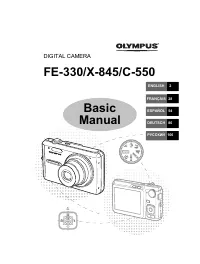 Olympus C-550
User Manual
Olympus C-550
User Manual
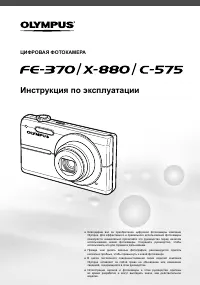 Olympus C-575
Manual
Olympus C-575
Manual
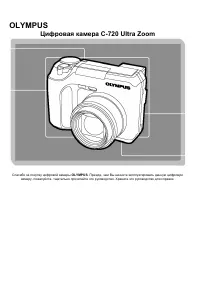 Olympus C-720 Ultra Zoom
User Manual
Olympus C-720 Ultra Zoom
User Manual
 Olympus D-380
Manual
Olympus D-380
Manual
 Olympus D-520 Zoom
Manual
Olympus D-520 Zoom
Manual
 Olympus E-3
User Manual
Olympus E-3
User Manual
 Olympus E-30
User Manual
Olympus E-30
User Manual
 Olympus E-330
User Manual
Olympus E-330
User Manual
 Olympus E-400
User Manual
Olympus E-400
User Manual
 Olympus E-410
User Manual
Olympus E-410
User Manual
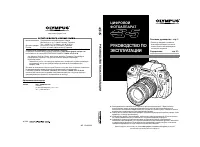 Olympus E-5
User Manual
Olympus E-5
User Manual
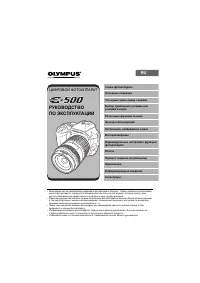 Olympus E-500
User Manual
Olympus E-500
User Manual