Page 3 - Contents; Login
Contents 3 Notes about these instructions ...................................................................................... 6 Appropriate use ............................................................................................................... 7 User profiles ............................
Page 4 - Network connection
Contents 4 Programme sequence ....................................................................................................... 51End of programme............................................................................................................. 51Cancelling a programme ................
Page 6 - Notes about these instructions; Important warnings; Operating steps are indicated by a black square bullet point.; Display
Notes about these instructions 6 Important warnings Information which is important for safety is highlighted in a thick framed box with a warning symbol. This alerts you to the potentialdanger of injury to people or damage to property.Read these warning notes carefully and observe the proceduralin...
Page 7 - Appropriate use
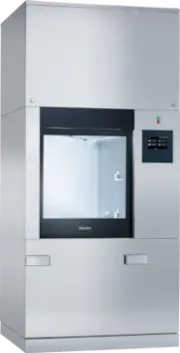
Appropriate use 7 The PLW 8617 laboratory washer is designed to reprocess laboratoryglassware, utensils and similarly categorised components using wa-ter-based media. Appropriate use Reprocessing encompasses the cleaning, rinsing and – where neces-sary – thermal disinfection and drying of the follow...
Page 8 - User profiles; User administration; Service work
User profiles 8 User administration Access to the machine is restricted to a certain group of people. Au-thorised users are entered in User management via the machine’sweb interface. User management is described in the programmingmanual. A User ID and PIN are required for the user Login on the machi...
Page 9 - Product description; Appliance overview; Service panel for service staff
Product description 9 Appliance overview Infeed and out-feed side 1 2 3 5 6 4 a Service panel for service staff b I/0 power switch c Display d Docking system for transfer trolley, service panel lock e Service panel f Door closed
Page 11 - Control elements on the display; Main menu; Reprocessing; Symbol Description/function of the button
Product description 11 Control elements on the display Main menu The machine display shows the control elements light on a blackbackground. In these operating instructions, the display is shown asblack on a light background in order to improve legibility. Reprocessing Favourites Documentation System...
Page 12 - Symbol
Product description 12 Symbols in themain menu Symbol Description/function of the button Reprocessing Opens the list of reprocessing pro-grammes which are assigned to the loadcarrier Favourites Opens the list of favourites Documentation Opens the list of available reprocessingreports System ...
Page 13 - Universal; - Black for ready for use
Product description 13 Programme startdisplay Once the Reprocessing load carrier, for example, has been selectedin the A 500 menu and the associated Universal reprocessing pro-gramme has been confirmed, the following is displayed: user/ 18.06.2018 15:05 GB USER Universal Time left The pictogram of...
Page 15 - After the programme has started, the following display is shown:; Duration; Programme block; During the programme sequence, you can choose between 4 views:
Product description 15 Example of a pro-gramme sequencedisplay After the programme has started, the following display is shown: 75 °C Duration Universal user/ 18.06.2018 15:05 USER GB Programme block Temperature Main wash 1 The current programme phase and the temperature reached are alsoshown on t...
Page 17 - The
Product description 17 In/Out chart pro-gramme sequencedisplay The In/Out chart contains information about the input signals (page 1), the output signals (page 2) and specific sensor measure-ments: - Wash water temperature - Air temperature - Circulation pump wash pressure - Conductivity This inform...
Page 18 - Warning and Safety instructions; Correct application; Please pay attention to the following notes to avoid injury
Warning and Safety instructions 18 Risk to health and risk of damage if the operating instructions are not followed.Failure to follow the operating instructions – and in particular thesafety instructions and warnings they contain – may result in per-sons being seriously injured or property being s...
Page 20 - Quality assurance
Warning and Safety instructions 20 Steam heating is permissible up to a pressure of 1000 kPa. This corresponds to a water steam temperature of 180 °C. Never clean the machine or near vicinity with a water hose or a pressure washer. There may be a risk of slipping if liquid is spilt on the floo...
Page 22 - Use of components and accessories
Warning and Safety instructions 22 The amount of residual solvents and acids on items going into the cabinet should be minimal.There should be no more than a trace of any solvents with a flashpoint of below 21 °C. Chloride solutions, in particular hydrochloric acid, must not be placed in the cab...
Page 23 - Disposing of your old machine; Please note that, depending on the application, the old machine
Warning and Safety instructions 23 Disposing of your old machine Please note that, depending on the application, the old machine may be contaminated with blood and other bodily fluids, pathogens,facultative pathogens or genetically modified material, etc., and mustbe decontaminated before disposal...
Page 25 - OK
Main menu 25 Changing the dis-play language Changing the display language has no impact on the set system lan-guage. Reports and printouts are issued in the system language. Press the button in the header of the display. The Select display language menu is displayed. Press the button for the...
Page 26 - Logout
Main menu 26 Logout The logged-in user is automatically logged out after 24 hours if nobutton has been pressed on the display in that time, or if the machinecarries out an automatic restart.The automatic restart can be set in the web interface under “System,Automatic restart”. Deactivatingautomatic ...
Page 29 - Areas of application; General information; Transfer trolley
Areas of application 29 General information Transfer trolley A TT 86 transfer trolley is used for transporting load carriers from pre-paration areas to the machine, and from there to checking and pack-ing tables.In order to use transfer trolleys of type MF 27/28-1, the machine mustbe fitted with the...
Page 31 - Danger of explosion due to flammable gases.
Areas of application 31 - Broken glass can result in serious injury when loading or unloading. Damaged glass load items must not be reprocessed in the ma-chine. - Nickel and chrome-plated load items, and load items made of alu- minium, require special procedures and are not generally suitablefor mac...
Page 33 - Carry out a visual check before starting every programme:
Areas of application 33 Before starting a programme Carry out a visual check before starting every programme: - Is everything correctly loaded/connected for cleaning? - Can the wash water consistently permeate load items with 2 open- ings, such as pipettes and viscometers? - Are the spray arms clean...
Page 34 - Laboratory glassware and utensils; Please note the following when loading:
Areas of application 34 Laboratory glassware and utensils ... wide-necked Load items with wide necks, e.g. glass beakers, wide-necked Erlen-meyer flasks and petri dishes, or cylindrical items, e.g. test tubes, canbe cleaned and rinsed inside and out using rotating spray arms.To do this, the load is ...
Page 35 - Programme overview; Exceptions to this are the; and; Power levels
Areas of application 35 Programme overview As the factory default setting, the reprocessing programmes are assigned to the A 503 mo-bile unit. The following modules can be used in various combinations: Exceptions to this are the Vials and Pipettes programmes (see table). In order to use other mobile...
Page 36 - General programmes; Programme Area of application
Areas of application 36 General programmes Programme Area of application Mobileunit Mini - Very short programme for a lightly soiled load and very low final rinse requirements - For a wide range of soiling - Not suitable for denatured residues such as protein - Not suitable for inorganic, acid-solub...
Page 37 - Programmes for specific soiling; Programme
Areas of application 37 Programmes for specific soiling Programme Area of application Mobileunit Inorganic - Programme for a lightly soiled to moderately soiled load and moderate to high final rinse requirements - For removing inorganic, acid-soluble residues such as metallic salts - 2 power levels ...
Page 38 - Programmes for specific load items
Areas of application 38 Programmes for specific load items Programme Area of application Mobileunits Plastics - Programme for lightly soiled to moderately soiled plastics and moderate rinse requirements - For temperature-sensitive laboratory equipment, e.g. plastic bottles that are resistant to temp...
Page 39 - Additional programmes; Service programme
Areas of application 39 Additional programmes Programme Area of application Mobileunits Disin 93/10 - Programme for cleaning and thermal disinfection at 93 °C and 10 min holding time in the first programme phase; wash wateris only pumped out after the disinfection process - In 2 power levels A 503 R...
Page 40 - Chemical processes and technology
Chemical processes and technology 40 In this section you will find a description of the causes of common chemical reactionswhich can occur between different types of soiling, chemical agents and the componentsof the machine, along with their remedies as necessary. This section is intended as a guide...
Page 41 - Process chemicals
Chemical processes and technology 41 Process chemicals Efficacy Measures The ingredients in process chemicals havea strong influence on the longevity andfunctionality (throughput) of the dispensingsystem. - Follow the process chemical manufac- turer’s instructions and recommendations - Carry out reg...
Page 42 - Soiling
Chemical processes and technology 42 Soiling Problem Measures The following substances can damage theelastomers in hoses and seals, as well asthe plastics in the machine: - Oils, waxes, aromatic and unsaturated hy- drocarbons - Emollients - Cosmetics, hygiene and skincare products such as creams - D...
Page 43 - Reaction between process chemicals and soiling; - Use a special programme that dispenses
Chemical processes and technology 43 Reaction between process chemicals and soiling Problem Measures Natural oils and fats can be emulsified withalkaline process chemicals. This can lead toa heavy build-up of foam. - Use the Oil programme. - Use a special programme that dispenses pH-neutral emulsif...
Page 44 - Dispensing liquid chemical agents; Unsuitable process chemicals pose a health risk.; Dispensing systems; Colour code
Dispensing liquid chemical agents 44 Unsuitable process chemicals pose a health risk. Using unsuitable process chemicals will generally cause an unsat-isfactory reprocessing result and can pose a health risk or causedamage to property.Only use process chemicals designed specifically for use in thi...
Page 46 - Unlock the service panel on the machine
Dispensing liquid chemical agents 46 Filling containerswith processchemicals Fill the containers for process chemicals or replace them with a fullcontainer if a corresponding message is displayed, e.g. Fill con- tainer for dispensing system 1 . 1 2 Unlock the service panel on the machine . Til...
Page 48 - Operation; Switching the machine on and off
Operation 48 Switching the machine on and off The I/0 power switch disconnects the machine from the power sup- ply. The switch is located above the display. Press the I power switch to switch the machine on. Once the boot process has finished, the machine is ready for opera-tion. Press the 0 pow...
Page 49 - Selecting a programme; Press the; Select load carrier; The reprocessing programmes which can be selected are listed.
Operation 49 Selecting a programme The reprocessing programmes are assigned to certain load carriers.Therefore, a load carrier must be selected first with the help of a pic-togram. Selecting a loadcarrier Press the Reprocessing button. The menu for selecting the load carrier via a pictogram i...
Page 50 - Favourites
Operation 50 Selecting pro-grammes fromFavourites If reprocessing programmes have been defined in the System, Manage favourites menu, the programme can be selected using the Favourites button. Press the Favourites button. The Select load carrier menu is displayed. Press the button...
Page 51 - Starting the programme; Programme sequence
Operation 51 Starting the programme Check in the display header whether the right reprocessing pro-gramme is displayed for the load carrier.With the button, you can open the menu for selecting the repro- cessing programmes if you wish to choose a different reprocessingprogramme. user/ 18.06.2018 1...
Page 52 - Cancelling a programme
Operation 52 - The time elapsed since the end of the programme - The Result of the reprocessing process - The message Programme finished The progress bar changes from white to green.The wash chamber lighting can be switched on automatically de-pending on the pre-setting. Cancelling a programme A rep...
Page 53 - Delay start
Operation 53 Manual disinfection Acknowledge the error message in the list with OK . Acknowledge the programme cancellation with OK . The message Please unload is shown in the programme sequence display. Open the door on the infeed side. Decontaminate the wash water by adding the disinfectan...
Page 54 - Unauthorised access poses a health risk.
Network connection 54 Network connection The machine can be integrated into an internal network via an Ether-net interface. Only the systems required for machine access via aweb interface and for the documentation of reprocessing results (e.g.a PC on which the documentation software is installed) ma...
Page 55 - Network protocols; Description; Process documentation; Please note the following when connecting a printer or PC:
Network connection 55 Network protocols The machine supports communication via the following network pro-tocols: Networkprotocols Description Port DHCPv4 Assigning dynamic IPv4 addresses 68/UDP DHCPv6 Assigning dynamic IPv6 addresses 546/UDP HTTPS Web interface for configuring the ma-chine 443/TCP T...
Page 56 - System settings; Network connections; System
System settings 56 System The System menu contains the following functions: Network connections Machine functions Restart Data plate Manage favourites System GB USER user/ The sub-menus are opened with the buttons. The functions in thesub-menus are described on the following pages. Network conn...
Page 57 - Changing the PIN
System settings 57 Changing the PIN A user can change their PIN at any time. The minimum length of the PIN depends on the user level: - Operator 4 digits - Technician 8 digits - Administrator 10 digits The PIN must contain numbers as well as uppercase and lowercaseletters. A–Z, a–z, 0–9, hyphens “-”...
Page 62 - The following data is displayed.
System settings 62 Certificatepresentation The machine has a self-signed TLS certificate in the x.509 standard.The certificate is used whenever you access the machine via the net-work with a web browser. It is also used to authenticate secure com-munication with the machine, e.g. in conjunction with...
Page 65 - Parameter
System settings 65 Starting the con-tinuous pro-gramme A repeated programme start can be defined for a reprocessing pro-gramme in the Iterative programme menu. This function can be used for wash-related trials, e.g. material tests, or for periodic decontamin-ation in the event of long downtimes. P...
Page 70 - Sampling example
System settings 70 Carrying out aprogramme test Newly created or modified reprocessing programmes can be checkedwith the Programme test . The programme can only be enabled with the Programme test parameter if a reprocessing programme has run through the Checked without any faults (see programming ha...
Page 72 - Restarting; Opening the data plate
System settings 72 Restarting The Restart function shuts down the machine controls and then re- boots them. This Restart can be used, for example, when you get the prompt Switch machine off and on when you are troubleshooting. Press the Restart button. The Restart? confirmation prompt is displayed...
Page 73 - Managing favourites
System settings 73 Managing favourites You can define your 4 most commonly used programmes as favour-ites in the Manage favourites menu. If the Automatic programme allocation is not activated: After the Reprocessing button has been pressed, all reprocessing programmes assigned to the load carrier...
Page 74 - Maintenance; Periodic checks; after every 2000 operating hours, or every
Maintenance 74 Periodic checks This machine should be inspected in accordance with local and na-tional safety regulations after every 2000 operating hours, or every 12 months by a Miele approved service technician. Maintenance covers the following points and functional checks: - Electrical safety ch...
Page 75 - Routine checks
Maintenance 75 Routine checks Before the start of each working day, the user must carry out a num-ber of routine checks. A checklist is supplied with the machine forthis purpose. The following need to be inspected: - All filters in the wash chamber - The spray arms in the machine and in any mobile u...
Page 76 - Cleaning the filters in the wash cabinet
Maintenance 76 Cleaning the filters in the wash cabinet The filters in the floor of the wash chamber prevent coarse soilingfrom coming into contact with the circulation system. Filters can be-come blocked by soiling. They therefore need to be checked everyday and cleaned as necessary. Risk of dama...
Page 77 - Remove the microfine screen filter.; Cleaning the spray arms
Maintenance 77 Remove the microfine screen filter. Remove deposits and soiling with running water, using a brush ifnecessary. Blast the microfine screen filter with compressed air against the dir-ection of flow of the wash water. Insert the microfine screen filter back into the sump. Place...
Page 78 - Remove the spray arms as follows:
Maintenance 78 Remove the spray arms as follows: Machine sprayarms Remove any mobile units from the wash chamber. Loosen the securing clip on the spray arm connection and then pullthe lower spray arm upwards and the upper spray arm downwards. Spray arms onmobile units andmodules Loosen the sec...
Page 79 - Cleaning the machine; Press for 3 seconds to quit; To unlock the machine display, hold the
Maintenance 79 Cleaning the machine Locking the dis-play The machine display can be locked for cleaning and surface disinfec-tion. Press the button in the header. The following will appear on the display: Press for 3 seconds to quit To unlock the machine display, hold the button for around...
Page 80 - Risk of fire due to ingress of water.
Maintenance 80 Cleaning the frontof the appliance The stainless-steel front should only be cleaned with a damp clothand a cleaning and disinfecting agent or with a non-abrasive stain-less-steel cleaner. To help prevent re-soiling (fingerprints, etc.), a suitable stainless-steel care product can ...
Page 81 - Checking mobile units, modules and inserts
Maintenance 81 Checking mobile units, modules and inserts Mobile units, modules and inserts should be checked daily to makesure they are functioning correctly. A checklist is supplied with themachine. The following points must be checked: - Are the guide rails in good condition, and are they securel...
Page 83 - Thermal paper
Maintenance 83 Thermal paper Replacement rolls of thermal paper with a width of 60 mm and an ex-ternal diameter of approx. 50 mm can be obtained from the machinemanufacturer. When this is stored under the following conditions, the text will re-main legible for at least 7 years: - Avoid direct light ...
Page 84 - Error messages and instructions; Representation of faults on the display; In main menu; Warning
Error messages and instructions 84 The error messages on the machine display are designed to help youto find the cause of a malfunction and to resolve it. However, pleaseobserve the following: Repairs may only be performed by the Miele Customer Service Department or an authorised technician.Unauth...
Page 85 - Technical faults on the machine; Messages; Moving the scroll bar opens the next page of the list.
Error messages and instructions 85 Technical faults on the machine List with activemessages Messages GB user/ 18.06.2018 15:05 USER Seal door gasket timeout Contact faultLoad carrier in chamber User ID unknown System test not carried out 2841 2750 2478 2650 Release door gasket timeout Peak load cut-...
Page 86 - Troubleshooting; Machine type; Fault; Press
Error messages and instructions 86 Troubleshooting GB user/ 18.06.2018 15:05 USER Machine type Fabrication number Description Fault 00 / 123456789 Confirm message with OK.Check user administration.If fault persists, call Service. 2841 After a warning or fault button has been pressed in the message l...
Page 87 - Technical faults without fault number
Error messages and instructions 87 Technical faults without fault number Problem Cause and remedy The machine displayis dark. The machine display is not showing any in-formation. This can be as a result of the fol-lowing:– The display is faulty– The connecting cable between the displayand the contro...
Page 88 - After sales service; Repairs may only be carried out by the Miele Customer Service
After sales service 88 Repairs may only be carried out by the Miele Customer Service Department or an authorised technician. Unauthorised repairs can expose the user to considerable risk. To avoid unnecessary service visits, check that the fault has not beencaused by incorrect operation when an er...
Page 89 - Electrical connection; data plate
Electrical connection *INSTALLATION* 89 All electrical work must be carried out by a suitably qualified electrician in accordance with local and national safety regulations. - The electrical installation must comply with current local and na- tional safety regulations (e.g. DIN VDE 0100 in Germany...
Page 91 - Plumbing; Health risk and risk of damage due to contaminated incoming
Plumbing *INSTALLATION* 91 Health risk and risk of damage due to contaminated incoming water.The quality of the incoming water must correspond to the drinkingwater specification of the country in which the machine is beingoperated.Please refer to the installation diagram supplied with the machine....
Page 92 - Technical data
Technical data 92 Height 2495 mm Width 1150 mm Depth 990 mm Useable cabinet dimensions: Height Width Depth 675 mm 650 mm 800 mm Net weight including plinth and top-box panelling 477 kg Net weight including EL/S, DU, SC, CT * 667 kg Operating weight 902 kg Distributed load (max. load-b...
Page 93 - Caring for the environment; Disposing of the packaging material
Caring for the environment 93 Disposing of the packaging material The packaging material is used for handling and protects the appli-ance from transport damage. The packaging material used is selec-ted from materials which are environmentally friendly for disposal andcan generally be recycled. Recyc...
Page 95 - Appendix
Page 96 - User rights in the Main menu
Appendix 96 User rights in the Main menu Action W ithout login Aut omatic Oper at or Technician Administr at or Open and close the loading door Open and close the unloading door after the end of a pro-gramme depending on the Authentification - End of pro-gramme setting in the web interface...
Page 97 - User rights in the System menu
Appendix 97 User rights in the System menu Main menu/System W ithout login Aut omatic Oper at or Technician Administr at or Network connections Change PIN Pairing Network Printer Certificate presentation Machine functions Self-disinfection Iterative programme Fill dis...
Page 98 - Power levels of the programmes/mobile units/module combinations; Mobile unit Modules
Appendix 98 Power levels of the programmes/mobile units/module combinations Mobile unit Modules Programmes/power levels A 500 - A 603 Mini Standard Universal Intensive Organic Inorganic Oil Agar Plastics Disin 93/10 A 501 Mini Plus Standard Plus Universal Plus Intensive Plus Organic Plus Inorganic P...
Page 101 - Mobile unit
Appendix 101 Power levels of the programmes/Mobile units/Module combinations forthe APLW 511 Programmes with “Max” power level must be entered manually in the web interface as Customer programmes in the Programme management . To do this, copy the corres- ponding programme from the Plus power level...
Page 102 - Optional extras; Features
Appendix 102 Optional extras Features Standard Version Drain valve (DV) X Electric heating (EL) X Conductivity monitoring (CS) X Spray arm monitoring (RS) X Option to switch between steam/electricheating for wash cabinet and VE tank (ifpresent) (EL/S) X Recycling tank (RT) X VE tank (TH) X Additiona...
Page 104 - United Kingdom
Malaysia Miele Sdn BhdSuite 12-2, Level 12Menara Sapura Kencana PetroleumSolaris Dutamas No. 1, Jalan Dutamas 150480 Kuala Lumpur, MalaysiaPhone: +603-6209-0288Fax: +603-6205-3768 Miele New Zealand LimitedIRD 98 463 6318 College HillFreemans Bay, Auckland 1011, NZTel: 0800 464 353Internet: www.miele...


 Miele APCL 043
User Manual
Miele APCL 043
User Manual
 Miele APWM 065
Installation Manual
Miele APWM 065
Installation Manual
 Miele APWM 070
Installation Manual
Miele APWM 070
Installation Manual
 Miele SC
Installation Manual
Miele SC
Installation Manual
 Miele PR
Installation Manual
Miele PR
Installation Manual
 Miele APCL 047
User Manual
Miele APCL 047
User Manual
 Miele PLW 8505
Installation Manual
Miele PLW 8505
Installation Manual
![Miele PT 7186 Vario [EL]](https://manualsarea.com/img/product/thumbs/180/69/3e/693e1219f5c0d53fde982888bd54a3ec.webp) Miele PT 7186 Vario [EL]
User Manual
Miele PT 7186 Vario [EL]
User Manual
 Miele CM/1
User Manual
Miele CM/1
User Manual
![Miele PLW 8617 [EL/S TH]](https://manualsarea.com/img/product/thumbs/180/fe/90/fe9010c5f8c3c4aada5d83b417c78507.webp) Miele PLW 8617 [EL/S TH]
Installation Manual
Miele PLW 8617 [EL/S TH]
Installation Manual
![Miele PWM 908 [EL DP MAR 3 AC 400-480V 50-60Hz]](https://manualsarea.com/img/product/thumbs/180/20/e5/20e5e929bcb336fc6b2f128d9c857a3d.webp) Miele PWM 908 [EL DP MAR 3 AC 400-480V 50-60Hz]
User Manual
Miele PWM 908 [EL DP MAR 3 AC 400-480V 50-60Hz]
User Manual
![Miele PWM 906 [EL DP MAR 3 AC 400-480V 50-60Hz]](https://manualsarea.com/img/product/thumbs/180/57/c8/57c81dd8d0abe05852b709a3fa9b80db.webp) Miele PWM 906 [EL DP MAR 3 AC 400-480V 50-60Hz]
Installation Manual
Miele PWM 906 [EL DP MAR 3 AC 400-480V 50-60Hz]
Installation Manual
![Miele PWM 906 [EL DP MAR 2N AC 400V 50-60Hz]](https://manualsarea.com/img/product/thumbs/180/ce/23/ce232ceeda728532882a2a2f56bf2abc.webp) Miele PWM 906 [EL DP MAR 2N AC 400V 50-60Hz]
User Manual
Miele PWM 906 [EL DP MAR 2N AC 400V 50-60Hz]
User Manual
![Miele PDR 908 [EL MAR 3N AC 400V 50-60Hz]](https://manualsarea.com/img/product/thumbs/180/05/b7/05b705998b251f92b271e908423e1ecb.webp) Miele PDR 908 [EL MAR 3N AC 400V 50-60Hz]
Installation Manual
Miele PDR 908 [EL MAR 3N AC 400V 50-60Hz]
Installation Manual
![Miele PLW 8615 [EL CT]](https://manualsarea.com/img/product/thumbs/180/70/ff/70ff37b9174e78db8d00ddce8cf08ee3.webp) Miele PLW 8615 [EL CT]
Installation Manual
Miele PLW 8615 [EL CT]
Installation Manual
![Miele PLW 8616 [EL/S]](https://manualsarea.com/img/product/thumbs/180/37/f4/37f4255dee3c9942a13241f3ccd5fe93.webp) Miele PLW 8616 [EL/S]
Installation Manual
Miele PLW 8616 [EL/S]
Installation Manual
![Miele PWM 916 [EL DV DD SOM]](https://manualsarea.com/img/product/thumbs/180/21/65/21657a907bb735f3acf5a7bdbbc78c8a.webp) Miele PWM 916 [EL DV DD SOM]
Manual
Miele PWM 916 [EL DV DD SOM]
Manual
![Miele PFD 104 SCVi XXL [120V]](https://manualsarea.com/img/product/thumbs/180/0a/20/0a20c04430aaa9be6a985688f5bb5580.webp) Miele PFD 104 SCVi XXL [120V]
Installation Manual
Miele PFD 104 SCVi XXL [120V]
Installation Manual
![Miele PDR 507 HP [MAR]](https://manualsarea.com/img/product/thumbs/180/58/9e/589e9ba94b88174fa0cdb27b4bbaac5b.webp) Miele PDR 507 HP [MAR]
User Manual
Miele PDR 507 HP [MAR]
User Manual
 Miele PFD 101 U
User Manual
Miele PFD 101 U
User Manual