Page 3 - Contents
Guide to the appliance . . . . . . . . . . . . . . . . . . . . . . . . . . . . . . . . . . . . . . . . . . . . . 5 Models . . . . . . . . . . . . . . . . . . . . . . . . . . . . . . . . . . . . . . . . . . . . . . . . . . . . . . . . . . . 5 KM 6314 . . . . . . . . . . . . . . . . . . . . . . . . . ...
Page 5 - Models; Cooking zone with TwinBooster; Guide to the appliance
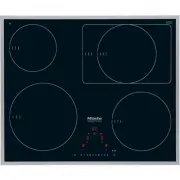
Models KM 6314 a Cooking zone with TwinBooster bcd Cooking zones with Booster e Control panel Guide to the appliance 5
Page 8 - Control panel; Sensor controls; For switching the hob on and off
Control panel Sensor controls a For switching the hob on and off b Numerical keypad- For setting the power level- For setting the time c Safety lock d Booster/TwinBooster e For selecting the cooking zone f Stop and Go g - For selecting the timer- For switching between the timer functions- For select...
Page 10 - Cooking zones; Cooking; * Pans of any diameter within the given range may be used.
Cooking zones Cooking zone KM 6317 / KM 6318 Minimum to maximum C in cm* Rating in watts for 230 V** y 16 - 23 NormalTwinBooster level 1TwinBooster level 2 230030003700 w 10 - 16 NormalBooster 14002200 x 14 - 20 / 20 x 30 NormalTwinBooster level 1TwinBooster level 2NormalTwinBooster level 1TwinBoost...
Page 11 - Special feature; Hobs bearing the
Cooking zone KM 6314 / KM 6340 / KM 6342 Minimum to maximum C in cm* Rating in watts for 230 V** y 16 - 23 NormalTwinBooster level 1TwinBooster level 2 230030003700 w 10 - 16 NormalBooster 14002200 x 14 - 20 NormalBooster 18503000 z 14 - 20 NormalBooster 18503000 Total: 7400 * Pans of any diameter w...
Page 12 - Correct application; Warning and Safety instructions
This appliance complies with allrelevant local and national safetyrequirements. Improper use of theappliance can, however, present arisk of both personal injury andmaterial damage. To avoid the risk of accidents anddamage to the appliance, pleaseread these instructions carefullybefore installation a...
Page 13 - Safety with children
Safety with children ~ Use the safety lock to prevent children operating the appliance oraltering the settings. ~ Keep children away from the appliance at all times. It is not a toy! Toavoid the risk of injury, do not allowthem to play with it or use the controls.They will not understand the potenti...
Page 14 - Technical safety
Technical safety ~ Before installation, check the appliance for visible signs of damage.Do not install and use a damagedappliance, it could be dangerous. ~ The electrical safety of this appliance can only be guaranteedwhen continuity is complete between itand an effective earthing system whichcompli...
Page 15 - Correct use
~ Faulty components must only be replaced by genuine Miele originalspare parts. The manufacturer can onlyguarantee the safety of the appliancewhen Miele replacement parts areused. ~ If the connection cable is damaged, it must be replaced by a suitablyqualified electrician with a specialistconnection...
Page 18 - Disposal of your old appliance; Caring for the environment
Disposal of the packingmaterial The transport and protective packinghas been selected from materials whichare environmentally friendly fordisposal, and should be recycled. Ensure that any plastic wrappings,bags, etc. are disposed of safely andkept out of the reach of babies andyoung children. Danger...
Page 19 - Cleaning for the first time; Remove any protective wrapping and adhesive labels.; Before using for the first time
Please stick the extra data plate for the appliance suppliedwith this documentation in the space provided in the "Aftersales service, data plate" section of this booklet. Cleaning for the first time Remove any protective wrapping and adhesive labels. Before using for the first time, clean th...
Page 20 - The induction principle; Induction
The induction principle An induction coil is located under each cooking zone. Whena cooking zone is switched on, this coil creates a magneticfield which impacts directly on the base of the pan and heatsit up. The cooking zone itself is heated up indirectly by theheat given off by the pan. An inducti...
Page 21 - Noises; – On the higher power settings, it might buzz. This will
Noises When using an induction cooking zone, the following noisescan occur in the pan, depending on what it is made of andhow it has been constructed. – On the higher power settings, it might buzz. This will decrease or cease altogether when the power setting isreduced. – If the pan base is made of ...
Page 22 - Pans; Suitable pans include:
Pans Suitable pans include: – stainless steel pans with a magnetic base – enamelled steel pans – cast iron pans Unsuitable pans: – stainless steel pans without a magnetic base – aluminium and copper pans – glass, ceramic or earthenware pots and pans To test whether a pot or pan is suitable for use o...
Page 23 - How the hob is operated; Operation
How the hob is operated The hob is equipped with electronic sensor controls whichreact to finger contact. To operate the hob, touch the relevant sensor. Each time youtouch a sensor, an audible tone sounds. In order to set or alter a power level or the time, the cookingzones and the timer must be ...
Page 24 - Switching on; To switch the hob on
Switching on The hob must be switched on before any of the zones can beused. Do not leave the appliance unattended whilst it is beingused. To switch the hob on ^ Touch the s sensor. 0 will appear in each of the cooking zone displays. If no further entry is made, the hob will switch itself off after ...
Page 25 - Power level range
Power level range The appliance is delivered with 9 power levels programmed in. If you wish tofine-tune a setting, you can extend the power level range (see "Programming").The intermediate setting will be represented by an illuminated dot next to thenumber. Settings Standard factory settings...
Page 27 - Continued; * The continued cooking settings with a dot after the number
Continued cooking setting* Heat-up time in minutes and seconds (approx.) 1 0 : 15 1. 0 : 15 2 0 : 15 2. 0 : 15 3 0 : 25 3. 0 : 25 4 0 : 50 4. 0 : 50 5 2 : 00 5. 5 : 50 6 5 : 50 6. 2 : 50 7 2 : 50 7. 2 : 50 8 2 : 50 8. 2 : 50 9 - * The continued cooking settings with a dot after the number are only a...
Page 28 - Booster function
Booster function The cooking zones are equipped with a Booster orTwinBooster (see "Guide to the appliance"). When activated, the power is boosted for 15 minutes so thatlarge quantities can be heated quickly, e.g. when boilingwater for cooking pasta. The Booster function can only be used on t...
Page 30 - Keeping warm function; To set the keeping warm function; Touch the sensor for selecting the cooking zone you want.; Useful tips; You do not have to stir food while it is being kept warm.
Keeping warm function Each cooking zone has a keeping warm function ("h"). The "h"function is in between the "0" setting and the "1" setting. If the keeping warm function has been activated, the cookingzone will switch off automatically after a maximum of 2 hours. Thi...
Page 31 - Switching off and residual heat indicators; Switching off a cooking zone; will flash in the cooking zone display for a few seconds. If; Switching off the hob; Touch the; Residual heat indicators
Switching off and residual heat indicators Switching off a cooking zone ^ Touch the sensor for selecting the cooking zone you wanttwice. A 0 will flash in the cooking zone display for a few seconds. If the cooking zone is still hot, the residual heat indicator willthen appear in the display. Switchi...
Page 32 - Tips on saving energy
– Use a pan lid whenever possible to minimise heat loss. uncovered covered – Select a smaller pan when cooking small quantities. A smaller pan uses less energy than a larger pan with verylittle in it. – Cook with as little water as possible. – Once food has come to the boil or the pan is hot for fry...
Page 33 - Timer
The hob must be switched on to use the timer. The timer can be used for two different functions: – to set the minute minder – to set a cooking zone to switch off automatically. You can select a time from 1 minute ( 01 ) to 9 hours ( 9^ ). A time of up to 99 minutes is set and displayed in minutes.Ex...
Page 34 - Minute minder; To set the minute minder time
Minute minder To set the minute minder time Minutes Example: You want to set 15 minutes. ^ Switch the hob on. ^ Touch the m sensor. 00 will appear in the timer display. The 0 on the right will flash. Enter the tens first and then the units. ^ Touch the number on the numerical keypad whichcorresponds...
Page 35 - Hours
Hours Whole hours are set by touching the relevant number on thenumerical keypad.Half hours are set by touching the area between the relevanttwo numbers.Example: You want to set 2 hours 30 minutes. ^ Switch the hob on. ^ Touch the m sensor. 00 will appear in the timer display. The 0 on the right wil...
Page 36 - To change the minute minder time; To delete the minute minder time
To change the minute minder time ^ Touch the m sensor. ^ Set the time you want, as described above. To delete the minute minder time ^ Touch the m sensor until 00 appears in the timer display. Timer 36
Page 37 - To switch a cooking zone off automatically
To switch a cooking zone off automatically You can set a time at the end of which a cooking zone willswitch off automatically.All the cooking zones can be programmed at the same time. If the time programmed is longer than the maximumoperational time allowed, the cooking zone will switch offafter the...
Page 38 - To use both timer functions at the same time; minute minder as well
To use both timer functions at the same time The minute minder and automatic switch-off functions can beused at the same time. If you have programmed in one or more switch-off times, andwould like to use the minute minder as well : Touch the m sensor repeatedly until the indicator lamps for the cook...
Page 39 - Safety lock / System lock; safety lock; LC; Activating; Safety features
Safety lock / System lock Keep children away from the hob for their own safety. Your appliance is equipped with a safety lock to prevent thehob and the cooking zones being switched on or any settingsbeing altered. The safety lock is activated when the hob is switched on. If the safety lock is activa...
Page 40 - Stop and Go; . When Stop and Go activated, the cooking zone; Deactivating
Stop and Go Your appliance has a Stop and Go feature which, whenactivated, reduces the power of all cooking zones in use topower level 1 . When Stop and Go activated, the cooking zone power levels and the setting of the timer cannot be alteredand the hob can only be switched off. When Stop and Go is...
Page 41 - * The power levels with a dot after the number are only; Safety switch-off if the sensors are covered; will flash in the timer display.
Safety switch-off Safety switch-off with an over-long cooking time If one of the cooking zones is heated for an unusually longperiod of time (see chart) and the power level is not altered,the hob will switch itself off automatically and the relevantresidual heat indicator will light up. To use the c...
Page 42 - Overheating protection; Induction coils; FE; Cooling elements
Overheating protection All the induction coils and the cooling elements for theelectronics are fitted with an overheating protectionmechanism. Before the induction coils or cooling elementsget too hot, the overheating protection mechanism cuts in inone of the following ways: Induction coils – If the...
Page 43 - Cleaning and care
For Miele branded cleaning and conditioning products see"Optional accessories". , Do not use a steam cleaning appliance to clean this appliance. The steam could reach the electricalcomponents and cause a short circuit. The appliance should be cleaned regularly, preferably aftereach use. Let ...
Page 44 - caused by limescale, water and aluminium residues; sugar, plastic or aluminium foil; spill or fall onto
Ceramic surface Wipe all coarse soiling off using a damp cloth. Stubbornsoiling may need to be removed with a shielded scraperblade. Then clean the hob with a suitable ceramic and stainlesssteel hob cleaner (see "Optional accessories") applied withkitchen paper or a clean cloth. Do not apply...
Page 45 - Programming
You can change the default settings of the programmeoptions (see chart). Several settings can be altered insuccession. After selecting programming mode, P (Programme) and S (Status) will appear in the timer display. On hobs with 3cooking zones, an additional indicator will appear at the rearleft. Th...
Page 46 - To save settings; To not save settings
To save settings ^ Touch the s sensor until all the displays go out. To not save settings ^ Touch the $ sensor until all the displays go out. Programming 46
Page 49 - The mains fuse has tripped. Reset the trip switch in the; Problem solving guide
With the help of the following notes, minor faults in the performance of theappliance, some of which may result from incorrect operation can be put rightwithout contacting the Service Department. , Installation work and repairs to electrical appliances must only be carried out by a suitably qualifie...
Page 52 - flashes alternately
Problem Possible cause Remedy The sensors areover-sensitive or do notreact at all. The sensitivity level ofthe sensors haschanged. Make sure that there is nodirect light (from the sun orfrom an artificial source)falling onto the hob and thatthe surrounding area is nottoo dark. Make sure that there i...
Page 53 - Con; Optional accessories
Miele appliances are designed to give the best possibleresults and many years of satisfaction. To help you get themost from your appliance, Miele has put together acomprehensive range of accessories and cleaning products. These can be ordered via the internet at: or from Miele (see back cover for co...
Page 55 - home master appliances; Miele; Communication module
Miele | home Communication enabled appliances use the existing household power supply(Powerline communications) to transfer data to Miele | home master appliances (e.g. the InfoControl unit, the SuperVision appliance). You can use the masterappliance to call up information about communication enable...
Page 56 - Signing on the hob
Signing on the hob If you want to sign the hob – on to the Miele { home system, first prepare the signing on procedure on the master appliance (see the "Miele | home" fitting and installation instructions) – on to the Con | ctivity system, first sign on the cooker hood (see the "Con | ct...
Page 57 - Signing off the hob
Signing off the hob If you want to sign off from the Miele { home system, first prepare the signing off procedure on the master appliance(see the "Miele | home" fitting and installation instructions). ^ With the hob switched off, touch the s and $ sensors a t the same time until the safety l...
Page 58 - Safety instructions for installation
The appliance must only be installedand connected to the electricitysupply by a suitably qualified andcompetent person in strictaccordance with current nationaland local safety regulations(BS 7671 in the UK). Fit the wall units and extractor hoodbefore fitting the hob to avoiddamaging the appliance....
Page 59 - Safety distance above the appliance
Safety distance above the appliance A minimum safety distance must bemaintained between the appliance andthe cooker hood above it. See thecooker hood manufacturer’s operatingand installation instructions for details. If the manufacturer’s instructions arenot available for the cooker hood, aminimum s...
Page 63 - Tiled worktop; Grout lines
Hob with frame or bevellededges Seal between the hob and theworktop The sealing strip under the edge of thetop part of the appliance provides asufficient seal for the worktop. The hob must not be sealed withsealant (e.g. silicone).This could result in damage to thehob or the worktop if the hob evern...
Page 64 - Building-in dimensions
KM 6314 a Front b Casing depth c Miele | home connection box d Mains connection box The mains connection cable (1440 mm long) is supplied separately. Building-in dimensions 64
Page 69 - Connect the hob to the mains.; Installing the hob
Preparing the worktop ^ Make the worktop cut-out accordingto the dimensions given in thebuilding-in diagram. Remember tomaintain the minimum safety distances (see "Safety instructions for installation"). ^ Seal the cut surfaces onwood/laminated worktops with asuitable heat-resistant sealant ...
Page 70 - Electrical connection
All electrical work should be carriedout by a suitably qualified andcompetent person, in strictaccordance with current local andnational safety regulations (BS 7671in the UK). Installation, repairs and other workby unqualified persons could bedangerous. The manufacturercannot be held liable forunaut...
Page 72 - Wiring diagram
Wiring diagram N.B. This appliance is supplied single phase only in the U.K. / AUS / NZ Electrical connection 72
Page 73 - – Your Miele dealer, or; After sales service, data plate
In the event of any faults which you cannot remedy yourself, or if the appliance isunder guarantee, please contact: – Your Miele dealer, or – the Miele Service Department (see back cover for address). Please note that telephone calls may be monitored and recorded to improveour service. When contacti...