Page 2 - Warning and Safety instructions; Correct application; It must only be used as a domestic appliance to store deep frozen
Warning and Safety instructions 2 This refrigeration appliance complies with current safety require-ments. Inappropriate use can, however, lead to personal injury andmaterial damage. Please read the operating and installation instructions carefully be-fore using the refrigeration appliance for the f...
Page 3 - Safety with children
Warning and Safety instructions 3 The appliance can only be used by people with reduced physical, sensory or mental capabilities, or lack of experience and knowledge,if they are supervised whilst using it, or have been shown how to useit in a safe way and recognise and understand the consequences ...
Page 4 - - Contact the Miele Customer Service Department.
Warning and Safety instructions 4 The refrigerant inside the appliance (details on the data plate) is en-vironmentally friendly but flammable.The use of this refrigerant does, however, sometimes lead to a slightincrease in the noise level of the appliance. In addition to the noise ofthe compressor, ...
Page 7 - Proper installation
Warning and Safety instructions 7 Proper installation When installing the refrigeration appliance, it is a mandatory re- quirement to follow the installation instructions supplied with it. Always wear protective gloves when transporting and installing the refrigeration appliance. Two people ar...
Page 8 - Accessories and spare parts
Warning and Safety instructions 8 Danger of injury. Never handle frozen food or the metal parts of the appliance with wet hands. Your hands may freeze to the frozen foodor to the metal. Danger of injury. Do not take ice cubes out with your bare hands and never place ice cubes or ice lollies in y...
Page 9 - Transport
Warning and Safety instructions 9 Do not use defrosting sprays or de-icers, as they could contain substances which could damage the plastic parts or which mightcause the build-up of gases and pose a danger to health. Transport Always transport the appliance in an upright position and in its ori-...
Page 10 - Splashes of coolant can damage the eyes. Be careful not to dam-; Symbol on the compressor (depending on model); The oil in the compressor can be fatal if swallowed or if it penet-
Warning and Safety instructions 10 Splashes of coolant can damage the eyes. Be careful not to dam- age any part of the pipework whilst awaiting disposal, e.g. by - puncturing the coolant channels in the condenser,- bending any pipework, or- scratching the surface coating. Symbol on the compressor ...
Page 11 - Caring for the environment; Disposing of your old appliance
Caring for the environment 11 Disposing of the packaging ma-terial The packaging material is used for hand-ling and protects the appliance fromtransport damage. The packaging ma-terial used is selected from materialswhich are environmentally friendly fordisposal and can generally be recycled.Recycli...
Page 12 - Installation; Installation site; Risk of damage and danger of in-
Installation *INSTALLATION* 12 Installation site Risk of damage and danger of in- jury due to the refrigeration appliancetipping over.This refrigeration appliance is veryheavy and can tip forwards when theappliance door is open.Keep the appliance door(s) closeduntil the refrigeration appliance has...
Page 13 - Climate range
Installation *INSTALLATION* 13 When installing the refrigeration appli-ance, please note the following: - The socket must be easily accessible in an emergency, not concealed be-hind the appliance. - The plug and mains connection cable must not touch the rear of the refriger-ation appliance as they c...
Page 14 - Ventilation; Risk of fire and damage due to in-; Changing the door hinging; Danger of injury and damage to; Furniture door panel; Horizontal and vertical gaps
Installation *INSTALLATION* 14 Ventilation Risk of fire and damage due to in- sufficient ventilation.If the refrigeration appliance is notventilated sufficiently, the com-pressor will run more frequently andfor longer periods. This will result inincreased energy consumption and ahigher operating t...
Page 15 - Weight of the furniture door
Installation *INSTALLATION* 15 Appliancefurnituredoorthickness A [mm] Gap X [mm] for different edge radii B R0 R1.2 R2 R3 ≥ 16–19 min. 3 20 5 4 4 3.5 21 5.5 5 4.5 4 22 6.5 6 5.5 5 Adjoining kitchen furniture front A = Furniture front thicknessB = Edge radiusX = Gap Adjoining side wall A = Furniture ...
Page 16 - Building-in dimensions; Installation in a tall unit/side view; All dimensions are given in mm.
Installation *INSTALLATION* 16 Building-in dimensions Installation in a tall unit/side view All dimensions are given in mm. * The declared energy consumption was calculated in a 560 mm deep niche. Therefrigeration appliance is fully functional in a 550 mm niche but the energy con-sumption will be sl...
Page 17 - Connections and ventilation
Installation *INSTALLATION* 17 Connections and ventilation All dimensions are given in mm. The specified ventilation cross-sections must be adhered to in order to ensure thecorrect functioning of the refrigeration appliance. a View from the front b Mains connection cable, length = 2200 mm c Water co...
Page 18 - Mains water connection; Risk of injury and appliance dam-; Water supply
Installation *INSTALLATION* 18 Mains water connection Information about the mains waterconnection Risk of injury and appliance dam- age if appliance is not connectedproperly.Failing to connect the applianceproperly can result in personal injuryand/or material damage.The appliance may only be conne...
Page 19 - Electrical connection
Installation *INSTALLATION* 19 Risk of damage to the hose. The water supply from the stopcockto the ice cube maker has been inter-rupted.Do not bend or damage the hose. A stopcock with a metric R3/4 threadmust be incorporated when connect-ing to the water supply. The solenoid valve is located at t...
Page 20 - Risk of fire from overheating.; Connecting the refrigeration appliance
Installation *INSTALLATION* 20 Risk of fire from overheating. Connecting the refrigeration appli-ance to a multi-socket plug adapteror to an extension lead can overloadthe cable.For safety reasons, do not use an ex-tension lead or multi-socket adapter. The electrical installation must complywith V...
Page 21 - Saving energy
Saving energy 21 How to save energy: Installation site The refrigeration appliance has to cool more often at higher am-bient temperatures and consumes more energy in the process.Therefore, you should: - Install the refrigeration appliance in a well-ventilated room. - Do not install the refrigeration...
Page 22 - Guide to the appliance
Page 24 - Start display; Using the appliance; OK
Guide to the appliance 24 Start display The display can be scratched by pointed or sharp objects, e.g. pens.Only touch the display with your fingertips. It is possible that the display will not react to finger contact if your fingers arecold. -18 °C 1 2 3 4 a Temperature display for freezer se...
Page 25 - Settings mode
Guide to the appliance 25 Settings mode In Settings mode, you can select the following appliance functions and alter theirsettings to some extent: Symbol Function Factorydefault Switch the Party mode function on or off(see “Selecting further settings”) Off Switching the ice cube maker on and ...
Page 27 - Adjusting the interior fittings; and can only ever be pulled; Tilting the top drawer
Guide to the appliance 27 Adjusting the interior fittings Ice&PizzaBox The Ice&PizzaBox is located on a pull-out shelf and can only ever be pulled out as a whole.There is a clip-on container in the ice cube drawer . The clip-on container can contain a normal amount of icecubes....
Page 28 - Accessories supplied; Ice cube scoop; Optional accessories; Multi-purpose microfibre cloth
Guide to the appliance 28 Accessories supplied Ice cube scoop Optional accessories A range of useful Miele accessories andcare products are available for your ap-pliance. Optional accessories can be orderedfrom the Miele webshop. They canalso be ordered from the Miele Cus-tomer Service Department (s...
Page 29 - Switching on and off; Before using for the first time
Switching on and off 29 Before using for the first time Remove all packaging material andprotective film. Clean the inside of the appliance andthe accessories (see “Cleaning andcare”). Connecting the refrigeration appliance Connect the refrigeration appliance tothe electricity supply as descri...
Page 30 - Switch the refrigeration appliance off.
Switching on and off 30 To note when switching off for longerperiods of time If, during a long absence, the refriger-ation appliance is switched off butnot cleaned and the door is left shut,there is a danger of mould building upinside the appliance.It is essential to clean the refrigera-tion applian...
Page 31 - The correct temperature; Temperature display; maximum; Setting the temperature; Possible temperature settings
The correct temperature 31 It is very important to set the correcttemperature to ensure the shelf life offood. Reducing the temperature reducesthe growth rate of microorganisms.Food does not spoil as quickly.To freeze fresh food, a temperature of -18 °C is required. This will prolong the shelf life ...
Page 32 - Using Super freeze; SuperFreeze
Using Super freeze 32 SuperFreeze When switched on, the SuperFreezefunction can be used to rapidly re- duce the temperature in the freezer section to its lowest setting (depend- ing on the ambient temperature). Therefrigeration appliance will work at fullpower and lower the temperature. Se-lec...
Page 33 - Selecting further settings
Selecting further settings 33 Explanation of the different set-tings Only the settings that require further ex-planation are described below. The door alarm and other warnings areautomatically suppressed when youare in Settings mode . Party mode The Party mode function is recom- mended if y...
Page 34 - Switching Sabbath mode
Selecting further settings 34 When Sabbath mode is switched on, you cannot make any settings on yourrefrigeration appliance. Ensure that the appliance doors areproperly closed, as visual and audiblealarms are switched off. The Sabbath mode function will switch off automatically after approx.80...
Page 35 - Availability of the WiFi connection
Selecting further settings 35 - Change the settings on your refrigera- tion appliance Connecting your refrigeration applianceto your WiFi network will increase en-ergy consumption, even when the appli-ance is switched off. Make sure that the signal of yourWiFi network is sufficiently strong inthe pl...
Page 36 - Adjusting the display brightness
Selecting further settings 36 All entered settings and values forMiele@home are reset to the defaultsettings. The WiFi connection has been deactiv-ated. will go out on the start display. Reset the network configuration ifyou are disposing of or selling yourrefrigeration appliance, or if you areput...
Page 37 - Information; Keep this appliance data to hand:
Selecting further settings 37 Information Appliance data (model identifier andserial number) is shown on the display. Keep this appliance data to hand: - For integrating the refrigeration appli- ance into your WiFi network (see “Se-lecting further settings –Miele@home”) (depending on themodel). -...
Page 38 - Temperature and door alarm; Temperature alarm
Temperature and door alarm 38 Health risk caused by decompos- ing food.If the temperature in the freezer re-mains above -18 °C for a long time,the frozen food can start to defrost.This will reduce the storage life of thefood.Check whether the frozen food hasstarted to defrost. If it has, check tha...
Page 39 - Door alarm; will light up yellow; Switching the door alarm off early; Tap
Temperature and door alarm 39 Door alarm The refrigeration appliance is fittedwith a door alarm to avoid increasedenergy consumption and food becom-ing warm if the door is left open. If the appliance door is left open for anextended period, will light up yellow in the temperature display. An al...
Page 40 - Freezing and storing food; Freezing fresh food; Maximum freezing capacity; Storing frozen food; Before placing food in the freezer
Freezing and storing food 40 Freezing fresh food Health risk caused by decompos- ing food.If the temperature in the freezer re-mains above -18 °C for a long time,the frozen food can start to defrost.This will reduce the storage life of thefood.Check whether the frozen food hasstarted to defrost. I...
Page 41 - Placing frozen food in the freezer; If the food is too heavy, this can; – Freezing small amounts of food; freezer drawers so that it
Freezing and storing food 41 Expel as much air as possible fromthe packaging and close it tightly. Make a note of the contents and thedate of freezing on the packaging. Placing frozen food in the freezer If the food is too heavy, this can cause damage.Loading food which is too heavy cancause d...
Page 42 - Storage time for frozen food; Food group; Ice cream; Cooling drinks quickly; not left in
Freezing and storing food 42 Storage time for frozen food Food group Storage time(Months) Ice cream 2 to 6 Bread, baked goods 2 to 6 Cheese 2 to 4 Fish, oily 1 to 2 Fish, lean 1 to 5 Sausage, ham 1 to 3 Game, pork 1 to 12 Poultry, beef 2 to 10 Vegetables, fruit 6 to 18 Herbs 6 to 10 The storage time...
Page 43 - Making ice cubes; The lower the; on and off
Making ice cubes 43 Check and pay attention to the followingbefore switching the ice cube maker on: - The ice cube maker must be clean.- The refrigeration appliance must be switched on. - Ice cubes can only be made when the ice cube drawer is completely closed. - There is a clip-on container at the ...
Page 44 - Increase the fill volume of ice cubes
Making ice cubes 44 Ice cube production is halted automat-ically when the clip-on container or theice cube drawer is full. The drawer willnot fill up to the top edge. Tip: Increase the fill volume of ice cubes by spreading the ice cubes out evenlyfrom time to time. Tip: Empty the clip-on container o...
Page 45 - Defrosting
Defrosting 45 The appliance is equipped with aNoFrost system. The refrigeration appli-ance defrosts automatically.The moisture generated in the appliancecollects on the condenser and is auto-matically defrosted and dissipated fromtime to time.This automatic defrosting system en-ables the refrigerati...
Page 46 - Cleaning and care; Cleaning agents; do not use the following:
Cleaning and care 46 The data plate located inside the in-terior cabinet of the refrigeration appli-ance must not be removed. It containsinformation which is required in theevent of a fault. Do not let water get into the elec-tronic unit or the lighting. Risk of damage due to moisture ingress.The ...
Page 47 - by hand; The following components are; Replacing the top drawer; To remove the telescopic runners:
Cleaning and care 47 Cleaning accessories by handor in the dishwasher The following components must becleaned by hand only: - All drawers- Pull-out shelf with Ice&PizzaBox- Telescopic runners and protective trim (on the glass shelves) - The clip-on container- The ice cube scoop The following com...
Page 48 - Push the telescopic runner to the; Replacing the drawer
Cleaning and care 48 2. Push the telescopic runner to the side. 3. Then pull the telescopic runner off to the rear. Pull off the protective trim at the frontand back of the shelf. After cleaning the shelf, reattach theprotective trim. To attach the telescopic runners tothe shelf: 1. Hook the t...
Page 50 - Cleaning the ice cube tray; cannot be removed
Cleaning and care 50 Press the pull-out shelf down slightlyat the front so that it audibly engages. Pull out the pull-out shelf while sup-porting it lightly with your hand. Place the ice cube drawer and thePizzaBox on the pull-out shelf. Place the clip-on container in the icecube drawer with...
Page 51 - Cleaning the door seal
Cleaning and care 51 To leave this Settings level, tap . Remove the ice cube drawer. Clean the ice cube tray and the icecube drawer with lukewarm water anda little washing-up liquid. Wipe thor-oughly with clean water and dry witha cloth. Insert the ice cube drawer back intothe appliance. ...
Page 52 - Problem solving guide; Problem
Problem solving guide 52 Many malfunctions and faults that can occur in daily operation can be easilyremedied. You can save time and money in many cases, as you do not need to callthe Miele Customer Service Department.Information to help you rectify faults yourself can be found at www.miele.com/ser-...
Page 54 - Other problems; ange
Problem solving guide 54 Problem Cause and remedy Ice or condensation hasbuilt up inside the refri-geration appliance. Theappliance door may notclose correctly. The door seal has come out of its groove. Check that the door seal is correctly positioned inthe groove. The door seal is damaged. Chec...
Page 55 - Display warnings; Message
Problem solving guide 55 Display warnings Message Cause and remedy lights up on thestart display, therefrigeration ap-pliance does notget cold eventhough the con-trols and the in-terior lighting areworking. Demo mode has been activated. Tap . Tap . Swipe left or right until is show...
Page 59 - lights up red in the; Problems with the ice cube maker
Problem solving guide 59 Message Cause and remedy lights up red inthe display and afault code F withnumbers may ap-pear. An alarmwill also sound. There is a fault. Tap on the display to switch the alarm off. Contact the Miele Customer Service Department. To report the fault, you need the f...
Page 61 - Interior lighting
Problem solving guide 61 Interior lighting Risk of electric shock due to exposed, live electrical components. When removing the lighting cover, there is a risk of coming into contact with liveelectrical components.Do not remove the lighting cover. The LED lighting may only be repaired or re-placed...
Page 62 - Noises
Noises 62 The refrigeration appliance is producing various noises during operation. If the cooling performance is low, the refrigeration appliance will conserve energybut operate for longer. The volume will be lower. Food will be chilled faster if the cooling performance is high. The volume will be ...
Page 64 - Service; Contact in the event of a fault; Warranty
Service 64 Information to help you rectify faultsyourself and about Miele spare partscan be found at www.miele.com/ser-vice. Contact in the event of a fault In the event of any faults which you can-not remedy yourself, please contactyour Miele dealer or the Miele Cus-tomer Service Department. You ca...
Page 65 - EU Conformity declaration
EU Conformity declaration 65 Miele hereby declares that this freezercomplies with Directive 2014/53/EU. The complete text of the EU declarationof conformity is available from one ofthe following internet addresses: - Products, Download from www.miele.ie - For service, information, operating in- stru...
Page 66 - UK Conformity declaration; manuals and enter the name of the product or the serial number; Statement of Compliance; Paul Wright
UK Conformity declaration 66 Miele hereby declares that this fridge-freezer complies with UK Radio EquipmentRegulations 2017, as amended. The complete text of the UK declaration of conformity is available from one of thefollowing internet addresses: - Products, Download from www.miele.co.uk- For ser...
Page 67 - Copyrights and licences
Copyrights and licences 67 For the purpose of operating and controlling the communication module, Mieleuses proprietary or third-party software that is not covered by open source licens-ing terms. This software/these software components are protected by copyright.The copyrights held by Miele and thi...
Page 71 - United Kingdom
United Kingdom Miele Co. Ltd., Fairacres, Marcham Road, Abingdon, Oxon, OX14 1TWTel: 0330 160 6600, Internet: www.miele.co.uk, E-mail: [email protected] Australia Miele Australia Pty. Ltd.ACN 005 635 398ABN 96 005 635 398Level 4, 141 Camberwell RoadHawthorn East, VIC 3123Tel: 1300 464 353E-mail: [em...


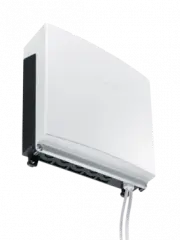 Miele APCL 043
User Manual
Miele APCL 043
User Manual
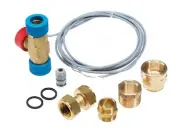 Miele APWM 065
Installation Manual
Miele APWM 065
Installation Manual
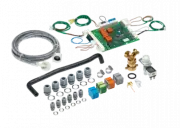 Miele APWM 070
Installation Manual
Miele APWM 070
Installation Manual
 Miele SC
Installation Manual
Miele SC
Installation Manual
 Miele PR
Installation Manual
Miele PR
Installation Manual
 Miele APCL 047
User Manual
Miele APCL 047
User Manual
 Miele PLW 8505
Installation Manual
Miele PLW 8505
Installation Manual
![Miele PT 7186 Vario [EL]](https://manualsarea.com/img/product/thumbs/180/69/3e/693e1219f5c0d53fde982888bd54a3ec.webp) Miele PT 7186 Vario [EL]
User Manual
Miele PT 7186 Vario [EL]
User Manual
 Miele CM/1
User Manual
Miele CM/1
User Manual
![Miele PLW 8617 [EL/S TH]](https://manualsarea.com/img/product/thumbs/180/fe/90/fe9010c5f8c3c4aada5d83b417c78507.webp) Miele PLW 8617 [EL/S TH]
Installation Manual
Miele PLW 8617 [EL/S TH]
Installation Manual
![Miele PWM 908 [EL DP MAR 3 AC 400-480V 50-60Hz]](https://manualsarea.com/img/product/thumbs/180/20/e5/20e5e929bcb336fc6b2f128d9c857a3d.webp) Miele PWM 908 [EL DP MAR 3 AC 400-480V 50-60Hz]
User Manual
Miele PWM 908 [EL DP MAR 3 AC 400-480V 50-60Hz]
User Manual
![Miele PWM 906 [EL DP MAR 3 AC 400-480V 50-60Hz]](https://manualsarea.com/img/product/thumbs/180/57/c8/57c81dd8d0abe05852b709a3fa9b80db.webp) Miele PWM 906 [EL DP MAR 3 AC 400-480V 50-60Hz]
Installation Manual
Miele PWM 906 [EL DP MAR 3 AC 400-480V 50-60Hz]
Installation Manual
![Miele PWM 906 [EL DP MAR 2N AC 400V 50-60Hz]](https://manualsarea.com/img/product/thumbs/180/ce/23/ce232ceeda728532882a2a2f56bf2abc.webp) Miele PWM 906 [EL DP MAR 2N AC 400V 50-60Hz]
User Manual
Miele PWM 906 [EL DP MAR 2N AC 400V 50-60Hz]
User Manual
![Miele PLW 8617 [EL TH]](https://manualsarea.com/img/product/thumbs/180/e8/4a/e84a63b24dca64279b26bca714985678.webp) Miele PLW 8617 [EL TH]
User Manual
Miele PLW 8617 [EL TH]
User Manual
![Miele PDR 908 [EL MAR 3N AC 400V 50-60Hz]](https://manualsarea.com/img/product/thumbs/180/05/b7/05b705998b251f92b271e908423e1ecb.webp) Miele PDR 908 [EL MAR 3N AC 400V 50-60Hz]
Installation Manual
Miele PDR 908 [EL MAR 3N AC 400V 50-60Hz]
Installation Manual
![Miele PLW 8615 [EL CT]](https://manualsarea.com/img/product/thumbs/180/70/ff/70ff37b9174e78db8d00ddce8cf08ee3.webp) Miele PLW 8615 [EL CT]
Installation Manual
Miele PLW 8615 [EL CT]
Installation Manual
![Miele PLW 8616 [EL/S]](https://manualsarea.com/img/product/thumbs/180/37/f4/37f4255dee3c9942a13241f3ccd5fe93.webp) Miele PLW 8616 [EL/S]
Installation Manual
Miele PLW 8616 [EL/S]
Installation Manual
![Miele PWM 916 [EL DV DD SOM]](https://manualsarea.com/img/product/thumbs/180/21/65/21657a907bb735f3acf5a7bdbbc78c8a.webp) Miele PWM 916 [EL DV DD SOM]
Manual
Miele PWM 916 [EL DV DD SOM]
Manual
![Miele PFD 104 SCVi XXL [120V]](https://manualsarea.com/img/product/thumbs/180/0a/20/0a20c04430aaa9be6a985688f5bb5580.webp) Miele PFD 104 SCVi XXL [120V]
Installation Manual
Miele PFD 104 SCVi XXL [120V]
Installation Manual
![Miele PDR 507 HP [MAR]](https://manualsarea.com/img/product/thumbs/180/58/9e/589e9ba94b88174fa0cdb27b4bbaac5b.webp) Miele PDR 507 HP [MAR]
User Manual
Miele PDR 507 HP [MAR]
User Manual