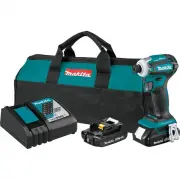
Page 2 - SPECIFICATIONS; Applicable battery cartridge and charger
2 ENGLISH ENGLISH (Original instructions) SPECIFICATIONS Model: XDT19 Fastening capacities Machine screw M4 - M8 (5/32" - 5/16") Standard bolt M5 - M16 (3/16" - 5/8") High tensile bolt M5 - M14 (3/16" - 9/16") No load speed (RPM) Max impact mode 0 - 3,600 /min Hard impact mod...
Page 3 - SAFETY WARNINGS; General power tool safety warnings; Save all warnings and instruc-
3 ENGLISH SAFETY WARNINGS General power tool safety warnings WARNING: Read all safety warnings, instruc- tions, illustrations and specifications provided with this power tool. Failure to follow all instructions listed below may result in electric shock, fire and/or serious injury. Save all warnings ...
Page 4 - Cordless impact driver safety; SAVE THESE INSTRUCTIONS.; Symbols
4 ENGLISH 6. Keep cutting tools sharp and clean. Properly maintained cutting tools with sharp cutting edges are less likely to bind and are easier to control. 7. Use the power tool, accessories and tool bits etc. in accordance with these instructions, tak- ing into account the working conditions and...
Page 5 - Important safety instructions for
5 ENGLISH Important safety instructions for battery cartridge 1. Before using battery cartridge, read all instruc- tions and cautionary markings on (1) battery charger, (2) battery, and (3) product using battery. 2. Do not disassemble or tamper with the battery cartridge. It may result in a fire, ex...
Page 6 - FUNCTIONAL DESCRIPTION; Installing or removing battery cartridge; Tool / battery protection system
6 ENGLISH FUNCTIONAL DESCRIPTION CAUTION: Always be sure that the tool is switched off and the battery cartridge is removed before adjusting or checking function on the tool. Installing or removing battery cartridge CAUTION: Always switch off the tool before installing or removing of the battery car...
Page 7 - Switch action
7 ENGLISH Switch action 1 ► 1. Switch trigger CAUTION: Before installing the battery car- tridge into the tool, always check to see that the switch trigger actuates properly and returns to the "OFF" position when released. To start the tool, simply pull the switch trigger. Tool speed is incr...
Page 8 - Light mode; Quick mode-switching button; When the application mode is not
8 ENGLISH NOTE: When the tool is overheated, the front lamps flash for one minute, and then the switch panel goes off. In this case, cool down the tool before operating again. NOTE: To confirm the lamp status, pull the trigger when the reversing switch lever is not in the neutral position. When the ...
Page 9 - When the application mode is registered:
9 ENGLISH When the application mode is registered: The tool switches between the registered application mode and current application mode every time you press the quick mode-switching button. The front lamps on both sides will flash once when the application mode is changed by pressing the quick mod...
Page 10 - Changing the impact force
10 ENGLISH Changing the impact force You can change the impact force in four steps: 4 (max), 3 (hard), 2 (medium), and 1 (soft). This allows a tightening suitable to the work. The level of impact force changes every time you press the button or the quick mode-switching button. You can change the imp...
Page 11 - Changing assist type
11 ENGLISH Changing assist type This tool employs assist function that offers several easy-to-use application modes for driving screws with good control.The type of the application mode changes every time you press the button . You can change the assist type within approximately one minute after rel...
Page 12 - Quick mode-switching function; What you can do with the quick mode-switching function; Registering application mode
12 ENGLISH NOTE: When none of the lamp on the panel is lit, pull the switch trigger once before pressing the button . NOTE: All lamps on the switch panel go out when the tool is turned off to save the battery power. The type of the application mode can be checked by pulling the switch trigger to the...
Page 13 - Using the quick mode-switching function; Erasing the registered application mode; Indication patterns
13 ENGLISH Using the quick mode-switching function When the tool is in the mode that is not registered, press the quick mode-switching button to switch to the registered application mode. The tool switches between the registered application mode and last application mode every time you press the qui...
Page 14 - ASSEMBLY; Installing or removing driver bit/; OPERATION
14 ENGLISH ASSEMBLY CAUTION: Always be sure that the tool is switched off and the battery cartridge is removed before carrying out any work on the tool. Installing or removing driver bit/ socket bit 12 mm (15/32”) 9 mm (3/8”) Use only the driver bit/socket bit shown in the figure. Do not use any oth...
Page 15 - MAINTENANCE
15 ENGLISH Proper fastening torque for standard bolt N•m (ft•lbs) M14(9/16") M12(1/2") M10(3/8") M8(5/16") M16(5/8") M14(9/16") M12(1/2")M10(3/8")M8(5/16") M16(5/8") 140 (101) 120 100 80 60 40 20 0 1 2 1 2 (87) (72) (58) (43) (29) (14) 1. Fastening time (secon...
Page 16 - MAKITA LIMITED WARRANTY
16 OPTIONAL ACCESSORIES CAUTION: These accessories or attachments are recommended for use with your Makita tool specified in this manual. The use of any other accessories or attachments might present a risk of injury to persons. Only use accessory or attachment for its stated purpose. If you need an...
Page 17 - ESPECIFICACIONES; Cartucho de batería y cargador aplicables
17 ESPAÑOL ESPAÑOL (Instrucciones originales) ESPECIFICACIONES Modelo: XDT19 Capacidades de apriete Tornillo de máquina 4 mm - 8 mm (5/32″ - 5/16″) Tornillo estándar 5 mm - 16 mm (3/16″ - 5/8″) Tornillo de alta resistencia 5 mm - 14 mm (3/16″ - 9/16″) Velocidad sin carga (RPM) Modo de impacto máx. 0...
Page 18 - Advertencias generales de; Conserve todas las advertencias
18 ESPAÑOL ADVERTENCIAS DE SEGURIDAD Advertencias generales de seguridad para herramientas eléctricas ADVERTENCIA: Lea todas las advertencias de seguridad, instrucciones, ilustraciones y espe- cificaciones suministradas con esta herramienta eléctrica. El no seguir todas las instrucciones indi- cadas...
Page 20 - GUARDE ESTAS; Símbolos
20 ESPAÑOL Advertencias de seguridad para el atornillador de impacto inalámbrico 1. Sujete la herramienta eléctrica por las superficies de agarre aisladas al realizar una operación en la que el sujetador pueda entrar en contacto con cables ocultos. Si el sujetador entra en contacto con un cable con ...
Page 21 - DESCRIPCIÓN DEL; Instalación o extracción del
21 ESPAÑOL 12. Utilice las baterías únicamente con los pro- ductos especificados por Makita. Instalar las baterías en productos que no cumplan con los requisitos podría ocasionar un incendio, un calen - tamiento excesivo, una explosión o una fuga de electrolito. 13. Si no se utiliza la herramienta p...
Page 22 - Accionamiento del interruptor
22 ESPAÑOL Sistema de protección para la herramienta/batería La herramienta está equipada con un sistema de pro- tección de la herramienta/batería. Este sistema corta en forma automática el suministro de energía al motor para prolongar la vida útil de la herramienta y la batería. La herramienta se d...
Page 23 - Freno eléctrico
23 ESPAÑOL Accionamiento del conmutador de inversión de giro 1 A B ► 1. Palanca del interruptor de inversión PRECAUCIÓN: Confirme siempre la direc - ción de rotación antes de la operación. PRECAUCIÓN: Utilice el conmutador de inver- sión solamente después de que la herramienta haya parado completame...
Page 24 - Botón rápido de conmutación de; Cuando el modo de aplicación no está
24 ESPAÑOL NOTA: No puede cambiar el modo de aplicación si el modo de iluminación está encendido. Las lámparas del panel del interruptor no se encienden cuando el modo de iluminación está encendido. NOTA: Cuando el modo de iluminación está encen- dido, no puede encender/apagar el estado de la lámpar...
Page 25 - Referencia rápida
25 ESPAÑOL Desactivación del botón rápido de conmutación de modo También puede desactivar el botón rápido de conmuta- ción de modo. Después de desactivarlo, el botón rápido de conmutación de modo no funcionará para cambiar la fuerza del impacto y modificar el modo de aplicación. Para desactivar el b...
Page 26 - Cambio de la fuerza de impacto
26 ESPAÑOL Cambio de la fuerza de impacto Usted puede cambiar la fuerza de impacto a cuatro niveles: 4 (máx.), 3 (dura), 2 (media) y 1 (suave). Esto permite un apriete adecuado para el trabajo. El nivel de fuerza del impacto cambiará cada vez que presione el botón o el botón rápido de conmutación de...
Page 27 - Cambio del tipo de asistencia
27 ESPAÑOL Cambio del tipo de asistencia Esta herramienta emplea la función de asistencia que ofrece varios modos de aplicación fáciles de usar para inser- tar tornillos con un buen control.El tipo de modo de aplicación cambia cada vez que presiona el botón . Usted puede cambiar el tipo de asistenci...
Page 28 - Función rápida de conmutación de modo; Lo que puede hacer con la función rápida de conmutación de modo; Registro del modo de aplicación
28 ESPAÑOL * Cuando la herramienta gira en el sentido contrario a las manecillas del reloj, gira de la misma manera que en el modo 4 (máx.), 3 800 r/min. NOTA: Cuando ninguna de las lámparas del panel esté encendida, jale el gatillo interruptor una vez antes de presionar el botón . NOTA: Todas las l...
Page 29 - Patrones de indicación
29 ESPAÑOL Uso de la función rápida de conmutación de modo Cuando la herramienta esté en el modo que no está registrado, presione el botón rápido de conmutación de modo para cambiar al modo de aplicación registrado. La herramienta cambiará entre el modo de aplicación registrado y el último modo de a...
Page 30 - ENSAMBLADO; Instalación o extracción de la punta; OPERACIÓN
30 ESPAÑOL ENSAMBLADO PRECAUCIÓN: Asegúrese siempre de que la herramienta esté apagada y el cartucho de batería haya sido extraído antes de realizar cualquier trabajo en la misma. Instalación o extracción de la punta de destornillador/punta de atornillar 12 mm (15/32”) 9 mm (3/8”) Utilice únicamente...
Page 31 - MANTENIMIENTO
31 ESPAÑOL La torsión de apriete adecuada podrá variar depen- diendo del tipo o tamaño del tornillo/perno, el material de la pieza de trabajo a apretar, etc. La relación entre la torsión de apriete y el tiempo de apriete se muestra en las figuras. Torsión de apriete apropiada para un perno estándar ...
Page 32 - GARANTÍA LIMITADA DE MAKITA; Ésta Garantía no aplica para México
32 ESPAÑOL ACCESORIOS OPCIONALES PRECAUCIÓN: Estos accesorios o aditamen- tos están recomendados para utilizarse con su herramienta Makita especificada en este manual. El empleo de cualquier otro accesorio o aditamento puede conllevar el riesgo de lesiones personales. Utilice los accesorios o aditam...
Page 36 - Makita Corporation
Some dust created by power sanding, sawing, grinding, drilling, and other construction activities contains chemicals known to the State of California to cause cancer, birth defects or other reproductive harm. Some examples of these chemicals are: • lead from lead-based paints, • crystalline silica f...