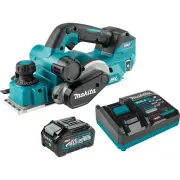
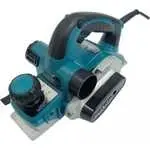
Page 2 - SPECIFICATIONS; Applicable battery cartridge and charger; SAFETY WARNINGS; General power tool safety warnings; Save all warnings and instruc-
2 ENGLISH ENGLISH (Original instructions) SPECIFICATIONS Model: GPK01 Planing width 82 mm (3-1/4") Planing depth 4 mm (5/32") Shiplapping depth 25 mm (1") No load speed 15,000 /min Overall length (with BL4040) 385 mm (15-1/8") Rated voltage D.C. 36 V - 40 V max Net weight 3.7 - 4.9 k...
Page 4 - Cordless Planer Safety Warnings; SAVE THESE INSTRUCTIONS.; Symbols; Important safety instructions for
4 ENGLISH 3. Follow instruction for lubricating and chang- ing accessories. 4. Do not modify or attempt to repair the appli- ance or the battery pack except as indicated in the instructions for use and care. Cordless Planer Safety Warnings 1. Wait for the cutter to stop before setting the tool down....
Page 5 - Tips for maintaining maximum
5 ENGLISH 11. When disposing the battery cartridge, remove it from the tool and dispose of it in a safe place. Follow your local regulations relating to disposal of battery. 12. Use the batteries only with the products specified by Makita. Installing the batteries to non-compliant products may resul...
Page 6 - FUNCTIONAL; Installing or removing battery; Tool / battery protection system
6 ENGLISH FUNCTIONAL DESCRIPTION CAUTION: Always be sure that the tool is switched off and the battery cartridge is removed before adjusting or checking function on the tool. Installing or removing battery cartridge CAUTION: Always switch off the tool before installing or removing of the battery car...
Page 7 - Adjusting depth of cut; Switch action; Foot
7 ENGLISH Indicator lamps Remaining capacity Lighted Off Blinking 75% to 100% 50% to 75% 25% to 50% 0% to 25% Charge the battery. The battery may have malfunctioned. NOTE: Depending on the conditions of use and the ambient temperature, the indication may differ slightly from the actual capacity. NOT...
Page 8 - Electric brake; ASSEMBLY; For tool with conventional planer; Removing conventional planer blades
8 ENGLISH Accidental restart preventive function If you install the battery cartridge while pulling the switch trigger, the tool does not start. To start the tool, release the switch trigger, and then pull the switch trig- ger again while depressing the lock-off button. Electronic function The tool ...
Page 9 - Installing conventional planer blades
9 ENGLISH 3. Untighten the screws from the conventional planer blade, and then remove the adjusting plate. 1 2 3 Fig.8 ► 1. Screws 2. Conventional planer blade 3. Adjusting plate Installing conventional planer blades 1. Set a conventional planer blade onto the blade gauge, aligning its cutting edge ...
Page 10 - For tool with mini planer blades; Removing mini planer blades; Installing mini planer blades; Mini planer blade calibration
10 ENGLISH For tool with mini planer blades NOTE: A pair of planer blades are assembled in the drum. Repeat the following procedures for each planer blade. Removing mini planer blades 1. Loosen the installation bolts one turn using the box wrench provided. 2 1 Fig.12 ► 1. Installation bolt 2. Box wr...
Page 14 - Dust and wood chip extraction
14 ENGLISH Installing depth guide 1. Lay the tool down with the belt cover facing downwards. 2. Mount the depth guide in place by securing it with the washer and thumb screw into the mounting hole on side of the tool head. 1 2 3 4 5 Fig.23 ► 1. Belt cover 2. Depth guide 3. Washer 4. Thumb screw 5. M...
Page 15 - Dust bag; Connecting a vacuum cleaner
15 ENGLISH As for installation, insert the stopper straight into one of the openings aligning the locking slot in the stopper with the guide projection on the opening until it locks in place. 1 2 3 Fig.28 ► 1. Stopper 2. Locking slot 3. Guide projection Dust bag Optional accessory Attach the dust ba...
Page 16 - OPERATION; Planing operation
16 ENGLISH OPERATION CAUTION: Hold the tool firmly with one hand on the switch handle and the other hand on the depth adjustment knob when operating the tool. Planing operation 1. Hold the tool firmly with your both hands, one hand on the switch handle and the other on the depth adjustment knob. 2. ...
Page 17 - Chamfering
17 ENGLISH 3. Draw a cutting line on the workpiece and align the blade edge with the cutting line. 43 1 2 2 Fig.37 ► 1. Blade edge 2. Cutting line 3. Depth guide 4. Thumb screw NOTE: Make sure that the blade edge comes out of the side end of the drum by 1.6 mm – 1.8 mm (1/16″) for shiplapping. (See ...
Page 18 - Using chamfering rules; WIRELESS ACTIVATION; What you can do with the wireless
18 ENGLISH Using chamfering rules Optional accessory 1. Slide the edge fences in the chamfering rules inwards until they come in contact with the corner walls of the workpiece. 2. Secure the edge fences in place with the thumb screws. 3. Perform planning operation by moving the tool with the whole e...
Page 19 - Tool registration for the vacuum
19 ENGLISH 1. Open the lid on the tool as shown in the figure. 1 Fig.46 ► 1. Lid 2. Insert the wireless unit to the slot and then close the lid. When inserting the wireless unit, align the projections with the recessed portions on the slot. 1 3 2 4 Fig.47 ► 1. Wireless unit 2. Projection 3. Lid 4. R...
Page 21 - Description of the wireless activation lamp status
21 ENGLISH NOTE: The wireless activation lamp on the tool will stop blinking in blue when there is no operation for 2 hours. In this case, set the stand-by switch on the vacuum cleaner to "AUTO" and push the wireless activation button on the tool again. NOTE: The vacuum cleaner starts/stops ...
Page 23 - Troubleshooting for wireless activation function
23 ENGLISH Troubleshooting for wireless activation function Before asking for repairs, conduct your own inspection first. If you find a problem that is not explained in the manual, do not attempt to dismantle the tool. Instead, ask Makita Authorized Service Centers, always using Makita replace - men...
Page 24 - MAINTENANCE; Cleaning up chip discharge openings; OPTIONAL ACCESSORIES; MAKITA LIMITED WARRANTY
24 ENGLISH MAINTENANCE CAUTION: Always be sure that the tool is switched off and the battery cartridge is removed before attempting to perform inspection or maintenance. NOTICE: Never use gasoline, benzine, thinner, alcohol or the like. Discoloration, deformation or cracks may result. To maintain pr...
Page 25 - ESPECIFICACIONES; Cartucho de batería y cargador aplicables; ADVERTENCIAS DE; Advertencias generales de seguridad; Conserve todas las advertencias
25 ESPAÑOL ESPAÑOL (Instrucciones originales) ESPECIFICACIONES Modelo: GPK01 Ancho de cepillado 82 mm (3-1/4″) Profundidad de cepillado 4 mm (5/32″) Profundidad de rebajado 25 mm (1″) Velocidad sin carga 15 000 r/min Longitud total (con BL4040) 385 mm (15-1/8″) Tensión nominal 36 V - 40 V c.c. máx. ...
Page 27 - GUARDE ESTAS
27 ESPAÑOL 8. Mantenga los mangos y superficies de asi - miento secos, limpios y libres de aceite o grasa. Los mangos y superficies de asimiento resbalosos no permiten una manipulación segura ni el control de la herramienta en situaciones inesperadas. 9. Cuando vaya a utilizar esta herramienta, evit...
Page 28 - Símbolos; Instrucciones importantes de
28 ESPAÑOL ADVERTENCIA: NO DEJE que la comodidad o familiaridad con el producto (a base de utilizarlo repetidamente) evite que siga estrictamente las normas de seguridad para dicho producto.El USO INCORRECTO o el no seguir las normas de seguridad indicadas en este manual de ins- trucciones puede oca...
Page 29 - Instrucciones importantes
29 ESPAÑOL Consejos para alargar al máximo la vida útil de la batería 1. Cargue el cartucho de batería antes de que se descargue completamente. Pare siem- pre la operación y cargue el cartucho de batería cuando note menos potencia en la herramienta. 2. No cargue nunca un cartucho de batería que esté...
Page 30 - Instalación o extracción del; Sistema de protección para la
30 ESPAÑOL DESCRIPCIÓN DEL FUNCIONAMIENTO PRECAUCIÓN: Asegúrese siempre de que la herramienta esté apagada y el cartucho de batería haya sido extraído antes de realizar cualquier ajuste o comprobación en la herramienta. Instalación o extracción del cartucho de batería PRECAUCIÓN: Apague siempre la h...
Page 31 - Ajuste de la profundidad de corte
31 ESPAÑOL Indicación de la capacidad restante de la batería Oprima el botón de verificación en el cartucho de la batería para que indique la capacidad restante de la batería. Las luces indicadoras se iluminarán por algu - nos segundos. 1 2 Fig.2 ► 1. Luces indicadoras 2. Botón de verificación Luces...
Page 32 - ENSAMBLE
32 ESPAÑOL Pie El pie sale de la base trasera cuando levanta la herra- mienta de las superficies de trabajo, para evitar que las cuchillas del cepillo toquen la pieza de trabajo directa - mente. Evita que las cuchillas del cepillo sufran daños accidentales cuando no se utilizan. El pie regresa a la ...
Page 33 - Extracción de las cuchillas del cepillo
33 ESPAÑOL Para herramientas con cuchillas de cepillo convencionales NOTA: Un par de cuchillas del cepillo están monta- das en el tambor. Repita los siguientes procedimien- tos para cada cuchilla del cepillo. Extracción de las cuchillas del cepillo convencionales 1. Desatornille los pernos de instal...
Page 34 - Extracción de las minicuchillas del
34 ESPAÑOL 5. Limpie todas las astillas de madera y materias extrañas adheridas al tambor y a la cuchilla del cepillo convencional. 6. Deslice la guía de posicionamiento de la placa de ajuste en la ranura de guía en el tambor, y luego coloque la placa del tambor sobre la cuchilla del cepillo convenc...
Page 35 - Calibración de la minicuchilla del cepillo
35 ESPAÑOL Calibración de la minicuchilla del cepillo Realice una calibración de las cuchillas del cepillo a intervalos regulares para optimizar la eficiencia del trabajo. 1. Afloje los pernos de instalación una vuelta con la llave de bujías provista. 2. Deslice la minicuchilla del cepillo fuera del...
Page 37 - Ajustes de la cuchilla del cepillo
37 ESPAÑOL Ajustes de la cuchilla del cepillo Su superficie de cepillado quedará áspera y dispareja, a menos que las cuchillas del cepillo sean colocadas correc - tamente aseguradas. Instale las cuchillas del cepillo correctamente para que los bordes de corte se asienten en un ángulo recto, a un niv...
Page 39 - Extracción de polvo y astillas de
39 ESPAÑOL Instalación de las reglas para biselado Accesorio opcional 1. Coloque la herramienta abajo con la base delan - tera hacia arriba. 2. Fije las guías laterales a los brazos de montaje, alineando las protuberancias de los brazos con las hendiduras de guía en las guías laterales, y asegúrelas...
Page 40 - Bolsa recolectora de polvo; Conexión de un aspirador; OPERACIÓN; Cepillado
40 ESPAÑOL Bolsa recolectora de polvo Accesorio opcional Coloque la bolsa recolectora de polvo sobre una de las aberturas de descarga, y empújela firmemente hasta el tope. Asegúrese de que la bolsa recolectora de polvo esté colocada de forma segura sobre la abertura ahu- sada, para que no se salga d...
Page 42 - Achaflanado
42 ESPAÑOL NOTA: Asegúrese de que el borde de la cuchilla sobresalga del extremo lateral del tambor 1,6 mm a 1,8 mm (1/16″) para el rebajado. (Véase “A” en la figura a continuación). * Puede optar por dejar que el borde de la cuchilla sobresalga de la base delantera 0,2 mm a 0,4 mm (1/64″). (Véase “...
Page 43 - Uso de las reglas para biselado; FUNCIÓN DE ACTIVACIÓN; Lo que puede hacer con la función
43 ESPAÑOL Uso de las reglas para biselado Accesorio opcional 1. Deslice las guías laterales en las reglas para biselado hacia adentro hasta que entren en contacto con las paredes de las esquinas de la pieza de trabajo. 2. Asegure las guías laterales en su lugar con los tornillos de mariposa. 3. Rea...
Page 44 - Registro de la herramienta para la
44 ESPAÑOL 1. Abra la tapa en la herramienta tal como se mues- tra en la ilustración. 1 Fig.46 ► 1. Tapa 2. Inserte la unidad inalámbrica en la ranura y luego cierre la tapa.Cuando inserte la unidad inalámbrica, alinee las partes salientes con las partes cóncavas en la ranura. 1 3 2 4 Fig.47 ► 1. Un...
Page 45 - Inicio de la función de activación
45 ESPAÑOL 3. Oprima el botón de activación inalámbrica en la aspiradora durante 3 segundos hasta que la luz indica- dora de activación inalámbrica parpadee en verde. Y luego oprima el botón de activación inalámbrica en la herramienta de la misma manera. 1 2 1 2 Fig.50 ► 1. Botón de activación inalá...
Page 49 - MANTENIMIENTO; Limpieza de las aberturas de
49 ESPAÑOL Estado de la anomalía Causa probable (avería) Remedio La aspiradora no funciona junto con el interruptor de la herramienta. La unidad inalámbrica no está instalada en la herramienta. La unidad inalámbrica está instalada incorrectamente en la herramienta. Instale la unidad inalámbrica corr...
Page 50 - ACCESORIOS OPCIONALES; GARANTÍA LIMITADA DE MAKITA; Ésta Garantía no aplica para México
50 2. Deslice los extremos traseros de las cuchillas del cepillo en las ranuras de montaje tanto como sea posi - ble con los bordes de corte a afilar hacia abajo. 4 1 2 3 5 6 Fig.58 ► 1. Soporte para afilado 2. Tuerca de mariposa 3. Cuchilla 4. Borde de corte 5. Ranuras de montaje 6. Cabeza de perno...
Page 52 - Makita Corporation
Some dust created by power sanding, sawing, grinding, drilling, and other construction activities contains chemicals known to the State of California to cause cancer, birth defects or other reproductive harm. Some examples of these chemicals are: • lead from lead-based paints, • crystalline silica f...