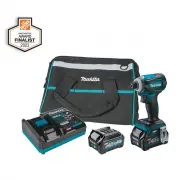
Page 2 - SPECIFICATIONS; Applicable battery cartridge and charger
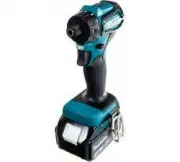
2 ENGLISH ENGLISH (Original instructions) SPECIFICATIONS Model: GDT01 Fastening capacities Machine screw 4 mm - 8 mm (5/32" - 5/16") Standard bolt 5 mm - 16 mm (3/16" - 5/8") High tensile bolt 5 mm - 14 mm (3/16" - 9/16") No load speed (RPM) 4 (Max impact mode) 0 - 3,700 /min...
Page 3 - SAFETY WARNINGS; General power tool safety warnings; Save all warnings and instruc-
3 ENGLISH SAFETY WARNINGS General power tool safety warnings WARNING: Read all safety warnings, instruc- tions, illustrations and specifications provided with this power tool. Failure to follow all instructions listed below may result in electric shock, fire and/or serious injury. Save all warnings ...
Page 4 - Cordless impact driver safety; SAVE THESE INSTRUCTIONS.; Symbols
4 ENGLISH 5. Maintain power tools and accessories. Check for misalignment or binding of moving parts, breakage of parts and any other condition that may affect the power tool’s operation. If dam - aged, have the power tool repaired before use. Many accidents are caused by poorly maintained power too...
Page 5 - Important safety instructions for
5 ENGLISH Important safety instructions for battery cartridge 1. Before using battery cartridge, read all instruc- tions and cautionary markings on (1) battery charger, (2) battery, and (3) product using battery. 2. Do not disassemble or tamper the battery cartridge. It may result in a fire, excessi...
Page 6 - FUNCTIONAL; Installing or removing battery; Indicating the remaining battery capacity; Tool / battery protection system
6 ENGLISH FUNCTIONAL DESCRIPTION CAUTION: Always be sure that the tool is switched off and the battery cartridge is removed before adjusting or checking function on the tool. Installing or removing battery cartridge CAUTION: Always switch off the tool before installing or removing of the battery car...
Page 7 - Overdischarge protection; Electric brake; Reversing switch action
7 ENGLISH Overdischarge protection When the battery capacity is not enough, the tool stops automatically. In this case, remove the battery from the tool and charge the battery. Switch action 1 ► 1. Switch trigger CAUTION: Before installing the battery car- tridge into the tool, always check to see t...
Page 8 - Changing the application mode; When the application mode is not
8 ENGLISH CAUTION: Always check the direction of rotation before operation. CAUTION: Use the reversing switch only after the tool comes to a complete stop. Changing the direction of rotation before the tool stops may dam - age the tool. CAUTION: When not operating the tool, always set the reversing ...
Page 9 - Disabling the quick mode-switching button
9 ENGLISH Disabling the quick mode-switching button You can also disable the quick mode-switching button. After disabling, the quick mode-switching button will not work for changing the impact force and switching the application mode.To disable the quick mode-switching button, press and hold the qui...
Page 10 - Changing the impact force
10 ENGLISH Changing the impact force You can change the impact force in four steps: 4 (max), 3 (hard), 2 (medium), and 1 (soft). This allows a tightening suitable to the work. The level of impact force changes every time you press the button or the quick mode-switching button. You can change the imp...
Page 11 - Changing assist type
11 ENGLISH Changing assist type This tool employs assist function that offers several easy-to-use application modes for driving screws with good control. The type of the application mode changes every time you press the button . You can change the assist type within approximately one minute after re...
Page 12 - Quick mode-switching function; What you can do with the quick mode-switching function
12 ENGLISH Application mode (Assist type displayed on panel) Maximum blows Feature Purpose Bolt mode – Clockwise This mode helps to repeat screwdriving continuously with equal torque. The stroke of the switch trigger to reach maximum speed will become short in this mode. Counterclockwise This mode h...
Page 14 - ASSEMBLY; Installing or removing driver bit/
14 ENGLISH Application mode While registering the application mode When the registered application mode turns on Wood mode T mode (1) T mode (2) Bolt mode (1) Bolt mode (2) Bolt mode (3) : The lamp is on. : The lamp is blinking. ASSEMBLY CAUTION: Always be sure that the tool is switched off and the ...
Page 15 - Installing hook; OPERATION
15 ENGLISH NOTE: If the driver bit is not inserted deep enough into the sleeve, the sleeve will not return to its original position and the driver bit will not be secured. In this case, try re-inserting the bit according to the instruc - tions above. NOTE: When it is difficult to insert the driver b...
Page 16 - MAINTENANCE; OPTIONAL; MAKITA LIMITED WARRANTY
16 ENGLISH NOTE: Use the proper bit for the head of the screw/ bolt that you wish to use. NOTE: When fastening M8 or smaller screw, choose a proper impact force and carefully adjust pressure on the switch trigger so that the screw is not damaged. NOTE: Hold the tool pointed straight at the screw. NO...
Page 17 - ESPECIFICACIONES; Cartucho de batería y cargador aplicables
17 ESPAÑOL ESPAÑOL (Instrucciones originales) ESPECIFICACIONES Modelo: GDT01 Capacidades de apriete Tornillo de máquina 4 mm - 8 mm (5/32" - 5/16") Tornillo estándar 5 mm - 16 mm (3/16" - 5/8") Tornillo de alta resistencia 5 mm - 14 mm (3/16" - 9/16") Velocidad sin carga (RPM...
Page 18 - Advertencias generales de seguridad; Conserve todas las advertencias
18 ESPAÑOL ADVERTENCIAS DE SEGURIDAD Advertencias generales de seguridad para herramientas eléctricas ADVERTENCIA: Lea todas las advertencias de seguridad, instrucciones, ilustraciones y espe- cificaciones suministradas con esta herramienta eléctrica. El no seguir todas las instrucciones indi- cadas...
Page 20 - GUARDE ESTAS INSTRUCCIONES.
20 ESPAÑOL Advertencias de seguridad para el atornillador de impacto inalámbrico 1. Sujete la herramienta eléctrica por las super- ficies de agarre aisladas al realizar una ope - ración en la que el sujetador pueda entrar en contacto con cables ocultos. Si el sujetador entra en contacto con un cable...
Page 21 - GUARDE ESTAS; DESCRIPCIÓN DEL; Instalación o extracción del
21 ESPAÑOL 12. Utilice las baterías únicamente con los pro- ductos especificados por Makita. Instalar las baterías en productos que no cumplan con los requisitos podría ocasionar un incendio, un calen - tamiento excesivo, una explosión o una fuga de electrolito. 13. Si no se utiliza la herramienta p...
Page 22 - Sistema de protección para la; Freno eléctrico
22 ESPAÑOL Indicación de la capacidad restante de la batería Oprima el botón de verificación en el cartucho de la batería para que indique la capacidad restante de la batería. Las luces indicadoras se iluminarán por algu - nos segundos. 1 2 ► 1. Luces indicadoras 2. Botón de verificación Luces indic...
Page 24 - Botón rápido de conmutación de; Cuando el modo de aplicación no está
24 ESPAÑOL Cambio del modo de aplicación ¿Qué es el modo de aplicación? El modo de aplicación es la variación de la rotación y el impacto del atornillado que ya están preestablecidos en la herramienta. Al elegir un modo de aplicación ade- cuado en función del trabajo, puede lograr un trabajo más ráp...
Page 25 - Referencia rápida
25 ESPAÑOL Desactivación del botón rápido de conmutación de modo También puede desactivar el botón rápido de conmuta- ción de modo. Después de desactivarlo, el botón rápido de conmutación de modo no funcionará para cambiar la fuerza del impacto y modificar el modo de aplicación. Para desactivar el b...
Page 26 - Cambio de la fuerza de impacto
26 ESPAÑOL Cambio de la fuerza de impacto Usted puede cambiar la fuerza de impacto a cuatro niveles: 4 (máx.), 3 (dura), 2 (media) y 1 (suave). Esto permite un apriete adecuado para el trabajo. El nivel de fuerza del impacto cambiará cada vez que presione el botón o el botón rápido de conmutación de...
Page 27 - Cambio del tipo de asistencia
27 ESPAÑOL Cambio del tipo de asistencia Esta herramienta emplea la función de asistencia que ofrece varios modos de aplicación fáciles de usar para inser- tar tornillos con un buen control.El tipo de modo de aplicación cambia cada vez que presiona el botón . Usted puede cambiar el tipo de asistenci...
Page 28 - Función rápida de conmutación de modo; Lo que puede hacer con la función rápida de conmutación de modo
28 ESPAÑOL Modo de aplicación (Tipo de asistencia mostrado en el panel) Golpes máximos Característica Propósito Modo para pernos - En el sentido de las manecillas del reloj Este modo ayuda a repetir el atornillado continuo con una torsión igual. La carrera del gatillo interruptor para alcan- zar la ...
Page 29 - Registro del modo de aplicación; Uso de la función rápida de conmutación de modo
29 ESPAÑOL Tipo de asistencia • Modo para madera • Modo T (1) • Modo T (2) • Modo para pernos (1) (en el sentido de las manecillas del reloj/en sentido contrario de las manecillas del reloj) • Modo para pernos (2) (en el sentido de las manecillas del reloj/en sentido contrario de las manecillas del ...
Page 30 - ENSAMBLADO; Instalación o extracción de la punta
30 ESPAÑOL Modo de aplicación Mientras registra el modo de aplicación Cuando el modo de aplicación regis- trado se activa 2 (medio) 1 (suave) Modo para madera Modo T (1) Modo T (2) Modo para pernos (1) Modo para pernos (2) Modo para pernos (3) : La lámpara está encendida. : La lámpara está parpadean...
Page 31 - Instalación del gancho; OPERACIÓN
31 ESPAÑOL 1 2 ► 1. Punta de destornillador 2. Mandril Para quitar la punta de destornillador, jale el mandril en dirección de la flecha y jale la punta de destornillador hacia afuera. NOTA: Si la punta de destornillador no se encuentra insertada hasta el fondo en el mandril, éste no regre- sará a s...
Page 32 - MANTENIMIENTO
32 ESPAÑOL Torsión de apriete apropiada para un perno de alta resistencia 0 1 2 N•m (ft•lbs) 200 N•m (145 ft•lbs) 180 N•m (130 ft•lbs) 160 N•m (116 ft•lbs) 140 N•m (101 ft•lbs) 120 N•m (87 ft•lbs) 100 N•m (72 ft•lbs) 80 N•m (58 ft•lbs) 60 N•m (43 ft•lbs) 40 N•m (29 ft•lbs) 20 N•m (14 ft•lbs) 14 mm (...
Page 33 - GARANTÍA LIMITADA DE MAKITA; Ésta Garantía no aplica para México
33 ESPAÑOL GARANTÍA LIMITADA DE MAKITA Ésta Garantía no aplica para México Consulte la hoja de la garantía anexa para ver los términos más vigentes de la garantía aplicable a este producto. En caso de no disponer de esta hoja de garantía anexa, consulte los detalles sobre la garantía descritos en el...
Page 36 - Makita Corporation
Some dust created by power sanding, sawing, grinding, drilling, and other construction activities contains chemicals known to the State of California to cause cancer, birth defects or other reproductive harm. Some examples of these chemicals are: • lead from lead-based paints, • crystalline silica f...