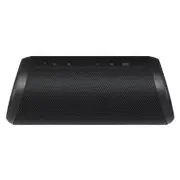
Page 2 - Connecting and Using the Speaker; Portable Bluetooth Speaker Quick Guide
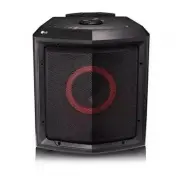
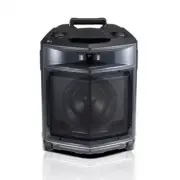
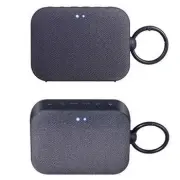
2 Portable Bluetooth Speaker Quick Guide Connecting and Using the Speaker d a c 5 V 0 2 A b a Charge the speaker before using it by opening the rear cover and connect the speaker to an AC adapter (not supplied). Portable Bluetooth Speaker Quick Guide
Page 4 - Table of Contents
4 Table of Contents Portable Bluetooth Speaker Quick Guide 2 Connecting and Using the Speaker Exploring the Product 5 Top 7 Back Charge 8 Charging the Battery 9 Checking Battery Status Connecting to Bluetooth 10 Connecting Smartphone to the Speaker via Bluetooth 13 Connecting Two Bluetooth Devices t...
Page 5 - Top; Exploring the Product
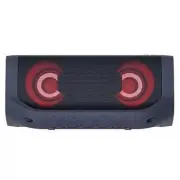
5 Exploring the Product Top b c d a e f g a Battery LED Please check the battery charging level and battery status. ( [ See “Checking Battery Status” on page 9.) • Press and hold the Power button for 2 seconds to check the battery level while the power or the speaker is on. b Power Turns the speaker...
Page 7 - Back
7 Back a e 5 V 0 2 A b c d a Back Cover Make sure to fully close the back cover after use. • Ingress Protection: IP67 - Solid: The unit is dust-tight. - Liquid: Protection against being immersed in 1 meter of water. b (DC OUT 5 V 0 2 A) You can charge a smartphone. c AUX You can connect the product ...
Page 8 - Charging the Battery; Charge
8 Charge Charging the Battery The speaker is a built-in battery. Make sure to charge the battery sufficiently before use. a Open the back cover and connect the USB cable to (DC IN) port of the speaker. b Connect the supplied USB cable to the AC adapter (not supplied). c Plug the AC adapter into an A...
Page 9 - Checking Battery Status; Charging Status
9 Checking Battery Status Charging Status Once the battery charging starts, the battery LED indicates the charging status. LED LED Status / Battery Status It is green. / Charging is complete. It is red. / Charging is in progress. Note • Playing tracks while charging may lengthen the charging time. •...
Page 10 - Connecting Smartphone to the Speaker via Bluetooth; Connecting to Bluetooth
10 Connecting to Bluetooth Connecting Smartphone to the Speaker via Bluetooth You can play tracks or run a music app on a Bluetooth device and enjoy the sounds through the speaker. Please check the following first. • The speaker’s Bluetooth specifications are as follows: - Bluetooth version: 5.1 - B...
Page 13 - Connecting Two Bluetooth Devices to the Speaker; Multi phone pairing
13 Connecting Two Bluetooth Devices to the Speaker Multi phone pairing a Connect one Bluetooth device to the speaker first.( [ See “Connecting Smartphone to the Speaker via Bluetooth” on page 10.) b When the Bluetooth device and speaker are connected, press and hold Bluetooth button for 2 seconds. T...
Page 14 - Talking on the Phone Hands-free
14 Talking on the Phone Hands-free a Connect a smart device to the speaker. ( [ See “Connecting Smartphone to the Speaker via Bluetooth” on page 10.) b You can use the Hands-Free function by operating as in the table below. Function How to Use Receiving phone call Press the Play/Pause button. Ending...
Page 15 - Using Voice command
15 Using Voice command You can turn on the Google Assistant or Siri function on your smartphone and use voice command through the speaker’s microphone. Please check the following first. • Use a smart device that provides a voice command function. • This function may not work depending on the Bluetoo...
Page 16 - Installing app; Connecting to the LG XBOOM App
16 Connecting to the LG XBOOM App Installing app Use the various functions of the speaker on the LG XBOOM app . To install the LG XBOOM app , scan the QR code with an app or install LG XBOOM on the Google Play or App Store. Please check the following first. • The LG XBOOM app is available in the ver...
Page 17 - Downloading in Google Play or App Store
17 Downloading in Google Play or App Store a Find the LG XBOOM app on the Google Play or App Store and install it on your smartphone. (Android™ Phone) (iPhone) b Connect the smartphone to the speaker via Bluetooth . ( [ See “Connecting Smartphone to the Speaker via Bluetooth” on page 10.) c Open the...
Page 18 - Using the Wireless Party Link; Dual mode
18 Using the Wireless Party Link You can connect multiple speakers in the LG XBOOM app 's Wireless Party Link. There are two ways for using the Wireless Party Link: Dual mode and Multi mode. Dual mode Wireless Party Link Dual mode lets you enjoy stereo sound with the same two speakers. Please check ...
Page 21 - Interworking multiple speakers
21 Interworking multiple speakers This speaker interworks with other LG Bluetooth speakers such as XG9Q/XG7Q/XG5Q and XO3Q. Dual mode Same model (e.g. XG7Q/XG7Q) Main/Other Volume O EQ O Lighting O Auto Power Management O Sleep Timer O Multi mode Same series (XG9Q/XG7Q/XG5Q) Main/Other Lighting O Au...
Page 22 - Connecting via 3.5 mm Stereo Cable; Connecting to an External Device
22 Connecting to an External Device Connecting via 3.5 mm Stereo Cable You can connect the speaker and various external devices via a 3.5 mm stereo cable to enjoy the music. a Press the Power button on the speaker to turn it on. b Open the back cover of the speaker and connect the external device to...
Page 23 - Setting Sound Effects; Additional Functions
23 Additional Functions Setting Sound Effects You can select a desired sound effect by using SOUND BOOST SOUND BOOST button. LED ( Off / On) Function / Description Standard / You can enjoy High-fidelity sound with balanced and natural. SOUND BOOST / You can enjoy the wide sound field and powerful so...
Page 24 - Charging a smartphone
24 Charging a smartphone Use the USB cable to charge your smartphone like a spare battery for the speaker. Please check the following first. • The method of charging your smartphone differs depending on the device. Refer to your smartphone's manual. • You can only charge your smartphone in Bluetooth...
Page 26 - Resetting the Speaker; Resetting Bluetooth
26 Resetting the Speaker You can reset the speaker when it operates improperly. a Press and hold the Power and SOUND BOOST SOUND BOOST buttons on the speaker for 7 seconds simultaneously. Then the speaker will turn off automatically. b Turn on by pressing the Power button. Resetting Bluetooth Resett...
Page 27 - Using Auto Power Management
27 Using Auto Power Management • When the charging cable is plugged in: If there is no input signal or button operation, the speaker turns off automatically after 15 minutes. • When the charging cable is not plugged in: If there is no input signal or button operation, the speaker turns off automatic...
Page 28 - Voice feedback function
28 Using Auto power - on. You can easily use the speaker with your Bluetooth device. Please check the following first. • The speaker has a history of Bluetooth connection with the Bluetooth device. • The speaker is charging and the power is off. a Tap the Setting button on your Bluetooth device and ...
Page 29 - Safety and Regulatory; CAUTION; Safety Precautions
29 Safety Precautions Safety and Regulatory CAUTION RISK OF ELECTRIC SHOCK DO NOT OPEN CAUTION: TO REDUCE THE RISK OF ELECTRIC SHOCK DO NOT REMOVE COVER (OR BACK) NO USER- SERVICEABLE PARTS INSIDE. REFER SERVICING TO QUALIFIED SERVICE PERSONNEL. This lightning flash with arrowhead symbol within an e...
Page 32 - Troubleshooting; Before Reporting Product Malfunction
32 Before Reporting Product Malfunction Troubleshooting If you experience the following issues while using the product, please perform several checks, as they may not be malfunctions. Symptom Cause and Solution Power is not supplied. • The battery is discharged. Recharge the battery. • Connect the s...
Page 33 - Appendix
33 Appendix Specifications General Power Supply 5 V 0 2 A (AC adapter) Built-in rechargeable battery Power consumption Refer to the main label. Dimensions (W x H x D) Approx. 261 mm x 98 mm x 95 mm Temperature 5 °C - 35 °C Humidity 5 % - 60 % RH Ingress Protection IP67 Input AUX (Portable in) 0.5 Vr...
Page 34 - Registered Trademarks and Licenses
34 Registered Trademarks and Licenses All trademarks and trade names are the property of their respective owners. The Bluetooth® word mark and logos are registered trademarks owned by the Bluetooth SIG, Inc. and any use of such marks by LG Electronics is under license.Other trademarks and trade name...
Page 35 - Handling the Product; When shipping the Product; Cleaning the product
35 Handling the Product When shipping the Product Please save the original shipping carton and packing materials. If you need to ship the product, for maximum protection, re-pack the product as it was originally packed at the factory. Keeping the exterior surfaces clean • Do not use volatile liquids...