Page 2 - TABLE OF CONTENTS
TABLE OF CONTENTS This manual may contain images or content different from the model you purchased. This manual is subject to revision by the manufacturer. SAFETY INSTRUCTIONS .......................................................03 IMPORTANT SAFETY INSTRUCTIONS .......................................
Page 3 - SAFETY INSTRUCTIONS; IMPORTANT SAFETY INSTRUCTIONS; WARNING; To reduce the risk of fire, electric shock, or injury to persons; Children in the Household; This appliance is not intended for use by persons (including
03 SAFETY INSTRUCTIONS The following safety guidelines are intended to prevent unforeseen risks or damage from unsafe or incorrect operation of the appliance. The guidelines are separated into ‘WARNING’ and ‘CAUTION’ as described below. This symbol is displayed to the indicate matters and operations...
Page 4 - Installation; and adjusted by qualified service personnel according to the
04 Installation • Make sure the appliance is properly installed, grounded, and adjusted by qualified service personnel according to the installation instructions. • Never attempt to operate this appliance if it is damaged, malfunctioning, partially disassembled, or has missing or broken parts, inclu...
Page 5 - Operation; specifically recommended in this Owner’s Manual. Use only
05 • Improper connection of the equipment-grounding conductor can result in risk of electric shock. Check with a qualified electrician or service person if you are in doubt as to whether the appliance is properly grounded. • Do not modify the plug provided with the appliance. If it does not fit the ...
Page 6 - Maintenance
06 • In case of flood, disconnect the power plug and contact the LG Electronics customer information centre. • Do not push down on the door excessively, when the appliance door is open. • Use new hose or hose-set supplied with the appliance. Reusing old hoses can cause a water leak and subsequent pr...
Page 7 - grip the power plug firmly and pull straight out from the socket; Technical Safety for Using the Appliance; Fabric softeners, or similar products, should be used as specified
07 • Never unplug the appliance by pulling on the power cable. Always grip the power plug firmly and pull straight out from the socket outlet. Technical Safety for Using the Appliance • Do not dry unwashed items in the appliance. • Fabric softeners, or similar products, should be used as specified b...
Page 8 - Disposal; WARNING - To avoid a fire
08 • Remove clothes from the product immediately when drying is complete or the power is turned off during the drying process. Leaving clothes that has been dried in the appliance unattended could result in fire. Clothes removed from the appliance after drying could result in fire. Remove clothes im...
Page 9 - Specifications; INSTALLATION
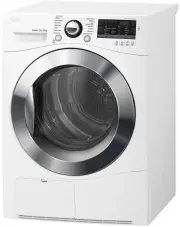
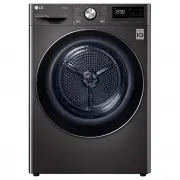
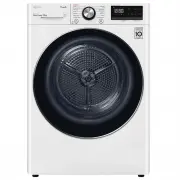
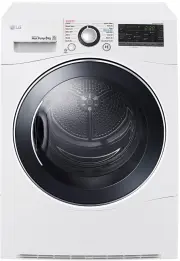
09 Specifications Water container Control panel Glass door Opaque door Condenser cover Air ventilation grill Model TD-C80NPW TD-C90NPE Power supply 220 - 240 V~, 50 Hz Size 600 mm (W) X 640 mm (D) X 850 mm(H) Product weight 43 - 46 kg Allowable temperature 5 - 35 °C Max. capacity 8 kg 9 kg • Appeara...
Page 10 - Installation Place Requirements; Location; NOTE; Positioning; Ventilation Requirement
10 Installation Place Requirements Location 30 -50 cm 2 cm 2 cm Level floor : Allowable slope under the entire appliance is 1 °. Power outlet : Must be within 1.5 meters of either side of the location of the appliance. • Do not overload the outlet with more than one appliance. Additional Clearance :...
Page 11 - Electrical Connection; Stacking Installation; Stacking Kit
11 WARNING • Avoid installing the appliance around a heat source.The rear side of the appliance must be well ventilated. Failure to follow these instructions may result in problems. • The appliance should not be installed next to a refrigeration appliance. • The appliance is not designed for maritim...
Page 12 - Installation Procedure
12 Installation Procedure 1 Place the LG dryer on the LG washing machine. 2 Remove the two screws from the bottom of the rear cover on each side as illustrated below. 3 Align the stacking kit holes and the rear cover holes.3-1) 600 mm 3-2) 550 mm 4 Fasten the two screws that were removed earlier fro...
Page 13 - Diagonal Check
13 Condensed Water Drain-out Normally, condensed water is pumped up to the water container where water is collected until manually emptied. Water can also be drained out directly to a mains drain, especially when the dryer is stacked on top of a washing machine. With a connecting kit for the mains d...
Page 14 - Using the Appliance; OPERATION
14 Using the Appliance Before the first cycle, set the appliance to dry for five minutes to warm up the drum. Open the door between loads the first few times you use the appliance to allow any odours from the interior of the appliance to disperse. 1 Ensure the lint filter and water container are cle...
Page 15 - Sorting Laundry
15 CAUTION • Be careful! The drum inside may still be hot. • The appliance must not be used for purposes other than those for which it was designed. NOTE • The final part of a tumble dryer cycle occurs without heat (cool down cycle) to ensure that laundry is left at a temperature that ensures the la...
Page 16 - Control Panel
16 Control Panel Power button • Press the Power button to turn power on and off. • Press the Power button to cancel the Time Delay function. Programme Selector • Programmes are available according to the laundry type. • The lamp will light up to indicate the selected programme. Start/Pause button • ...
Page 17 - Programme Table; Drying Programme
17 Programme Table Drying Programme Sensor Dry Programmes Programme Laundry Type Detail Drying Level Cotton Towels, dressing gowns and bed linen For thick and quilted fabrics Extra Terry towels, tea towels, towels and bed linen For thick and quilted fabrics that do not need to be ironed Very Bath to...
Page 18 - CAUTION
18 Sensor Dry Programmes Programme Laundry Type Detail Drying Level Cotton Soft T-shirts, pillowcase, and towels For cotton fabrics which do not need to be ironed - Sports Wear Soccer kit and training wear For polyester material - Quick Dry Linen and towels (excluding delicate fabrics) sports wear, ...
Page 19 - Option Cycle; Time Delay; Favorite; Hand Iron
19 Option Cycle Time Delay You can use the Time Delay option to delay the finishing time of the drying cycle. Maximum Time Delay is 19 hours. Minimum Time Delay is 3 hours. 1 Turn the appliance on. 2 Select a programme. 3 Press the Time Delay button. 4 Set time delay hour(s) by pressing the More Tim...
Page 20 - Damp Dry Beep; Locking the control panel; Buzzer
20 Damp Dry Beep With this option, the appliance will beep when the load is ready for ironing. This allows you to remove faster-drying lightweight items or items that you would like to iron or hang while still slightly damp. 1 Turn the appliance on. 2 Select a programme. 3 Press the Dry level button...
Page 22 - SMART FUNCTION; Using Smart Function; Using the Tag On Function; Installation of the application; Using the Application
22 SMART FUNCTION Using Smart Function (Optional) Using the Tag On Function The Tag On function allows you to conveniently use the LG Smart Diagnosis™ and Cycle Download features to communicate with your appliance right from your own smart phone. • The Tag On function can only be used with most smar...
Page 24 - Cleaning the Lint Filter; MAINTENANCE
24 WARNING • Remove the power plug when you clean the appliance. Not removing the plug may result in electric shock. Cleaning the Lint Filter Clean the lint filter before each drying cycle. It should also be cleaned if the icon becomes illuminated and the buzzer sounds while the appliance is in oper...
Page 25 - Wiping the Moisture Sensor
25 Emptying the Water Container Condensed water is collected in the water container.Empty the water container after every use. Not doing so will affect the drying performance.If the water container is full, the icon glows and the buzzer sounds while the appliance is operating. If this should occur, ...
Page 26 - Cleaning the Condenser
26 Cleaning the Condenser The condenser is also a very important part for efficient drying performance result, so it needs special care from you. It is recommended that the condenser be cleaned three or four times a year or when the icon blinks. 1 Push the cap and open the condensing cover. 2 Open t...
Page 27 - Diagnosing Problems; TROUBLESHOOTING
27 The appliance is equipped with an automatic error-monitoring system to detect and diagnose problems at an early stage. If the appliance does not function properly or does not function at all, check the following before you call for service: Diagnosing Problems Symptoms Reason Solution Appliance w...
Page 31 - Error Codes
31 Error Codes Symptoms Reason Solution dE The door has been opened while the appliance is in operation or the appliance is being operated without the door being closed properly. • Close the door completely. • If dE is not released, call for service. tE1 Temperature Sensor has malfunctioned. • Unplu...