LG SPK8-S - Manuals
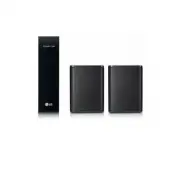
User Manual LG SPK8-S


Summary
Rear Speakers Connection 1 a Connect the speaker cables to rear speakers correctly. b Connect the Wireless Receiver and the rear speakers (Grey: right, Blue: left) with the speakers cables. c Turn on the Surround function to enjoy surround sound. Speaker design and connection method may be different...
Surround Sound On/Off When you turn on surround function, you can enjoy magnificent surround sound for all the input sound source with rear speakers. The initial setting for the surround function is OFF, turn the surround function ON to use it. SK5Y Surround On: Press and hold REAR o button on the r...
Additional Information Specification of Wireless receiver Power requirement Refer to the main label on the wireless receiver. Power consumption Refer to the main label on the wireless receiver. Dimensions (W x H x D) Approx. 60.0 mm x 220.0 mm x 175.0 mm (2.4 inch x 8.7 inch x 6.9 inch) Design and s...
LG Sound Bars Manuals
-
 LG SN4
User Manual
LG SN4
User Manual
-
 LG SP60Y
User Manual
LG SP60Y
User Manual
-
 LG SP70Y
User Manual
LG SP70Y
User Manual
-
 LG SPM2L
User Manual
LG SPM2L
User Manual
-
 LG GX
User Manual
LG GX
User Manual
-
 LG LAB540W
User Manual
LG LAB540W
User Manual
-
 LG LAB550H
User Manual
LG LAB550H
User Manual
-
 LG LAP240
User Manual
LG LAP240
User Manual
-
 LG LAP250H
User Manual
LG LAP250H
User Manual
-
 LG LAP340
User Manual
LG LAP340
User Manual
-
LG LAP340
Manual
-
 LG LAS160B
User Manual
LG LAS160B
User Manual
-
 LG LAS260B
User Manual
LG LAS260B
User Manual
-
 LG LAS350B
User Manual
LG LAS350B
User Manual
-
 LG LAS450H
User Manual
LG LAS450H
User Manual
-
 LG LAS454B
User Manual
LG LAS454B
User Manual
-
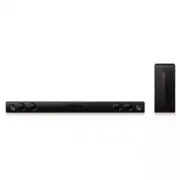 LG LAS465B
User Manual
LG LAS465B
User Manual
-
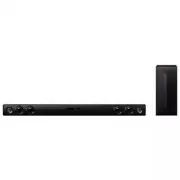 LG LAS475B
User Manual
LG LAS475B
User Manual
-
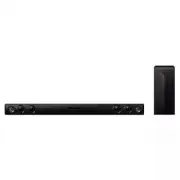 LG LAS485B
User Manual
LG LAS485B
User Manual
-
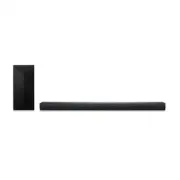 LG LAS551H
User Manual
LG LAS551H
User Manual