Page 2 - TABLE OF CONTENTS; IMPORTANT SAFETY
2 TABLE OF CONTENTS TABLE OF CONTENTS 4 IMPORTANT SAFETY INSTRUCTIONS 15 PRODUCT OVERVIEW 15 Parts16 Accessories 17 INSTALLATION 17 Installation Overview17 Product Specifications18 Before Installing the Range20 Ventilation Requirement20 Proper Location23 Gas Supply23 Electrical Supply23 Installing t...
Page 3 - SMART FUNCTIONS; TROUBLESHOOTING
3 TABLE OF CONTENTS ENGLISH 57 Accessories57 Oven Cooling58 Timer58 Bake59 Convection Modes60 RapidHeat Roast+61 Recommended Baking and Roasting Guide62 Broil63 Recommended Broiling Guide64 Warm65 Proof65 Probe67 My Recipe67 Auto Cook68 Auto Cook Guide69 Gourmet Steam Guide70 Steam Function71 Remote...
Page 4 - IMPORTANT SAFETY INSTRUCTIONS; WARNING; TO REDUCE THE RISK OF TIPPING, THE APPLIANCE MUST BE SECURED
4 IMPORTANT SAFETY INSTRUCTIONS IMPORTANT SAFETY INSTRUCTIONS Read and follow all instructions when using the range to prevent the risk of fire, electric shock, personal injury, or damage. This guide does not cover all possible conditions that may occur. Always contact your service agent or manufact...
Page 5 - INSTALLATION SAFETY PRECAUTIONS
5 IMPORTANT SAFETY INSTRUCTIONS ENGLISH INSTALLATION SAFETY PRECAUTIONS Have the installer show you the location of the range gas shut-off valve and how to shut it off if necessary. WARNING • Make sure the range is properly installed and grounded by a qualified installer, according to the installati...
Page 6 - SAFETY PRECAUTIONS; DO NOT TOUCH HEATING ELEMENTS OR INTERIOR SURFACES OF OVEN.; Never use your appliance for warming or heating the room.
6 IMPORTANT SAFETY INSTRUCTIONS SAFETY PRECAUTIONS Gas appliances can cause minor exposure to four potentially harmful substances, namely benzene, carbon monoxide, formaldehyde and soot, caused primarily by the imperfect combustion of natural or LP gas. Correctly adjusted burners, indicated by a blu...
Page 7 - FLAMMABLE MATERIALS
7 IMPORTANT SAFETY INSTRUCTIONS ENGLISH WARNING • NEVER cover any slots, holes or passages in the oven bottom or cover an entire rack with materials such as aluminum foil. Doing so blocks air flow through the oven and may cause carbon monoxide poisoning. Aluminum foil linings may also trap heat, cau...
Page 8 - ELECTRICAL SAFETY; DEEP FAT FRYER; Do not leave children alone; CAUTION
8 IMPORTANT SAFETY INSTRUCTIONS ELECTRICAL SAFETY CAUTION Be certain that all packing materials are removed from the appliance before operating. Keep plastic, clothes, paper, and other flammable materials away from parts of the appliance that may become hot. • Always disconnect power from the applia...
Page 9 - SURFACE BURNERS; Off
9 IMPORTANT SAFETY INSTRUCTIONS ENGLISH SURFACE BURNERS WARNING • Even if the top burner flame goes out, gas is still flowing to the burner until the knob is turned to the Off position. If you smell gas, immediately open a window and ventilate the area for five minutes prior to using the burner. Do ...
Page 10 - GLASS-CERAMIC COOKING SURFACE
10 IMPORTANT SAFETY INSTRUCTIONS CAUTION • Always turn the knobs to the Off position before removing cookware. • Do not lift the cooktop. Lifting the cooktop can cause damage and improper operation of the range. • If the range is located near a window, do not hang long curtains that could blow over ...
Page 11 - USING SOUS VIDE; USING GRIDDLE
11 IMPORTANT SAFETY INSTRUCTIONS ENGLISH • Do not turn surface units on before placing cookware. • Do not store heavy items above the induction plate surface that could fall and damage it. • Do not place aluminum foil or plastic items such as salt and pepper shakers, spoon holders, or plastic wrappi...
Page 12 - FOOD PACKAGING AND STORAGE SAFETY INFORMATION; ENERGY SAVING TIPS
12 IMPORTANT SAFETY INSTRUCTIONS FOOD PACKAGING AND STORAGE SAFETY INFORMATION • Always wash your hands carefully with soap and water before and after handling food. • Keep all work surfaces and utensils clean and disinfected before and after packaging foods. • Temperature, moisture, acidity, and sa...
Page 13 - Do not use water on grease fires.; SAFETY WHEN CLEANING; Do not use oven cleaners.
13 IMPORTANT SAFETY INSTRUCTIONS ENGLISH • Accessible parts may become hot when the grill is in use. • Do not place food or cookware on the bottom of the oven cavity. Doing so will cause permanent damage to the oven bottom finish. • Do not use water on grease fires. Should an oven fire occur, leave ...
Page 15 - PRODUCT OVERVIEW; Parts
15 PRODUCT OVERVIEW ENGLISH PRODUCT OVERVIEW Parts Model: SKSDR360GS Cooktop control knob Display Panel Gasket Steam Feeder Tank Rack Rating label, model and serial number plate Gas Cooktop Griddle Controller Oven Door Model: SKSDR360SS Cooktop control knob Display Panel Gasket Steam Feeder Tank Rac...
Page 16 - Accessories
16 PRODUCT OVERVIEW Accessories Included Accessories Gliding rack (2 ea) Grid (1 ea) Broiler pan (1 ea) Meat probe (1 ea) Owner’s manual (1 ea) Rack (1 ea) Perforated tray (1 ea) Solid tray (1 ea) Sous Vide Module Accessories (available on some models) Griddle Module Accessory (available on some mod...
Page 17 - INSTALLATION; Installation Overview; Product Specifications; Oven Range Models
17 INSTALLATION ENGLISH INSTALLATION Installation Overview Please read the following installation instructions first after purchasing this product or transporting it to another location. Check and choose the proper location Install anti-tip device Level the range Connect electric range Conduit conne...
Page 18 - Before Installing the Range; In the Commonwealth of Massachusetts
18 INSTALLATION Before Installing the Range WARNING Tip - Over Hazard A child or adult can tip the range and be killed. Verify the anti-tip bracket has been installed. Ensure the anti-tip bracket is engaged when the range is moved. Do not operate the range without the anti-tip bracket in place. Fail...
Page 19 - Preparing for Installation
19 INSTALLATION ENGLISH Preparing for Installation Tools Needed Phillips screwdriver Flat-blade screwdriver 1 / 4 " Nut driver Pliers Level Open-end or adjustable wrench Drill Safety glasses Dolly Pipe wrench (2 ea) (one for support) Tape measure Gloves Parts Provided Front rail (1 ea) Leg cover...
Page 20 - Ventilation Requirement; Proper Location
20 INSTALLATION Ventilation Requirement It is recommended that these ranges be installed in conjunction with a suitable overhead vent hood. • Install a hood with at least 600 CFM above a 30” or 36” range. Due to the high heat capacity of this unit, particular attention should be paid to the hood and...
Page 21 - Install Clearance
21 INSTALLATION ENGLISH Install Clearance The location of gas burners and cooktop modules vary depending on the range model. 35 1 / 4 " (896 mm) to 36 11 / 16 " (932 mm) Height 2 1 / 4 " (58 mm) to 3 3 / 4 " (95 mm) 35 7 / 8 " (911 mm) Width 1 7 / 16 " (36 mm) 26 3 / 4 " ...
Page 22 - Product Dimensions and Clearances
22 INSTALLATION 3" (76.2 mm) min. to combustible surface with Flush Island Trim Combustible Materials 0" Clearance to a back or side wall below the cooking surface Product Dimensions and Clearances 3 7 / 16 " (87 mm) Control Panel Depth 35 1 / 4 " (896 mm) to 36 11 / 16 " (932 mm...
Page 23 - Gas Supply; Installing the Range; Unpacking the Range
23 INSTALLATION ENGLISH Gas Supply The range is designed to operate at a pressure of 5" of water column on natural gas or 10" of water column on LP.Make sure you are supplying the range with the type of gas for which it is configured.This range is convertible for use with natural or LP gas. ...
Page 24 - Moving the Range
24 INSTALLATION Moving the Range CAUTION • Do not lift the range by the oven door’s handle, as this may damage the door hinges and cause the door to fit incorrectly. • Do not lift the appliance by the range’s control panel. • Rings, watches, and any other loose items that may damage the unit or othe...
Page 25 - Installing the Anti-tip Device; Leveling the Range
25 INSTALLATION ENGLISH Installing the Anti-tip Device Anti-tip bracket Leveling leg WARNING Tip - Over Hazard A child or adult can tip the range and be killed. Verify the anti-tip bracket has been installed. Ensure the anti-tip bracket is engaged when the range is moved. Do not operate the range wi...
Page 27 - Connecting the Range to Gas
27 INSTALLATION ENGLISH Connecting the Range to Gas This appliance must be installed in accordance with local codes or, in the absence of local codes, with the National Fuel Gas Code, ANSI Z223.1/NFPA 54 or, in Canada, the Natural Gas and Propane Installation Code, CSA B149.1.Shut off the range gas ...
Page 28 - Connecting Electricity; Electrical Requirements
28 INSTALLATION Connecting Electricity Electrical Requirements This appliance must be installed and grounded on a branch circuit by a qualified technician in accordance with the National Electrical Code ANSI/NFPA NO. 70 - latest edition or the Canadian Electric Code, CSA C22.1-02.All wiring should c...
Page 29 - Connecting the Power Cord
29 INSTALLATION ENGLISH Connecting the Power Cord The rear access cover must be removed. Loosen the two screws with a screwdriver. The terminal block will then be accessible. Access cover Use the cord/conduit connection plate to install the power cord or conduit. Leave the connection plate as instal...
Page 31 - Engaging the Anti-tip Device
31 INSTALLATION ENGLISH 4-Wire Connection: Conduit WARNING • The white middle (neutral) wire of the power cord or 4-wire conduit has to be connected to the middle post of the main terminal block. The other two wires of the power cord or conduit have to be connected to the outside posts of the main t...
Page 32 - Test Run; Electric Ignition
32 INSTALLATION Test Run Check if the range is properly installed and run a test cycle. 1 Remove all packing materials from inside the oven. Press Power button located next to the display and set initial settings such as language and time. (Refer to "Getting Started" in the Operation section...
Page 33 - Adjusting the Surface Burner to the
33 INSTALLATION ENGLISH Adjusting the Surface Burner to the Low Flame (Simmer) Setting • The continuous simmer setting needs to be adjusted on all burners. • The Extra Low Simmer settings on the small (15K BTU) burners are adjusted automatically as the flame cycles off and on. 1 Remove the knob on t...
Page 34 - OPERATION; Control Panel Overview
34 OPERATION OPERATION Control Panel Overview The position of the control knobs and buttons varies by model. Model: SKSDR360GS 1 2 4 6 5 8 7 3 Model: SKSDR360SS 1 2 3 5 7 6 9 8 4 1 Left Front Burner Control2 Left Rear Burner Control3 LCD Touchscreen for Oven4 Griddle Control 1 Sous Vide Temperature ...
Page 35 - Display Icons
35 OPERATION ENGLISH Display Icons 1 7 6 5 4 3 2 8 1 Timer Icon Touch to set a timer 2 Lamp Icon Touch to turn light on/off 3 Lock Icon Appears when Lockout is on 4 Wi-Fi Icon • Appears when range is connected to Wi-Fi • Appears when range is disconnected from Wi- Fi or is not connected to LG ThinQ ...
Page 36 - Getting Started; Settings; Lockout
36 OPERATION Getting Started After turning on the range for the first time, adjust the settings to suit your preferences. 1 If needed, touch POWER to wake up the display. 2 Select the desired language and touch NEXT. 3 Scroll the fields up or down to set the correct date, then touch NEXT. 4 Set the ...
Page 37 - Clock Themes
37 OPERATION ENGLISH Date & Time The date and time show in the LCD display when the ovens are not in use. Setting Date 1 Touch Settings at the center bottom of the Main screen, then touch Date & Time on the Settings screen. 2 Touch Date, then set the correct Date by scrolling. 3 Touch OK. Se...
Page 38 - Remote Start
38 OPERATION Wi-Fi Connect the appliance to a home Wi-Fi network to use Remote Start and other smart functions. See the Smart Functions section for more details. Setting Up Wi-Fi 1 Touch Settings at the center bottom of the Main screen, then touch Wi-Fi in the first Settings screen. 2 Follow the ins...
Page 39 - Language Selection; Volume; Preheat Alarm Light; Thermostat Adjustment; Temperature Units
39 OPERATION ENGLISH Language Selection Set the display language to English, Spanish, or French. Selecting a Language 1 Touch Settings at the center bottom of the Main screen, swipe to the second Settings screen, and touch Language Selection. 2 Select the desired language. 3 Touch OK. Volume Adjust ...
Page 40 - Smart DiagnosisTM; Factory Data Reset; Open Source License
40 OPERATION Smart Diagnosis™ Smart Diagnosis™ can be run through a smartphone application or by calling for support. Place your smartphone's mouthpiece near the top left corner of the screen. See "Smart Diagnosis Function" in the Smart Functions section for detailed instructions. 1 Touch Se...
Page 41 - Using the Cooktop; Cooktop Modules; Cooktop Layouts; Cooktop Timers
41 OPERATION ENGLISH Using the Cooktop Cooktop Modules The size and location of gas burners vary depending on the range model.The large burners are the primary burners for most cooking. The small burners are used for delicate foods such as sauces or foods that require low heat for a long cooking tim...
Page 42 - The Gas Surface Burners; Before Use; Using the Gas Surface Burners
42 OPERATION The Gas Surface Burners Before Use Read all instructions before using. Make sure that all burners are properly placed. Burner locations differ depending on the range model.Burner locations can be found under "Using the Cooktop." Make sure that all grates are properly placed befo...
Page 43 - Setting the Flame Size; In Case of Power Failure; Cookware for Gas Burners
43 OPERATION ENGLISH Setting the Flame Size Watch the flame, not the knob, as you reduce heat. Match the flame size on a gas burner to the cookware being used for fastest heating. CAUTION Never let the flames extend up the sides of the cookware. NOTE • The flames on the surface burners may burn yell...
Page 44 - Extra Low Simmer (Small Burners; Using a Wok; Using Stove-Top Grills
44 OPERATION Extra Low Simmer (Small Burners Only) • Extra Low Simmer is only available on small burners. For the location of your small burners, see the Burner Locations section. The simmer function on the large burners applies heat to food continuously. Extra Low Simmer controls the heat by turnin...
Page 45 - Induction Cooktop; Benefits of Induction Surface
45 OPERATION ENGLISH Induction Cooktop (Available on Some Models) The induction cooktop uses an electromagnetic field to directly heat only the pan, not the cooktop. Any cookware that can be strongly magnetized will work for induction cooking. The induction cooktop has a front element and a rear ele...
Page 46 - Cookware Placement; Moving Cookware on the Cooktop; Pan Sensing
46 OPERATION Cookware Placement Use the proper cookware and place it correctly on the cooktop. One or more of the cooking elements will not heat if any of the incorrect conditions shown is detected by the sensors located below the glass- ceramic cooktop surface. Correct the problem before attempting...
Page 47 - Setting Surface Controls; Hot Surface Indicator
47 OPERATION ENGLISH Setting Surface Controls • Cooking Element LED Bar There are LED bars located at the front of the induction cooktop surface. The LED rings on the control knobs also indicate the power level of the elements while in use. 123456789 Boost • Available Power Level Settings LED bars d...
Page 48 - Flexible Mode; The Recommended Surface Cooking; Pan Preheat Recommendations
48 OPERATION Turning On Cooking Elements 1 Push the control knob in. 2 Turn the knob in either direction to select the desired setting. A short beep sounds and the cooking element’s LED bar shows its current setting. 3 To activate the Boost mode, turn the knob directly from Off to 9(Boost). Both ind...
Page 49 - Noises during Induction Operation; Sous Vide; Vacuum Sealing
49 OPERATION ENGLISH Noises during Induction Operation The electronic processes involved with induction cooking may create some background noises. You may hear a slight buzzing sound when cooking on the cooktop. These noises are part of the induction cooking process and are considered normal. Some c...
Page 50 - Using Sous Vide; Using the Rack
50 OPERATION Using Sous Vide 1 Open the cover of the sous vide module and remove the water bath. 2 Check the bottom of the water bath and inside the module for water or debris. Clean the bath and the module if necessary. 3 Fill the bath with water between the Max and Min lines. 4 Place the filled wa...
Page 51 - Moving the Sous Vide Bath
51 OPERATION ENGLISH • For longer cooking times, you may need to add water during cooking to keep the water level above the minimum line in the water bath. • Food-safe plastic vacuum-sealing bags are safe for cooking. Look for bags that are BPA-free and designed for cooking. • Vacuum-sealed bags are...
Page 52 - Setting Sous Vide Temperature; Setting Sous Vide Cook Time
52 OPERATION Setting Sous Vide Temperature Set the sous vide temperature before setting the cook time. Turn the control knob to select one of the default temperatures on the knob.To select a temperature in between the defaults, turn the knob to the nearest default temperature. Then turn the LED ring...
Page 53 - Assembling the Water Bath; Filling the Water Bath; Sous Vide Cooking Guide
53 OPERATION ENGLISH Assembling the Water Bath • Proper placement of the water bath is important for the sous vide sensor to detect the water temperature in the bath and heat the water properly. • To avoid damaging the sous vide cover, make sure the water bath is installed correctly before closing t...
Page 54 - The Gas Built-in Griddle; Griddle Grease Tray; Using the Griddle
54 OPERATION The Gas Built-in Griddle (Available on Some Models) Use the built-in griddle instead of a saucepan for foods such as eggs, burgers, and pancakes. Clean and dry the griddle thoroughly before using it for the first time, to remove any residual oil from manufacturing. Griddle Module Griddl...
Page 55 - Setting Griddle Cook Time Alarm
55 OPERATION ENGLISH Setting Griddle Cook Time Alarm Use the control knob and LED ring to set the temperature and cook time for the griddle. The temperature can be set from 200°F to 450°F in 25-degree increments (93°C to 232°C). The cook time defaults to 30 minutes, but can be set from 1 minute to 1...
Page 56 - Using the Oven; Before Using the Oven; Oven Vent; Using Oven Racks
56 OPERATION Using the Oven Before Using the Oven NOTE • Because the oven temperature cycles, an oven thermometer placed in the oven cavity may not show the same temperature that is set on the oven. • It is normal for the convection fan to run while preheating during a regular bake cycle. • The conv...
Page 57 - Oven Cooling
57 OPERATION ENGLISH Accessories Broiler Pan and Grid Use a broiler pan and grid when preparing meats for Convection Roast, RapidHeat Roast+, and Broil.The broiler pan catches grease spills and the grid helps prevent grease splatters. 1 Place the rack in the oven. 2 Place the grid in the broiler pan...
Page 58 - Timer; Bake
58 OPERATION Timer The oven timers don't affect oven operation or cooking time. Use them as extra kitchen timers. Once the time runs out, the oven chimes and "Timer Finished" appears in the display. Setting the Timer 1 Touch either clock icon at the bottom of the display. 2 Scroll through th...
Page 59 - Convection Modes
59 OPERATION ENGLISH Changing the Cook Settings 1 Touch Edit in the display to bring up the Cook Settings screen. 2 Adjust the settings using the number pad or scroll function. 3 Touch Start . To Stop Cooking 1 Touch Stop in the display, then select Yes. NOTE It is normal for the convection fan to o...
Page 61 - Recommended Baking and Roasting
61 OPERATION ENGLISH Recommended Baking and Roasting Guide Baking results will be better if baking pans are centered in the oven as much as possible. If cooking on multiple racks, place the oven racks in the positions shown. Rack and Pan Placement 1 2 3 4 5 6 Multiple Rack Guide Single rack baking R...
Page 62 - Broil
62 OPERATION Broil The Broil function uses intense heat from the upper heating element to cook food. Broiling works best for tender cuts of meat, fish, and thinly cut vegetables.Keep the oven door closed while broiling. Let the oven preheat for approximately five minutes before cooking food. • For b...
Page 63 - Recommended Broiling Guide
63 OPERATION ENGLISH Recommended Broiling Guide The size, weight, thickness, starting temperature, and your preference of doneness will affect broiling times.This guide is based on meats at refrigerator temperature. For best results when broiling, use a pan designed for broiling. Food Quantity and/o...
Page 64 - Warm
64 OPERATION Tips for BroilingBeef • Steaks and chops should always be allowed to rest for five minutes before being cut into and eaten. This allows the heat to distribute evenly through the food and creates a more tender and juicy result. • Pieces of meat that are thicker than two inches should be ...
Page 65 - Proof
65 OPERATION ENGLISH Proof This feature maintains a warm oven for rising yeast leavened products before baking. Setting the Proof Function 1 Touch Proof in the Cooking Modes screen. 2 Scroll through the numbers to set a proofing time or touch the number pad icon to enter the numbers directly. 3 Touc...
Page 67 - My Recipe
67 OPERATION ENGLISH My Recipe For frequently used cooking menus, you can combine up to three different temperatures and cooking modes into one hot key. Creating My Recipe • When combining two or more cooking modes, a cooking time or probe temperature must be set before selecting an additional cooki...
Page 68 - Auto Cook Guide
68 OPERATION Auto Cook Guide • Preheat oven first for most items. • Preheat for 5 minutes when broiling. • If using probe, insert after preheating. NOTE • When cooking thin cuts of meat, insert the probe into the thickest part of the meat. If the probe is inserted incorrectly, the oven could turn of...
Page 69 - Gourmet Steam Guide
69 OPERATION ENGLISH Category Menu Accessories/Cookware Shelf Position Cooking time in mins. Pizza Frozen Thin Crust Directly on rack 4 10~20 On pizza pan 4 10~20 On pizza stone 4 10~20 Frozen Rising Crust Directly on rack 4 10~20 On pizza pan 4 10~20 On pizza stone 4 10~20 From Scratch/Homemade Dir...
Page 70 - Steam Function
70 OPERATION Steam Function Steam cooking uses the moist heat of steam to cook food. This is an ideal cooking method for delicate food items such as seafood, which can lose nutrients when boiled.The oven provides 2 methods of steam cooking: Steam Assist, and Gourmet Steam. CAUTION • Take care when o...
Page 72 - LG ThinQ Application; LG ThinQ Application Features; Models with QR Code
72 SMART FUNCTIONS SMART FUNCTIONS LG ThinQ Application This feature is only available on models with Wi-Fi.The LG ThinQ application allows you to communicate with the appliance using a smartphone. LG ThinQ Application Features • Smart Diagnosis™ − This function provides useful information for diagn...
Page 73 - Smart DiagnosisTM Function; Smart DiagnosisTM through the
73 SMART FUNCTIONS ENGLISH NOTE • If the appliance cannot be connected due to problems with the wireless signal transmission, unplug the appliance and wait about a minute before trying again. • If the firewall on your wireless router is enabled, disable the firewall or add an exception to it. • The ...
Page 74 - LG ThinQ Smart DiagnosisTM; Open Source Software Notice
74 SMART FUNCTIONS LG ThinQ Smart Diagnosis™ Use the Smart Diagnosis feature in the LG ThinQ application for help diagnosing issues with the appliance without the assistance of the SIGNATURE KITCHEN SUITE Customer Information Center.Follow the instructions in the LG ThinQ application to perform a Sm...
Page 75 - FCC Notice
75 SMART FUNCTIONS ENGLISH FCC Notice The following notice covers the transmitter module contained in this product.This equipment has been tested and found to comply with the limits for a Class B digital device, pursuant to Part 15 of the FCC Rules (and also Part 18 of the FCC Rules for product with...
Page 76 - MAINTENANCE; Control Panel; Removing and Replacing the Gas; Cleaning Burner Heads/Caps; After Cleaning the Burner Heads/
76 MAINTENANCE MAINTENANCE NOTE • Depending on the model, your range may contain different cooktop modules requiring different maintenance procedures. Take care when cleaning the range to apply cleaners only as recommended. CAUTION • Do not clean this appliance with bleach. • To prevent burns, wait ...
Page 77 - Burner Grates; Cleaning the Burner Grates; Gas Cooktop Surface
77 MAINTENANCE ENGLISH Burner Grates The convertible wok grates should be used in the front, and the remaining grates in the back. Left Grate Right Grate NOTE Do not operate a burner for an extended period of time without cookware on the grate. The finish on the grate may chip without cookware to ab...
Page 79 - Metal Marks and Scratches
79 MAINTENANCE ENGLISH Burned-On Residue Follow these instructions to remove burned on residue from the glass-ceramic induction cooktop surface. 1 While the induction cooktop is still hot, remove any burned on deposits or spilled food from the glass-ceramic cooking surface with a suitable metal razo...
Page 81 - Exterior; Painted and Decorative Trim; Oven Racks
81 MAINTENANCE ENGLISH Exterior Painted and Decorative Trim For general cleaning, use a cloth with hot soapy water. For more difficult soils and built-up grease, apply a liquid detergent directly onto the soil. Leave it on for 30 to 60 minutes. Rinse with a damp cloth and dry. Do not use abrasive cl...
Page 82 - Oven Door; Front Manifold Panel and
82 MAINTENANCE Oven Door • Use soapy water to thoroughly clean the oven door. Rinse well. Do not immerse the door in water. • You may use a glass cleaner on the outside glass of the oven door. Do not spray water or glass cleaner on the door vents. • Do not use oven cleaners, cleaning powders, or har...
Page 83 - When to Use SpeedCleanTM
83 MAINTENANCE ENGLISH SpeedClean™ SIGNATURE KITCHEN SUITE'S SpeedClean™ enamel technology provides two cleaning options for the inside of the range. The SpeedClean™ feature takes advantage of SIGNATURE KITCHEN SUITE'S new enamel to help lift soils without harsh chemicals, and it runs using ONLY WAT...
Page 84 - SpeedCleanTM Instruction Guide
84 MAINTENANCE SpeedClean™ Instruction Guide 1 Remove oven racks and accessories from the oven. 2 Scrape off and remove any burnt-on debris with a plastic scraper. Suggested plastic scrapers: • Hard plastic spatula • Plastic pan scraper • Plastic paint scraper • Old credit card 3 Fill the steam feed...
Page 85 - Cleaning Tips; Self Clean; Before Starting Self Clean
85 MAINTENANCE ENGLISH Cleaning Tips • Allow the oven to cool to room temperature before using the SpeedClean™ cycle. • A plastic spatula can be used as a scraper to scrape off any chunks or debris before and during oven cleaning. • Using the rough side of a non-scratch scouring pad may help to take...
Page 86 - Setting Self Clean
86 MAINTENANCE CAUTION • Do not leave small children unattended near the appliance. During the Self Clean cycle, the outside of the range can become very hot to the touch. • If you have pet birds, move them to another well-ventilated room. The health of some birds is extremely sensitive to the fumes...
Page 87 - During Self Clean; Oven Air Vents; Steam Feeder Tank; Hard Water Scale
87 MAINTENANCE ENGLISH During Self Clean • The Self Clean cycle uses extremely hot temperatures to clean the oven cavity. While running the Self Clean cycle, you may notice smoking or an odor. This is normal, especially if the oven is heavily soiled. • As the oven heats, you may hear sounds of metal...
Page 88 - Cleaning Scale on Oven
88 MAINTENANCE Cleaning Scale on Oven Bottom To remove mineral deposits that remain on the oven bottom after using the steam mode, use a cloth or sponge soaked in vinegar or a weak citric acid solution. For more stubborn or extensive scaling, use the Descaling function. Descaling Use this function t...
Page 89 - Removing and Replacing the; Removing the Door
89 MAINTENANCE ENGLISH Removing and Replacing the Lift-Off Oven Doors CAUTION • Be careful when removing and lifting the door. • Do not lift the door by the handle. The handle is not designed to support the weight of the door and could break. Removing the Door 1 Fully open the door. 2 Unlock the hin...
Page 90 - FAQs
90 TROUBLESHOOTING TROUBLESHOOTING FAQs What types of cookware are recommended for use with the cooktop? • The pans must have a flat bottom and straight sides. • Only use heavy-gauge pans. • The pan size must match the amount of food to be prepared and the size of the surface element. • Use tight fi...
Page 92 - Before Calling for Service
92 TROUBLESHOOTING Before Calling for Service Before you call for service, review this list. It may save you time and expense. The list includes common occurrences that are not the result of defective workmanship or materials in this appliance. Symptoms Possible Causes / Solutions Range is not level...
Page 96 - WARRANTY
96 WARRANTY WARRANTY (USA) Should your SIGNATURE KITCHEN SUITE Dual Fuel Range ("Product") fail due to a defect in materials or workmanship under normal and proper use, during the warranty period set forth below, SIGNATURE KITCHEN SUITE will, at its option, repair or replace the Product. Thi...
Page 101 - Customer Information Center; USA
Customer Information Center For inquires or comments, call: 1-855-790-6655 USA Printed in Korea


 LG LSES6338F
User Manual
LG LSES6338F
User Manual
 LG LSGS6338F
User Manual
LG LSGS6338F
User Manual
 LG LSGS6338N
User Manual
LG LSGS6338N
User Manual
 LG LSIS6338F
User Manual
LG LSIS6338F
User Manual
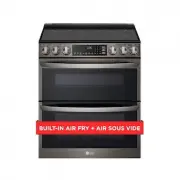 LG LTEL7337D
User Manual
LG LTEL7337D
User Manual
 LG LCRF0222
User Manual
LG LCRF0222
User Manual
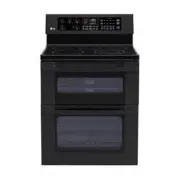 LG LDE3015SB
User Manual
LG LDE3015SB
User Manual
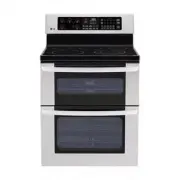 LG LDE3015ST
User Manual
LG LDE3015ST
User Manual
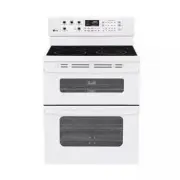 LG LDE3015SW
User Manual
LG LDE3015SW
User Manual
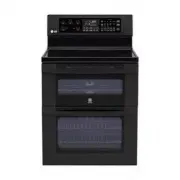 LG LDE3017SB
User Manual
LG LDE3017SB
User Manual