Page 2 - Safety Information; CAUTION
1 Getting Started Getting Started 2 Getting Star ted 1 Safety Information CAUTION RISK OF ELECTRIC SHOCK DO NOT OPEN CAUTION: TO REDUCE THE RISK OF ELECTRIC SHOCK DO NOT REMOVE COVER (OR BACK) NO USER-SERVICEABLE PARTS INSIDE REFER SERVICING TO QUALIFIED SERVICE PERSONNEL. This lightning flash with ...
Page 4 - Symbols
Getting Started 4 Getting Star ted 1 This device is equipped with a portable battery or accumulator. How to Safely remove the batteries or the battery pack from the equipment: To Remove the old batteries or battery pack, follow the assembly steps in reverse order. To prevent contamination of the env...
Page 5 - Getting Started; Table of Contents
Table of Contents 5 1 2 3 4 1 Getting Started 2 Safety Information 6 Unique features 6 Introduction 7 Speaker 2 Operating 8 Connecting the AC Adapter 8 – Checking the charging status 9 – Checking Battery status 10 Basic Operations 10 – Using power button10 – Bluetooth Connection10 – Bluetooth LED st...
Page 6 - Unique features; Auto power down; Introduction; Symbol used in this manual; Caution
Getting Started 6 Getting Star ted 1 Unique features Auto power down This unit supports to turn off by itself for saving energy consumption. (Page 17) Portable In Listen to music from your portable device. (Smart phone, Notebook, etc..) BLUETOOTH ® Listens to music stored on your Bluetooth device. I...
Page 7 - Speaker
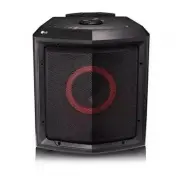
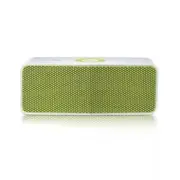
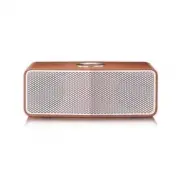
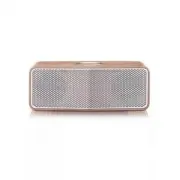
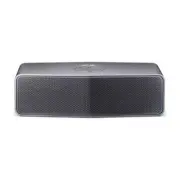
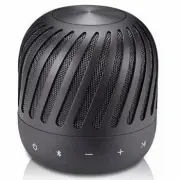
Getting Started 7 Getting Star ted 1 Speaker a g b m e c f i j k l d h a Power LED b Bluetooth LED c 1 Turns On / Off : Press it. d j - Adds a Bluetooth device for multi pairing. (Press and hold j ) - Changes to Bluetooth mode in portable mode. (Press j ) * When you connect the portable cable, the f...
Page 8 - Connecting the; Checking the charging status; Note
2 Operating Operating 8 Oper ating 2 Connecting the AC Adapter This speaker uses built-in battery. Before using it, charge the battery by connecting the AC Adapter.1. Connect the supplied USB cable to the AC adapter. 2. Connect the USB cable to USB port of the speaker. 3. Plug the AC adapter into an...
Page 9 - Checking Battery status
Operating 9 Oper ating 2 Checking Battery status If the power turned on, you can check the charging status by pressing any button. Then Battery LED light will change depending on battery charging status. LED Description Status Green Amber Red Battery LED turns on green. 70 %10 %10 % Green Amber Red ...
Page 10 - Basic Operations; Using power button
Operating 10 Oper ating 2 Basic Operations Using power button Power On / Off Press the 1 button. Bluetooth Connection LG PJs(XX) Play the desired music on the Bluetooth device. After pairing, you can control playback using the buttons on the unit. (page 11, 14-15) Bluetooth LED status Check the Blue...
Page 11 - Simple Operation Guide; Function
Operating 11 Oper ating 2 Simple Operation Guide Function How to Status Power On Press the 1 button. Power LED turns on with the sound. Power Off Press the 1 button. Power LED turns off with the sound. Bluetooth pairing When Bluetooth LED blinks, select LG PJs(XX) from device list on your Bluetooth ...
Page 12 - Handsfree Function
Operating 12 Oper ating 2 Handsfree Function You can receive incoming call on your Bluetooth device to this unit. Connect the unit to a Bluetooth device. Function How to Receive a call. Press T . Reject a call. Press and hold T for 2 seconds End the call. Press T . y Only smartphone is available to ...
Page 13 - Listening to Music from
Operating 13 Oper ating 2 Listening to Music from Your External Device The unit can be used to listen to the music from many types of external device. (Not supplied) 1. Connect the external device to the Portable In connector of the unit. 2. Turn the power on by pressing 1 button. 3. Turn the extern...
Page 14 - Using BLUETOOTH®; About BLUETOOTH; Listening to music stored on the; Pairing your unit and BLUETOOTH
Operating 14 Oper ating 2 Using BLUETOOTH® technology About BLUETOOTH Bluetooth is wireless communication technology for short range connection. The sound may be interrupted when the connection interfered by the other electronic wave or you connect the Bluetooth in the other rooms. Connecting indivi...
Page 15 - Controls connected Bluetooth device
Operating 15 Oper ating 2 Controls connected Bluetooth device You can control connected Bluetooth device from the unit; play, pause, skip. y Only Android OS and iOS is available to use this function. y This function may not be supported depending on the Bluetooth device, or operated differently. , N...
Page 16 - Multi Pairing; Pairing with Two Devices
Operating 16 Oper ating 2 Multi Pairing The unit can be connected to two Bluetooth devices at the same time. Pairing with Two Devices 1. Connect the unit to a Bluetooth device. 2. When the Bluetooth device and unit are connected, press and hold j button for 2 seconds. Then Bluetooth LED blinks with ...
Page 17 - Other Operation; Resetting; Notice for Auto Power Off
Operating 17 Oper ating 2 Other Operation Resetting In case that the unit freezes due to malfunction, press the RESET hole using an object like a thin pin. Then speaker turns off. Press 1 button to try turning on speaker again. Notice for Auto Power Off When the unit is in Bluetooth mode without mus...
Page 18 - Troubleshooting; Problem
3 Troubleshooting Troubleshooting 18 3 Troubleshoo ting Troubleshooting Problem Cause & Correction No Power. y The battery is discharged. Recharge the battery. y Connect the unit to the power supply with the AC adapter. No sound or sound distortion. y The unit or your smart device’s volume is se...
Page 19 - Trademarks and; Handling the Unit; When shipping the unit
4 Appendix Appendix 19 Appendix 4 Trademarks and Licenses The Bluetooth® word mark and logos are registered trademarks owned by the Bluetooth SIG, Inc. and any use of such marks by LG Electronics is under license. Other trademarks and trade names are those of their respective owners. Handling the Un...
Page 20 - Specifications
Appendix 20 Appendix 4 Specifications General Power requirements 5 V 0 1.8 A (AC adapter) Built-in rechargeable battery Power consumption 4 W Dimensions (W x H x D) Approx. 81.5 mm X 89.2 mm X 81.5 mm (3.21 inches x 3.51 inches x 3.21 inches) Operating temperature 5 °C to 35 °C (41 °F to 95 °F) Oper...