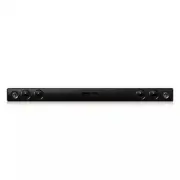
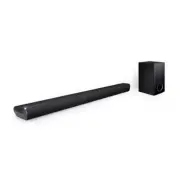
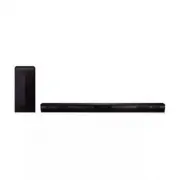
Page 2 - Safety Information; CAUTION
1 Getting Started Getting Started 2 Getting S tar ted 1 Safety Information CAUTION RISK OF ELECTRIC SHOCK DO NOT OPEN CAUTION: TO REDUCE THE RISK OF ELECTRIC SHOCK DO NOT REMOVE COVER (OR BACK) NO USER-SERVICEABLE PARTS INSIDE REFER SERVICING TO QUALIFIED SERVICE PERSONNEL. This lightning flash with...
Page 3 - IMPORTANT SAFETY
Getting Started 3 Getting S tar ted 1 This device is equipped with a portable battery or accumulator. Safety way to remove the battery or the battery from the equipment: Remove the old battery or battery pack, follow the steps in reverse order than the assembly. To prevent contamination of the envir...
Page 5 - Table of Contents; Getting Started
Table of Contents 5 1 2 3 4 5 Table of Contents 1 Getting Started 2 Safety Information 6 Unique features 6 Introduction6 – Symbols used in this manual 6 Accessories7 Remote control 9 Front panel 10 Rear panel11 Mounting the main unit on a wall 2 Connecting 13 Connection and setting up 13 – Connectin...
Page 6 - Unique features; LG Sound Sync; Introduction; Symbols used in this manual; Note; Caution; Accessories
Getting Started 6 Getting S tar ted 1 Unique features LG Sound Sync Controls volume level of this unit by the remote control of your LG TV that is compatible with LG Sound Sync. Bluetooth Enjoys music from bluetooth device with simple connection. Introduction Symbols used in this manual , Note Indic...
Page 7 - Remote control
Getting Started 7 Getting S tar ted 1 Remote control y Once the sound bar is shut down to standby, please wait several seconds before trying to use remote again. y When you press any button on the remote control, the red LED on the main unit blinks twice. (Except 1 (Power) button) y The color LED th...
Page 8 - Battery Installation
Getting Started 8 Getting S tar ted 1 Battery Installation 1. Turn the battery cover counterclockwise by using a coin. Then remove the battery cover. Coin 2. Insert and fix the battery with the minus (-) facing in the same direction as the minus (-) on the battery compartment. 3. Put the battery cov...
Page 9 - Front panel
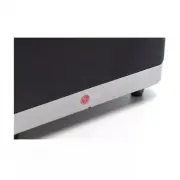
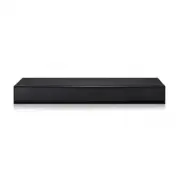
Getting Started 9 Getting S tar ted 1 A Remote sensor B LED indicator You can check the current state of the sound bar by the color LED on it. Refer to the table below. LED Color LED State Red Orange Green White Off Power on or disconnected power cord On Standby - - - Blink ( Twice per second) Booti...
Page 10 - Rear panel
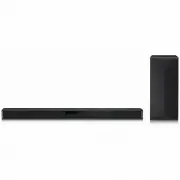
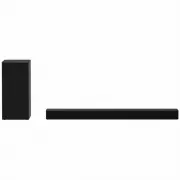
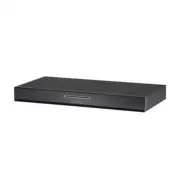
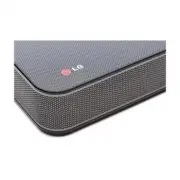
Getting Started 10 Getting S tar ted 1 Rear panel E F D A B C A F (Function) Press it repeatedly to select other function. B o / p ( Volume) Adjusts speaker volume. C 1/! (Standby/On) D Foot stand E Optical input F DC input Precautions in using the touch buttons y Use the touch buttons with clean an...
Page 11 - Mounting the main
Getting Started 11 Getting S tar ted 1 Mounting the main unit on a wall Mounting the main unit on a wall, you should connect all the cables for operating the unit. For details, refer to the page 13. You can mount the main unit on a wall. Prepare screws and brackets. Main unit Wall bracket Shaft for ...
Page 13 - Connection and setting; Connecting the AC adapter; OPTICAL In connection
2 Connecting Connecting 13 C onnecting 2 Connection and setting up Connecting the AC adapter 1. Connect the supplied AC power cord to the AC adapter. 2. Connect the AC adapter cable to DC. IN adapter input. 3. Plug the AC power cord into an AC outlet. Only use the AC adapter supplied with this devic...
Page 14 - Pairing wireless subwoofer; Setting up the wireless subwoofer; Information of the color LED indicators
Connecting 14 C onnecting 2 Pairing wireless subwoofer Setting up the wireless subwoofer for the first time 1. Connect the power cord of the wireless subwoofer to the outlet. The yellow-green LED on the subwoofer starts to blink. 2. Turn on the sound bar. The red LED on it starts to blink and then t...
Page 15 - Basic operations; With wired connection; With wireless connection
3 Operating Operating 15 Oper ating 3 Basic operations LG Sound Sync You can control some functions of this unit by your TV's remote control with LG Sound Sync. It is compatible with the LG TV that is supported LG Sound Sync. Make sure of the LG Sound Sync logo on your TV.Controllable function by LG...
Page 16 - Using Bluetooth; About Bluetooth; Bluetooth profiles
Operating 16 Oper ating 3 AUTO POWER On/Off This function automatically turns on/off the unit when you turn on/off the TV or the external device (DVD Player, Blu-ray Disc Player, etc.) connected to this unit.It is supported only on OPTICAL and LG TV functions.Turn on or off AUTO POWER function by us...
Page 17 - Listening to music stored on; Pairing this unit and Bluetooth
Operating 17 Oper ating 3 Listening to music stored on the Bluetooth devices Pairing this unit and Bluetooth device Before you start the pairing procedure, make sure the Bluetooth feature is turned on your device. Refer to your Bluetooth device’s user guide. Once a pairing operation is performed, it...
Page 18 - Other operations; Turn off the sound temporarily; D Sound effect; Auto power down
Operating 18 Oper ating 3 Other operations Turn off the sound temporarily You can mute your unit, for example, to answer the telephone.Press i on the remote control. Red LED blinks and there is no sound on the unit.To cancel it, press i again on the remote control or change the volume level. Adjust ...
Page 19 - Troubleshooting
4 Troubleshooting Troubleshooting 19 Trouble shoo ting 4 Troubleshooting PROBLEM CAUSE & CORRECTION No Power y The power cord is unplugged. Plug in the power cord. y Check the condition by operating other electronic devices. No sound y Incorrect input source is selected. Check the input source a...
Page 20 - Specifications
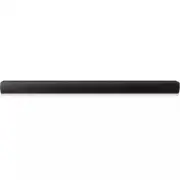
5 Appendix Appendix 20 Appendix 5 Specifications General Power requirements AC 100 - 240 V, 50 / 60 Hz Power consumption 18 W Dimensions ( W x H x D) 1,200 mm x 62 mm x 44.7 mm (44.2" x 2.4" x 1.8") ( With foot stand) Net Weight (Approx.) 1.6 kg Operating temperature 41 °F to 95 °F (5 °C...
Page 21 - Trademarks and; Maintenance; Handling the unit; When shipping the unit
Appendix 21 Appendix 5 Trademarks and licenses Manufactured under license from Dolby Laboratories. Dolby and the double-D symbol are trademarks of Dolby Laboratories. Manufactured under license under U.S. Patent Nos: 5,956,674; 5,974,380; 6,487,535 & other U.S. and worldwide patents issued &...