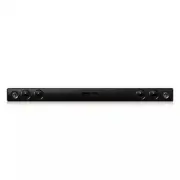
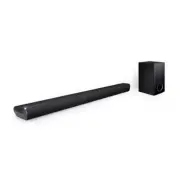
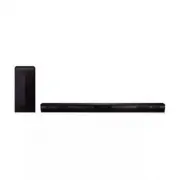
Page 2 - Safety Information; CAUTION
Getting Started 2 Getting S tar ted 1 Safety Information CAUTION RISK OF ELECTRIC SHOCK DO NOT OPEN CAUTION: TO REDUCE THE RISK OF ELECTRIC SHOCK DO NOT REMOVE COVER (OR BACK) NO USER-SERVICEABLE PARTS INSIDE REFER SERVICING TO QUALIFIED SERVICE PERSONNEL. This lightning flash with arrowhead symbol ...
Page 3 - IMPORTANT SAFETY
Getting Started 3 Getting S tar ted 1 FCC Compliance Statement This device complies with part 15 of the FCC rules. Operation is subject to the following two conditions:(1) This device may not cause harmful interference, and(2) This device must accept any interference received, including interference...
Page 4 - Table of Contents; Getting Started
Table of Contents 4 Table of Contents 1 Getting Started 2 Safety Information 6 Accessories6 Introduction6 – Symbols Used in this Manual 7 Remote control 8 Top panel 8 Rear panel 9 Installing the sound bar 9 Installing the cover foot 2 Connecting 10 Mounting the main unit on a wall11 Optional Equipme...
Page 5 - Troubleshooting; Appendix
Table of Contents 5 1 2 3 4 5 4 Troubleshooting 14 Troubleshooting 5 Appendix 15 Maintenance15 – Handling the Unit16 Trademarks and Licenses 17 Specifications NB2020A-N0.DUSALLK.indd 5 2012-08-13 �� 2:47:22
Page 6 - Accessories; Introduction; Symbols Used in this Manual; Note; Caution
Getting Started 6 Getting S tar ted 1 Accessories Please check and identify the supplied accessories. Remote control (1) Batteries_ size AAA (1) Wall Mount Bracket Installation Template (1) Wall mount bracket (2) Optical cable (1) Cover foot (2) Introduction Symbols Used in this Manual , Note Indica...
Page 7 - Remote control; Battery Installation
Getting Started 7 Getting S tar ted 1 Remote control Battery Installation Remove the battery cover on the rear of the Remote Control, and insert (size AAA) battery with and matched correctly. • • • • • • • • • • a • • • • • • • • • 1 (Power): Switches the unit ON or OFF. DOLBY DRC (ON/ OFF) : Sets t...
Page 8 - Top panel; Rear panel
Getting Started 8 Getting S tar ted 1 Top panel A 1 (Standby/On) B – / + ( Volume) Adjusts speaker volume. Rear panel A S/W Download Connector - Only for service. B OPTICAL IN NB2020A-N0.DUSALLK.indd 8 2012-08-13 �� 2:47:24
Page 9 - Installing the sound
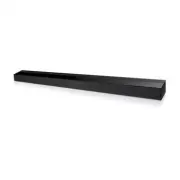
Getting Started 9 Getting S tar ted 1 Installing the sound bar You can hear the sound by connecting the unit to the other device : TV, Blu-ray disc player, DVD player, etc.Place the unit in front of the TV and connect it to the device. (Refer to page11) Installing the cover foot You can extend the h...
Page 10 - Mounting the main
Connecting 10 C onnecting 2 Mounting the main unit on a wall You can mount the main unit on a wall. Prepare screws and brackets. Unit Wall mount bracket Wall Mount Bracket Installation Template 1. Match the TV’s BOTTOM EDGE of Wall Mount Bracket Installation Template with the bottom of TV and attach...
Page 11 - Optional Equipment; OPTICAL In connection
Connecting 11 C onnecting 2 3. Remove the Wall Mount Bracket Installation Template. 4. Fix the brackets with screws (not supplied) as shown in the illustration below. 5. Hang the main unit onto the bracket as shown below. y Do not hang onto the installed unit and avoid any impact to the unit. y Secu...
Page 12 - Operations; DOLBY DRC (Dynamic Range; AUTO POWER DOWN; Turn off the sound temporarily
3 Operating Operating 12 Oper ating 3 Operations DOLBY DRC (Dynamic Range Control) Makes the sound clear when the volume is turned down (Dolby Digital only). Set to DOLBY DRC by pressing DOLBY DRC ON. To cancel DOLBY DRC, press DOLBY DRC OFF. AV Sync When receiving audio signals from TV, sound and i...
Page 13 - Controlling a TV with
Operating 13 Oper ating 3 Controlling a TV with the Supplied Remote Control You can control your TV using the buttons below. (LG TV only.) Button Operation MUTE Turn the TV’s volume on or off INPUT Switch the TV’s input source between the TV and other input sources. 1 ( TV POWER) Turn the TV on or o...
Page 14 - Troubleshooting
Troubleshooting 14 Trouble shoo ting 4 Troubleshooting PROBLEM CORRECTION No Power Plug in the power cord. Check the condition by operating other electronic devices. No sound Check the OPTICAL IN connection. The remote control does not work properly. The remote control is too far from the unit.Opera...
Page 15 - Maintenance; Handling the Unit; When shipping the unit
Appendix 15 Appendix 5 Maintenance Handling the Unit When shipping the unit Please save the original shipping carton and packing materials. If you need to ship the unit, for maximum protection, re-pack the unit as it was originally packed at the factory.Keeping the exterior surfaces clean y Do not u...
Page 16 - Trademarks and
Appendix 16 Appendix 5 Trademarks and Licenses Manufactured under license from Dolby Laboratories. Dolby and the double-D symbol are trademarks of Dolby Laboratories. Manufactured under license under U.S. Patent Nos: 5,956,674; 5,974,380; 6,487,535 & other U.S. and worldwide patents issued &...
Page 17 - Specifications
Appendix 17 Appendix 5 Specifications General Power requirements Refer to main label. Power consumption Refer to main label. Dimensions ( W x H x D) (35.4 x 2.3 x 3.3) inches Net Weight (Approx.) 5.7 lbs Operating temperature 41 °F to 95 °F (5 °C to 35 °C) Operating humidity 5 % to 90 % Inputs DIGIT...