Page 2 - PRODUCT FEATURES
2 PRODUCT FEATURES PRODUCT FEATURES Multiple Gas Burner Sizes Choose a burner to fit the size of your cookware.Cooking multiple items at once is possible by using different burners at the same time. Self Clean & EasyClean ® Useful for easy cleaning. Wok Grate Use the included wok grate to safely...
Page 3 - TABLE OF CONTENTS
3 TABLE OF CONTENTS ENGLISH TABLE OF CONTENTS 2 PRODUCT FEATURES 4 IMPORTANT SAFETY INSTRUCTIONS 12 PRODUCT OVERVIEW 12 Parts12 Accessories 13 INSTALLATION 13 Installation Overview13 Product Specifications14 Before Installing the Range16 Installing the Range18 Optional Rear Filler19 Providing Adequa...
Page 4 - IMPORTANT SAFETY INSTRUCTIONS; WARNING; TO REDUCE THE RISK OF TIPPING, THE APPLIANCE MUST BE SECURED
4 IMPORTANT SAFETY INSTRUCTIONS IMPORTANT SAFETY INSTRUCTIONS Read and follow all instructions when using the range to prevent the risk of fire, electric shock, personal injury, or damage. This guide does not cover all possible conditions that may occur. Always contact your service agent or manufact...
Page 5 - INSTALLATION SAFETY PRECAUTIONS
5 IMPORTANT SAFETY INSTRUCTIONS ENGLISH • Do not rest large, heavy items such as whole turkeys on the open oven door. The range could tip forward and cause injury. • Reengage the anti-tip device after pulling the range out for cleaning, service, or any other reason. • Failure to follow these instruc...
Page 6 - SAFETY PRECAUTIONS; DO NOT TOUCH HEATING ELEMENTS OR INTERIOR SURFACES OF OVEN.; Never use your appliance for warming or heating the room.
6 IMPORTANT SAFETY INSTRUCTIONS SAFETY PRECAUTIONS Gas appliances can cause minor exposure to four of these substances, namely benzene, carbon monoxide, formaldehyde and soot, caused primarily by the imperfect combustion of natural or LP gas. Correctly adjusted burners, indicated by a bluish rather ...
Page 7 - FLAMMABLE MATERIALS
7 IMPORTANT SAFETY INSTRUCTIONS ENGLISH • To eliminate the risk of burns or fire by reaching over heated surface units, cabinet storage space located above the surface units should be avoided. If cabinet storage is to be provided, the risk can be reduced by installing a range hood that projects hori...
Page 8 - ELECTRICAL SAFETY; DEEP FAT FRYER; Do not leave children alone; CAUTION
8 IMPORTANT SAFETY INSTRUCTIONS ELECTRICAL SAFETY CAUTION Be certain that all packing materials are removed from the appliance before operating. Keep plastic, clothes, paper, and other flammable materials away from parts of the appliance that may become hot. • Always disconnect power from the applia...
Page 9 - SURFACE BURNERS; Off
9 IMPORTANT SAFETY INSTRUCTIONS ENGLISH SURFACE BURNERS WARNING • Even if the top burner flame goes out, gas is still flowing to the burner until the knob is turned to the Off position. If you smell gas, immediately open a window and ventilate the area for five minutes prior to using the burner. Do ...
Page 10 - ENERGY SAVING TIPS; Do not use water on grease fires.
10 IMPORTANT SAFETY INSTRUCTIONS CAUTION • To prevent burns, always be sure that the controls for all burners are in the Off position and all grates are cool before attempting to remove them. • If you smell gas, turn off the gas to the range and call a qualified service technician. Never use an open...
Page 11 - SAFETY WHEN CLEANING; Do not use oven cleaners.; COOK MEAT AND POULTRY THOROUGHLY
11 IMPORTANT SAFETY INSTRUCTIONS ENGLISH • When disposing of the range, cut off the power cord and remove the door. • Do not make any attempt to operate the electric ignition oven during an electrical power failure. • Pull the oven rack to the stop-lock position when loading and unloading food from ...
Page 12 - PRODUCT OVERVIEW; Parts
12 PRODUCT OVERVIEW PRODUCT OVERVIEW Parts Cooktop controller Upper oven door Lower oven door Cooktop Oven mode knob Model & serial number plate Gasket Rack Accessories Included Accessories Heavy rack (2ea) Gliding rack (1ea) Wok grate (1ea) Meat probe (1ea) Griddle (1ea) Rear filler (1ea) Owner...
Page 13 - INSTALLATION; Installation Overview; Product Specifications; Oven Range Models
13 INSTALLATION ENGLISH INSTALLATION Installation Overview Please read the following installation instructions first after purchasing this product or transporting it to another location. Check and choose the proper location Install anti-tip device Level the range Connect electric range Conduit conne...
Page 14 - Before Installing the Range; In the Commonwealth of Massachusetts
14 INSTALLATION Before Installing the Range WARNING Tip - Over Hazard A child or adult can tip the range and be killed. Verify the anti-tip bracket has been installed. Ensure the anti-tip bracket is engaged when the range is moved. Do not operate the range without the anti-tip bracket in place. Fail...
Page 15 - Preparing for Installation
15 INSTALLATION ENGLISH Preparing for Installation Tools Needed Parts Provided Template (1) Parts not Provided 4-Wire cord or 3-Wire cord (UL approved 40 or 50 AMP) Strain relief (For conduit Installations only) Anti-tip bracket kit (1) Anchor sleeves (6) Lag bolts (6) Phillips screwdriver Level Pip...
Page 16 - Installing the Range; Unpacking and Moving the Range; Choosing the Proper Location
16 INSTALLATION Installing the Range Unpacking and Moving the Range CAUTION • You should use two or more people to move and install the range. (Excessive Weight Hazard) Failure to do so can result in back or other injury. • Do not use the door handles to push or pull the range during installation or...
Page 17 - Dimensions and Clearances
17 INSTALLATION ENGLISH Dimensions and Clearances NOTE Save for the use of the local electrical inspector. 3" (7.6 cm) 24" (60.9 cm) 24" (60.9 cm) 36" (91.4 cm) 29.8" (75.7 cm) 15" (38 cm) 11" (28 cm) 2.5" (6.3 cm) 2.5" (6.3 cm) 9" (23 cm) 4" (10 cm) 9"...
Page 18 - Installing the Anti-tip Device; Leveling the Range; Optional Rear Filler
18 INSTALLATION Installing the Anti-tip Device Anti-tip bracket Leveling leg WARNING Tip - Over Hazard A child or adult can tip the range and be killed. Verify the anti-tip bracket has been installed. Ensure the anti-tip bracket is engaged when the range is moved. Do not operate the range without th...
Page 19 - Installing the Rear Filler; Providing Adequate Gas
19 INSTALLATION ENGLISH Installing the Rear Filler 1 Using a screwdriver, remove the upper four screws that attach the rear bracket and loosen the lower two screws. 2 Place the rear filler on the rear bracket. 3 Tighten the two lower screws on the rear bracket. Insert one of the screws removed in st...
Page 20 - Connecting Electricity; Electrical Requirements; Connecting the Power Cord
20 INSTALLATION Flexible Connector Hookup 1 / 2 " Adapter 1 / 2 " Adapter 1 / 2 " Adapter Pressure regulator Flex connector (6 ft. max.) Gas shut-off valve 1 / 2 " or 3 / 4 " Gas pipe Gas Flow into Range Installer: Inform the consumer of the location of the gas shutoff valve . Pr...
Page 23 - Engaging the Anti-tip Device
23 INSTALLATION ENGLISH 4-Wire Connection: Conduit WARNING • The white middle (neutral) wire of the power cord or 4-wire conduit has to be connected to the middle post of the main terminal block. The other two wires of the power cord or conduit have to be connected to the outside posts of the main t...
Page 24 - Assembling the Surface; Checking Ignition of the; Electric Ignition
24 INSTALLATION Assembling the Surface Burners CAUTION Do not operate the burners without all parts in place. Place the burner caps and heads on the cooktop. Make sure that the caps and heads are placed in the correct locations. There is one small, one medium, one large, one oval(center), and one ex...
Page 25 - OPERATION; Control Panel Overview
25 OPERATION ENGLISH OPERATION Control Panel Overview /RZHU 8SSHU FRPPRQ /R ZH U /RZ HU 5HPRWH 6WDUW 1 2 10 3 4 5 6 7 8 9 1 Smart Diagnosis TM Use during the Smart Diagnosis feature. 2 Cook Time / Clock • Press the button to set the desired amount of time for food to cook. The oven shuts off when th...
Page 26 - Changing Oven Settings; Clock; Minimum & Maximum Default
26 OPERATION Changing Oven Settings Clock The clock must be set to the correct time of day in order for the automatic oven timing functions to work properly. 1 Press and hold Cook Time for three seconds. CLO shows in the display. 2 Press plus(+) or minus(-) to select the desired time. Plus(+) to inc...
Page 27 - Settings
27 OPERATION ENGLISH Timer On/Off The Lower Timer On/Off serves as an extra timer in the kitchen that beeps when the set time has run out. It does not start or stop cooking.The Timer On/Off feature can be used during any of the oven control function. Setting the Timer (for example to set 5 minutes) ...
Page 28 - Lock Out
28 OPERATION Adjusting the Oven Temperature Your new oven may cook differently from the one it replaced. Use your new oven for a few weeks to become more familiar with it before changing the temperature settings. If after familiarizing yourself with the new oven, you still think that it is too hot o...
Page 30 - Using the Gas Surface; Before Use
30 OPERATION Using the Gas Surface Burners Before Use Read all instructions before using. Make sure that all burners are properly placed. Make sure that all grates are properly placed before using the burner. CAUTION Do not operate the burner for an extended period of time without cookware on the gr...
Page 31 - Burner Locations; Setting the Flame Size
31 OPERATION ENGLISH Burner Locations Your gas range cooktop has four or five sealed gas burners, depending on the model. These can be assembled and separated. Follow the guide below. 1 4 2 3 1 Medium and Large Burners The medium and large burners are the primary burners for most cooking. These gene...
Page 32 - In Case of Power Failure; Using a Wok; Using the Wok Grate
32 OPERATION In Case of Power Failure In case of a power failure, you can light the gas surface burners on your range with a match.Surface burners in use when an electrical power failure occurs will continue to operate normally. 1 Hold a lit match to the burner, then push in the control knob. 2 Turn...
Page 33 - Using Stove-Top Grills; Using the Griddle
33 OPERATION ENGLISH CAUTION • Turn off all burners and allow wok grate, burner grates, and cooktop to cool before installing or removing wok grate. • The wok grate retains hot for a long time. Always use an oven mitt when installing or removing the wok grate. Do not store the wok grate on the burne...
Page 34 - Using the Oven; Before Using the Oven; Using Oven Racks; Bake
34 OPERATION Using the Oven Before Using the Oven NOTE • Because the oven temperature cycles, an oven thermometer placed in the oven cavity may not show the same temperature that is set on the oven. • It is normal for the convection fan to run while preheating during a regular bake cycle. • The conv...
Page 35 - Convection Mode
35 OPERATION ENGLISH Baking Tips • Baking time and temperature will vary depending on the characteristics, size, and shape of the baking pan used. • Check for food doneness at the minimum recipe time. • Use metal bakeware (with or without a nonstick finish), heatproof glass-ceramic, ceramic or other...
Page 36 - Recommended Baking and Roasting
36 OPERATION Recommended Baking and Roasting Guide Baking results will be better if baking pans are centered in the oven as much as possible. If cooking on multiple racks, place the oven racks in the positions shown. Rack and Pan Placement Multiple rack baking Single rack baking Rack (Position 1) Ra...
Page 37 - Broil
37 OPERATION ENGLISH Broil The Broil function uses intense heat from the upper heating element to cook food. Broiling works best for tender cuts of meat, fish, and thinly cut vegetables. Some models may feature a hybrid broiler consisting of an inner broiler that utilizes a carbon heating element wh...
Page 38 - Recommended Broiling Guide
38 OPERATION Recommended Broiling Guide The size, weight, thickness, starting temperature, and your preference of doneness will affect broiling times.This guide is based on meats at refrigerator temperature. For best results when broiling, use a pan designed for broiling. Food Quantity and/or Thickn...
Page 39 - Warm
39 OPERATION ENGLISH Tips for BroilingBeef • Steaks and chops should always be allowed to rest for five minutes before being cut into and eaten. This allows the heat to distribute evenly through the food and creates a more tender and juicy result. • Pieces of meat that are thicker than two inches sh...
Page 40 - Remote Start
40 OPERATION Setting the Meat Probe Function (example for Roast 375 °F with probe temp. 160 °F) 1 Select cook mode. Turn the oven mode knob to select Conv. Roast . 2 Set the oven temperature: press plus(+) or minus(-) until 375 °F appears in the display. 3 Press Start . 4 Set the probe temperature: ...
Page 41 - SMART FUNCTIONS; LG ThinQ Application; LG ThinQ Application Features; Smart DiagnosisTM; Before Using LG ThinQ Application
41 SMART FUNCTIONS ENGLISH SMART FUNCTIONS LG ThinQ Application This feature is only available on models with the f or logo. The LG ThinQ application allows you to communicate with the appliance using a smartphone. LG ThinQ Application Features Cleaning This function helps you to check the energy ef...
Page 42 - Installing the LG ThinQ Application; Open Source Software Notice; FCC Notice
42 SMART FUNCTIONS NOTE • The wireless network name (SSID) should be a combination of English letters and numbers. (Do not use special characters.) • Smartphone user interface (UI) may vary depending on the mobile operating system (OS) and the manufacturer. • If the security protocol of the router i...
Page 43 - FCC RF Radiation Exposure; Using LG ThinQ to Diagnose Issues
43 SMART FUNCTIONS ENGLISH FCC RF Radiation Exposure Statement This equipment complies with FCC radiation exposure limits set forth for an uncontrolled environment. This transmitter must not be co-located or operating in conjunction with any other antenna or transmitter.This equipment should be inst...
Page 44 - MAINTENANCE; Gas Surface Burners; Removing and Replacing the Gas; Cleaning Burner Heads/Caps; After Cleaning the Burner Heads/
44 MAINTENANCE MAINTENANCE CAUTION • Do not clean this appliance with bleach. • To prevent burns, wait until the cooktop has cooled down before touching any of its parts. • Always wear gloves when cleaning the cooktop. Gas Surface Burners Removing and Replacing the Gas Surface Burners Grates and bur...
Page 45 - Burner Grates; Cleaning the Burner Grates; Cleaning the Cooktop Surface; Oven Air Vents; Control Panel
45 MAINTENANCE ENGLISH Burner Grates The range consists of three separate professional- style grates. For maximum stability, these grates should only be used when in their proper position. The two side grates can be interchanged from left to right and front to back. The center grate can be interchan...
Page 46 - Front Manifold Panel and; EasyClean
46 MAINTENANCE Front Manifold Panel and Knobs It is best to clean the manifold panel after each use of the range. For cleaning, use a damp cloth and mild soapy water or a 50/50 solution of vinegar and water. For rinsing, use clean water and polish dry with a soft cloth.The control knobs may be remov...
Page 47 - When to Use EasyClean; Cleaning Tips
47 MAINTENANCE ENGLISH When to Use EasyClean ® Suggested Cleaning Method Example of Oven Soiling Soil Pattern Types of Soils Common Food Items That Can Soil Your Oven EasyClean ® Small drops or spots Cheese or other ingredients Pizza Light splatter Fat/grease Steaks, broiled Fish, broiled Meat roast...
Page 49 - Self Clean; Before Starting Self Clean; Setting Self Clean
49 MAINTENANCE ENGLISH Self Clean The Self Clean cycle uses extremely hot temperatures to clean the oven cavity. While running the Self Clean cycle, you may notice smoking or an odor. This is normal; especially if the oven is heavily soiled.During Self Clean, the kitchen should be well ventilated to...
Page 50 - Setting Self Clean with a Delayed; During Self Clean
50 MAINTENANCE Setting Self Clean with a Delayed Start 1 Remove all racks and accessories from the oven. 2 Turn the oven mode knob to select Self Clean . The oven defaults to the recommended four-hour self clean for a moderately soiled oven. Press plus(+) or minus(-) repeatedly to cycle through self...
Page 51 - Changing the Oven Light; Cleaning the Exterior; Painted and Decorative Trim
51 MAINTENANCE ENGLISH Changing the Oven Light The oven light is a standard 40-watt appliance bulb. It turns on when the oven door is open. When the oven door is closed, press and hold Start for three seconds to turn it on or off. 1 Unplug the range or disconnect power and make sure that the oven an...
Page 52 - Oven Door; Broiler Pan and Grid
52 MAINTENANCE Oven Door • Use soapy water to thoroughly clean the oven door. Rinse well. Do not immerse the door in water. • You may use a glass cleaner on the outside glass of the oven door. Do not spray water or glass cleaner on the door vents. • Do not use oven cleaners, cleaning powders, or har...
Page 53 - Removing and Replacing the; Upper Oven
53 MAINTENANCE ENGLISH Removing and Replacing the Lift-Off Oven Doors CAUTION • Be careful when removing and lifting the door. • Do not lift the door by the handle. The door is very heavy. Upper Oven Removing the Door 1 Fully open the door. 2 Lift up and rotate the hinge locks toward the hinge until...
Page 54 - Lower Oven; Door Care Instructions
54 MAINTENANCE Lower Oven Removing the Door 1 Fully open the door. 2 Unlock the hinge locks, rotating them as far toward the open door frame as they will go. Slot Lock Unlock Hinge lock 3 Firmly grasp both sides of the door at the top. 4 Close the door to the removal position (approximately five deg...
Page 55 - TROUBLESHOOTING; FAQs
55 TROUBLESHOOTING ENGLISH TROUBLESHOOTING FAQs What types of cookware are recommended for use with the cooktop? • The pans must have a flat bottom and straight sides. • Only use heavy-gauge pans. • The pan size must match the amount of food to be prepared and the size of the surface element. • Use ...
Page 57 - Before Calling for Service
57 TROUBLESHOOTING ENGLISH Before Calling for Service Before you call for service, review this list. It may save you time and expense. The list includes common occurrences that are not the result of defective workmanship or materials in this appliance. Symptoms Possible Causes / Solutions Range is n...
Page 66 - MEMO
Page 67 - Customer Information Center
Customer Information Center For inquires or comments, call: 1-800-984-6306 USA Printed in Korea
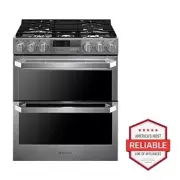


 LG LSES6338F
User Manual
LG LSES6338F
User Manual
 LG LSGS6338F
User Manual
LG LSGS6338F
User Manual
 LG LSGS6338N
User Manual
LG LSGS6338N
User Manual
 LG LSIS6338F
User Manual
LG LSIS6338F
User Manual
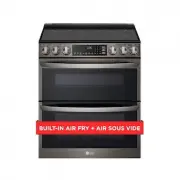 LG LTEL7337D
User Manual
LG LTEL7337D
User Manual
 LG LCRF0222
User Manual
LG LCRF0222
User Manual
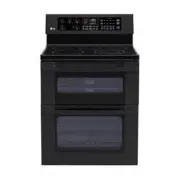 LG LDE3015SB
User Manual
LG LDE3015SB
User Manual
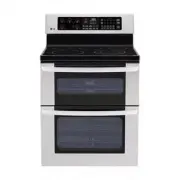 LG LDE3015ST
User Manual
LG LDE3015ST
User Manual
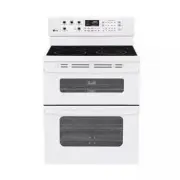 LG LDE3015SW
User Manual
LG LDE3015SW
User Manual
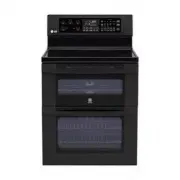 LG LDE3017SB
User Manual
LG LDE3017SB
User Manual